This spotlight is part of our MCP company spotlights, within The MCP Guide. Building an MCP company? See SEO and GEO for MCP companies.
Docker packages MCP servers as container images, so each one runs isolated from your computer. Its MCP work has four parts: a catalog of servers, a Toolkit inside Docker Desktop, an open-source MCP Gateway, and a separate MCP Enterprise Gateway for companies.
Checked against: Docker's MCP Catalog and Toolkit docs on 28 October 2026. eSEOspace did not test Docker's products.
Key Takeaways
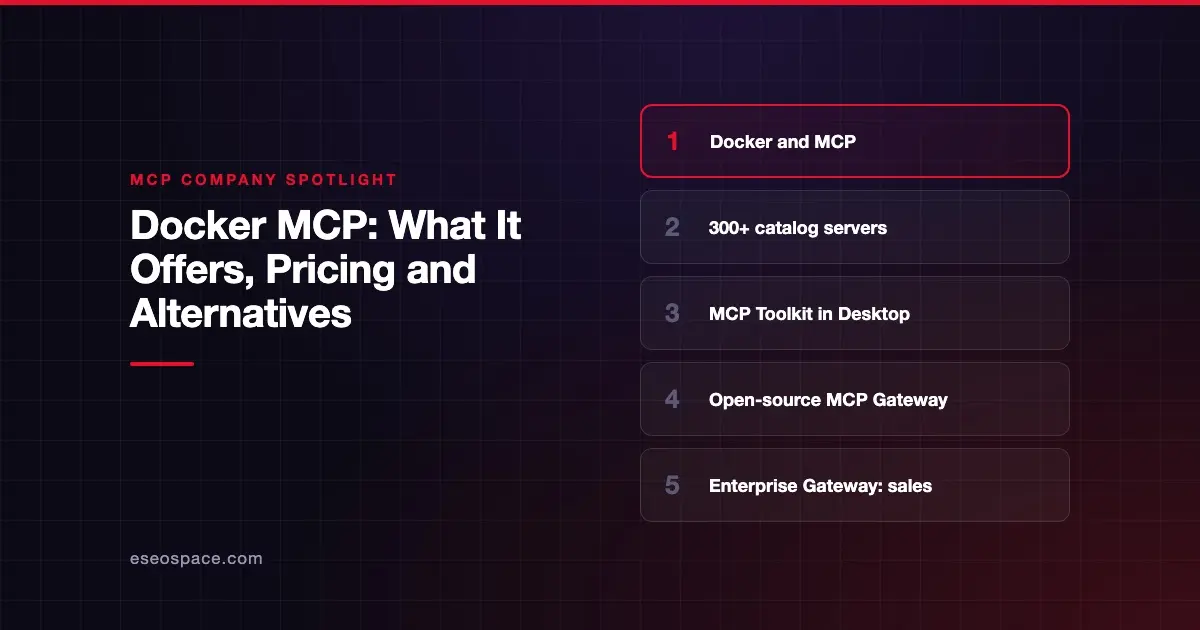
- The Docker MCP Catalog lists 300+ verified servers as container images, with provenance and SBOM data on each.
- The MCP Toolkit in Docker Desktop runs each tool in its own container, capped at 1 CPU and 2 GB of memory, per Docker.
- The MCP Gateway is "Docker's open source solution for orchestrating" MCP servers, and its repository is MIT licensed.
- The MCP Enterprise Gateway adds sign-in, per-tool policy and SIEM audit streams, deployed in your cloud or air-gapped.
- None of Docker's subscription plans list MCP features; the Enterprise Gateway is sold through sales.
At a glance
| Item | Detail |
|---|---|
| Company | Docker |
| What it offers for MCP | MCP Catalog, MCP Toolkit, open-source MCP Gateway, MCP Enterprise Gateway |
| Who it's for | Developers running local servers; enterprises that need governed MCP access |
| Open source? | MCP Gateway (MIT); Docker Desktop and the Enterprise Gateway are commercial |
| Pricing | Catalog free to browse; Docker plans $0 to $24 per user a month; Enterprise Gateway via sales |
What Docker offers for MCP
MCP Catalog
Docker's catalog docs say "all servers are versioned with full provenance and SBOM metadata." An SBOM, or software bill of materials, lists every component in a package. Docker-built local servers are "built and digitally signed by Docker." You can browse at hub.docker.com/mcp or in Docker Desktop. Companies can build custom catalogs to "restrict which servers your organization approves for use."
MCP Toolkit
The Toolkit docs call it "a management interface integrated into Docker Desktop." They cover Docker Desktop 4.62 and later. Each tool runs in its own container, "restricted to 1 CPU" and "limited to 2 GB." Servers get no host file access unless you grant it. The Toolkit "handles OAuth authentication automatically" and works with Claude, Cursor, VS Code and other clients.
MCP Gateway (open source)
The MCP Gateway docs say it "runs MCP servers in isolated Docker containers with restricted privileges, network access, and resource usage." It injects credentials and includes logging and call tracing. You use it through the docker mcp CLI. The GitHub repository is MIT licensed. The docs add that the gateway "as part of Docker AI Governance is an invite-only feature."
MCP Enterprise Gateway
The Enterprise Gateway page says it "authenticates the user, decides which servers and tools they can reach, applies policy to each call, supplies the credentials, and records the result." Unvetted servers are "denied by default." It can run managed in your own cloud account or as an air-gapped appliance on private Kubernetes. A Docker-managed cloud option is marked "Coming soon."
Who it's for
The Toolkit and open-source gateway suit developers who run MCP servers on laptops and want them sandboxed. The Enterprise Gateway targets companies that need identity, policy and audit across remote, internal and Docker-packaged servers. If you are new to running local servers, our guide to sandboxing local MCP servers explains why containers help.
Pricing
Browsing the catalog is free, and the gateway code is open source. Docker's pricing page listed these subscriptions on 28 October 2026:
| Plan | Monthly | Annual (per month) |
|---|---|---|
| Personal | $0 | $0 |
| Pro | $11 per user | $9 per user |
| Team | $16 per user | $15 per user |
| Business | $24 per user | $24 per user |
None of these plans list MCP Toolkit or MCP Gateway as a feature. The MCP Enterprise Gateway page shows no price and offers "Talk to sales."
Security and trust
Docker's MCP security model rests on isolation. Each server runs in its own container with CPU, memory, network and file limits. Docker says requests containing secrets are blocked by the Toolkit, and catalog images under mcp/ are signed. For the Enterprise Gateway, Docker says credentials "stay in your secret store" and are "never distributed through client config files." The gateway page names no certifications such as SOC 2.
Containers limit damage from a bad server, but you still need to vet each one. See our article on MCP supply chain risks.
Alternatives
- Glama pairs a much larger directory with hosted servers and a logging gateway.
- IBM ContextForge is an Apache 2.0 gateway that also wraps REST and gRPC APIs as MCP tools.
- Obot is an MIT-licensed platform with a gateway, registries and device monitoring.
Docker also appears in our list of MCP gateways and our roundup of MCP directories. See all MCP company spotlights.
Next step
Developers can start with the Toolkit in Docker Desktop and a short list of signed catalog servers. If your company needs one governed path for all staff, our MCP development team can help you compare Docker's Enterprise Gateway with other options.
Frequently asked questions
Is the Docker MCP Gateway free?
The open-source MCP Gateway is MIT licensed and free to use. The separate MCP Enterprise Gateway is sold through Docker's sales team, and its page shows no price.
How many servers are in the Docker MCP Catalog?
Docker's docs refer to "300+ servers" in the catalog. Each is packaged as a container image with provenance and SBOM data.
What Docker Desktop version do I need for the MCP Toolkit?
The Toolkit docs describe the interface in Docker Desktop 4.62 and later. Earlier versions have a different layout.
Does the Docker MCP Toolkit work with Claude?
Yes, per Docker. The Toolkit docs say it "works with Claude, Cursor, and other MCP clients," with Claude Desktop and VS Code as examples.