This article is part of our MCP Guide: what the Model Context Protocol is, how to use it safely, and how to choose servers, tools and help. Want a second opinion on your setup? Request a free MCP readiness review.
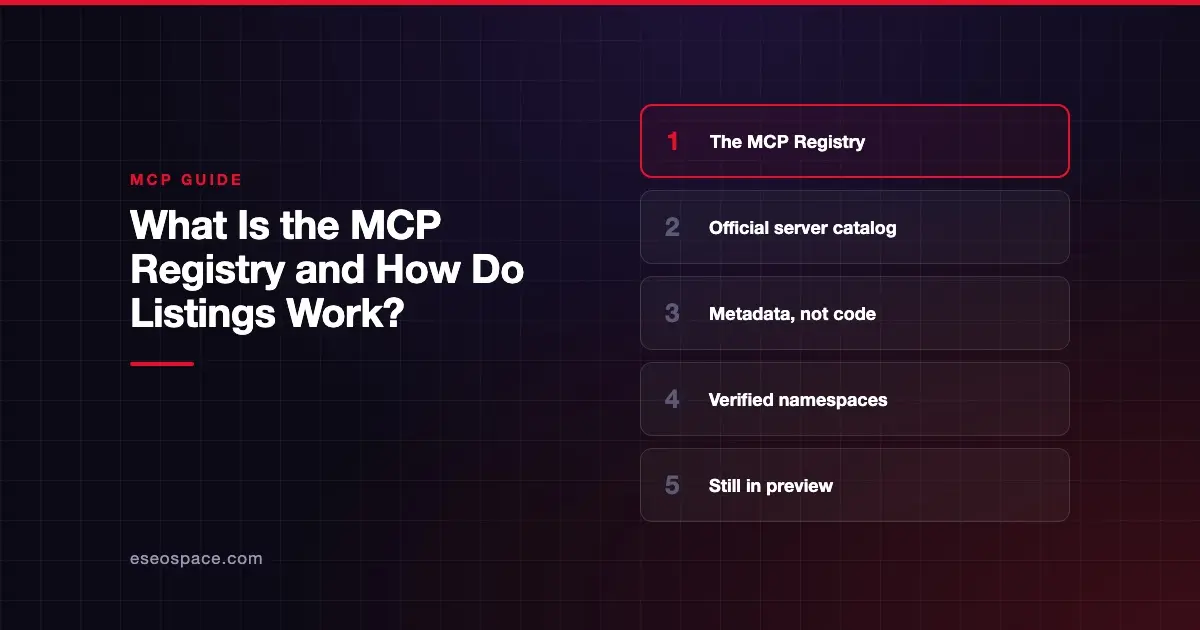
The MCP Registry is the official public catalog of Model Context Protocol (MCP) servers. It lives at registry.modelcontextprotocol.io and stores metadata about each server: its name, where to download or connect to it, and how to run it. It does not host the server code itself.
The registry launched in preview on 8 September 2025, and it was still marked as preview on 28 October 2026. Its main job is to give one trusted source of server listings that other directories, marketplaces and AI apps can build on.
This guide explains how listings work, what the registry checks, and what it does not. All details come from the official MCP Registry documentation, checked on 28 October 2026.
Key Takeaways
- The MCP Registry is the official, central catalog of public MCP servers, and it stores metadata rather than code.
- Server names are tied to a verified GitHub account or domain, so only the owner can publish under that name.
- The registry does not security-scan or rank servers; that work is left to package registries and downstream directories.
- Most people never use the registry directly; directories and marketplaces pull its data and add ratings and curation.
- Publishing uses a free command-line tool called
mcp-publisherand aserver.jsonfile. - Private, internal-only servers cannot be listed; companies can run their own private registry instead.
What the MCP Registry is
The registry is "the official centralized metadata repository for publicly accessible MCP servers," according to its About page. The page says it is backed by contributors including Anthropic, GitHub, PulseMCP and Microsoft.
The registry launch post dates the preview to 8 September 2025. It says the project began in February 2025 as a grassroots effort, with help from the PulseMCP and Goose teams.
Metadata, not code
Think of the registry as a library card catalog, not the shelves. The actual server code lives in package registries such as npm, PyPI, NuGet, crates.io and Docker Hub. The MCP Registry stores pointers to those packages, or to a remote server's URL.
Each listing is a server.json file. According to the About page, it contains:
- A unique server name, such as
io.github.user/server-name - Where to find the server, such as an npm package or a remote URL
- How to run it, such as command-line arguments and environment variables
- Discovery details, such as a description and capabilities
What it is not
The registry has clear limits:
- Not for private servers. Servers on a private network or private package registry cannot be listed. The docs suggest running your own private registry for those.
- Not a security scanner. Scanning is delegated to package registries and downstream directories.
- Not a curated store. It is "deliberately unopinionated," leaving ratings and curation to others.
- Not meant for AI apps to read directly. The About page says host applications should use downstream registries that follow the same API format.
How the registry fits the MCP ecosystem
The registry sits in the middle of a chain.
| Layer | Examples | Role |
|---|---|---|
| Package registries | npm, PyPI, NuGet, crates.io, Docker Hub | Host the actual code |
| Official MCP Registry | registry.modelcontextprotocol.io | Verified metadata and names |
| Subregistries and aggregators | Marketplaces and directories | Add curation, ratings and security checks |
| AI apps | Claude, ChatGPT, VS Code, Cursor | Show servers to users |
The aggregators guide says downstream directories should pull data on a regular but infrequent basis, such as once per hour. A "subregistry" is an aggregator that also offers the same OpenAPI interface, so AI apps can read it in a standard way. Subregistries can add their own data, such as user ratings or scan results.
This is why your listing can appear in several places after one publish. Our list of the best MCP directories and registries compares them.
How listings work: names and verification
The most important feature of the registry is namespace verification. A namespace is the first part of a server's name, before the slash. It proves who published the server.
According to the registry authentication guide, there are three ways to prove ownership:
| Method | Name format | How you prove it |
|---|---|---|
| GitHub | io.github.username/* or io.github.orgname/* | Sign in with GitHub through the publisher tool |
| DNS | com.example/* (your domain, reversed) | Add a TXT record with a public key to your domain |
| HTTP | com.example/* (your domain, reversed) | Host a key file at /.well-known/mcp-registry-auth on your domain |
For a business, domain-based names look more trustworthy than a personal GitHub name. A server named com.yourcompany/crm tells users it came from the company that owns that domain.
Package ownership checks
The registry also checks that the package actually belongs to the listed server. The package types guide explains each method:
- npm: an
mcpNamefield inpackage.jsonmust match the server name. - PyPI and NuGet: the package README must contain
mcp-name:followed by the server name. - Cargo (Rust): same as PyPI, but the text must be visible, since crates.io strips hidden comments.
- Docker and OCI images: an
io.modelcontextprotocol.server.namelabel must match. - MCPB bundles: the download URL must contain "mcp," and the listing must include a SHA-256 file hash.
Remote servers
A server does not need a package at all. The remote servers guide shows how to list a hosted server with a remotes entry and a URL. The server must be publicly reachable. The guide recommends the Streamable HTTP transport, since the older SSE transport is deprecated.
How to publish a server, step by step
The official publishing quickstart walks through a TypeScript example. In short:
- Publish your package to its home registry first, such as npm. The MCP Registry only hosts metadata.
- Add verification info, such as the
mcpNamefield inpackage.json. - Install
mcp-publisher, the official command-line tool, from a pre-built binary or Homebrew. - Run
mcp-publisher initto create aserver.jsontemplate, then edit it. - Log in with
mcp-publisher login github, or use DNS or HTTP for a domain name. - Run
mcp-publisher publish. - Check the listing through the public API at
registry.modelcontextprotocol.io/v0.1/servers.
The docs also cover automating these steps with GitHub Actions. If you want help planning a launch around your listing, see our MCP marketing services.
What gets removed, and what does not
The registry moderation policy is short and permissive. Its summary: "We only remove illegal content, malware, spam, and completely broken servers."
It will not remove:
- Low-quality or buggy servers
- Servers with security vulnerabilities
- Servers that duplicate other servers
The policy also states that the registry "does not make guarantees about moderation," and that users "should assume minimal-to-no moderation." Removed servers are marked with a deleted status rather than erased.
What that means for buyers
A listing in the official registry proves who published a server. It does not prove the server is safe, well built or maintained. Before you connect a server to business data, run your own checks. Our checklist on how to choose MCP servers covers what to look for, and MCP security risks explains the threats.
Why the registry matters for MCP companies
If you sell a product with an MCP server, the registry is the base layer of your distribution. Directories and AI tools pull from it. A complete, accurate listing with a clear description helps people find you everywhere its data flows.
The spam rules matter too. The moderation policy names examples of spam, including a server "with a description stuffed with marketing copy and an unrelated implementation." Clear, honest descriptions are the safe approach.
Some AI tools already let companies point at registries. For example, Devin's Cascade docs say enterprise teams can set custom MCP registry URLs that follow the official registry schema. See our overview of which AI apps support MCP for more on clients.
Next step
A registry listing makes your server findable. It does not make it chosen. Read our guide to how to market an MCP server across the registry, directories, SEO and GEO.
Frequently asked questions
Is the MCP Registry free to use?
The docs do not list any fee for publishing, and the read API is public and unauthenticated. You do need accounts with the services you use to publish, such as npm and GitHub, or control of a domain for DNS or HTTP verification.
Is the MCP Registry production-ready?
Not yet. As of 28 October 2026, the registry docs say it is in preview, and that "breaking changes or data resets may occur before general availability." The aggregators guide also says it offers no uptime or data durability guarantees.
Does the MCP Registry check servers for security?
No. The registry focuses on namespace verification and metadata. It relies on package registries like npm and PyPI, and on downstream directories, for security scanning. Its moderation policy says it will not remove servers just for having vulnerabilities.
Can I list a private or internal MCP server?
No. The official registry only accepts servers whose package is public or whose remote URL is publicly reachable. For internal servers, the docs recommend hosting your own private registry, which can follow the same OpenAPI format.
How is the MCP Registry different from third-party MCP directories?
The official registry is the neutral source of verified names and metadata. Directories and marketplaces are downstream services that can add ratings, curation and security checks. Each has its own rules and moderation policy.
What is server.json?
It is the standard file that describes an MCP server in the registry. It includes the server's name, version, description, packages or remote URLs, and setup details such as environment variables.