This article is part of our MCP Guide: what the Model Context Protocol is, how to use it safely, and how to choose servers, tools and help. Want a second opinion on your setup? Request a free MCP readiness review.
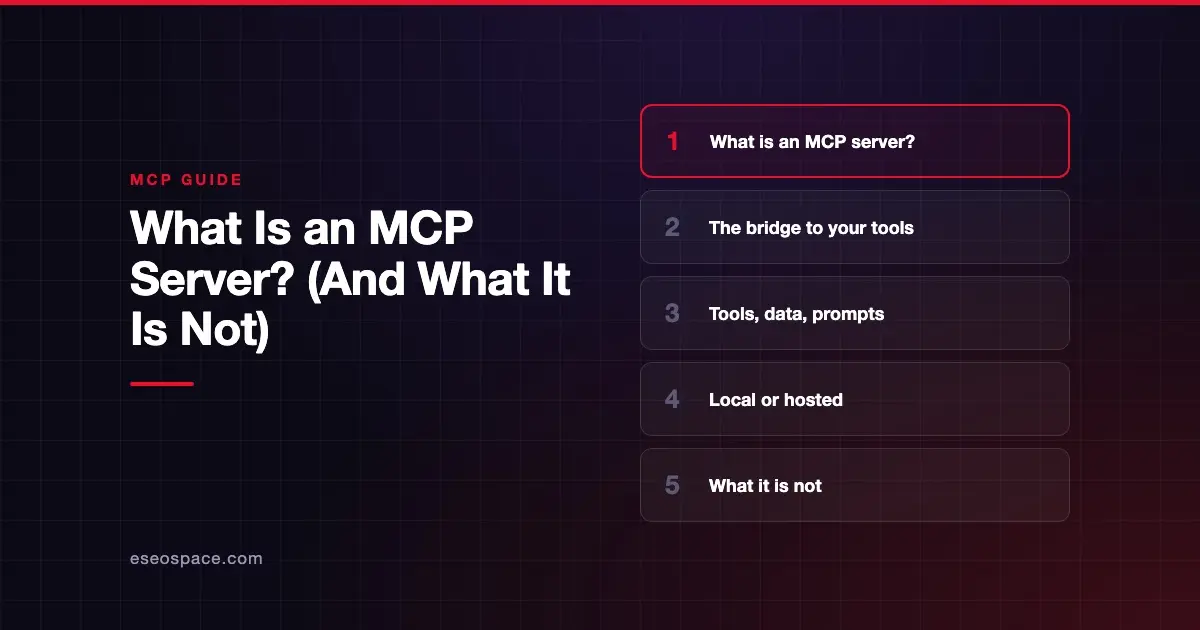
An MCP server is a program that lets AI apps use a specific tool or data source through the Model Context Protocol. The official docs define MCP servers as "programs that expose specific capabilities to AI applications through standardized protocol interfaces."
In plain terms, it is a translator. On one side is your software, such as a CRM, a payment system or a code repository. On the other side is an AI app like Claude, ChatGPT or Cursor. The server tells the AI what it can do and carries out approved requests.
This guide explains what an MCP server does, the two ways it can run, real examples, and the misconceptions that cause the most confusion.
Key Takeaways
- An MCP server exposes tools (actions), resources (read-only data) and prompts (templates) to AI apps.
- A server can run locally on your computer or remotely as a hosted service; the protocol is the same either way.
- Many vendors now publish official servers, including GitHub, Stripe, HubSpot, Notion and Atlassian.
- An MCP server is not an AI model, not a replacement for an API, and not a security boundary on its own.
- The official reference servers are teaching examples, not production software, according to their own README.
- Before connecting a server, check who publishes it, what it can change, and how it signs you in.
What an MCP server does
An MCP server offers up to three kinds of building blocks. The server concepts page describes them like this:
| Building block | What it does | Example |
|---|---|---|
| Tools | Functions the AI model can call to take action | Search flights, send a message, create a calendar event |
| Resources | Read-only data the app can use as context | A document, a knowledge base, a database schema |
| Prompts | Pre-built templates a user can choose | "Draft an email," "Summarize my meetings" |
The server describes each tool with a name, a plain-language description and an input schema. The AI app reads these and decides when a tool fits your request. When you approve, the app sends the request and the server does the work.
The docs give a database example. One server could expose a tool to query the database, a resource containing its schema, and a prompt with sample queries.
Local servers vs remote servers
The architecture docs note that "MCP server" means the program, wherever it runs.
| Type | Where it runs | How it connects | Example |
|---|---|---|---|
| Local | On your own computer | The AI app launches it and talks over standard input/output (stdio) | The reference filesystem server |
| Remote | On the vendor's infrastructure | Over the internet using Streamable HTTP, usually with OAuth sign-in | The Sentry MCP server |
Local servers can reach files and programs on your machine. That is powerful but carries risk. The MCP security guide warns that local servers run with the same privileges as the client and recommends sandboxing.
Remote servers are easier to set up. You often paste a URL and sign in. The vendor runs and updates them, and access follows your account permissions when the server is built that way.
Real examples of MCP servers
Many software companies now publish official MCP servers. These are a few, checked against each vendor's docs on 28 October 2026:
- GitHub MCP Server: works with repositories, issues, pull requests and Actions. It offers a read-only mode that skips all write tools.
- Stripe MCP: a hosted server at
mcp.stripe.comfor reading and writing Stripe data. Stripe requires human confirmation for certain actions, such as refunds. - HubSpot remote MCP server: read and write access to CRM records like contacts, companies, deals and tickets, with some objects read-only.
- Notion MCP: a remote server hosted by Notion for searching, reading and updating workspace content.
- Atlassian MCP server: connects Jira, Confluence and other Atlassian apps. Atlassian says actions respect each user's existing permissions.
For 25 more, organized by department, see MCP examples.
The official reference servers
The MCP project maintains a small set of reference servers on GitHub. As of October 2026 they include Everything, Fetch, Filesystem, Git, Memory, Sequential Thinking and Time.
The README is clear that these are "educational reference implementations," not production solutions. Several early servers, such as GitHub, Slack and Google Drive, moved to an archived repository. For third-party servers, the README points to the MCP Registry.
What an MCP server is not
Much of the confusion around MCP comes from what people assume a server does. Here are six common misconceptions.
1. It is not an AI model
An MCP server does not think or write. The AI model lives in the host app, such as Claude or ChatGPT. The server only offers tools and data, then runs the tool calls the app sends.
2. It is not a replacement for your API
Most MCP servers sit on top of an existing API. Stripe's server, for example, calls the Stripe API through tools like stripe_api_read and stripe_api_write. MCP adds a standard way for AI apps to discover and use that API. See MCP vs API.
3. It is not a security boundary by itself
The MCP specification says MCP "cannot enforce these security principles at the protocol level." The server and the host app must handle consent, access control and input checks. A badly built server can expose far more than you intend.
4. It is not automatically trustworthy
Tool descriptions and behavior hints come from the server. The spec says clients must treat these hints as untrusted unless the server itself is trusted. Anyone can publish a server, so the publisher matters.
5. It is not the same as a registry listing
The MCP Registry stores metadata about servers, not the code. Its docs say it verifies namespaces, but leaves security scanning to package registries and downstream marketplaces. A listing is not an endorsement. Learn more in the MCP registry explained.
6. It does not keep a session by default
Since the 2026-07-28 spec, MCP is stateless. Each request carries everything the server needs. Servers that need memory across calls, such as a shopping cart, return an explicit ID that the AI passes back.
How to judge an MCP server before you connect it
A few questions cover most of the risk:
- Who publishes it? Prefer the vendor's official server over an unknown copy.
- What can it change? Look for read-only modes, scoped access and approval steps for risky actions.
- How does it sign you in? Remote servers should use OAuth rather than asking you to paste a master key.
- Can you limit scope? For example, Supabase lets you add
read_only=trueand limit the server to one project, per its MCP docs. - Can you see what it did? Audit logs and visible tool calls make mistakes easier to catch.
Our checklist for choosing MCP servers goes deeper. If you plan to build your own server, see our MCP development services.
Next step
Most teams start with servers for the marketing and analytics tools they already use. See the best MCP servers for marketing and SEO teams for a vetted shortlist.
Frequently asked questions
Is an MCP server the same as an API?
No. An API is the interface a software product offers to other programs. An MCP server usually wraps that API and presents it in a standard format that AI apps can discover and call. You often need both.
Do I need to install an MCP server?
Not always. Remote servers run on the vendor's side, and you connect by adding a URL in your AI app and signing in. Local servers do need installing, usually through a package manager or Docker.
Can one AI app connect to many MCP servers?
Yes. The host app creates one client for each server you connect. The AI can then use tools from several servers in one conversation, such as checking a calendar and then creating a task.
Are MCP servers free?
Many official MCP servers are included with the vendor's existing plans, and the protocol is free. Some vendors limit access by plan. Figma, for example, lists which plans and seats can use each version of its server. Always check the vendor's pricing page.
Who can build an MCP server?
Anyone with development skills. Official SDKs exist for TypeScript, Python, C#, Go, Rust, Ruby, Java, Swift, PHP and Kotlin, according to the MCP SDK page. Building one that is secure and reliable for business use takes more care than a demo.
What is the safest way to try an MCP server?
Start with an official server from a vendor you already use. Turn on read-only mode if it exists, keep tool approvals on, and test with non-sensitive data first.