This article is part of our MCP Guide: what the Model Context Protocol is, how to use it safely, and how to choose servers, tools and help. Want a second opinion on your setup? Request a free MCP readiness review.
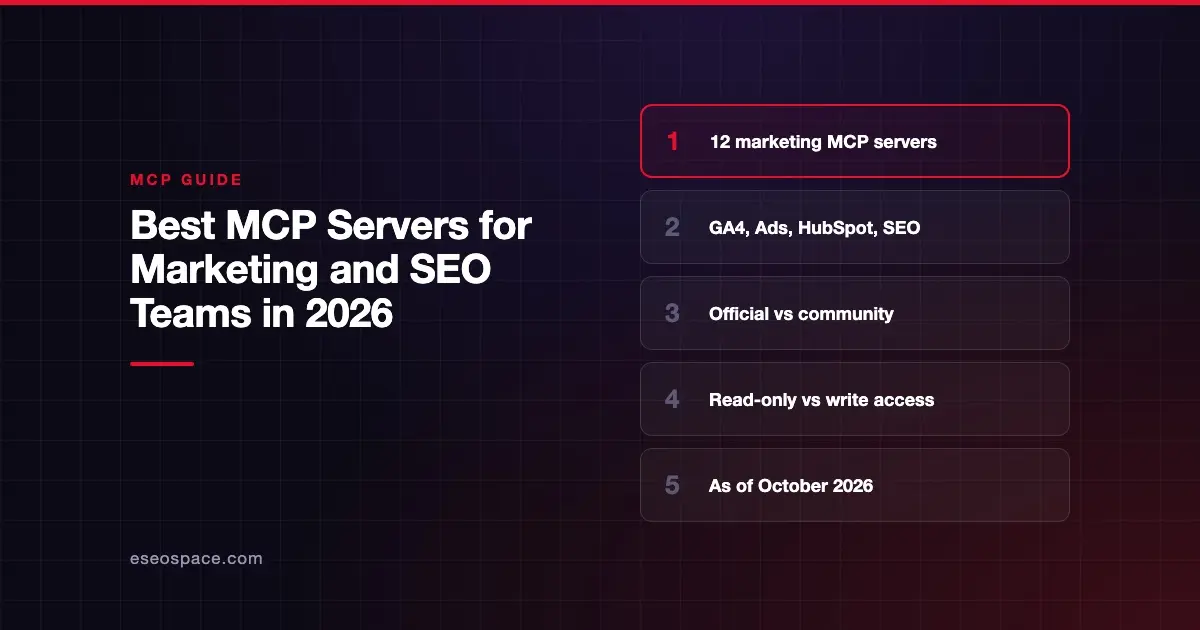
The best MCP servers for marketing teams are the official ones from the platforms you already pay for: Google Analytics, Google Ads, HubSpot, Ahrefs, Semrush, Meta and your CMS. They let an AI app like Claude or ChatGPT pull your real numbers, and sometimes make changes, without copy-pasting exports.
An MCP server is a small connector that lets an AI app use another product's data or actions. If that is new, read what an MCP server is first. Then see how marketing teams use MCP day to day.
Below are twelve servers we checked against each platform's own docs on 28 October 2026. Eleven come from the platform owner. One, for Google Search Console, is community-built because we found no official server from Google. We did not install or test these servers.
Key Takeaways
- Official servers now exist for Google Analytics, Google Ads, HubSpot, Ahrefs, Semrush, Similarweb, Meta Ads, WordPress, Webflow, Klaviyo and Canva.
- Google's Analytics and Ads servers are read-only by design; HubSpot, Meta Ads, Webflow, Klaviyo and Canva can also make changes.
- SEO data servers (Ahrefs, Semrush, Similarweb) draw from your plan's API units or need an API key, so heavy AI use can cost money.
- We found no official Google Search Console MCP server as of October 2026; community servers exist but need extra vetting.
- Start with read-only access. Turn on write tools only after you trust the setup and know who approves changes.
How we chose
We included a server only if it met all of these tests:
- Live and public. A working MCP server documented on the platform's own site or GitHub, checked on 28 October 2026.
- Clear pricing. Free and open source, included in a published plan, or a clear way to get a quote.
- Security basics documented. The docs describe how you sign in (OAuth, API key or service account) and what scopes or permissions apply.
We preferred servers built by the platform owner. We label community servers clearly. We dropped anything we could not open and verify. The order below is not a ranking.
Marketing MCP servers compared
| Name | Best for | Pricing | Notable |
|---|---|---|---|
| Google Analytics MCP | GA4 reporting | Free and open source (Apache 2.0) | Read-only; runs locally |
| Google Ads MCP | Paid search reporting | Free and open source (Apache 2.0) | Read-only; cannot change bids |
| HubSpot remote MCP | CRM and content work | No MCP price published; some tools need paid Hubs | Read and write, with confirmation |
| Ahrefs MCP | Backlinks and keyword data | Ahrefs Lite and up (from $129/mo) | Uses your API units |
| Semrush MCP | SEO and traffic data | Included with qualifying Semrush plans | OAuth 2.1 sign-in |
| Similarweb MCP | Competitor traffic research | Pricing on request | Needs a Similarweb API key |
| Meta Ads MCP | Facebook and Instagram ads | No fee listed in Meta's docs | Can create and edit campaigns |
| WordPress MCP Adapter | WordPress sites | Free and open source (GPL-2.0+) | Abilities private by default |
| Webflow MCP | Webflow sites and CMS | No MCP price published | Works within Webflow roles |
| Klaviyo MCP | Email and SMS marketing | No MCP price published | Remote or local server |
| Canva MCP | Design and creative | No MCP price published | Create, edit and export designs |
| mcp-server-gsc (community) | Search Console data | Free and open source (MIT) | Community-built, not Google |
1. Google Analytics MCP server: read-only GA4 reporting
What it is: Google's Analytics MCP documentation says the server "lets you connect your Google Analytics data to large language models (LLMs) and AI agents." It is "available for read requests only" and "can't create, modify, or delete" your settings. The GitHub repository lists tools for standard, realtime and funnel reports.
Best for: Marketers who want to ask plain-English questions about GA4 traffic and conversions.
Pricing: Free and open source (Apache 2.0). Standard Google Analytics API quotas apply.
Pros:
- Read-only design keeps your GA4 setup safe.
- Uses Google's read-only analytics scope.
- Setup examples for Claude Desktop, Claude Code and Cursor.
Cons:
- Runs locally, so setup needs Python and a Google Cloud project.
- The repository is labeled "Experimental."
Checked against: Google Analytics MCP docs on 28 October 2026.
2. Google Ads MCP server: paid search data in plain English
What it is: Google's Ads MCP documentation says it "provides a standardized bridge to the Google Ads API." It states: "This implementation is strictly read-only. It cannot modify bids, pause campaigns, or create new assets." The GitHub repository lists search, resource metadata and accessible-customer tools.
Best for: PPC managers and agencies who report across many Google Ads accounts.
Pricing: Free and open source (Apache 2.0).
Pros:
- No risk of an AI changing live campaigns.
- Exposes Google Ads metrics and segments as reference resources.
- Maintained in Google's own
googleadsorganization.
Cons:
- Needs a Google Cloud project with API access.
- Google's docs describe the hosted endpoint as a pilot, so check its status before you plan around it.
Checked against: Google Ads MCP docs on 28 October 2026.
3. HubSpot remote MCP server: CRM, content and campaigns
What it is: HubSpot's MCP page says the remote server gives "secure read and write access to your HubSpot CRM data." Its integration guide lists write tools for CRM records, landing pages, blog posts, campaigns and marketing email drafts. "All actions respect your existing HubSpot user permissions," and many write tools ask you to confirm first.
Best for: Marketing and sales teams that run their CRM and content in HubSpot.
Pricing: HubSpot's docs list no separate MCP price. Tool access "varies by HubSpot subscription." For example, the answer engine optimization (AEO) tools need Marketing Hub Professional or Enterprise.
Pros:
- Broad read and write coverage across CRM and marketing content.
- OAuth sign-in tied to each user's permissions.
- Sensitive data properties are excluded.
Cons:
- Some features, like revenue objects and quotes, are still labeled beta.
- Website page and blog tools work only in Claude, ChatGPT and Gemini, per HubSpot.
Checked against: HubSpot remote MCP guide on 28 October 2026.
4. Ahrefs MCP: backlink and keyword data for AI
What it is: Ahrefs' MCP documentation says it "lets AI agents securely access the Ahrefs API and enrich their answers with real Ahrefs data." It is a hosted server at api.ahrefs.com/mcp/mcp. Connecting creates a dedicated API key with MCP scope after a consent screen.
Best for: SEO teams that already use Ahrefs for backlinks, keywords and competitor research.
Pricing: Ahrefs' docs say it is on "paid plans starting from Lite." Ahrefs' pricing page lists Lite at $129 a month, Standard at $249 and Advanced at $449. MCP calls draw from your plan's API allowance.
Pros:
- Hosted, so there is nothing to install.
- MCP keys made through OAuth default to a 200,000-unit monthly cap, which admins can change.
- Usage visible under Account settings.
Cons:
- Not available on the $29 Starter plan.
- Ahrefs does not permit using the MCP endpoint from custom scripts or bridges.
Checked against: Ahrefs MCP docs on 28 October 2026.
5. Semrush MCP: SEO, traffic and project data
What it is: Semrush's MCP docs say the server "provides AI agents with secure access to Semrush's public APIs." It covers SEO API methods, Trends API methods and read-only Projects API methods. Sign-in uses OAuth 2.1, with API key headers as a fallback.
Best for: Marketers who use Semrush for keyword, competitor and traffic research.
Pricing: Semrush's pricing page lists "MCP access" on the Starter plan ($199 monthly, or $165.17 a month billed annually). Semrush's docs say qualifying plans include 50,000 API units, and every MCP request uses units.
Pros:
- OAuth 2.1 sign-in through the Semrush login page.
- Project data is read-only, so the AI cannot change settings.
- Trends API plans include MCP access.
Cons:
- Heavy use can burn through API units.
- Plan names differ between Semrush's docs and its pricing page, so confirm eligibility.
Checked against: Semrush MCP docs on 28 October 2026.
6. Similarweb MCP: competitor traffic and audience data
What it is: Similarweb's launch post, dated 25 September 2025, announced an MCP server with "traffic, keyword, competitor, and audience insights at scale." It works with Claude, Cursor, n8n and Zapier, per the post. You connect with your Similarweb API key.
Best for: Strategy and growth teams that benchmark competitors' web traffic.
Pricing: Pricing on request. Access depends on a Similarweb API key.
Pros:
- Competitive data that GA4 and Search Console cannot give you.
- Official server from Similarweb.
- Works across several AI apps and automation tools.
Cons:
- Needs API access, which is a separate purchase decision.
- The launch post is more than a year old, so check current docs before setup.
Checked against: Similarweb MCP launch post on 28 October 2026.
7. Meta Ads MCP server: manage Facebook and Instagram ads
What it is: Meta's ads MCP overview describes "a Meta-hosted Model Context Protocol server that lets you manage Meta ads directly from an AI agent." Tools cover reporting, ad creation, catalogs, A/B tests and activity logs. It can "create and edit ads, ad sets, and campaigns."
Best for: Paid social teams that want reporting and campaign edits from one AI chat.
Pricing: Meta's docs list no fee for the MCP server. Your normal ad spend still applies.
Pros:
- Hosted by Meta at
mcp.facebook.com/ads; nothing to install. - OAuth through Facebook Login for Business, per Meta's get-started guide.
- Owning a Meta developer app is not required.
Cons:
- Write access means an AI can change live ads; set clear approval rules.
- Admin-role system user tokens cannot access it, per Meta.
Checked against: Meta ads MCP server docs on 28 October 2026.
8. WordPress MCP Adapter: official bridge for WordPress sites
What it is: The WordPress MCP Adapter "bridges WordPress's Abilities API with the MCP specification." It exposes site abilities as MCP tools, resources and prompts. The README notes "WordPress abilities are private by default," so a developer must mark each one public.
Best for: WordPress site owners who want AI apps to work with posts, pages or plugin features.
Pricing: Free and open source (GPL-2.0-or-later).
Pros:
- Part of WordPress's official AI Building Blocks initiative.
- Private-by-default design limits what the AI can reach.
- Supports HTTP and STDIO transports.
Cons:
- What it can do depends on which abilities your plugins register.
- Migration guides for v0.3.0, v0.5.0 and v0.7.0 show the project is still changing.
Checked against: WordPress MCP Adapter on GitHub on 28 October 2026.
9. Webflow MCP server: CMS, pages and design
What it is: Webflow's MCP docs say the server "connects agents and AI tools directly to your Webflow projects." It can manage CMS collections and items, page settings, schema markup and visual design. "Every agent works within your existing Webflow permissions and roles."
Best for: Marketing teams that run their site on Webflow and update content often.
Pricing: Webflow's docs list no separate MCP price. Analytics tools need the paid Webflow Analyze add-on, and some features need an Enterprise plan.
Pros:
- Bulk CMS updates and page settings from an AI chat.
- Can manage structured data (schema) on pages.
- Each authorization covers one workspace, which limits reach.
Cons:
- Cannot create new site projects through MCP.
- Design-level write access needs careful review before publishing.
Checked against: Webflow MCP docs on 28 October 2026.
10. Klaviyo MCP server: email and SMS performance
What it is: Klaviyo's MCP docs say it "integrates with Klaviyo's APIs, enabling AI clients to interact with your Klaviyo data." Tasks range "from campaign creation to flow performance reports." Klaviyo recommends the remote-hosted version, with a local option.
Best for: Ecommerce marketers who run email and SMS in Klaviyo.
Pricing: Klaviyo's docs list no separate MCP price.
Pros:
- Reports on campaigns and flows in plain English.
- Can draft campaigns as well as read data.
- Klaviyo marks which tools are read-only.
- The hosted server at
mcp.klaviyo.com/mcpsigns in with OAuth; the local server uses a private API key, per Klaviyo's connection guide.
Cons:
- Write tools can create campaigns, so review drafts before sending.
- It exposes a large set of tools, including ones that send campaigns and delete profiles, so limit who connects it. A
read-only=trueURL parameter restricts it to reading, per Klaviyo's tools list.
Checked against: Klaviyo MCP docs on 28 October 2026.
11. Canva MCP server: create and export designs
What it is: Canva's MCP docs say Canva for AI assistants is "built on the Canva MCP server." Tools cover design creation and editing, brand assets, library search, comments and export to PDF, PNG, JPG, PPTX and MP4.
Best for: Content and social teams that produce many on-brand graphics.
Pricing: Canva's MCP docs list no price or plan requirement on the overview page.
Pros:
- Creates designs from text descriptions.
- Exports in common formats, including video.
- Works with your existing brand assets.
Cons:
- Access and plan details are on separate pages; confirm before rollout.
- AI-made designs still need human brand review.
Checked against: Canva MCP docs on 28 October 2026.
12. mcp-server-gsc (community-built): Google Search Console data
What it is: mcp-server-gsc is a community-built server "providing access to Google Search Console." It is published under a personal GitHub account, not by Google. Its README documents a search_analytics tool with filters and optional "Quick Wins" detection.
Best for: SEO specialists comfortable vetting open-source code who want Search Console data in an AI chat.
Pricing: Free and open source (MIT).
Pros:
- Fills a gap: we found no official Google Search Console MCP server.
- Read the code yourself before you run it.
- Simple service-account setup.
Cons:
- Community-built, with no Google support or security review.
- You must add a service account as a property administrator, which is broad access.
Checked against: mcp-server-gsc on GitHub on 28 October 2026.
How to roll these out safely
Marketing data is often less sensitive than finance data, but ad accounts and CMS access can still do real damage. Follow these steps:
- Start read-only. Google Analytics, Google Ads and Search Console are good first servers.
- Use official servers first. Community servers can be fine, but read the code and check who maintains it.
- Limit write access. Turn on HubSpot, Meta Ads, Webflow or Klaviyo write tools for a few trained people first.
- Watch API units. Ahrefs and Semrush calls cost units, so set key limits where the vendor allows it.
- Keep a human in the loop. Review anything the AI drafts before it goes live.
Our MCP for SEO guide covers how search work changes. Our MCP security risks guide explains prompt injection and over-broad permissions. For help wiring this into your stack, see Claude Code consulting.
Next step
Want to see how these servers fit a real marketing workflow? Read MCP for marketing teams: GA4, Search Console, HubSpot and Ads. For more guides, visit The MCP Guide.
Frequently asked questions
Is there an official Google Search Console MCP server?
We found none from Google as of 28 October 2026. Google does publish official servers for Google Analytics and Google Ads. Community-built Search Console servers exist; treat them like any third-party code and review them first.
Can an MCP server change my ad campaigns?
Some can. Google's Ads server is strictly read-only. Meta's ads server can create and edit ads, ad sets and campaigns. Check each server's docs and limit write access to trained staff.
Do marketing MCP servers cost extra?
Often not as a separate line item, but usage can cost money. Ahrefs and Semrush calls use your plan's API units. Google's open-source servers are free to run, but standard API quotas still apply.
Which AI apps work with these servers?
Most work with any MCP-compatible app. Vendors name Claude, ChatGPT, Cursor and Gemini most often. HubSpot says some of its tools only work in Claude, ChatGPT and Gemini. See our guide to AI apps that support MCP.
How did eSEOspace check these servers?
We opened each platform's own docs, GitHub repository and pricing page on 28 October 2026. We did not install or test the servers. Feature details reflect what the vendors document.