

This profile is part of our MCP server directory, within The MCP Guide. Profiles are checked against each vendor's own documentation. Need a server built? See MCP development.
The Bright Data MCP server lets an AI app search the web and scrape pages. It can also run pre-built scrapers for sites like Amazon and LinkedIn, and control a remote browser. Every request goes through Bright Data's unblocking network, which handles bot detection, CAPTCHAs and proxies. Bright Data hosts the server and also publishes it as an npm package.
Checked against: Bright Data MCP README on 28 October 2026. eSEOspace did not install or test this server.
Key Takeaways
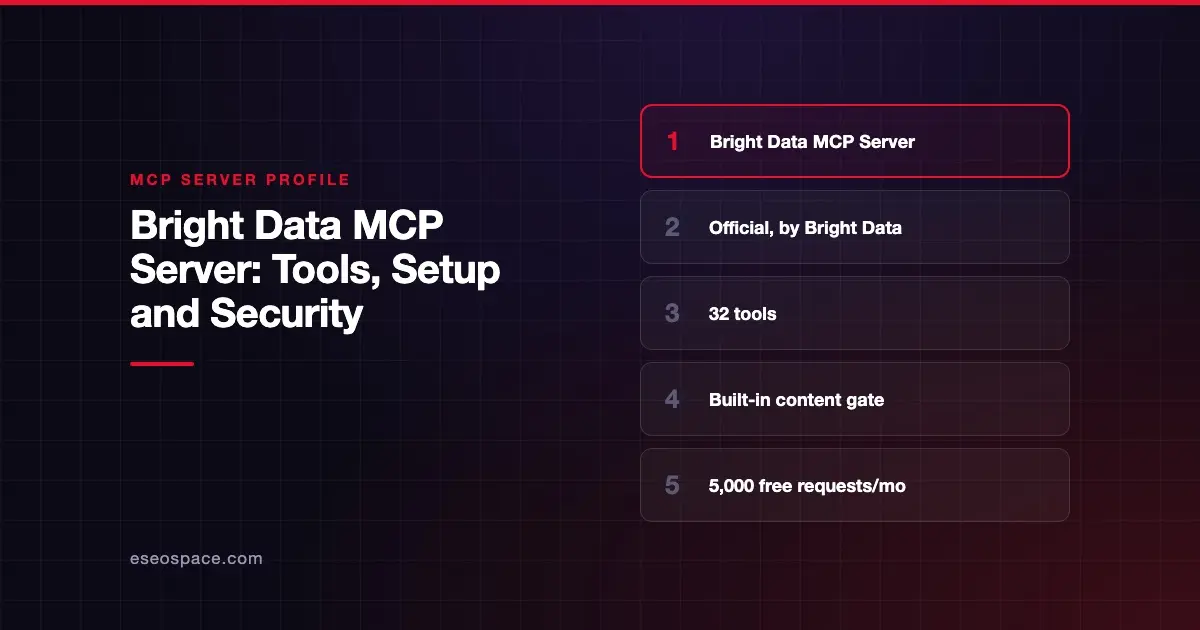
- Bright Data's official server has 32 tools across search, scraping, structured scrapers, browser automation and AI answer collection.
- The hosted URL is
https://mcp.brightdata.com/mcp?token=...; a local version runs withnpx @brightdata/mcp. - Tool groups and a
toolslist let you load only what you need. - A built-in "content gate" asks you before returning page text that looks like instructions to change your MCP setup.
- New accounts get 5,000 free requests a month; pay-as-you-go is $1.50 per 1,000 results.
At a glance
| Field | Detail |
|---|---|
| Publisher | Bright Data |
| Official? | Yes |
| Hosting | Both: remote https://mcp.brightdata.com/mcp and local package @brightdata/mcp |
| Transport | Streamable HTTP (remote); stdio (local) |
| Sign-in | API token |
| Read or write | Mostly read; browser tools can click, type and fill forms |
| Price | 5,000 free requests a month, then pay as you go (see Pricing) |
| Source code | github.com/brightdata/brightdata-mcp (MIT License) |
| Status | Not stated |
What it can do
The README documents 32 tools. The main ones are:
- Search:
search_enginesearches Google, Bing or Yandex.search_engine_batchruns up to 10 queries at once. - Scraping:
scrape_as_markdown,scrape_as_htmlandscrape_batch(up to 10 URLs).extractturns a page into structured JSON using AI. - Pre-built scrapers:
search_scrapers,get_scraper_details,run_scraper,get_scraper_progress,get_scraper_resultsandrefresh_scrapers. The README says these reach "1,200+ pre-built scrapers." - Browser: 14
scraping_browser_*tools to navigate, take snapshots, click, type, fill forms, scroll, screenshot and read network requests. - AI answers:
chatgpt_ai_insightsandperplexity_ai_insightssend prompts to ChatGPT and Perplexity and return their answers. The README files them under "GEO and brand visibility." - Other:
session_stats,search_dataset,list_dataset_fieldsandask_brightdata_assistant.
Tool groups are scrapers, browser, geo and advanced_scraping. With no groups or tools set, all 32 tools load.
How to connect it
Get an API token from your Bright Data account settings. For Claude Code, the README gives:
claude mcp add --transport http brightdata "https://mcp.brightdata.com/mcp?token=YOUR_API_TOKEN"For Claude Desktop, it lists: Settings, Connectors, Add custom connector, name it "Bright Data," and paste the URL. Or run it locally:
{
  "mcpServers": {
    "Bright Data": {
      "command": "npx",
      "args": ["@brightdata/mcp"],
      "env": {
        "API_TOKEN": "<your-api-token-here>"
      }
    }
  }
}
The README has configs for Cursor, VS Code, Windsurf (now Devin Desktop), Gemini CLI, Zed and more. To load fewer tools on the hosted server, add &groups=scrapers,browser or &tools=search_engine,scrape_as_markdown to the URL.
Security notes
Content gate. This is the stand-out safety feature. The README says scrape and search tools "return whatever a web page says." If that text reads like instructions to change your MCP configuration, such as running an npx -y package, the server pauses and asks you first. It uses MCP elicitation, so clients without elicitation get the content withheld. The gate is on by default, and "Browser tools are not covered." Our page on prompt injection through MCP tool results explains why this matters.
Filtered snapshots. BROWSER_FILTERED_SNAPSHOT limits browser snapshots to buttons, links and fields. The README says this stops "page text posing as a clickable element."
Token in the URL. The hosted setup puts your token in the URL. Keep configs private, and see MCP secret leakage.
Spend. The README says requests stop when free requests run out, unless you have deposited funds. You can set a spend cap in the control panel.
Scraping rules. You are still responsible for the sites and data you collect. For broader controls, visit the MCP security center.
Pricing
The README says every account gets "5,000 free requests per month," renewing on the 1st, with no credit card needed to start. As of October 2026, pay-as-you-go is $1.50 per 1,000 results for search, scrape and extract, and $8 per GB for browser navigation. Volume plans are on Bright Data's MCP pricing page.
Alternatives
- Apify MCP server: thousands of Actors (ready-made scrapers) as tools.
- Firecrawl MCP server: scrape, crawl, map and search with a keyless tier.
- Browserbase MCP server: a cloud browser driven by plain-English actions.
More on our MCP server profiles hub.
Next step
The geo tools show how ChatGPT and Perplexity answer questions about your brand. If you want to improve those answers, our MCP marketing and GEO services can help.
Frequently asked questions
Is the Bright Data MCP server free?
There is a free tier. The README says new accounts get 5,000 free requests a month, renewing monthly, with no rollover. After that, pay-as-you-go applies if you deposit funds.
What is the content gate?
A check that pauses when scraped text looks like instructions to change your MCP setup. The server asks you through your client before returning it. It is on by default and does not cover browser tools.
Can I load only a few tools?
Yes. Use groups or tools in the hosted URL, or the GROUPS and TOOLS environment variables locally. Every group also includes search_engine, scrape_as_markdown and ask_brightdata_assistant.
Does it work with Claude?
The README gives steps for Claude Desktop (as a custom connector) and Claude Code (with claude mcp add). It also covers Cursor, VS Code and other clients.









