

This guide is part of our MCP connection guides, within The MCP Guide. Steps are copied from the vendor's own documentation. Need a custom connection? See MCP development.
Connecting Claude to Atlassian lets you search and summarize Jira work items and Confluence pages, then create or update them from a Claude conversation. The connection uses the Atlassian MCP server, which Atlassian hosts in its cloud and which respects your existing Atlassian permissions.
Checked against: Atlassian's MCP getting started guide and Claude's guide to connectors on 28 October 2026. eSEOspace did not run these steps; menus can change, so follow the vendor's page if it differs.
Key Takeaways
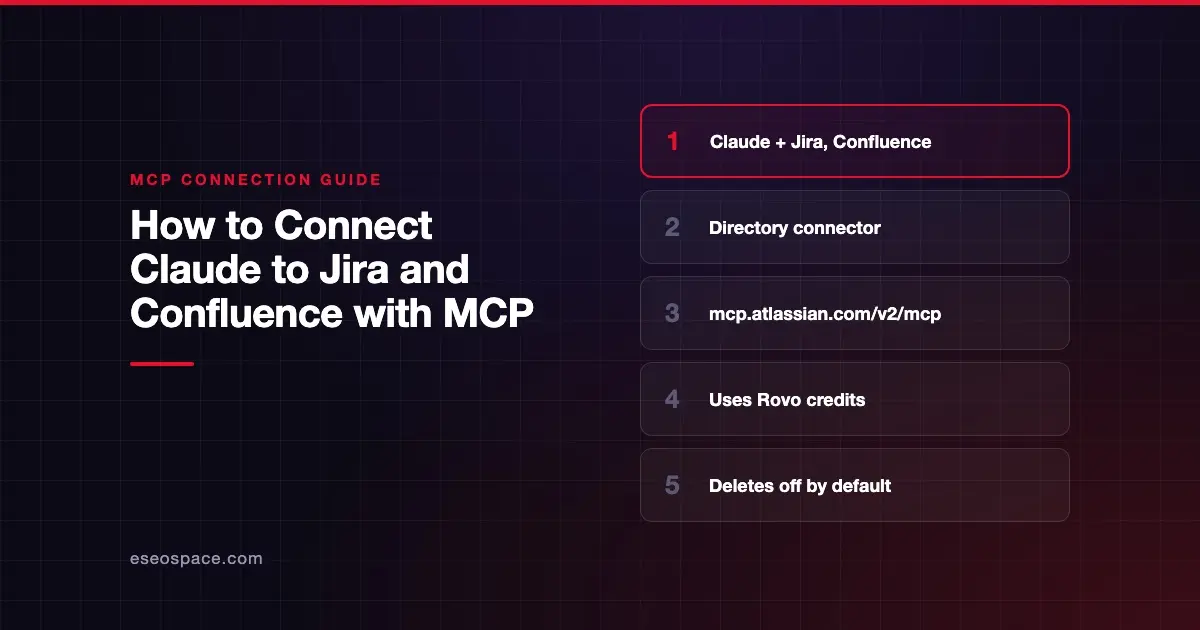
- Atlassian lists Claude as a supported client, and its GitHub README links an "Add to Claude" button to Claude's Connectors Directory.
- Claude's listing, "Atlassian MCP," points at
https://mcp.atlassian.com/v2/mcp, the endpoint Atlassian recommends for all clients. - Each MCP call uses Rovo credits from your organization's shared pool, per Atlassian.
- Claude's listing says Jira delete and project-administration tools stay off unless your organization admin enables them.
- Atlassian admins can block AI tool domains and enforce IP allowlists, and both can stop the connection.
Before you start
Atlassian's set up clients page lists these requirements:
- An Atlassian cloud site with Jira, Compass or Confluence.
- Access to your client, here Claude on the web or desktop.
- A modern browser to finish the OAuth 2.1 sign-in.
Also check two things:
- Rovo credits. Atlassian's getting started guide says MCP calls use Rovo credits from the same pool as Rovo Chat, Studio, Agents and the Teamwork Graph. Larger and more complex requests use more.
- A Claude Owner on Team or Enterprise. Claude's connector guide says an Owner adds a directory connector for the organization first. Members then connect their own Atlassian accounts.
Steps
Atlassian's guide covers Claude Desktop through its extensions browser and Claude Code by command. For claude.ai, its GitHub README sends you to Claude's Connectors Directory. These steps follow Claude's guide for directory connectors.
- Open the Connectors page. In Claude, go to Customize > Connectors. In the desktop app, select Customize in the sidebar, then Connectors.
- Find Atlassian. Select Discover and search for Atlassian. Claude's Atlassian listing is titled "Atlassian MCP," made by Atlassian, with sign-in required and this connector URL:
https://mcp.atlassian.com/v2/mcp- Start the connection. Select Connect to Claude. On Team or Enterprise, an Owner sees Connect for your team. Members who see Request need an Owner to add it.
- Sign in to Atlassian. Claude opens Atlassian's OAuth 2.1 sign-in. Choose your site, review the scopes, and approve.
- Confirm and turn it on. Atlassian appears under Your connectors as Connected. In a chat, select +, then Connectors, and turn its toggle on.
Claude Desktop alternative. Atlassian's guide also says: open Claude Desktop, go to Settings, then Extensions, select Browse extensions, then Plugins, and search for Atlassian to install it. It also offers this config file entry:
{
 "mcpServers": {
 "atlassian": {
 "url": "https://mcp.atlassian.com/v2/mcp"
 }
 }
}
Check that it works
Atlassian's troubleshooting page suggests opening a new chat and asking for something that needs Jira or Confluence data. You should get live content back, limited by your permissions.
Example prompts from Atlassian's docs:
- "List my Jira issues."
- "Summarize the Q2 planning page."
- "Create five Jira work items from these meeting notes."
Claude's listing shows tools such as searchJiraIssuesUsingJql, getConfluenceContent and createJiraIssue. Atlassian's v2 Confluence search tool is searchConfluence. It says Claude sees a core set of tools directly and discovers others, for Bitbucket, Goals and more, on demand.
Permissions and safety
Atlassian says access is limited to data you can already see, and project and space roles still apply.
- Delete and admin tools. Claude's listing says Jira delete and project-administration tools are off unless your organization admin enables them in the Rovo MCP server settings.
- Audit log. The same listing, and Atlassian's monitoring page, say every tool call is recorded in your organization's audit log, with the tool name, action and user.
- Approvals in Claude. Open Atlassian under Customize > Connectors and use Tool permissions to set write tools to Needs approval. Team and Enterprise Owners can restrict actions org-wide.
- Domain controls. Atlassian's admin settings page says admins control which AI tools and domains can connect with OAuth 2.1, under Atlassian Administration, Connectors, then Atlassian MCP server.
- Bulk writes. One prompt can create many work items or pages. Read excessive permissions and cross-server data leakage.
See the MCP Security Center for the full checklist.
If it doesn't work
Atlassian's troubleshooting page lists these symptoms:
- No response. Tools not enabled or session not authorized. Re-run the connection flow and enable Jira and Confluence tools.
- Access denied. You lack site or product permissions. Confirm Jira or Confluence access in Atlassian Admin.
- Empty or partial results. The token expired or scopes are missing. Re-authenticate and check the scopes you approve.
- Silent failure after a while. Atlassian says an expired token fails silently. Close and reopen your Claude chat to restart the flow.
- Old v1 connection. Atlassian's upgrade guide says v1 connections switch to v2 tools automatically on 1 March 2027. For Claude, it says to remove the v1 connection and reinstall the v2 connector from Atlassian's listing.
Two admin settings can also block you. If an admin turned off Allow Atlassian supported domains, OAuth tools may not connect. IP allowlists also apply to MCP requests, and Claude's custom connector article says Claude's connections come from Anthropic's cloud, not your device.
Next step
Start with search and summaries, then allow work item creation with approval on. Our Atlassian MCP server profile covers permission groups and API token sign-in. For other apps, see the connection guides hub.
Frequently asked questions
Does the Atlassian connector cost extra?
Atlassian says MCP calls consume Rovo credits from your organization's shared pool, the same pool used by Rovo Chat, Studio and Agents. Credit use depends on how much data a request pulls and how complex it is.
Can Claude delete Jira work items?
Not by default. Claude's listing says Jira delete and project-administration tools are off unless your organization admin enables them in the Rovo MCP server settings.
Does it work with Bitbucket and Loom too?
Claude's listing says the connector reaches Jira, Confluence, Bitbucket, Loom and other Atlassian apps. Some tools, such as Bitbucket's, are discovered on demand rather than shown up front.
Why does Claude return nothing from Jira?
Atlassian says this usually means the tools are not enabled or the session is not authorized. Re-run the connection, check your Jira access in Atlassian Admin, and ask an admin about domain or IP allowlist rules.









