

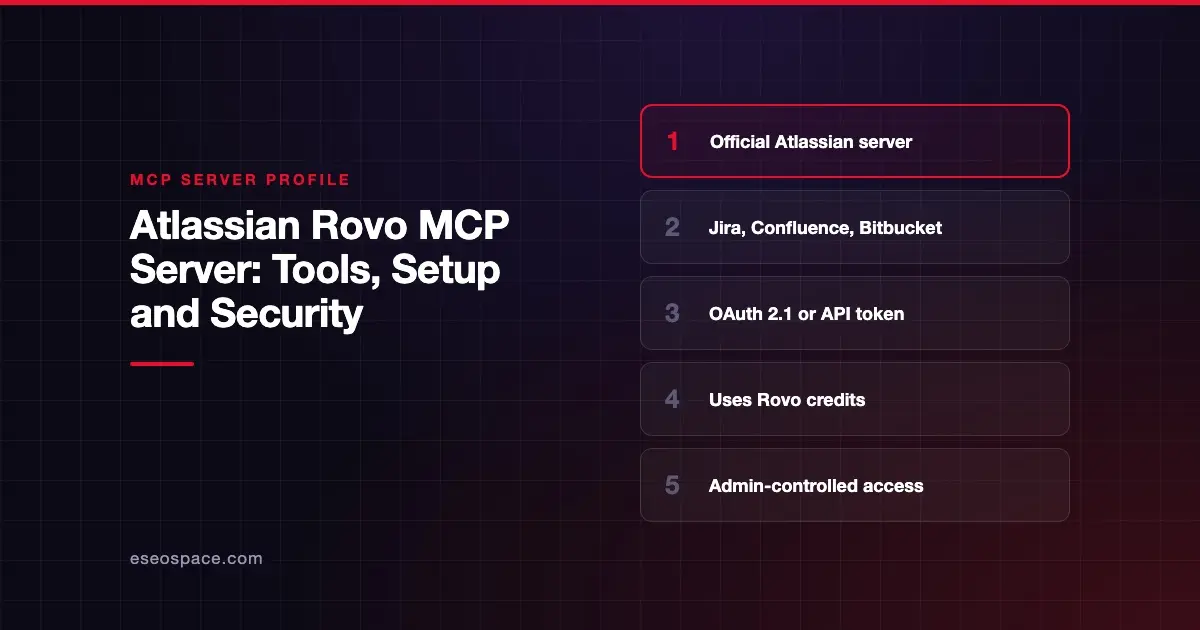
This profile is part of our MCP server directory, within The MCP Guide. Profiles are checked against each vendor's own documentation. Need a server built? See MCP development.
The Atlassian Rovo MCP Server lets an AI app search, summarize, create and update work in Jira, Confluence, Jira Service Management, Bitbucket Cloud, Compass, Loom and other Atlassian products. Atlassian hosts it in its cloud, and it respects each user's existing permissions.
Checked against: Atlassian MCP Server README and Atlassian's getting started guide on 28 October 2026. eSEOspace did not install or test this server.
Key Takeaways
- New setups should use
https://mcp.atlassian.com/v2/mcp, which Atlassian calls the recommended version. - Tools are organized into permission groups such as
read_jira,write_jiraandread_bitbucketthat admins can grant or revoke. delete_jiraandmanage_jiraare disabled by default and need an admin to turn them on.- MCP calls consume Rovo credits from the same shared pool as Rovo Chat, Studio and Agents.
- Atlassian's repo labels the server "Generally Available."
At a glance
| Item | Detail |
|---|---|
| Publisher | Atlassian |
| Official? | Yes |
| Hosting | Remote URL (Atlassian Cloud) |
| Transport | HTTP at https://mcp.atlassian.com/v2/mcp; legacy /v1/sse ended after 30 June 2026 |
| Sign-in | OAuth 2.1 or API token |
| Read or write | Read and write; delete and manage tools off by default |
| Price | Uses Rovo credits, charged per call |
| Source code | atlassian/atlassian-mcp-server (repo with plugins, skills and config; Apache 2.0 badge) |
| Status | Generally available (per the repo badge) |
What it can do
The README groups tools by product and intent:
| Product | Permission groups |
|---|---|
| Jira | read_jira, write_jira, search_jira (plus admin-enabled delete_jira, manage_jira) |
| Confluence | read_confluence, write_confluence, search_confluence |
| Bitbucket Cloud | read_bitbucket, write_bitbucket |
| Jira Service Management | read_jsm, write_jsm (API token only) |
| Loom | read_loom, write_loom |
| Atlassian platform | read_teamwork_graph, write_teamwork_graph, search_atlassian |
Goals, Projects, Teams, Focus, Talent and Compass have their own groups too. The full tool list lives on Atlassian's supported tools page. As of October 2026 it lists v2 Confluence tools such as searchConfluence, getConfluenceContent, createConfluenceContent and updateConfluenceContent, so check names there if an older prompt or script stops working.
The server does not send every tool up front. It exposes a small set of "Primary" tools and lets the client discover the rest on demand. Gateways that need a flat list can add ?tools=all to the URL.
How to connect it
Atlassian's README gives these commands. For Claude Code, run /mcp afterward to sign in:
claude mcp add --transport http atlassian https://mcp.atlassian.com/v2/mcpFor Codex:
codex mcp add atlassian --url https://mcp.atlassian.com/v2/mcpAtlassian also documents install paths for ChatGPT, Claude, Cursor, VS Code with GitHub Copilot, Windsurf (now Devin Desktop), Gemini CLI, Docker and Amazon Quick Suite. Local clients can use the mcp-remote proxy, which needs Node.js v18+.
You need an Atlassian Cloud site with at least one supported product. Atlassian's upgrade guide says existing v1 connections will automatically start using v2 tools on 1 March 2027.
Security notes
Atlassian's model leans on existing access controls:
- User permissions apply. Access is limited to data the user can already see, and project or space roles still apply.
- Admin gates.
delete_jiraandmanage_jiraare off until an admin enables them. API token sign-in must also be enabled by an admin. - Bitbucket rule. Bitbucket Cloud tools work only if the workspace is linked to an organization.
- IP allowlists. If your org uses IP allowlisting, MCP tool calls honor those rules.
- Audit log. Atlassian's monitoring page says every tool call through the server is recorded in your organization's audit log, with the tool name, action and user, on all tiers. With API token sign-in you may not see a separate entry for each user.
- Encryption. Traffic uses HTTPS with TLS 1.2 or later.
Teamwork Graph tools can pull data from connected third-party tools, such as linked pull requests and builds. Review those connections before you grant read_teamwork_graph.
The MCP project's security best practices also cover risks such as token passthrough, confused deputy attacks and scope minimization.
Write tools can create tickets and pages at scale. See excessive permissions and cross-server data leakage, plus the MCP Security Center.
Alternatives
- Linear MCP server for teams that plan in Linear.
- GitHub MCP Server if your code is on GitHub rather than Bitbucket.
- GitLab MCP server for GitLab work items and merge requests.
Next step
Check your Rovo credit allowance before rolling this out widely, and keep delete tools off. Our best MCP servers for developers list compares Atlassian with Linear and GitHub, and the MCP server directory has more.
Frequently asked questions
How much does the Atlassian MCP server cost?
Atlassian says MCP calls consume Rovo credits from your organization's shared pool. Usage is per call and grows with data volume and query complexity. Plan allowances are on Atlassian's Rovo usage limits page.
Is there a separate Bitbucket MCP server?
We did not find a separate official one. Bitbucket Cloud tools (read_bitbucket, write_bitbucket) are part of the Atlassian MCP server, for workspaces linked to an organization.
Can the AI delete Jira issues?
Only if an admin enables the delete_jira permission group. It is disabled by default, as is manage_jira.
Which URL should I use?
Use https://mcp.atlassian.com/v2/mcp for new setups. The v1 endpoints still work, and the legacy /v1/sse endpoint is no longer supported after 30 June 2026.









