This profile is part of our MCP server directory, within The MCP Guide. Profiles are checked against each vendor's own documentation. Need a server built? See MCP development.
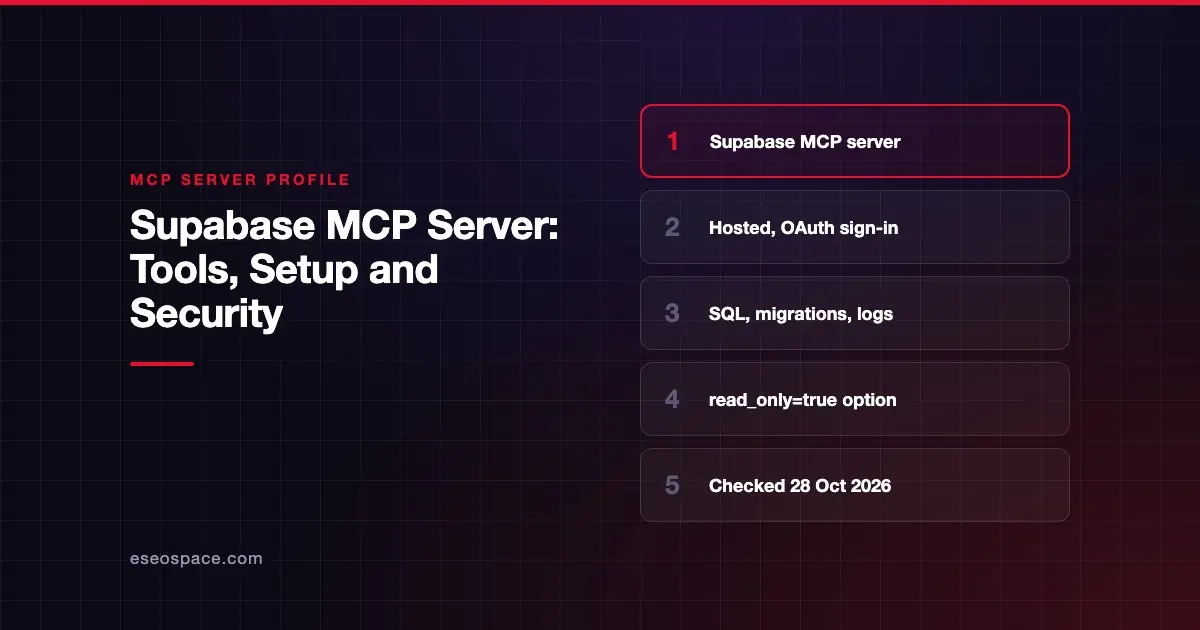
The Supabase MCP server lets an AI app such as Claude, Cursor or ChatGPT work with your Supabase projects. It can list tables, run SQL, apply migrations, read logs and deploy Edge Functions. Supabase publishes and hosts it, and the code is open source.
Checked against: Supabase MCP docs on 28 October 2026. eSEOspace did not install or test this server.
Key Takeaways
- Supabase runs a hosted server at
https://mcp.supabase.com/mcp, and your client signs in with Supabase OAuth. - The default tool set can write:
execute_sql,apply_migrationanddeploy_edge_functionare all on by default. - Three URL options cut the risk:
read_only=true,project_ref=<id>and a shortfeatures=list. - Supabase calls prompt injection the main risk and says to keep manual approval on for interactive work.
- Supabase says not to give the server to customers or end users, because it runs with your developer permissions.
At a glance
| Item | Detail |
|---|---|
| Publisher | Supabase |
| Official? | Yes |
| Hosting | Both: remote URL, plus a local endpoint in the Supabase CLI and self-hosted Supabase |
| Transport | Streamable HTTP |
| Sign-in | OAuth (Supabase account) |
| Read or write | Read and write by default; read-only mode available |
| Price | No separate MCP price listed; branching tools need a paid plan |
| Source code | supabase/mcp (Apache 2.0) |
| Status | Not stated; branching tools are labeled experimental |
What it can do
Supabase groups its tools into feature groups. The Supabase MCP tool reference lists these:
| Group | Tools | On by default? |
|---|---|---|
| Database | list_tables, list_extensions, list_migrations, apply_migration, execute_sql | Yes |
| Debugging | query_logs, get_advisors | Yes |
| Development | get_project_url, get_publishable_keys, generate_typescript_types | Yes |
| Edge Functions | list_edge_functions, get_edge_function, deploy_edge_function, create_edge_function_secret | Yes |
| Account management | list_projects, get_project, create_project, pause_project, restore_project, list_organizations, get_organization, get_cost, confirm_cost | Yes, but off in project-scoped mode |
| Docs | search_docs | Yes |
| Branching (experimental) | create_branch, list_branches, delete_branch, merge_branch, reset_branch, rebase_branch | Yes; needs a paid plan |
| Storage | list_storage_buckets, get_storage_config, update_storage_config | No |
Creating a project or a branch can show a cost confirmation first. Supabase says declining it creates nothing.
How to connect it
Most clients only need the server URL. Supabase's GitHub README gives this config:
{
  "mcpServers": {
    "supabase": {
      "type": "http",
      "url": "https://mcp.supabase.com/mcp"
    }
  }
}
Your client then opens a browser so you can sign in to Supabase. Pick the organization that holds the project you want. Supabase says no personal access token is needed for normal use.
The setup page has steps for Claude Code, Codex, Gemini CLI, GitHub Copilot, Cursor, VS Code, Goose, Warp and others. In Claude.ai and ChatGPT you add Supabase from the connector directory. You can also build a custom URL in the Supabase dashboard's MCP connection tab.
A safer URL for production questions looks like this example from the README:
https://mcp.supabase.com/mcp?project_ref=<project-ref>&read_only=true&features=database,docsIf you run Supabase locally, the CLI serves the server at http://localhost:54321/mcp. Supabase notes that the CLI and self-hosted versions offer fewer tools and no OAuth 2.1.
Security notes
Supabase is direct about the risks. Its docs call prompt injection "the primary attack vector unique to LLMs." Text hidden in your own data, such as a support ticket, could try to make the AI run a harmful query. Supabase wraps SQL results with instructions to resist this, but it says that is not foolproof. Read prompt injection through MCP tool results for how this works.
What Supabase recommends:
- Connect to production "only when the task requires production evidence."
- Use
read_only=true, which runs every query as a read-only Postgres user. - Use
project_refto scope the server to one project and remove account tools. - Turn on only the feature groups you need with
features=. - Keep manual approval on for interactive work, and review each tool call.
- For unattended routines, pre-approve only read-only, project-scoped tools, and have them report rather than write.
- Enter Edge Function secret values in the Supabase Dashboard, never in chat.
Supabase also says its confirmation prompts are "a guardrail, not a guarantee of human review." Destructive SQL checks may not catch every destructive statement. That is a good reason to start in read-only mode. See excessive permissions in MCP servers and the wider MCP security hub.
Alternatives
- Neon MCP Server: a hosted Postgres server with OAuth read and write scopes and a pinned Postgres role option.
- PlanetScale MCP Server: separate read and write query tools, with org-level query controls.
- Prisma MCP Server: manages Prisma Postgres databases and Prisma Compute apps.
Browse more in the MCP server directory.
Next step
Before you connect any database server, decide which projects it may see and whether it may write. Our MCP readiness audit maps those choices for your team. You can also use the checklist in how to choose MCP servers.
Frequently asked questions
Is the Supabase MCP server free?
Supabase does not list a separate price for the MCP server. Normal Supabase plan costs still apply. The branching tools need a paid plan, and creating a project or branch can trigger a cost confirmation.
Can the Supabase MCP server change my database?
Yes, by default. execute_sql and apply_migration can change data and schema. Add read_only=true to the URL to run all queries as a read-only Postgres user.
Should I connect it to my production project?
Supabase says to connect to production only when a task needs production evidence. If you do, scope it to one project, turn on read-only mode and limit the feature groups.
Can I let my app's users talk to the Supabase MCP server?
No. Supabase says not to give the server to customers or end users, because it runs with your developer permissions. Supabase has a separate PostgREST MCP server for connecting your own users through your REST API.