Almost every website is mostly other people's code. A plugin, an app, a theme, an npm package, a chat widget, an analytics tag. Each was added by someone solving a problem, and each one permanently extends the set of organizations whose security failures become your incident.
This is the one risk that is genuinely identical across platforms. The names differ and the install button differs, but on WordPress, Shopify, Wix, Drupal and a Next.js build alike, third-party code is either the most common route to compromise or a close second.
The install decision is made once and never revisited
That sentence is most of the problem. Someone evaluates a plugin against what it does, installs it, and moves on. Nobody schedules a review. Three years later it is still active, the developer has stopped shipping updates, and the person who installed it has left.
Abandonment is more dangerous than a bug. A maintained component with a vulnerability gets a patch. An unmaintained one gets a public disclosure and no patch, followed by automated scanning for sites still running it. The component keeps working normally throughout, which is why nobody notices.
What to check before installing
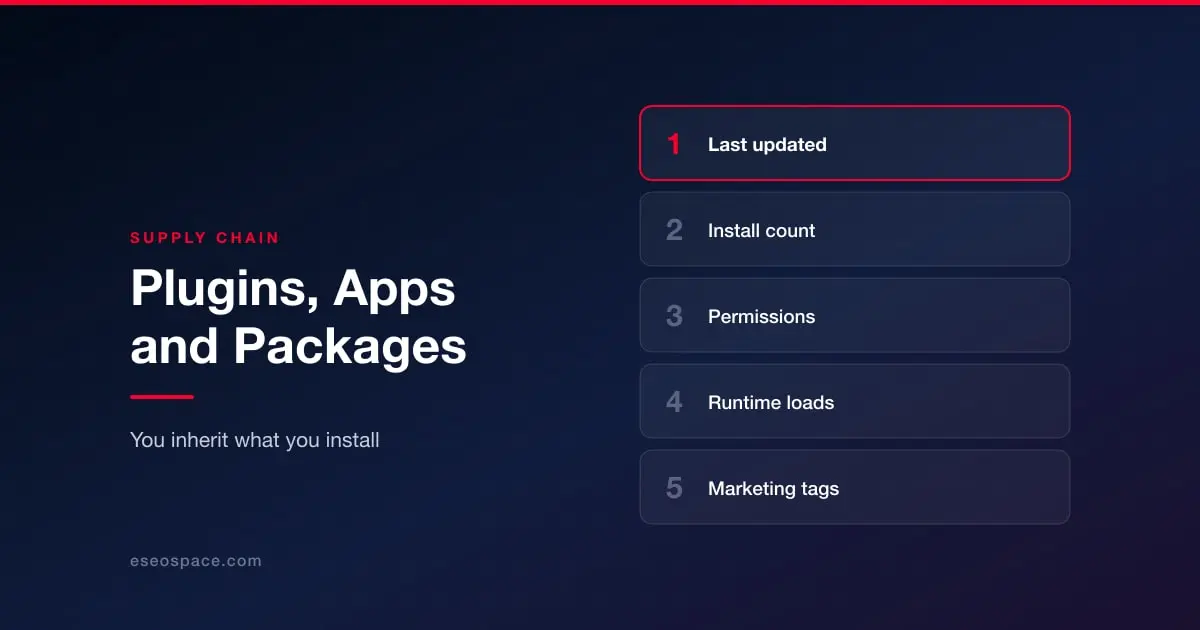
Five questions, none of which takes long.
When was it last updated? Recent activity is the single best available proxy for whether a fix will arrive when one is needed.
How many people use it? Not because popular code is better written, but because popular code is looked at. A component with a handful of installs has effectively had no external review.
What permissions or scopes does it want? On app marketplaces this is explicit and routinely clicked through. An app that requests customer data to do something unrelated to customers is worth stopping over.
Does it load code from somewhere else at runtime? If it pulls a script from a third-party domain, you have inherited that domain's security too, and its owner can change what it serves at any time.
Do you actually need it? The cheapest way to secure a component is not to install it. A plugin doing something a theme setting could do is a bad trade.
Keeping track afterwards
Maintain a list of what is installed, who asked for it, and what it is for. This sounds bureaucratic and takes about twenty minutes to create. It is the difference between an audit that takes an afternoon and one nobody ever starts.
Review it on a schedule and after any staff change. Remove rather than disable, because disabled code is usually still on disk and still reachable in several vulnerability classes. Where the platform supports automatic updates for extensions, turn them on unless you have a staging process that reliably applies updates faster, because the observed risk of not updating exceeds the theoretical risk of an update breaking something, and one is recoverable from a backup.
The marketing tags nobody owns
There is a specific version of this problem that sits outside the plugin list entirely. Analytics, heatmaps, chat, ad pixels and A/B testing scripts get added by marketing teams through tag managers and custom code blocks, accumulate for years, and belong to nobody technical.
Each of those scripts can read the page, including form fields. On a checkout page that is how card skimming works in practice, which is why PCI DSS 4.0 now requires payment page scripts to be inventoried, justified and monitored for change. On a healthcare or legal enquiry form it is a privacy exposure rather than a card one, and it is covered in the website wiretapping wave.
Route tags through one tag manager with access controls, keep an inventory with a business justification for each, and delete aggressively. Most sites are running scripts for tools they stopped paying for.
Platform specifics
The same discipline, applied differently: WordPress plugins and themes, Shopify apps, Magento extensions, Drupal contrib modules, and npm dependencies in a headless build, where the count is in the hundreds and the tooling has to be automated.
For the wider picture, see website security by platform.