
Disclosure: this is a guest article, and it links to Functionize, which sells AI-powered test automation. eSEOspace reviewed the testing advice on 19 November 2026. For running checks on every change, see our guide to using Claude Code in GitHub Actions for website QA.
AI can write unit tests fast. That part isn't the problem. The problem is what those tests actually check, and whether they'd catch a real bug or just give your coverage report a confidence boost it hasn't earned.
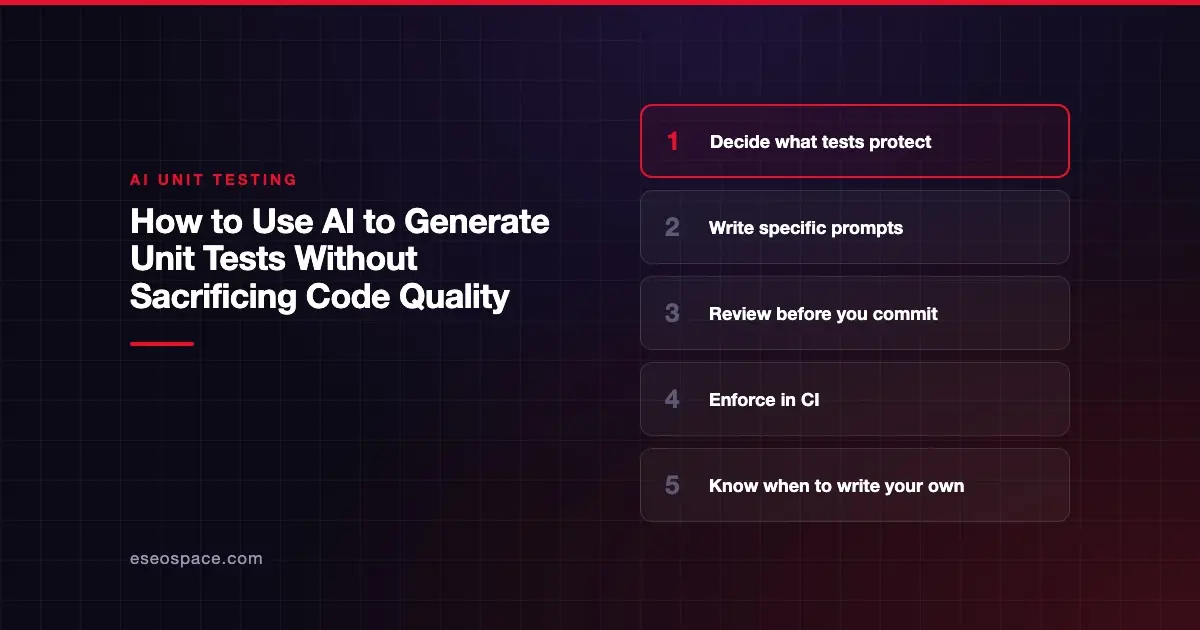
Getting useful output from AI-assisted test generation means knowing how to direct it, what to review before you commit anything, and where human judgment still can't be replaced. This article walks through how to use AI to generate unit tests without sacrificing code quality, from setting up effective prompts to folding AI-generated tests into a CI pipeline that holds them accountable.
Setting the Right Foundation for AI-Generated Tests
Treating AI as a first-draft writer rather than a final authority is what makes using AI for unit testing actually work. It needs clear boundaries, real context about your code, and a human reviewer who knows what a meaningful assertion looks like. Most teams that run into problems with AI-generated tests aren't using bad tools; they're giving the AI too little context and accepting output too fast.
Before you generate a single test file, decide what your unit tests are supposed to protect: specific business logic, edge cases around null inputs, boundary conditions on numeric ranges, or error-handling paths. That decision shapes every prompt you write. AI will fill whatever gap you leave in your instructions, and if you don't specify what matters, it'll generate happy-path tests that pass on green builds and miss the cases that cause production incidents.
Speed and precision don't have to trade off, but that balance requires deliberate setup on your end. When you go into the process with detailed preconditions about your codebase and expected behaviors, the AI can generate assertions that actually catch regressions rather than just checking that functions return without crashing.
Writing Prompts That Get Testable Output
Vague prompts produce vague tests. Instead of asking an AI to "write tests for this function," tell it exactly what scenarios matter: the expected return value for a valid input, the exception type it should throw for a null argument, and the boundary values you want covered.
Paste in the function signature and a brief description of its contract. If the function interacts with a database or an external service, specify that those dependencies should be mocked, and name the mocking library your project uses. The more explicit you are, the less the AI has to guess, and guessing is where weak assertions come from.
You'll often find that writing a detailed prompt forces you to think through edge cases you hadn't formally documented, which is itself useful. That specification exercise is part of what makes AI-assisted testing worth the setup cost.
Reviewing AI Test Logic Before You Commit
Every AI-generated test file needs a human review pass before it enters version control. Focus on three things: does each assertion actually test behavior, is the test name specific enough to diagnose a failure, and does the test break if you remove the logic it's supposed to cover?
That last check, deliberately breaking or reversing the production code and confirming the test fails, is a hand-run version of mutation testing, and it's the fastest way to spot tests that assert the wrong thing or nothing at all. AI sometimes generates tests that assert an object isn't null when the real failure mode is a malformed value inside that object. Catch it at review, not at 2 AM when something silently breaks in production.
Maintaining Code Quality as AI Scales Your Test Coverage
Speed is the obvious win when you bring AI into your testing workflow. But the subtler risk is that raw coverage numbers climb while actual defect detection stays flat, and that gap tends to stay invisible until something ships with a bug your test suite "should have caught." Building strength at scale means putting process guardrails around AI-generated tests, not just trusting that more tests equals better protection.
Your coverage target is a floor, not a measure of strength on its own. A test suite with 90% line coverage but weak assertions is less useful than one with 70% coverage and tests that genuinely break when logic changes. Keep that distinction sharp as you grow the number of AI-generated tests in your codebase.
Integrating AI Tests Into Your CI Pipeline Safely
Pull request checks are the right enforcement point for AI-generated tests. Require that any new test file passes lint rules specific to your testing framework, doesn't duplicate an existing test case, and includes at least one assertion per test block. That last rule sounds obvious, but AI occasionally generates empty test stubs when it's uncertain about expected behavior.
Add an automated mutation testing step to your pipeline if the team can absorb the compute cost. Mutation testing tools make small changes to your code, such as flipping a condition or changing a return value, run your tests against each changed version and report the changes no test caught. Even running mutation testing on a subset of the modules you care most about gives you a real signal about whether AI-generated coverage is doing its job.
Don't make AI-generated tests exempt from code review. They go through the same process as handwritten tests, full stop.
Knowing When to Write Tests Yourself
Some logic genuinely doesn't suit AI-generated tests. Complex state machines, tests that require deep domain knowledge to write meaningful assertions, or scenarios where the expected output depends on a business rule that isn't documented anywhere in the codebase: those are cases where you write the test yourself and use AI for the mechanical parts.
AI is fast at generating parameterized test cases once you've written one manually, filling in fixture data, and scaffolding the boilerplate around assertions you've already defined. Think of it less as AI doing your testing and more as AI doing the parts of testing that are repetitive and low-judgment. That split keeps quality high and makes the speed gains real.
Conclusion
AI makes it genuinely faster to build out unit test coverage, but it doesn't replace the judgment you bring to what a good test actually proves. Teams that get the most out of AI-generated tests write precise prompts, review output before committing, and hold AI tests to the same standards as handwritten ones inside their CI pipeline.
You can absolutely learn how to use AI to generate unit tests without sacrificing code quality; it just requires treating AI as a collaborator with strong execution skills and limited domain context, not as a fully autonomous solution. Keep the accountability mechanisms in place. Stay skeptical of coverage numbers that climb without a matching increase in defect detection, and your test suite will stay useful as it grows.