This profile is part of our MCP server directory, within The MCP Guide. Profiles are checked against each vendor's own documentation. Need a server built? See MCP development.
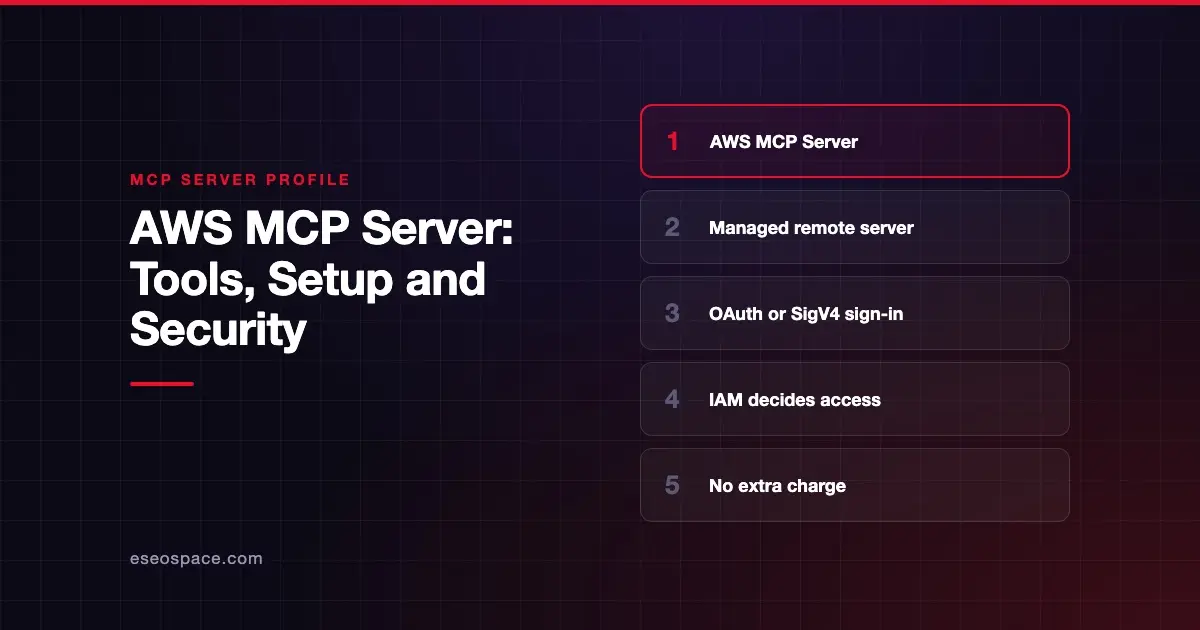
The AWS MCP Server lets an AI agent search AWS documentation, check Region availability and run AWS API calls in your account under your own IAM credentials. Amazon Web Services publishes and hosts it as part of the Agent Toolkit for AWS.
Checked against: Agent Toolkit for AWS User Guide on 28 October 2026. eSEOspace did not install or test this server.
Key Takeaways
- The AWS MCP Server is a managed remote server. AWS describes it as "a stateless proxy that runs AWS API calls on your behalf."
- It exposes eight documented tools, including
aws___run_script, which runs Python with AWS API access in a sandbox. - You sign in with OAuth 2.1 through AWS Sign-in, or with SigV4 credentials through the MCP Proxy for AWS.
- AWS says the Agent Toolkit for AWS costs nothing extra. You pay only for the AWS resources your agent uses.
- Two IAM condition keys let you write policies that apply only to agent-initiated calls, and CloudTrail logs those calls.
At a glance
| Item | Detail |
|---|---|
| Publisher | Amazon Web Services |
| Official? | Yes |
| Hosting | Remote, hosted by AWS (for example https://aws-mcp.us-east-1.api.aws/mcp) |
| Transport | Streamable HTTP (the docs use --transport http) |
| Sign-in | OAuth 2.1 through AWS Sign-in, or SigV4 via the MCP Proxy for AWS |
| Read or write | Both. Whatever your IAM identity allows |
| Price | No additional charge; standard AWS pricing for resources used |
| Source code | Managed service. AWS's separate open-source servers live at awslabs/mcp |
| Status | Agent Toolkit for AWS listed as generally available on 30 April 2026 in the document history |
One caution on status. The awslabs/mcp README still labels the AWS MCP Server "in preview," while the user guide's history records general availability. Check the user guide before you rely on either label.
What it can do
AWS's tools reference lists two groups of tools.
AWS Knowledge Tools (no credentials needed for documentation search):
aws___retrieve_skill: returns a full AWS skill, meaning a step-by-step procedure with reference material.aws___search_documentation: searches AWS docs, API references, best practices and skills.aws___read_documentation: converts an AWS docs page to markdown.aws___list_regions: lists all AWS Regions.aws___get_regional_availability: checks whether a service, feature, SDK API or CloudFormation resource is available in a Region.
AWS API Tools (use your IAM credentials):
aws___run_script: runs Python with AWS API access in a sandboxed environment.aws___get_presigned_url: creates pre-signed Amazon S3 upload or download links.aws___get_tasks: checks on long-running tasks started byaws___run_script.
The guide also describes "capabilities," which are task-specific toolsets. The first is a serverless capability that inspects a Lambda function read-only, with helper functions such as diagnose and search_logs.
AWS also maintains many older single-purpose servers in awslabs/mcp. That README now calls the Agent Toolkit for AWS "the successor" to those servers. The setup guide recommends removing the older aws-api-mcp-server and aws-knowledge-mcp-server entries to avoid tool conflicts.
How to connect it
The setup guide lists eight Regional endpoints, including US East (N. Virginia), US West (Oregon), Europe (Ireland) and Asia Pacific (Tokyo).
Option A: OAuth. First attach the managed policy that allows OAuth sign-in to your IAM role:
aws iam attach-role-policy \
 --role-name MyRole \
 --policy-arn arn:aws:iam::aws:policy/AWSMCPSignInOAuthAccessPolicy
Then add the server. For Claude Code, AWS documents:
claude mcp add aws-mcp https://aws-mcp.us-east-1.api.aws/mcp --transport httpAWS says Claude Desktop, Cursor, Kiro IDE and VS Code need ?oauth=initialize appended to the endpoint URL.
Option B: SigV4. Install AWS CLI 2.32.0 or later, run aws login, install uv, then run the MCP Proxy for AWS locally. AWS recommends this route for terminal coding agents and for switching between accounts. AWS also offers plugins that bundle the server for Claude Code, Codex and Devin.
Security notes
- IAM is the ceiling. AWS says the toolkit "does not add permissions." An agent can do only what the IAM identity behind your credentials allows. AWS recommends scoping roles to the minimum the agent needs.
- Agent-only policies. Every request carries the
aws:ViaAWSMCPServiceandaws:CalledViaAWSMCPcondition keys. You can allow or deny actions only when an agent makes them. - Read-only mode needs SigV4. The setup guide's decision table says to choose SigV4 if you want to hide write-capable tools from the agent entirely.
- Audit trail. CloudTrail records the API calls the server makes, and CloudWatch publishes tool-invocation metrics.
- Data. AWS says the server does not use persistent storage for customer content.
A broad admin role turns any prompt injection into a real incident. Read excessive permissions in MCP servers and the MCP security hub before you connect a production account.
Alternatives
- Microsoft Azure MCP Server for Azure subscriptions.
- Google Cloud MCP servers for Google Cloud projects.
- Terraform MCP Server if you manage AWS through Terraform rather than direct API calls.
Next step
Before you give an agent access to a cloud account, decide which roles, accounts and Regions it may touch. Our MCP readiness audit maps that out with you, and the server directory profiles more options.
Frequently asked questions
Is the AWS MCP Server free?
AWS says you can use the Agent Toolkit for AWS at no additional charge. You still pay standard prices for any AWS resources your agent creates or uses.
Do I need to install anything?
Not with OAuth. You add the remote URL to your client and sign in. The SigV4 option needs the AWS CLI, uv and the MCP Proxy for AWS on your machine.
Can I make the AWS MCP Server read-only?
Yes, two ways. You can scope down the IAM role and write policies on the agent condition keys. AWS's setup guide also says SigV4 lets you hide write-capable tools entirely.
What happened to the awslabs MCP servers?
They still work and accept contributions. The awslabs README says the Agent Toolkit for AWS is their successor, and the most useful projects will move into it over time.