This guide is part of our MCP connection guides, within The MCP Guide. Steps are copied from the vendor's own documentation. Need a custom connection? See MCP development.
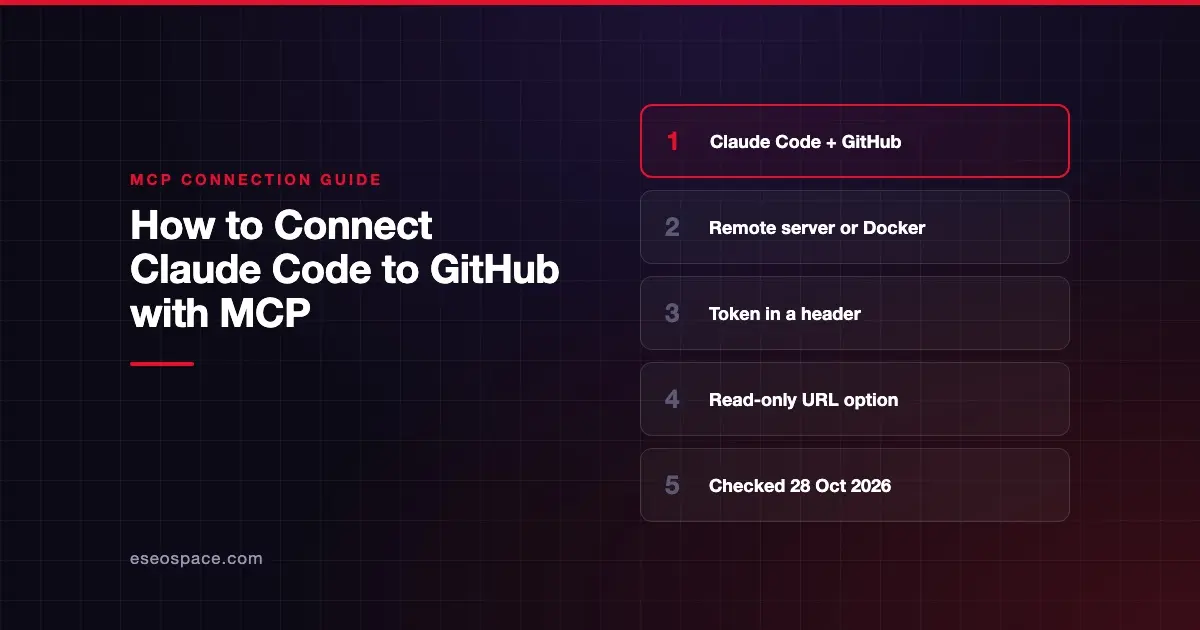
Connecting Claude Code to GitHub lets you review pull requests, file issues and search code from your terminal session. GitHub's official MCP server handles repositories, issues, pull requests and Actions runs. You can use GitHub's hosted server or run it yourself in Docker.
Checked against: GitHub's install guide for Claude applications and Claude Code's MCP documentation on 28 October 2026. eSEOspace did not run these steps; menus can change, so follow the vendor's page if it differs.
Key Takeaways
- GitHub documents Claude Code setup for both its remote server at
https://api.githubcopilot.com/mcpand a local Docker image. - For the remote server in Claude Code, both GitHub and Anthropic pass a personal access token (PAT) in an
Authorizationheader. - The local Docker server can sign you in with OAuth in the browser instead of a token.
- GitHub's remote server has a read-only URL and an
X-MCP-Readonlyheader, and read-only mode overrides every other setting. - Claude Code saves the command without checking your token, so always confirm the connection with
/mcporclaude mcp list.
Before you start
GitHub's guide lists these prerequisites:
- Claude Code installed.
- A GitHub personal access token.
- Docker installed and running, but only for the local server.
GitHub also recommends opening Claude Code inside your project folder, so the configuration is scoped to that project. Claude Code's docs suggest a fine-grained token with access only to the repositories you want Claude to work with.
Don't hard-code the token. GitHub suggests keeping it in a .env file as GITHUB_PAT and adding .env and .mcp.json to .gitignore. Our guide to Claude Code secrets management covers this in more depth.
Steps
Option A: GitHub's remote server
- Run this in your terminal, not inside a Claude Code session. GitHub gives this format for Claude Code 2.1.1 and newer:
claude mcp add-json github '{"type":"http","url":"https://api.githubcopilot.com/mcp","headers":{"Authorization":"Bearer YOUR_GITHUB_PAT"}}'- Replace
YOUR_GITHUB_PATwith your token. To read it from.envon Linux or macOS, GitHub gives:
export GITHUB_PAT="$(grep '^GITHUB_PAT=' .env | cut -d '=' -f2-)"
claude mcp add-json github '{"type":"http","url":"https://api.githubcopilot.com/mcp","headers":{"Authorization":"Bearer '"$GITHUB_PAT"'"}}'- Restart Claude Code.
- Run
claude mcp listto see that the GitHub server is configured.
Claude Code's own docs show the same connection as a single claude mcp add command:
claude mcp add --transport http github https://api.githubcopilot.com/mcp/ \
  --header "Authorization: Bearer YOUR_GITHUB_PAT"
GitHub notes that add-json may return Invalid input on Windows. If that happens, use the claude mcp add --transport http form instead.
Option B: Local server in Docker
GitHub's guide says the official image includes app credentials for github.com, so it can open a browser login on first use. It keeps that token in memory only:
claude mcp add github -e GITHUB_OAUTH_CALLBACK_PORT=8085 -- docker run -i --rm -p 127.0.0.1:8085:8085 -e GITHUB_OAUTH_CALLBACK_PORT ghcr.io/github/github-mcp-serverTo use a token instead, which takes precedence over OAuth:
claude mcp add github -e GITHUB_PERSONAL_ACCESS_TOKEN=YOUR_GITHUB_PAT -- docker run -i --rm -e GITHUB_PERSONAL_ACCESS_TOKEN ghcr.io/github/github-mcp-serverRestart Claude Code and run claude mcp list again.
Choosing a scope
GitHub's guide explains the optional --scope flag. local is the default and keeps the server to you in this project. project shares it through .mcp.json. user makes it available in all your projects. Don't commit a .mcp.json file that contains a raw token.
Check that it works
GitHub lists two checks:
claude mcp list
claude mcp get github
Inside a session, run /mcp. Claude Code's docs say a working server shows a checkmark. A server with bad credentials shows an ✘, and its detail includes the HTTP status, such as a 401.
Example prompts (from Claude Code's GitHub example):
- "Show me all open PRs assigned to me."
- "Review PR #456 and suggest improvements."
- "Create a new issue for the bug we just found."
The first two only read. The third creates an issue, so Claude Code will ask before it runs unless you have pre-approved that tool.
Permissions and safety
The AI can do anything your token allows. GitHub's server README lists destructive tools such as delete_file, so scope the token tightly.
- Read-only mode. GitHub's server configuration guide gives the remote URL
https://api.githubcopilot.com/mcp/x/all/readonly, or anX-MCP-Readonly: trueheader. For Docker, setGITHUB_READ_ONLY=1. GitHub says read-only mode "takes precedence over any other configuration." - Toolsets. Load only what you need with the
X-MCP-Toolsetsheader on the remote server, for exampleissues,pull_requests. - Lockdown mode. It filters content from people without push access. GitHub calls it a best-effort filter, not an authorization boundary.
- Claude Code rules. Claude Code's permissions accept rules such as
mcp__github__get_*, so you can auto-approve reads and still be asked about writes. See Claude Code permission modes.
Public issues and pull requests are untrusted text. Read prompt injection in Claude Code and the MCP Security Center.
If it doesn't work
GitHub's troubleshooting list covers these cases:
- Authentication failed. Check that the PAT has
reposcope and hasn't expired. - Wrong URL. The remote URL is
https://api.githubcopilot.com/mcp. - Docker problems. Make sure Docker Desktop is running. Try
docker pull ghcr.io/github/github-mcp-server. If the pull fails, rundocker logout ghcr.ioand retry. - Tools not showing. Validate your JSON, check that the
.envvariable is loaded, restart Claude Code and check/mcp. You can also runclaude mcp remove githuband set it up again another way. - Windows name error. If you see
missing required argument 'name', put the server name right afterclaude mcp add.
Claude Code adds one more: if you configured an Authorization header and GitHub rejects it, Claude Code reports a failed connection rather than falling back to OAuth.
Next step
Read the GitHub MCP server profile for the full toolset list and remote-only tools. Browse more setups in the connection guides hub, including VS Code with GitHub. If you want a team rollout with scoped tokens, see our Claude Code development service.
Frequently asked questions
Can Claude Code use OAuth with GitHub's remote MCP server?
GitHub's Claude Code instructions for the remote server use a personal access token in a header. OAuth sign-in is documented for the local Docker server, which opens a browser login on first use. Check GitHub's guide if this changes.
Should I use the remote server or Docker?
The remote server needs no local install and has a few remote-only tools. The Docker server runs on your machine and is the route GitHub documents for OAuth in Claude Code. GitHub Enterprise Server users must run it locally.
How do I make the GitHub connection read-only?
Use the URL https://api.githubcopilot.com/mcp/x/all/readonly, or send the X-MCP-Readonly: true header. For Docker, set GITHUB_READ_ONLY=1. A read-only fine-grained token adds a second layer.
Is the old GitHub MCP npm package still supported?
No. GitHub's guide says the npm package @modelcontextprotocol/server-github has been deprecated since April 2025. Use the remote server or the ghcr.io/github/github-mcp-server image.