This guide is part of our MCP connection guides, within The MCP Guide. Steps are copied from the vendor's own documentation. Need a custom connection? See MCP development.
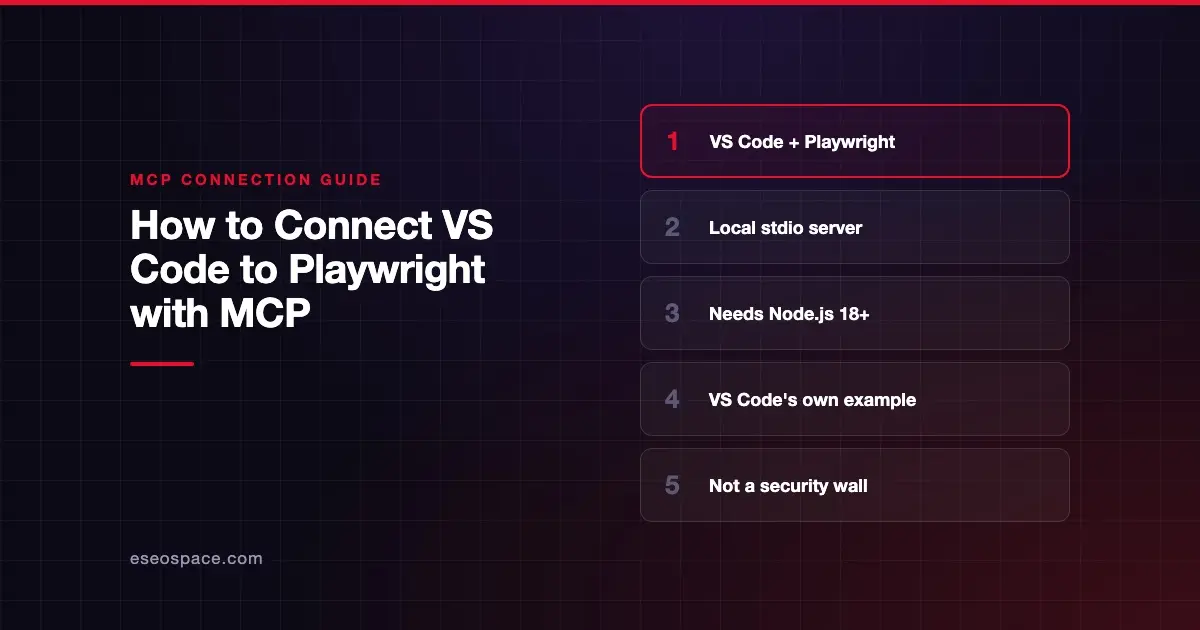
Connecting VS Code to Playwright's MCP server lets Copilot's agent drive a real browser: open pages, click, fill forms and read what is on screen. It works from the page's accessibility tree, so no vision model is needed.
Checked against: Playwright MCP README and VS Code's MCP server docs on 28 October 2026. eSEOspace did not run these steps; menus can change, so follow the vendor's page if it differs.
Key Takeaways
- Playwright MCP is a local server that VS Code starts with
npx. It needs Node.js 18 or newer. - VS Code's own MCP docs use Playwright as their worked example, so the steps line up closely.
- You can add it with MCP: Add Server, the README's install button, or the
code --add-mcpcommand. - Microsoft says the server "is not a security boundary," so treat web pages as untrusted input.
- For everyday browsing, VS Code suggests trying its built-in browser tools first, since they need no MCP server.
Before you start
You need:
- VS Code with AI features enabled and a local project folder open, as VS Code's docs require.
- Node.js 18 or newer with
npx. VS Code's docs suggest checking in a terminal:
node --version
npx --version
No account or sign-in is needed. The server runs on your machine.
VS Code's docs add a caution: local MCP servers can run code on your machine. Review the publisher and command before you start any server.
Steps
Option 1: Use VS Code's guided flow
VS Code's docs give these steps:
- Open the Command Palette (⇧⌘P on Mac, Ctrl+Shift+P on Windows and Linux) and run MCP: Add Server.
- Choose Command (stdio) and enter:
npx -y @playwright/mcp@latest- Enter a server ID, such as
playwright, that isn't already used in the destination configuration. - For a personal setup, select Global, then Copilot Global. This stores the server outside your project.
- Review any server trust prompts before you accept them.
You can also start this flow from Chat: Open Customizations > MCP Servers > Add Server.
Option 2: Use the README's install button or the CLI
The Playwright README has an Install Server button for VS Code. It also gives this command for the VS Code CLI:
# For VS Code
code --add-mcp '{"name":"playwright","command":"npx","args":["@playwright/mcp@latest"]}'
VS Code's configuration reference says code --add-mcp writes to your user-profile configuration in the VS Code format.
Which file the server lands in
The two routes write different formats. Copilot Global writes the portable format, with mcpServers, to ~/.copilot/mcp-config.json. VS Code's reference shows Playwright there as:
{
  "mcpServers": {
    "playwright": {
      "command": "npx",
      "args": ["-y", "@playwright/mcp@latest"]
    }
  }
}
The older VS Code format uses servers in .vscode/mcp.json or your user-profile mcp.json. VS Code still supports those files for compatibility but labels them deprecated in the guided flow. Don't copy entries between formats without checking the reference.
Check that it works
VS Code's docs say adding a configuration isn't proof the agent can use it. They suggest this prompt, which names the server and a low-impact action:
Example prompts:
- "Use the Playwright MCP server to open <your URL here> and report the page title. Use its tools, not the built-in browser tools. Do not change files."
- "Use the Playwright MCP server to take a snapshot of <your URL here> and list the form fields on the page." The README's
browser_snapshottool returns the page's accessibility snapshot. - "Use the Playwright MCP server to take a screenshot of <your URL here>." This uses
browser_take_screenshot.
VS Code says the connection works when three checks pass: a tool from the intended server was called, it returned the page without a connection error, and the answer reflects that output. Expand the tool call in chat to check.
Permissions and safety
The README says Playwright MCP is not a security boundary and points to the MCP project's security best practices.
- Use an isolated profile. By default the server keeps a persistent browser profile. The
--isolatedflag keeps the profile in memory and doesn't save it to disk. - Origin filters are not walls. The README says
--allowed-originsand--blocked-originsdo not serve as a security boundary and do not affect redirects. - Approve with care. VS Code asks you to review tool approval requests. Some tools run JavaScript in the page. See MCP permissions and approvals.
- Sandbox on macOS and Linux. VS Code's VS Code-format config supports
sandboxEnabledfor stdio servers, which restricts file system and network access.
Web pages can contain text written to steer an agent. Read prompt injection through tool results and sandboxing local MCP servers, and see the MCP Security Center.
If it doesn't work
VS Code's manage and troubleshoot page lists these checks:
- The server doesn't start. Check the command, arguments, Node.js install and
PATH. A command that works locally may be missing in a remote window. - Startup is blocked by trust. Review the configuration and Workspace Trust. Don't bypass restricted mode for a repository you haven't reviewed.
- The server runs but no tool is called. Name the server in your prompt, and check the tool picker.
- See the log. Run MCP: List Servers, select the server and choose Show Output.
The README adds one Playwright-specific issue: a persistent profile can only be used by one browser instance at a time. If several clients share a workspace, start the others with --isolated or a separate --user-data-dir.
Next step
Try one read-only page check before you let the agent fill forms. For the full tool list and options, read the Playwright MCP server profile. For the terminal version of this setup, see how to connect Claude Code to Playwright, or browse all MCP connection guides.
Frequently asked questions
Do I need an account to use Playwright MCP?
No. It runs locally through npx, and the README lists no sign-in. You need Node.js 18 or newer.
Should I use Playwright MCP or VS Code's built-in browser tools?
VS Code suggests trying its built-in browser tools first for everyday browser work, since they need no MCP server. Playwright MCP is useful when you want Playwright's own tools and options.
Is Playwright MCP safe to point at any website?
Treat every page as untrusted. Microsoft says the server is not a security boundary, so use --isolated and avoid logged-in sessions with sensitive data.
Why does the README command differ from VS Code's?
The README's command uses npx @playwright/mcp@latest, while VS Code's docs add -y, which tells npx not to ask before installing. Both start the same package.