This profile is part of our MCP server directory, within The MCP Guide. Profiles are checked against each vendor's own documentation. Need a server built? See MCP development.
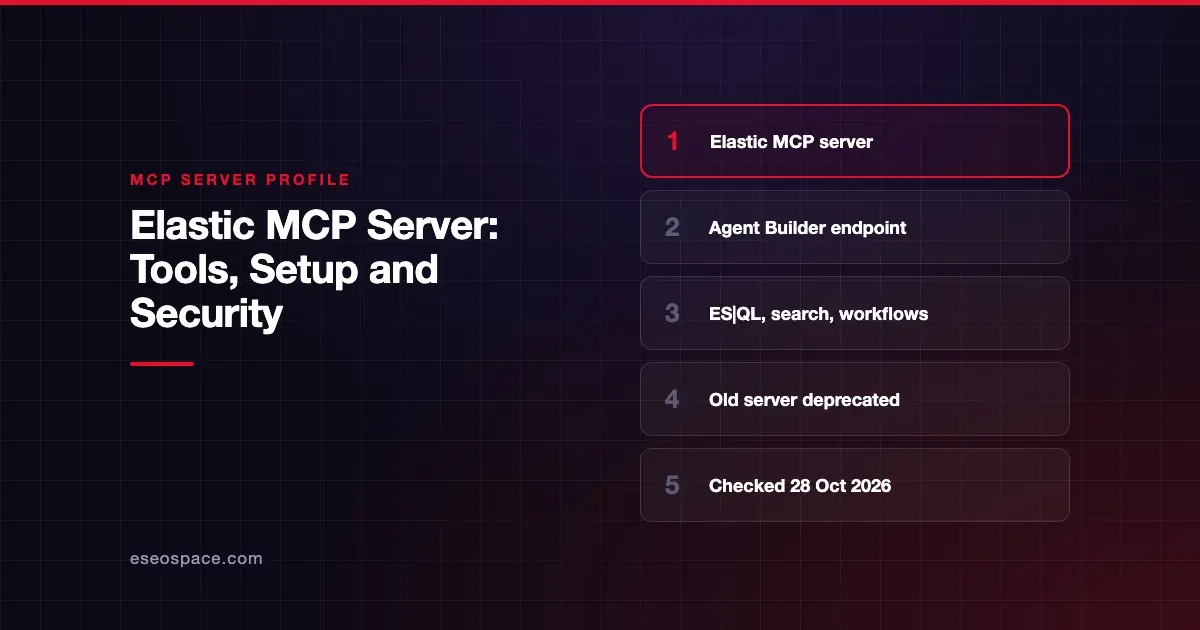
Elastic's MCP server lets AI apps search and analyze data in Elasticsearch. Today it is an endpoint built into Elastic Agent Builder, served from Kibana. It exposes Agent Builder tools such as ES|QL queries and natural-language search. Elastic's older standalone Elasticsearch MCP server is deprecated.
Checked against: Elastic Agent Builder MCP server docs on 28 October 2026. eSEOspace did not install or test this server.
Key Takeaways
- The endpoint is
{KIBANA_URL}/api/agent_builder/mcp, and it is part of your Elastic deployment. - It is generally available on Serverless projects and on Elastic Stack since 9.3; it was preview in 9.2.
- You sign in with an API key, or with OAuth 2.1 on Serverless only.
- Several Agent Builder tools write data or trigger actions, such as running workflows or calling Elastic APIs.
- The old
mcp-server-elasticsearchcontainer now gets only critical security updates.
At a glance
| Item | Detail |
|---|---|
| Publisher | Elastic |
| Official? | Yes |
| Hosting | Remote endpoint in your Kibana (Elastic Cloud Serverless or Elastic Stack) |
| Transport | HTTP (remote endpoint) |
| Sign-in | API key (Stack and Serverless); OAuth 2.1 (Serverless only) |
| Read or write | Read and write, depending on the tools exposed |
| Price | No separate MCP price listed; some tools need Platinum or Enterprise licenses |
| Source code | Closed endpoint; the deprecated server is at elastic/mcp-server-elasticsearch |
| Status | GA on Serverless and Stack 9.3+; preview in 9.2 |
What it can do
The MCP endpoint serves Agent Builder tools. Elastic's built-in tools reference lists core tools that read data, including:
execute_esqlandgenerate_esql, which run or write ES|QL queries.search, which picks query DSL or ES|QL from a natural-language request.get_document_by_id,get_index_mapping,index_explorerandlist_indices.product_documentationfor Elastic's docs.
The reference marks other tools as able to write data or trigger actions. Examples are execute_workflow, execute_connector_sub_action (send an email or create an issue through a saved connector), and platform.core.cases.manage. The API tool execute_api can call any Elasticsearch or Kibana API operation. There are also observability and security tool groups. Some need Platinum or Enterprise licenses.
Not every tool is offered over MCP. The MCP page says platform.core.create_visualization is not available through MCP. It also says that "in 9.2 to 9.5, the MCP server doesn't exclude any built-in tools." The page does not publish the exact list the endpoint exposes, so check your own deployment. You can also add custom tools.
How to connect it
Point your MCP client at your Kibana URL plus the Agent Builder path:
{KIBANA_URL}/api/agent_builder/mcpIf you use a custom Kibana Space, the path is:
{KIBANA_URL}/s/{SPACE_NAME}/api/agent_builder/mcpOn Elastic Stack and Serverless, sign in with an Elastic API key. On Serverless, you can also use OAuth 2.1 through an application connection. Elastic says OAuth tokens are short-lived and refresh automatically. A connection unused for 30 days or more must be recreated. Elastic's MCP page links to separate guides for specific hosts. It does not include a config snippet itself.
The deprecated standalone server
Elastic's older server ran as a Docker image, docker.elastic.co/mcp/elasticsearch, in stdio or HTTP mode. Its README now says it "is deprecated and will only receive critical security updates." It points to the Agent Builder endpoint, which needs Elastic 9.2.0 or later or a Serverless project. Plan to move off the old server.
Security notes
Shared keys mean shared identity. Elastic notes that with a shared API key, "all callers share one identity and act with the same permissions." Each person using that key gets the same access. OAuth on Serverless instead follows the user who authorized it. Where you can, give each person or agent its own key with narrow privileges. See the confused deputy problem.
Know which tools write. Tools such as execute_workflow, execute_connector_sub_action and execute_api can change data or reach outside systems. Elastic's Tools page says direct calls through its Tools API skip the human-in-the-loop confirmation that agent-initiated calls use. Limit API key privileges so these tools cannot do more than you intend.
Watch outbound actions. A connector that sends email is a path for data exfiltration if the AI is tricked by injected text. Read more in the MCP security hub.
Alternatives
- ClickHouse MCP Server: fast analytics SQL, read-only by default.
- Redis MCP Server: includes vector index and search tools.
- Pinecone MCP Server: vector search for coding assistants.
More profiles are in the MCP server directory.
Next step
List which Agent Builder tools your deployment exposes over MCP, then create a dedicated API key with only the index privileges an agent needs. Our MCP readiness audit can help you review that list.
Frequently asked questions
Is the Elasticsearch MCP server on GitHub still supported?
It is deprecated. Elastic says it will only get critical security updates and points users to the Agent Builder MCP endpoint in Elastic 9.2.0+ and Serverless.
Which Elastic versions support the Agent Builder MCP endpoint?
Elastic says it is generally available on Elastic Stack since 9.3, was in preview in 9.2, and is generally available on Serverless Elasticsearch, Observability and Security projects.
Can the Elastic MCP server change data?
Yes, depending on the tools. Elastic marks tools such as execute_workflow, execute_connector_sub_action and execute_api as able to write data or trigger actions.
Can I use OAuth instead of an API key?
On Serverless, yes. Elastic supports OAuth 2.1 through an application connection there. On Elastic Stack, use API keys.