This profile is part of our MCP server directory, within The MCP Guide. Profiles are checked against each vendor's own documentation. Need a server built? See MCP development.
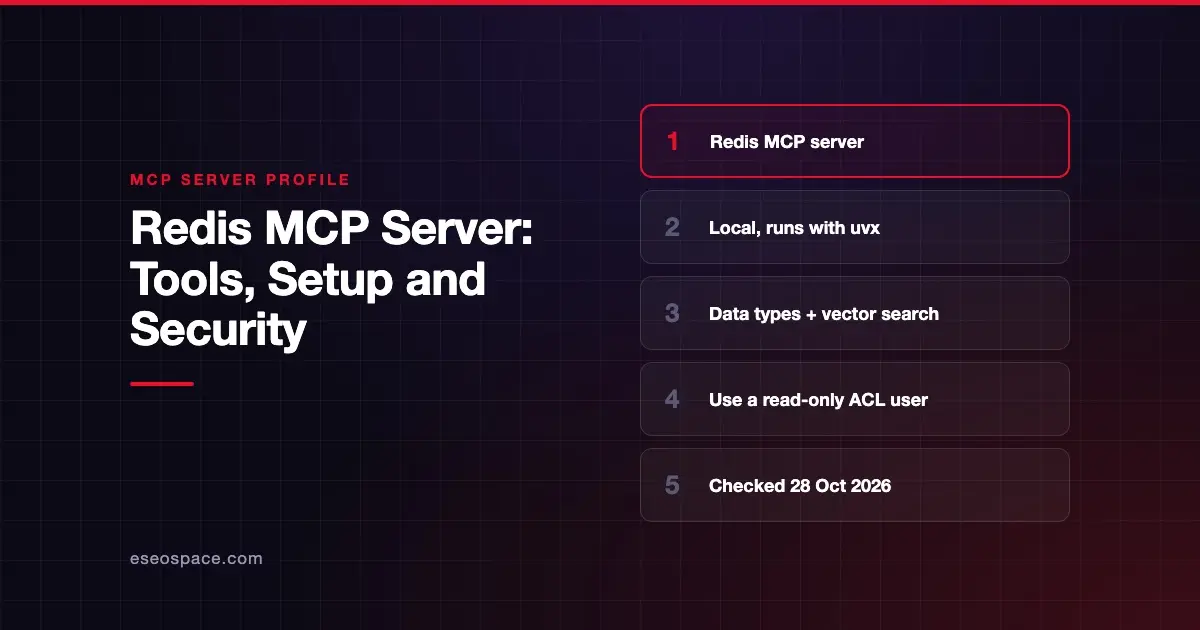
The Redis MCP server gives AI apps a natural-language way to store, read and search data in Redis. It covers strings, hashes, lists, sets, sorted sets, streams, pub/sub, JSON documents and vector indexes. Redis publishes it as an open-source Python package that you run locally. Redis's MCP docs page calls it "a general-purpose implementation that lets agents read, write, and query data in Redis."
Checked against: Redis MCP Server README on 28 October 2026. eSEOspace did not install or test this server.
Key Takeaways
- The server runs locally over stdio; Redis says Streamable HTTP support "will be added in the future."
- Tools come in groups by Redis data type, plus vector search, docs search and server info.
- The server has no read-only switch of its own; Redis shows how to create a read-only ACL user instead.
- Use the
rediss://scheme and certificate checks for encrypted connections, such as Redis Cloud. - Azure Managed Redis users can sign in with Microsoft Entra ID.
At a glance
| Item | Detail |
|---|---|
| Publisher | Redis |
| Official? | Yes |
| Hosting | Local package (redis-mcp-server on PyPI); Docker image also listed |
| Transport | stdio |
| Sign-in | Redis URL with username and password; Entra ID for Azure Managed Redis |
| Read or write | Read and write; limit with Redis ACLs |
| Price | Free and open source (MIT); no separate MCP price listed |
| Source code | redis/mcp-redis |
| Status | Not stated |
What it can do
Redis describes its tools as groups rather than listing every tool name:
string: set and get strings with expiration, for config values, sessions or cached responses.hash: field-value pairs in one key. Hashes can hold vector embeddings.list: append and pop items, for queues or recent-activity lists.set: add, remove and list unique members.sorted set: score-ordered data for leaderboards or priority queues.pub/sub: publish messages, create channel or pattern subscriptions, and read queued messages.streams: add, read and delete entries, manage consumer groups and acknowledge entries.JSON: store, read and change JSON documents by path.query engine: manage vector indexes and run vector search.docs: search Redis documentation in natural language.server management: get information about the database.
Example prompts in the README include "Cache this item" and "Index and search this vector."
How to connect it
Redis recommends the PyPI package, run with uvx. The README gives this client config:
{
  "mcpServers": {
    "RedisMCPServer": {
      "command": "uvx",
      "args": [
        "--from",
        "redis-mcp-server@latest",
        "redis-mcp-server",
        "--url",
        "\"redis://localhost:6379/0\""
      ]
    }
  }
}
The --url follows the standard redis:// and rediss:// schemes. For an encrypted connection, Redis shows:
rediss://user:secret@hostname:port?ssl_cert_reqs=required&ssl_ca_certs=path_to_the_certificateYou can also run a tagged release straight from GitHub. Redis says to prefer a tagged release, because the main branch "may contain breaking changes." The README includes setup notes for Claude Desktop, VS Code with GitHub Copilot, Augment and the OpenAI Agents SDK.
Security notes
The Redis MCP server can write and delete data. It has no built-in read-only flag. The README's answer is Redis's own access control. It shows how to create a read-only user:
ACL SETUSER readonlyuser on >mypassword ~* +@read -@writeConnect the MCP server as that user, and Redis itself will refuse writes. You can go further and limit the key patterns the user can see. That is least privilege at the database level.
Other points to plan for:
- Credentials. The connection URL carries a username and password. Keep it in your client config or environment, not in prompts. See secrets and credential leakage in MCP.
- Certificate checks. Redis shows
ssl_cert_reqs=nonefor unverified connections. Userequiredwith a CA certificate in any real setup. - Local process risk. As a local stdio server, it runs with your user's rights. Read about sandboxing local MCP servers.
- Pub/sub and streams. These can send messages to other systems that read from Redis. Treat them as write tools.
More guidance is in the MCP security hub.
Alternatives
- MongoDB MCP Server: document database tools with a
--readOnlyflag. - Pinecone MCP Server: a vector database server for coding assistants.
- Elastic MCP Server: search and analytics through Elastic Agent Builder.
More profiles are in the MCP server directory.
Next step
Create a dedicated ACL user for the AI before you connect, and decide which key patterns it may touch. If you are building agents that use Redis for memory or caching, our MCP development team can help design that.
Frequently asked questions
Does the Redis MCP server have a read-only mode?
Not as a server flag. Redis shows how to create a read-only ACL user with +@read -@write, so the database itself blocks writes.
Is there a hosted Redis MCP server?
The README describes a local server that runs over stdio. Redis says support for the Streamable HTTP transport will be added in the future.
Can it do vector search?
Yes. The query engine tools manage vector indexes and run vector search, and hashes can store vector embeddings.
Does it work with Redis Cloud and Azure Managed Redis?
Yes. Redis shows rediss:// URLs for encrypted connections such as Redis Cloud. The README also documents Entra ID sign-in for Azure Managed Redis.