This article is part of our MCP Guide: what the Model Context Protocol is, how to use it safely, and how to choose servers, tools and help. Want a second opinion on your setup? Request a free MCP readiness review.
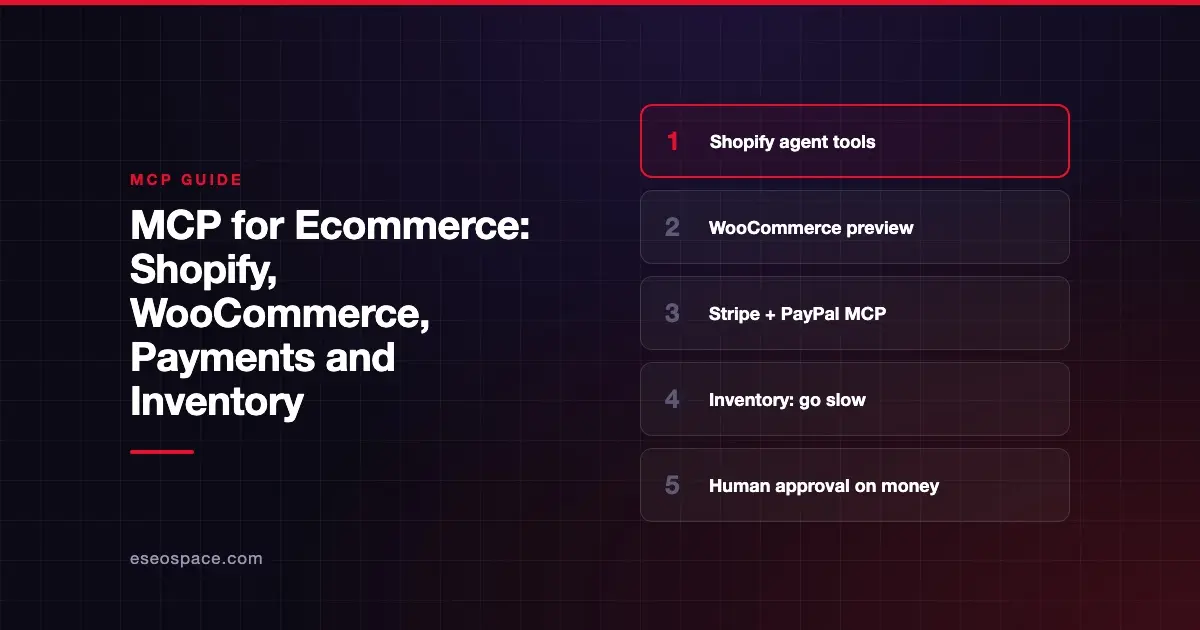
MCP for ecommerce does two different jobs. It lets AI shopping agents browse your catalog and build carts for buyers. It also lets you and your team manage the store, check payments and answer order questions by talking to an AI assistant. Shopify, WooCommerce, Stripe and PayPal all offer MCP support as of October 2026, but each one covers a different slice.
MCP (Model Context Protocol) is an open standard for connecting AI apps to other software. Each connection runs through an MCP server that tells the AI what it can read or do. If the term is new, start with What Is an MCP Server?.
This guide explains what each platform offers, what is still in preview and where to be careful. We checked every server against the vendor's docs on 28 October 2026.
Key Takeaways
- Shopify's agent tools now run on the Universal Commerce Protocol (UCP), with separate MCP servers for catalog, cart, checkout and orders.
- WooCommerce's MCP support is a developer preview that runs through the WordPress MCP Adapter plugin.
- Stripe's hosted MCP server can read and write most of the Stripe API and asks for human confirmation on refunds and outbound payments.
- PayPal offers local and hosted MCP servers, with separate sandbox and production endpoints.
- For inventory and pricing, start read-only and test in a staging store before any AI writes to live products.
Two sides of ecommerce MCP
It helps to split the topic in two.
| Side | Who uses it | Examples |
|---|---|---|
| Buyer-facing | AI shopping agents acting for customers | Search a catalog, build a cart, check out, track an order |
| Merchant-facing | You and your team | Update products, review orders, check payments, issue refunds |
Shopify's documented MCP servers focus mostly on the buyer side. WooCommerce, Stripe and PayPal mostly serve the merchant side. Your plan depends on which problem you are solving.
Shopify
Shopify has reorganized its MCP servers, so older guides may be out of date.
Buyer-facing: UCP servers
Shopify's Storefront MCP page says the catalog and cart tools on the original https://{shop}/api/mcp endpoint "were removed."
They moved to a new endpoint at https://{shop}/api/ucp/mcp, built on the Universal Commerce Protocol.
Shopify's agents documentation lists these pieces:
- Storefront Catalog, to search one merchant's products, and a Global Catalog across all Shopify merchants.
- Cart MCP, to build and update carts as buyers change their minds.
- Checkout MCP, which turns carts into checkouts. Shopify says "trusted agents can complete checkouts directly."
- Order MCP, with a
get_ordertool for current order state.
Every request to the UCP endpoint must include an agent profile, which Shopify uses to verify the agent and set rate limits. For a merchant, the practical point is that AI agents can find and buy your products without you building anything. Clean product data matters more than ever.
Signed-in customers: Customer Accounts MCP
Shopify's Customer Accounts MCP server handles requests from signed-in shoppers, such as order status and account details. It requires an OAuth 2.0 access token, a custom domain on your store and an app that meets Shopify's protected customer data rules.
For developers: Dev MCP
The Shopify Dev MCP server connects coding tools to Shopify's docs and API schemas. It "runs locally and doesn't require authentication." It is for building themes and apps, not for running the store day to day.
Shopify's AI Toolkit adds store-management tasks through Shopify CLI's authenticated store context, with you choosing when to run them. Shopify's page doesn't list which data types those tasks cover, so check before planning around it.
WooCommerce
WooCommerce's MCP documentation says the feature is "currently in developer preview." APIs and patterns may change.
How it works, per those docs:
- WooCommerce registers store operations as "abilities" through the WordPress Abilities API.
- You install the separate MCP Adapter plugin to expose them. WooCommerce does not bundle it.
- The older
/wp-json/woocommerce/mcpendpoint was removed in WooCommerce 11.3 and now returns an error.
Available operations:
- Products: query, create, update and delete.
- Orders: query, read notes, update status and add notes.
Remote connections sign in with a WordPress username and an Application Password over HTTPS. The docs say not to use your account password or a WooCommerce REST API key. They also warn that order and customer operations may expose personal data, and recommend a dedicated user with only the permissions the AI needs.
Stripe
Stripe runs a hosted MCP server at https://mcp.stripe.com. Its MCP docs describe tools to search, read and write through most of the Stripe API, plus documentation search.
What that covers for a store, per Stripe's list of supported methods:
- Customers, charges, payment intents and refunds.
- Products, prices, coupons, promotion codes and payment links.
- Invoices, subscriptions and disputes.
- Balance, payouts and balance transactions.
Safety features worth knowing:
- Human confirmation. Stripe "requires human confirmation before it takes certain
stripe_api_writeactions, such as refunds and outbound payments." Approvals expire after 24 hours. - OAuth or agent keys. You can grant access to specific live or sandbox accounts with different permissions. Stripe says that from December 2026 it will stop accepting full-access secret keys and untagged restricted keys for MCP.
- Admin control. Admins can turn MCP access on or off for the team and revoke sessions in the Dashboard.
Stripe also recommends turning on your AI app's tool-approval setting and being careful when combining Stripe with other servers, to avoid prompt injection.
PayPal
PayPal's MCP server page offers two options:
- Local: run the
@paypal/mcppackage with Node.js 18 or later and a PayPal access token. - Remote: connect to
https://mcp.sandbox.paypal.comfor testing orhttps://mcp.paypal.comfor production.
The page shows invoicing tasks, such as creating an invoice and listing last month's invoices. It points to a separate catalog for the full tool list, which we could not open, so check it before planning around other features.
Always test in the PayPal sandbox first. Its endpoint is separate for a reason.
Inventory: where to be careful
Inventory is one of the riskiest things to automate, because a wrong number can oversell or hide products.
As of October 2026:
- WooCommerce exposes product create, update and delete through MCP, so an AI can change product data through those tools. Check which product fields your setup exposes before allowing writes.
- Shopify's buyer-side UCP tools read catalog data. Merchant-side changes go through Shopify CLI store tasks or a custom app, and Shopify's toolkit page does not list which data those tasks cover.
- Stripe products and prices are for billing, not stock levels.
A safe pattern for any of them:
- Start with read-only questions, such as "Which products sold out last week?"
- Test write actions in a staging store or sandbox.
- Let the AI draft changes as a list, then approve them in bulk.
- Keep a log of every change and who approved it.
If your inventory lives in a separate system, a custom MCP server may be the cleanest option. See Build vs Buy: Custom MCP Server or a Managed Platform? and MCP Server Development Cost in 2026.
Questions to ask before you connect
Run each server through our checklist for choosing MCP servers. For ecommerce, add these:
- Does it touch money? If so, is there human confirmation?
- Can you test in a sandbox or staging store first?
- What customer personal data can the AI see, and where do chat logs go?
- Who on your team can revoke access quickly?
Our guide to MCP security risks covers prompt injection and other threats in more depth. For a side-by-side of tools, see Best MCP Servers for Ecommerce.
Next step
If your store needs an MCP server that ties inventory, orders and payments together, our MCP development team can scope it. Start with the read-only questions you want answered and we'll work back from there.
Frequently asked questions
Do I need to do anything for AI agents to buy from my Shopify store?
Shopify runs its UCP catalog, cart and checkout tools at the platform level, so you don't need to build a server yourself. What you control is product data quality: clear titles, accurate variants, prices and policies. Check Shopify's agents documentation for any settings that apply to your plan.
Is WooCommerce MCP ready for production?
WooCommerce calls it a developer preview as of October 2026. It works, but APIs may change. Use a dedicated WordPress user with limited permissions, connect over HTTPS and test on staging before pointing it at a live store.
Can an AI issue refunds through Stripe's MCP server?
It can request one, but Stripe requires human confirmation for refunds and outbound payments. You approve through a link, and the request expires after 24 hours if nobody approves it.
Is there an official Shopify MCP server for managing my store's products?
Shopify's MCP servers we checked focus on buyers, signed-in customers and developers. Store-management tasks go through Shopify CLI's authenticated store context in the AI Toolkit. If you use a community-built server for Shopify's Admin API instead, review its code and scopes carefully before use.
Should I use MCP or a normal integration for inventory sync?
For steady, rule-based sync between systems, a normal integration is usually better. MCP shines when a person wants to ask questions or approve changes through an AI. Read MCP vs API for a fuller comparison.