This guide is part of our MCP connection guides, within The MCP Guide. Steps are copied from the vendor's own documentation. Need a custom connection? See MCP development.
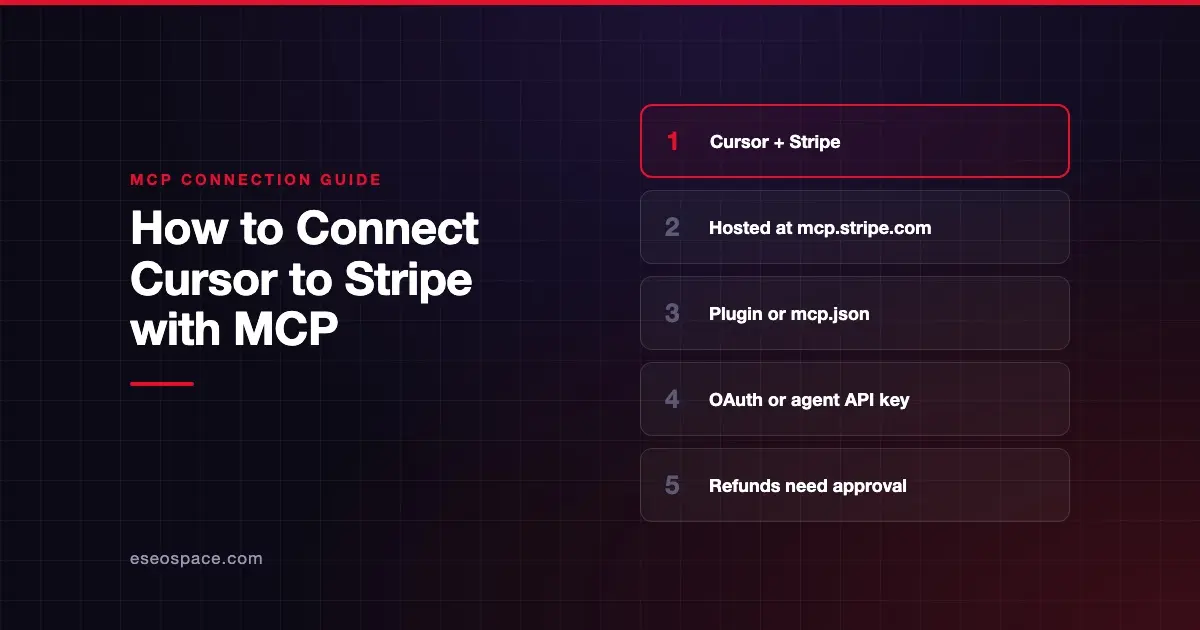
Connecting Cursor to Stripe's MCP server lets Cursor's agent search Stripe's docs, read your Stripe data and call the Stripe API while you build a payments integration. Stripe lists the server as a public preview.
Checked against: Stripe's MCP docs and Cursor's MCP docs on 28 October 2026. eSEOspace did not run these steps; menus can change, so follow the vendor's page if it differs.
Key Takeaways
- Stripe recommends its agent plugin, set up with
stripe agent setup, which configures the server and installs Stripe's skills. - To set it up by hand, add
https://mcp.stripe.comto~/.cursor/mcp.json. - OAuth is Stripe's choice for interactive clients like Cursor. Agent API keys are for autonomous clients.
- From December 2026, Stripe MCP stops accepting full-access secret keys and restricted keys without the Agent tag.
- Stripe requires human confirmation for some write actions, such as refunds and outbound payments.
Before you start
You need:
- Cursor installed.
- A Stripe account. During OAuth you can grant access to live mode accounts, sandboxes or both.
- Node.js and npm if you use Stripe's plugin route, since it installs the Stripe CLI from npm.
- Network access to mcp.stripe.com. Stripe says IT teams on managed devices may block external MCP servers.
If your team uses Stripe, an administrator can turn MCP access on or off for the whole team, separately for live mode and sandboxes.
Steps
Option 1: Stripe's agent plugin (recommended)
Stripe says its agent plugins configure the MCP server, install its skills and keep them up to date. Run:
npm install -g @stripe/cli@latest
stripe agent setup
Stripe says the command "automatically detects which agents you use, and runs the applicable commands."
Option 2: Manual setup in Cursor
- On Stripe's MCP page, select the Cursor tab and click Install in Cursor to open Cursor and add the server.
- Or add this configuration to
~/.cursor/mcp.jsonyourself, as Stripe's docs give it:
{
  "mcpServers": {
    "stripe": {
      "url": "https://mcp.stripe.com"
    }
  }
}- Cursor connects and opens Stripe's OAuth consent page. Choose which live mode accounts or sandboxes to grant, and set permissions for each. Stripe points to the MCP authorization specification for how this sign-in works.
- Check the server is on. Cursor's docs say you can enable or disable servers from Customize in the sidebar.
If you need an API key instead
For a client that can't use OAuth, Stripe says to create an agent API key with only the permissions the client needs. You pass it as a bearer token in the Authorization header. In Cursor, keep the key in an environment variable, using Cursor's ${env:NAME} syntax, rather than pasting it into the file.
Check that it works
Start with read-only or documentation questions, ideally in a sandbox.
Example prompts:
- "Search the Stripe documentation for how to set up subscriptions with a free trial." This uses
search_stripe_documentation. - "Show me the account details for the connected Stripe account." This uses
get_stripe_account_info. - "List my five most recent customers in the sandbox." This uses
stripe_api_read.
Cursor shows each tool call with expandable arguments and responses, so you can see what was sent to Stripe.
Permissions and safety
This server can touch real money records, so treat it as high risk.
- Turn on tool approval. Stripe tells you to turn on your client's tool-approval setting. Cursor asks for approval before using MCP tools by default.
- Human confirmation for risky writes. Stripe requires confirmation before certain
stripe_api_writeactions, such as refunds and outbound payments. You click the link from the agent, review the request and approve it. Then you tell the agent to retry. Approvals expire after 24 hours. - Pick the environment at consent. The OAuth page lets you grant sandboxes only, which is the safer start.
- Revoke when done. Your authorized clients appear under OAuth sessions in your Stripe user settings, where you can select Revoke access.
- Review the logs. Stripe points to MCP tool call logs in Workbench.
Stripe also warns about prompt injection when you use its server with other servers. Read prompt injection through tool results and secrets and credential leakage, and see the MCP Security Center.
If it doesn't work
- The server won't connect on a work laptop. Stripe says your IT administrator might block external MCP servers. Ask them to allow
mcp.stripe.com. - A 401 error with a key. From December 2026, Stripe returns a 401 with an OAuth discovery challenge for full-access secret keys and restricted keys without the Agent tag. Switch to OAuth or a new agent API key.
- MCP is switched off for your team. An administrator controls MCP access in the Stripe Dashboard, per environment.
- Other errors. Cursor's docs say to open the Output panel (Cmd+Shift+U) and select "MCP Logs."
Next step
Connect to a sandbox first and leave live mode until you trust the workflow. The Stripe MCP server profile lists every tool and the key migration deadline. For other pairings, browse the MCP connection guides, or see how Claude Code connects to Stripe.
Frequently asked questions
Can Cursor issue refunds through Stripe MCP?
It can request one, but Stripe requires human confirmation for refunds and outbound payments. You approve the request through a link, then tell the agent to retry.
Do I need a Stripe API key to use MCP in Cursor?
No. Stripe recommends OAuth for interactive clients, and Cursor supports OAuth for remote servers. Agent API keys are for autonomous clients that can't use OAuth.
What changes for Stripe MCP keys in December 2026?
Stripe says to migrate by 30 November 2026. After that, the server rejects full-access secret keys and restricted keys without the Agent tag. Use OAuth or a new agent API key.
Can I limit Stripe MCP to test data?
Yes. On the OAuth consent page you can grant access to sandboxes only, with different permissions per environment. Admins can also turn MCP off for live mode while leaving sandboxes on.