

This article is part of our Therapy Practice Marketing Guide: how clients find a therapist, how to market ethically and privately, and how to choose the right help. Want to know where your practice's site stands? Get a free 20–30 page website audit within 24 hours.
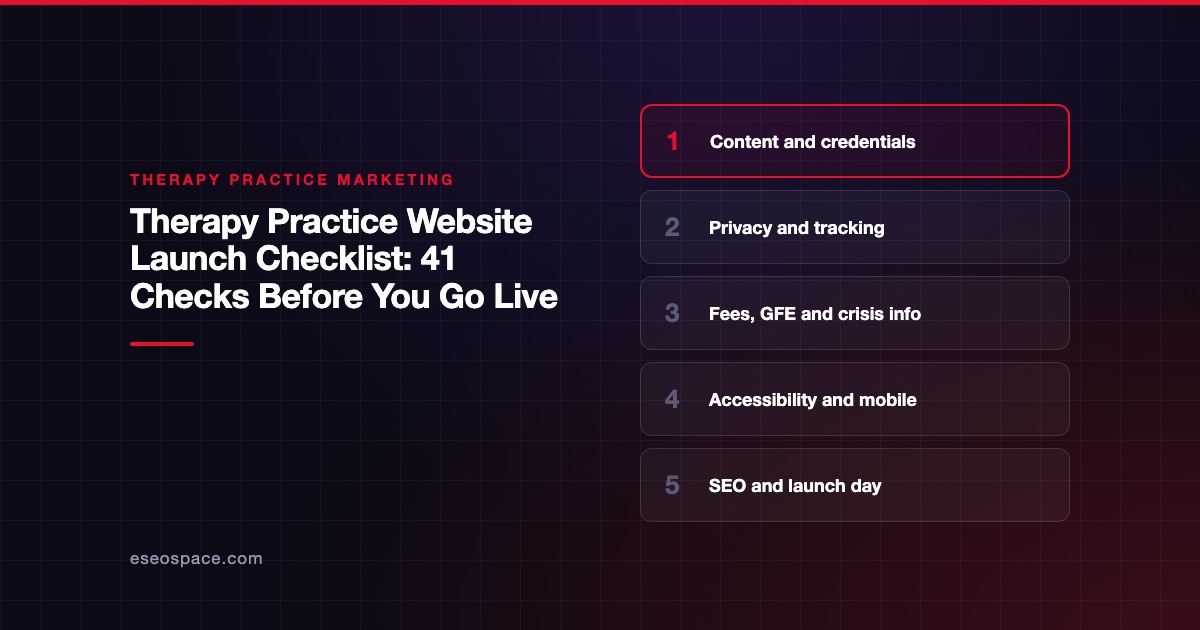
Before a therapy website goes live, check five areas: content and credentials, privacy and tracking, fees and crisis information, accessibility, and search setup. Most launch problems are small. A wrong license number, a form that emails client notes to an open inbox, or a missing redirect can each cost you trust or traffic.
Use this checklist the week before launch, and again on launch day. It's part of our Therapy Practice Marketing Guide. If you're replacing an existing site, also use our therapy website redesign checklist, which covers keeping rankings.
This is a marketing checklist, not legal or compliance advice. Confirm privacy and disclosure questions with your compliance counsel or licensing board, since rules vary by state.
Key Takeaways
- Check every credential, license number and state against your license record before launch.
- Keep protected health information off forms, analytics and ad pixels that can't protect it, and confirm a BAA for every tool that will see client data.
- Self-pay clients have rights to a Good Faith Estimate, so make sure your fees page and intake process reflect that.
- Show crisis information clearly, including the 988 Lifeline, and say that the practice is not an emergency service.
- Test on a phone, with a keyboard, and with a screen reader before you announce the site.
1. Content and credentials
- [ ] Every clinician's name and credentials match their license exactly.
- [ ] License types are correct. A counselor isn't a psychologist. A psychiatric nurse practitioner isn't a psychiatrist.
- [ ] The states where you can see clients (in person and by telehealth) are listed and current.
- [ ] Each specialty page describes what you do without promising outcomes.
- [ ] Your About page has a real photo, your approach, and your training.
- [ ] Insurance plans you accept are current, with a note to confirm coverage with the plan.
- [ ] Contact details (address, phone, email) are correct everywhere, including the footer.
- [ ] No placeholder text, stock lorem ipsum or "coming soon" pages are left.
- [ ] Spelling and names are checked by a second person.
If you're a psychologist, remember that the APA Ethics Code Standard 5.01 bars false or deceptive statements about your training, credentials, services and fees. Other license types have similar rules.
2. Privacy and tracking
- [ ] Contact forms collect only what you need to reply (name, email, phone, preferred contact time).
- [ ] Forms include a short note asking people not to share clinical details.
- [ ] Intake, booking and messaging run on tools that offer a BAA, and you've signed it.
- [ ] Form notifications don't go to a personal email account without a BAA.
- [ ] Google Analytics is not on booking, intake or login pages. Google's help page says Google doesn't offer a BAA for Analytics and that customers shouldn't set its tags on authenticated pages.
- [ ] Ad pixels (Meta, Google Ads, TikTok) are off by default, and only added after a privacy review.
- [ ] Your privacy policy matches what the site actually does.
- [ ] Cookie or consent banner, if you use one, actually blocks trackers until consent.
On tracking, HHS's online tracking guidance is the reference. A federal court vacated part of it on 20 June 2024, the part about public pages without a login. HHS says it is evaluating next steps. The guidance on booking tools and patient portal logins still stands.
If you're building on Squarespace, its Acuity HIPAA page says the form block can't be part of a HIPAA-compliant solution. Our vendor BAA checklist helps you sort every tool.
3. Fees, Good Faith Estimate and crisis information
- [ ] Your fees page lists session fees, or explains how fees are shared.
- [ ] Cancellation and no-show policies are stated plainly.
- [ ] Self-pay clients can find information about the Good Faith Estimate.
- [ ] Your crisis notice is visible on the contact page and in the footer.
- [ ] The crisis notice says the practice is not an emergency service.
- [ ] The 988 Lifeline is listed correctly.
On the Good Faith Estimate, see CMS's consumer guide. It says people not using health insurance usually must get an estimate of expected charges. That applies if they request one or schedule at least 3 business days ahead. Our Good Faith Estimate guide covers what to show on the site.
For crisis wording, the 988 Lifeline site says 988 can be reached by call, text or chat, and is available 24/7/365. Our guide to crisis resources on therapy websites has sample wording.
4. Accessibility and mobile
- [ ] Every image has useful alt text, or empty alt text if it's decorative.
- [ ] Headings follow order (one H1, then H2s, then H3s).
- [ ] Color contrast is readable, including on buttons and links.
- [ ] The whole site works with a keyboard alone, including menus and forms.
- [ ] Form fields have visible labels and clear error messages.
- [ ] Videos have captions.
- [ ] The phone number is a tap-to-call link on mobile.
- [ ] Pages load quickly on a phone over a normal mobile connection.
- [ ] Text is readable without zooming, and nothing scrolls sideways.
The current version of the Web Content Accessibility Guidelines is WCAG 2.2, which the W3C says was published on 5 October 2023. An automated scanner catches some issues. A quick keyboard and screen reader test catches more.
5. Search setup and launch day
- [ ] Each page has a unique title and meta description.
- [ ] The site is not set to "noindex" (a common leftover from the build).
- [ ] An XML sitemap exists and is submitted in Google Search Console.
- [ ] If you had an old site, every old URL redirects permanently to the right new page.
- [ ] Your Google Business Profile links to the new site, and the name, address and phone match.
- [ ] Your Psychology Today and other directory profiles link to the new site.
- [ ] Analytics records page views and form submission events (not form contents).
- [ ] You've sent a test form and a test booking and received both.
- [ ] Old domains or staging copies are blocked from search or redirected.
Google's site move guidance says to map old URLs to new ones, use permanent server-side redirects, and keep them for at least a year. It also says to "expect temporary fluctuation in site ranking during the move."
For your profile, Google's Business Profile guidelines say to use your real-world business name and actual location. Our guide to Google Business Profile for therapists covers home offices and telehealth-only practices.
After launch: the first 30 days
- Week 1: check Search Console for crawl errors and pages not indexed. Fix broken links.
- Week 2: review form and call inquiries. Confirm nothing is landing in spam.
- Week 3: check every page on a phone again, and ask a colleague to book a test consult.
- Week 4: compare inquiries with the old site, by source, without collecting client details.
Next step
A clean launch is the start, not the finish. Our 90-day marketing plan for a therapy practice shows what to do next. If you'd like help with the build or launch, see eSEOspace's therapy practice website services or book a discovery call.
Frequently asked questions
How long before launch should I start this checklist?
About a week before is ideal. That gives you time to fix content and privacy issues without rushing. Run the launch-day section again on the day the site goes live.
Do I need a cookie banner on a therapy website?
It depends on your tools and your state's privacy laws. If you use one, make sure it actually blocks trackers until a visitor agrees. A banner that shows but doesn't block anything doesn't do much.
What's the most common launch mistake on therapy sites?
Leaving the site set to "noindex" after the build, which tells search engines to skip it. A close second is forms sending client messages to an email account with no BAA.
Should I announce the new site to clients?
That's your call. If you do, use a tool with a BAA, keep the message general, and don't share anything about individual clients. Many practices simply update their directory profiles and email signature.
What if I find a mistake after launch?
Fix it and note the date. For credential or fee errors, fix them the same day. If a privacy issue may have exposed client information, talk to your compliance counsel right away.









