

This profile is part of our MCP server directory, within The MCP Guide. Profiles are checked against each vendor's own documentation. Need a server built? See MCP development.
Zoho CRM's built-in MCP support gives AI tools such as Claude, Cursor, VS Code and Windsurf (now Devin Desktop) access to your CRM through pre-built servers that Zoho hosts. Each server covers one job, from read-only reporting to changing your data model and workflows.
Checked against: Zoho CRM MCP Servers overview on 28 October 2026. eSEOspace did not install or test this server.
Key Takeaways
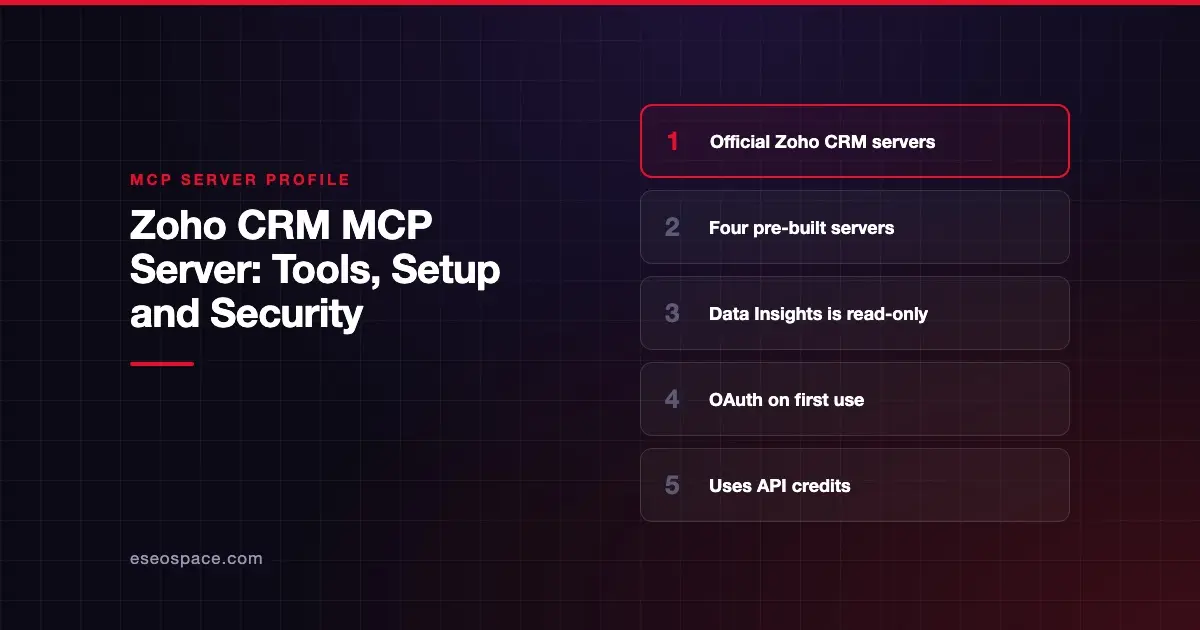
- Zoho CRM offers pre-built MCP servers, so you do not build, host or maintain any infrastructure.
- The Data Insights server is read-only; Data Operations, Module Customization and Workflow & Process Automation can write.
- Sign-in uses OAuth, and every action is limited to your CRM role's permissions.
- MCP calls consume Zoho CRM API credits the same way standard API calls do.
- Zoho's community announcement says the feature is rolling out in phases across data centers.
At a glance
| Item | Detail |
|---|---|
| Publisher | Zoho |
| Official? | Yes |
| Hosting | Remote URLs, one per server, hosted by Zoho |
| Transport | Remote MCP server URL (transport not named in the docs) |
| Sign-in | OAuth, started on first tool use |
| Read or write | Both; Data Insights is read-only |
| Price | No separate MCP price listed; calls use API credits |
| Source code | Closed |
| Status | Rolling out in phases, per Zoho's announcement |
What it can do
Zoho's overview lists "Available Actions" for each server rather than individual tool names.
| Server | Access | What it covers |
|---|---|---|
| Data Insights | Read-only | Query records with COQL (Zoho's query language), filter, sort, group and paginate, list modules, view field schemas |
| Data Operations | Read and write | Create, read, update and delete records, bulk operations, related records, COQL search |
| Module Customization | Read and write | Update modules, create custom modules, create and update fields, manage page layouts |
| Workflow & Process Automation | Read and write | Create, update, list and reorder workflow rules and workflow task actions |
Zoho's community announcement adds that Data Operations handles lead conversion and duplicate detection, and that the automation server can set up field updates, email alerts and webhooks. The announcement mentions five servers but names four. The developer docs list four.
How to connect it
Zoho publishes per-client setup guides for Claude, Cursor, VS Code and Windsurf. The prerequisites are a Zoho CRM account with suitable user permissions and a supported AI tool.
The Claude setup guide describes these steps in Claude Desktop:
- Go to Customize > Connector.
- Click the Add icon and select Add Custom Connector.
- Enter a name, then paste the URL for the server you want into the Remote MCP Server URL field. Zoho's guide lists a separate URL for each of the four servers.
- Click Add, select the new server and click Connect to authenticate your Zoho CRM organization.
On first tool use, the server opens a browser window for the Zoho OAuth login. To switch organizations or users, Zoho says to disconnect the server and re-authenticate with the target org.
Add only the servers you need. A reporting assistant needs Data Insights and nothing else.
Security notes
- Role-bound. Zoho says all actions are limited to your CRM role's permissions.
- Pick servers by risk. Data Insights cannot change data. Module Customization and Workflow & Process Automation change how your CRM works for everyone, so treat them as admin-level tools.
- Deletes are possible. Data Operations includes delete and bulk operations.
- API credits. MCP calls use the same API credits as standard calls, so a busy agent can eat into your limits.
- Phased rollout. Availability may differ by data center while Zoho rolls the feature out.
Giving an agent the customization and automation servers is a large grant. Read MCP excessive permissions, least privilege for MCP and the MCP Security Center.
Alternatives
- Salesforce MCP server: read-only and full-access hosted servers, enabled per server by an admin.
- HubSpot MCP server: one hosted server for CRM, content and marketing email.
- Freshdesk MCP server: Freshworks' support desk server, if your team runs Freshdesk alongside a CRM.
Next step
Connect Data Insights first and check its answers against your Zoho reports. If you plan to let an agent change modules or workflows, our MCP development team can help you design guardrails. More profiles are in the MCP server directory.
Frequently asked questions
Is there a read-only Zoho CRM MCP server?
Yes. Zoho describes the Data Insights server as read-only. It queries and analyzes records, lists modules and shows field schemas.
Do Zoho CRM MCP calls cost extra?
Zoho's overview does not list a separate MCP price. It says MCP calls consume API credits the same way standard API calls do, within your existing credit limits.
Which AI tools work with Zoho CRM's MCP servers?
Zoho publishes setup guides for Claude, Cursor, VS Code and Windsurf. Its overview says the servers work with any AI tool that supports MCP.
How do I switch to another Zoho organization?
Zoho says to disconnect the server in your AI tool, then re-authenticate with the target organization.









