

This article is part of our AI Agent Guides. See how models compare this week on the AI Agent Leaderboard, a ranking of rankings refreshed every week.
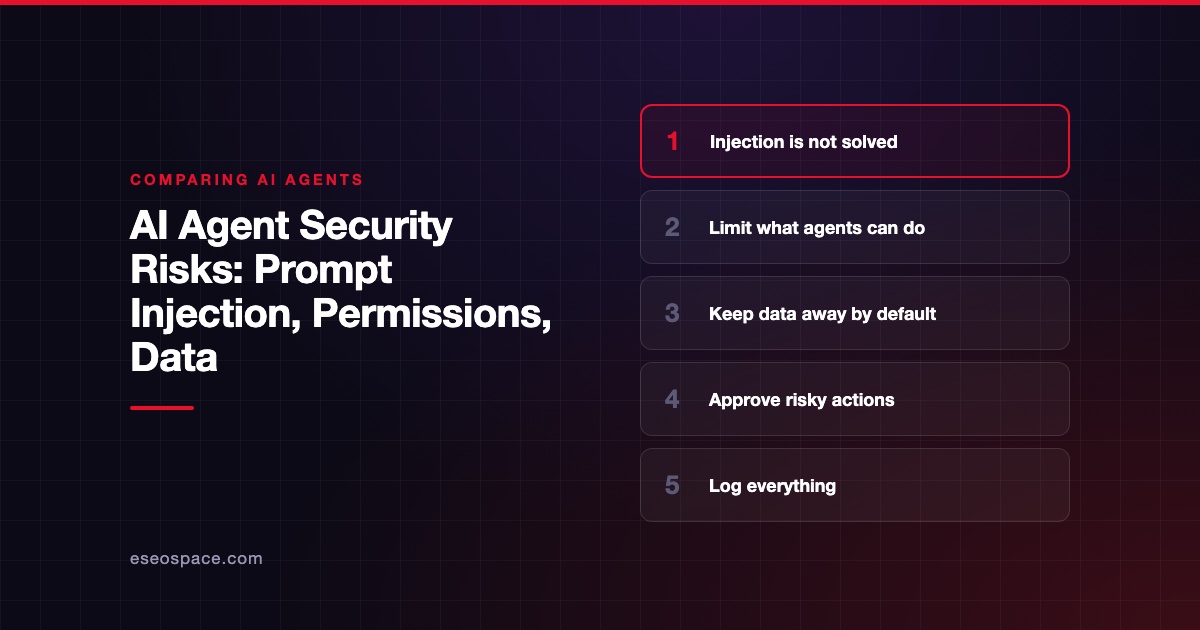
The biggest AI agent security risk is prompt injection: hidden instructions in content your agent reads can make it misuse your tools and data. You cannot fully prevent this today, so the practical defense is limiting what the agent can reach and requiring approval for risky actions.
This guide explains the risks in plain English, and compares how vendors handle them. A benchmark's success score does not measure these risks for your setup, so use the reliability board only as one input, alongside this checklist.
Disclosure: eSEOspace is a member of the Claude Partner Network.
At a glance
| Risk | What it means | Main control |
|---|---|---|
| Prompt injection | Outside content hijacks the agent | Treat content as untrusted, limit impact |
| Excessive functionality | Tools can do more than the job needs | Offer only narrow tools |
| Excessive permissions | Accounts can reach too much | Least privilege, per-user access |
| Excessive autonomy | High-impact actions run unchecked | Human approval |
| Data exposure | Secrets or personal data leak | Keep sensitive data out, filter output |
| Tool supply chain | A connected server is malicious or flawed | Vet, pin and monitor servers |
Why agents raise the stakes
A chatbot can only say something wrong. An agent can act on it. It might send an email, change a record or run a command.
So any mistake or attack now has reach. The OWASP Top 10 for Agentic Applications, announced in December 2025, names risks such as agent behavior hijacking, tool misuse and privilege abuse. The list comes from the OWASP GenAI Security Project, and it is a good reference for your security lead.
Prompt injection
Prompt injection means input changes how the model behaves in ways you did not intend. OWASP lists it as LLM01 in its 2025 list of top risks.
There are two types:
- Direct: A user types something that overrides the agent's rules.
- Indirect: The agent reads a website, email or file that contains hidden instructions.
Indirect injection is the bigger worry for business use. OWASP notes that the text can be invisible to humans, as long as the model can parse it. Your staff would never see the attack.
This has happened in shipping software. CVE-2025-32711, published in June 2025, describes AI command injection in Microsoft 365 Copilot that let an unauthorized attacker disclose information over a network. A CVE is a public record of a security flaw.
Model makers are candid about the limits. Anthropic's research on browser agents calls prompt injection far from a solved problem. It adds that no browser agent is immune, and that even a 1% attack success rate is meaningful risk.
So plan on the assumption that an attack will sometimes get through. The goal is to make sure it cannot do much damage when it does.
Tool permissions
OWASP calls this excessive agency, and it splits it into three parts. Agents may have too many functions, too many permissions or too much autonomy.
Here is a simple example. Your agent only needs to read orders, but its account can also issue refunds. A hidden instruction could now cause refunds, even though the agent never needed that power.
OWASP's fixes are practical:
- Offer only the tools the task needs.
- Prefer narrow tools over open-ended ones, like a general shell command.
- Limit database access to what is required, such as read-only.
- Run actions as the specific user, with minimal scopes.
- Check authorization in the downstream system, not in the model.
That last point is important. Never rely on the model to decide whether an action is allowed. Enforce it in the system the agent calls.
Our MCP tool permission planner can help you map this out.
Data exposure
OWASP's sensitive information entry covers personal data, financial details, health records, credentials and confidential business data. Any of these can end up in an agent's context.
Once data is in context, it can leak through an answer, a tool call or a log. The simple rule is to keep sensitive data out unless the task needs it.
Practical steps:
- Give agents scoped accounts, not a shared admin login.
- Keep API keys in a secrets manager, and never paste them into instructions.
- Separate customer data by user and by tenant.
- Review what your logs store, because they can hold the same secrets.
- Read each vendor's data terms before connecting real data.
For health, legal or financial data, have a qualified professional review your setup. This article is not legal advice. A vendor's security page does not make your use compliant.
Connected tools and MCP
The Model Context Protocol, or MCP, is an open standard for connecting agents to tools. It makes integration easier, and it also means trusting more outside code.
MCP's security guidance covers attacks such as confused deputy, token passthrough, server-side request forgery and local server compromise. The MCP specification says hosts must obtain explicit user consent before invoking any tool. OWASP also runs an MCP Top 10 project.
Vet a server the way you would vet any software dependency. Our MCP security hub and MCP risk checklist go deeper.
How vendors build in controls
Vendors take different approaches, and you should know the defaults of whatever you run. These notes come from each vendor's documents, checked on 2 November 2026.
| Vendor control | What the docs say |
|---|---|
| Codex | Network off by default, OS sandbox usually limited to the workspace, separate approval policy |
| Claude Code | Permission modes, from manual approval to a classifier in auto mode; bypass mode is for isolated containers and VMs only |
| OpenAI agent guidance | Keep tool approvals on, avoid untrusted text in developer messages, use structured outputs |
Weaknesses exist in all of these. A permission prompt only helps if people read it, and approval fatigue is real. A classifier can make mistakes, and a sandbox will not stop misuse of tools you deliberately allowed.
A security checklist before launch
Run through this list before an agent touches real systems.
- List every tool and account. Remove anything the task does not need.
- Default to read-only. Add write access one action at a time.
- Mark untrusted sources. Web pages, emails and uploaded files all count.
- Require approval for high-impact actions. Our human-in-the-loop guide has a decision table.
- Sandbox code execution. Limit network access unless it is needed.
- Restrict outbound channels. Block unknown domains where you can, so stolen data has nowhere to go.
- Set spend and rate limits. A runaway loop is also a security event.
- Log every action. Record tool calls, inputs and outputs, and protect those logs.
- Attack it yourself. OWASP recommends regular adversarial testing.
- Plan your response. Know who can shut the agent off, and how to revoke its keys.
Add the hostile tests to your trial, using our agent scorecard.
If something goes wrong
Prepare your response before you need it, and keep it short enough to use under stress.
- Stop the agent. Turn it off or remove its tool access.
- Revoke credentials. Rotate every key and token it could reach.
- Preserve logs. Do not clear anything until you know what happened.
- Trace the input. Find the document, page or message that triggered the behavior.
- Assess the data. Work out what was read, changed or sent, and call your attorney if personal data is involved.
- Add a test. Turn the attack into a test case, so you catch it next time.
Which should you choose
If you are choosing between setups, start from risk, not features.
Choose a tighter setup with approvals and read-only access when the agent handles customer data, money or production systems. Accept slower work at first.
Choose a sandboxed, more autonomous setup when work is isolated and reversible, such as drafting code on a branch. Keep network access limited.
Avoid broad access plus untrusted content plus an outbound channel in one agent. That combination allows data theft, and our take is that you should break it apart with separate agents or human approval.
Check current model positions on the leaderboard, and read the methodology to see what those positions do and do not measure. They will not tell you whether your setup is safe.
Frequently asked questions
Can prompt injection be fully prevented?
No, not today. OWASP's guidance focuses on reducing likelihood and impact, and Anthropic says it remains far from solved. Design your agent so a successful injection has limited reach.
Is a strong model enough to keep me safe?
No. Better models can resist more attacks, but permissions decide how much damage a successful attack can do. Controls in your own systems matter more than model choice.
Do small businesses need to worry?
Yes. A small business often gives one account broad access, which makes the impact larger. Our guide to MCP security for small business covers affordable first steps.
Should agents ever have production access?
Sometimes, but earn it slowly. Start read-only, then add narrow write actions behind approval. Only remove approval for low-risk, reversible actions after your logs show consistent behavior.









