This profile is part of our MCP server directory, within The MCP Guide. Profiles are checked against each vendor's own documentation. Need a server built? See MCP development.
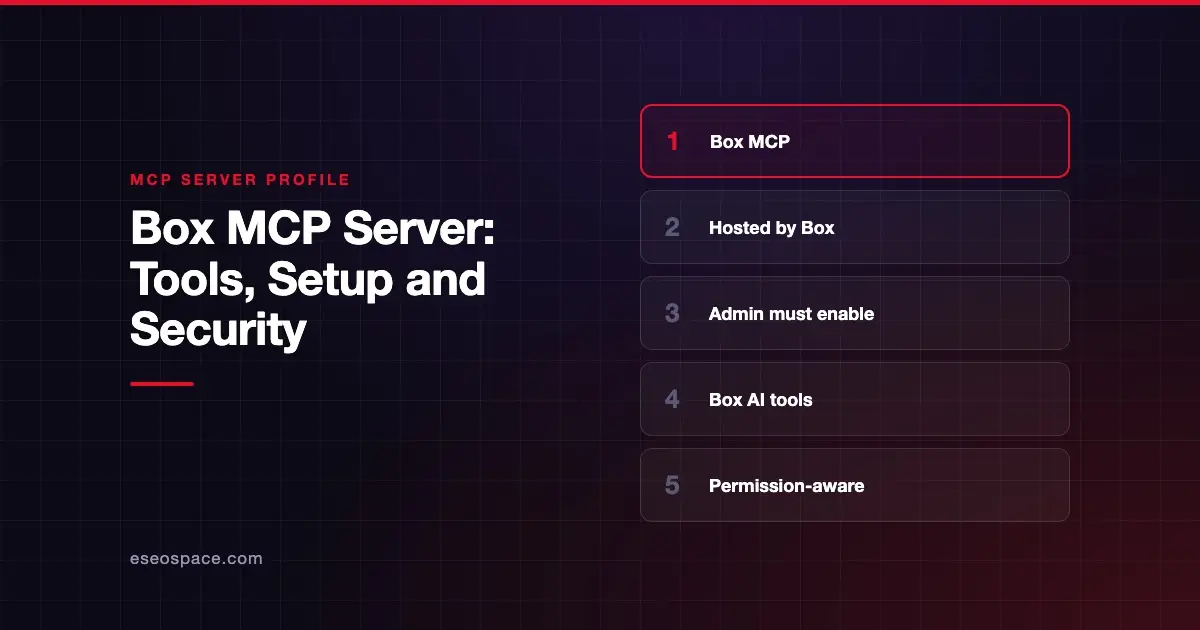
The Box MCP server lets an AI app search your Box content, read files, ask Box AI questions about documents and manage folders, metadata and hubs. Box publishes and hosts it at https://mcp.box.com. An admin must turn it on in the Box Admin Console before anyone can connect.
Checked against: Box MCP server docs on 28 October 2026. eSEOspace did not install or test this server.
Key Takeaways
- Box hosts the server; its older self-hosted community server is deprecated, and Box says not to start new work on it.
- Box says MCP "does not bypass Box permissions," so the AI sees only what the user can see.
- Each tool has a default state. Higher-impact tools, such as moving files or creating shared links, are off until an admin enables them.
- Box AI tools let the AI extract metadata and answer questions across files, with citations when available.
- Box's MCP pricing page says the server is available on all Box plans. API calls are free when you use a published app and sign in with your own Box account.
At a glance
| Item | Detail |
|---|---|
| Publisher | Box |
| Official? | Yes |
| Hosting | Remote URL (https://mcp.box.com) |
| Transport | Not named in Box's docs |
| Sign-in | OAuth (admin-created Integration Credentials for custom clients) |
| Read or write | Both |
| Price | Available on all Box plans; API calls free for published apps with your own login, metered otherwise |
| Source code | Closed (hosted); the self-hosted community server is deprecated |
| Status | Not stated by Box |
What it can do
Box's available tools page groups tools and marks each one On or Off by default:
- Files and folders (read):
get_file_content,get_file_details,get_folder_details,list_folder_content_by_folder_idandget_file_preview. - Files and folders (write):
upload_file,create_folder,copy_fileandcopy_folderare On.move_file,move_folder,upload_file_versionand theupdate_*andset_*metadata tools are Off by default. - Search:
search_files_keyword,search_files_metadataandsearch_folders_by_name. - Collaboration:
list_file_comments,create_file_commentandlist_tasksare On.add_file_shared_link,add_folder_shared_link,create_collaborationandupdate_collaborationare Off. - Box AI:
ai_qa_single_file,ai_qa_multi_file,ai_qa_huband severalai_extract_*tools. Box says the Enhanced Extract versions cost more, and text tools process up to 1 MB of content. - Hubs and Doc Gen: tools to list, create and copy hubs, and to work with Doc Gen templates.
who_am_i returns the signed-in Box user.
How to connect it
Box's setup guide starts in the Admin Console. To enable a predefined Box MCP server, an admin opens Integrations, filters Categories by MCP and sets the server's state to enabled.
For a custom MCP client, the admin configures the Box MCP server integration, clicks + Add Integration Credentials and copies the Client ID and Client Secret. The admin then enters the client's Redirect URI and selects Access Scopes. Box lists root_readwrite, ai.readwrite and docgen.readwrite. Box says docgen.readwrite needs an Enterprise Advanced license.
On the client side you supply the endpoint, the credentials and the MCP name box-remote-mcp. Box's sample API configuration is:
"mcp_servers": [
  {
    "type": "url",
    "url": "https://mcp.box.com",
    "name": "box-remote-mcp",
    "authorization_token": "<BEARER_TOKEN>"
  }
]
Box's guide also lists its OAuth authorization URL (https://account.box.com/api/oauth2/authorize) and token URL (https://api.box.com/oauth2/token).
Security notes
Box's design gives admins more control than most servers in this category. The default-off list covers the tools most likely to cause harm.
- Sharing risk. Box notes that creating a shared link or collaboration can expose content outside your organization. Those tools are off by default; leave them off unless you need them. Our page on data exfiltration explains why.
- Overwrites.
upload_file_versionreplaces a file's contents, andupdate_metadata_templatecan remove fields. - Scopes.
root_readwriteis broad. Match scopes to the job. - Permissions. Box's permission-aware access page covers identity and scopes. MCP does not bypass Box permissions.
- Document content as input. Files from outside parties can contain instructions aimed at the AI. See prompt injection.
- Box AI costs. The AI extract and Q&A tools are on by default, and Box says the Enhanced Extract tools cost more.
More guidance sits in the MCP security hub.
Alternatives
- Dropbox MCP server for files, Paper and Dropbox Sign.
- Google Workspace MCP servers for Drive, Docs and Sheets.
- Notion MCP server if your knowledge base lives in Notion.
Next step
Box is a good fit when legal, finance or HR teams keep sensitive files there and want AI help without loosening permissions. Decide which default-off tools you actually need before you enable anything. eSEOspace can review that plan in an MCP readiness audit, and more profiles are in the MCP server directory.
Frequently asked questions
Is the Box MCP server hosted or self-hosted?
Box hosts it at https://mcp.box.com. Box's older open-source, self-hosted server is deprecated, and Box says not to start new work on it.
Does an admin have to enable Box MCP?
Yes. Box says an admin enables MCP in the Box Admin Console. For custom clients, the admin also creates Integration Credentials with a client ID, client secret, redirect URI and scopes.
Can the AI share Box files outside my company?
Only if an admin enables the shared link or collaboration tools, which are off by default. Box warns those tools can expose content outside your organization. Keep them off unless a workflow needs them.
Does Box AI through MCP cost extra?
Box's MCP pricing page says the server is on all Box plans, and API calls are free for a published app used with your own Box login. Other cases, such as custom integrations or service accounts, are charged, and AI tools also use AI Units. Box's tools page also says the Enhanced Extract tools cost more than the standard Box AI Extract tools. It does not list prices. Check your Box contract or account team for AI usage terms.