This profile is part of our MCP server directory, within The MCP Guide. Profiles are checked against each vendor's own documentation. Need a server built? See MCP development.
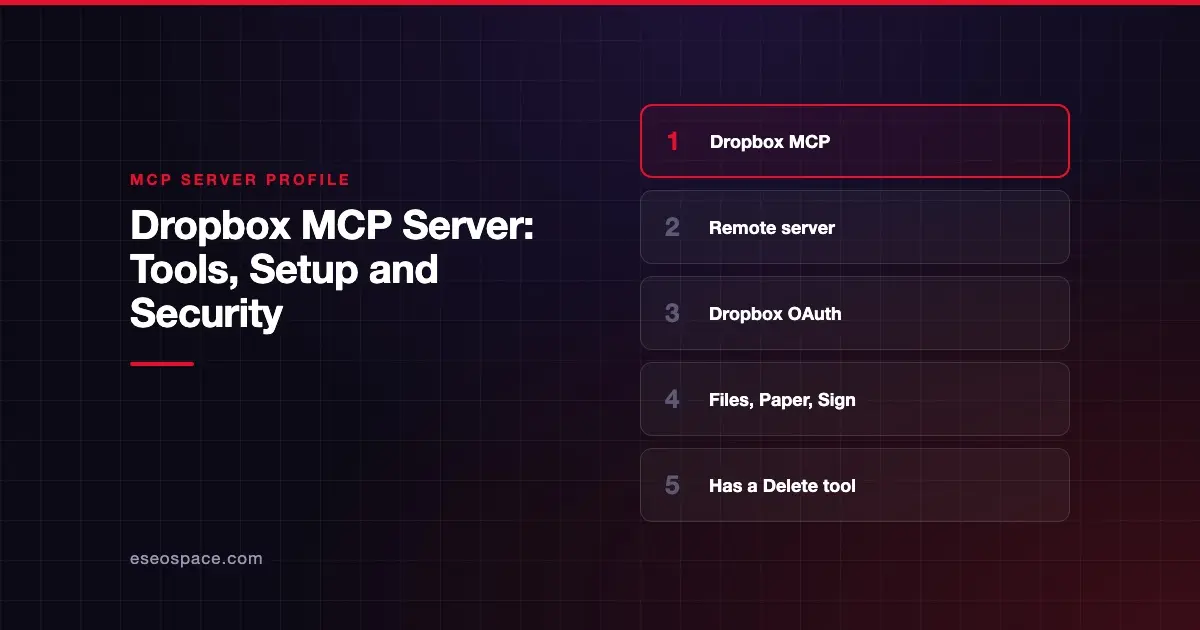
The Dropbox MCP server lets an AI app browse, search, read, create, move, share and restore files in your Dropbox. It also has tool groups for Dropbox Paper and Dropbox Sign. Dropbox publishes and hosts it at https://mcp.dropbox.com/mcp, and you sign in with Dropbox OAuth.
Checked against: How to connect the Dropbox remote MCP server on 28 October 2026. eSEOspace did not install or test this server.
Key Takeaways
- Dropbox's help article gives setup steps for Claude, Claude Code, ChatGPT, Codex and Cursor.
- The tool list includes
Delete,MoveandCreateSharedLink, so it can change and expose files. - Only a set of trusted clients can register automatically; other clients need their own Dropbox app.
- Dropbox's own article calls the server both "in beta" and "generally available." Treat the status as unclear.
- Files read or written through the server are capped at 5 MB per call.
At a glance
| Item | Detail |
|---|---|
| Publisher | Dropbox |
| Official? | Yes |
| Hosting | Remote URL (https://mcp.dropbox.com/mcp) |
| Transport | HTTP (Dropbox's Claude Code command uses --transport http) |
| Sign-in | Dropbox OAuth |
| Read or write | Both |
| Price | No separate MCP price listed |
| Source code | Closed (hosted) |
| Status | Unclear: the article says both beta and generally available |
What it can do
Dropbox names these tools in its help article:
- Browse and read:
ListFolder,GetFileMetadata,GetFileContent,GetMarkdown,GetTranscript,Search,GetUsageAndQuotaandWhoAmI. - Create and change:
CreateFolder,CreateFile,Copy,MoveandDelete. - Sharing:
CreateSharedLink,ListSharedLinks,GetSharedLinkMetadataandDownloadLink. - File requests:
CreateFileRequest,GetFileRequestandListFileRequests. - Recovery:
ListFileRevisions,RestoreFileRevision,ListRestoreEventsandRestoreFolder. - Jobs:
CheckJobStatus.
Dropbox also describes two tool groups without listing names. Dropbox Sign tools send signature requests, check status, send reminders, cancel requests and download completed agreements. Dropbox Paper tools read, create and edit Paper docs, comments and tasks. Dropbox says Paper tools work only with Claude Code, Cursor and Codex.
How to connect it
For Claude Code, Dropbox gives this command:
claude mcp add --transport http DropboxMCP https://mcp.dropbox.com/mcpFor Codex:
codex mcp add DropboxMCP --url https://mcp.dropbox.com/mcp
codex mcp login DropboxMCP
For Cursor, Dropbox's configuration is:
{
  "mcpServers": {
    "Dropbox MCP": {
      "url": "https://mcp.dropbox.com/mcp"
    }
  }
}
In Claude on the web or desktop, Dropbox says to add a custom connector named "Dropbox MCP" with the server URL. That needs Claude's custom connector feature, which Dropbox notes is available on select Claude plans. Dropbox says ChatGPT needs Developer Mode turned on first. OpenAI's custom MCP server guide now says you don't need to turn on Developer Mode first: go to Plugins, select +, then Add custom MCP server, and finish with Create as a plugin. OpenAI lists custom servers for Business and Enterprise/Edu on ChatGPT web, with Pro limited to read/fetch, as of October 2026.
Dynamic Client Registration works only for Claude Code, Claude Web, ChatGPT Codex, ChatGPT Web and Cursor. Our explainer on dynamic client registration covers what that means. For any other client, you create a Dropbox app with scoped access and Full Dropbox access. Dropbox lists these permissions: files.metadata.read, files.content.read, files.content.write, sharing.write, account_info.read, sharing.read, file_requests.read and file_requests.write.
Security notes
The Dropbox server holds real write power. A single bad tool call could delete a folder or publish a shared link.
- Delete and Move. Keep approval prompts on for these tools. The restore tools help you recover, but prevention is cheaper.
- Shared links.
CreateSharedLinkcan expose files to anyone with the link. Read our page on data exfiltration. - Full Dropbox access. The custom-app path asks for Full Dropbox access and write scopes. That is broad for a single workflow.
- Admin controls. Dropbox says team admins can control whether users can connect apps.
- Tokens. For custom apps, access tokens are short-lived and must be regenerated when they expire. Changing app scopes requires reconnecting.
- Paper permissions. Paper tools act as the user and reach only docs the user can already open.
For a full checklist, see the MCP security hub.
Alternatives
- Box MCP server, where admins can switch off move and sharing tools by default.
- Google Workspace MCP servers for Drive and Docs.
- Notion MCP server for team wikis and databases.
Next step
Dropbox MCP is easy to connect from the major AI apps, but its write tools deserve a plan. Decide who connects, which clients are allowed and whether deletes need a second person. eSEOspace can help with an MCP readiness audit. More profiles are in the MCP server directory.
Frequently asked questions
Is the Dropbox MCP server in beta?
Dropbox's help article says both that the server is "now in beta" and that it "is generally available." It also says betas are subject to additional terms. Check the article for the current wording before you rely on it.
Can the Dropbox MCP server delete files?
Yes. The tool list includes Delete. It also has RestoreFileRevision and RestoreFolder for recovery. Keep human approval on for destructive calls.
Which apps can connect without a custom Dropbox app?
Dropbox says Claude Code, Claude Web, ChatGPT Codex, ChatGPT Web and Cursor support Dynamic Client Registration. Other clients need a Dropbox app with API credentials, or you can ask Dropbox support.
Are there size limits?
Yes. Dropbox says GetFileContent and CreateFile each handle files up to 5 MB. ListFolder returns up to 100 items per call.