This profile is part of our MCP server directory, within The MCP Guide. Profiles are checked against each vendor's own documentation. Need a server built? See MCP development.
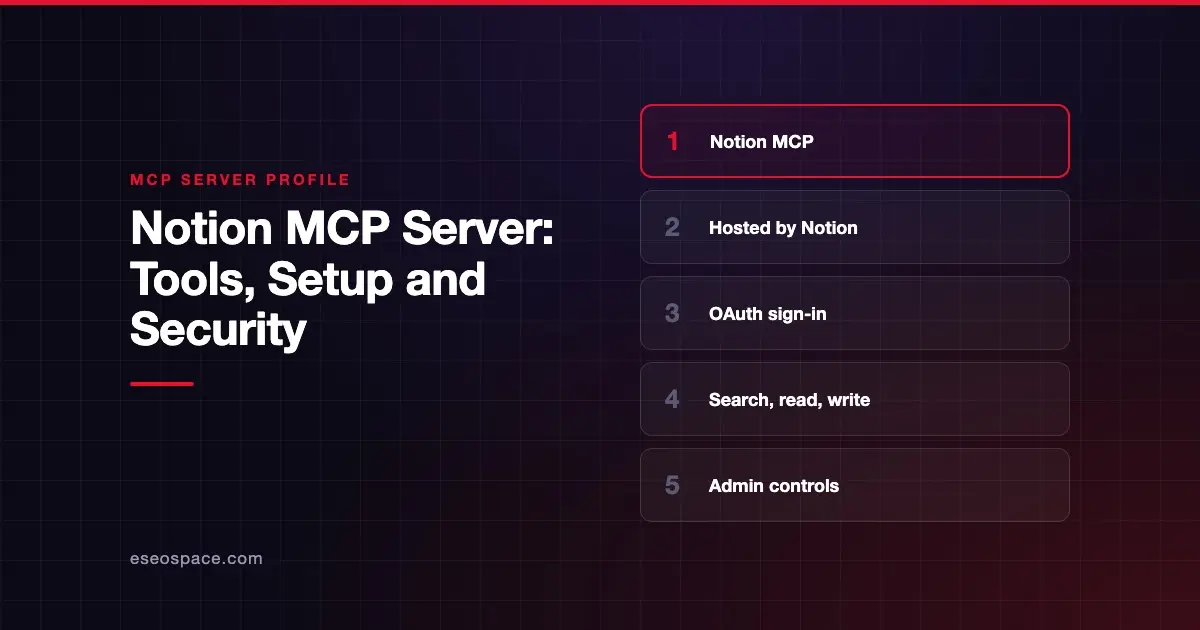
The Notion MCP server lets an AI app search your Notion workspace, read pages and databases, and create or update content you can already reach. Notion publishes and hosts it, and you sign in with OAuth. It works on every Notion plan, though some tools need Business or Enterprise.
Checked against: Notion's MCP developer docs on 28 October 2026. eSEOspace did not install or test this server.
Key Takeaways
- Notion runs the server for you at
https://mcp.notion.com/mcp, so there is nothing to install or host. - The tool list is long and includes write tools that move pages and databases to Trash.
- Notion MCP works on every plan, but connected-source search, cross-database SQL and some filters need Business or Enterprise with Notion AI.
- Workspace owners can manage which clients connect, and organization owners can revoke connections through the Admin API.
- The older open-source
notion-mcp-serverpackage is no longer actively maintained, per Notion.
At a glance
| Item | Detail |
|---|---|
| Publisher | Notion |
| Official? | Yes |
| Hosting | Remote URL (https://mcp.notion.com/mcp) |
| Transport | Streamable HTTP (recommended); SSE fallback at https://mcp.notion.com/sse |
| Sign-in | OAuth; MCP tokens for non-interactive use on Business and Enterprise |
| Read or write | Both |
| Price | No separate MCP price listed; works on every plan, some tools need Business or Enterprise |
| Source code | Closed (hosted); the old notion-mcp-server repo is no longer actively maintained |
| Status | Not stated by Notion |
What it can do
Notion's supported tools page groups the tools by job. The main groups are:
- Search and lookup:
notion-search,notion-connector-search(Slack, Google Drive, GitHub and other connected sources),notion-fetch,notion-get-selfandnotion-get-tool-access. - Pages and databases:
notion-create-pages,notion-update-page,notion-move-pages,notion-duplicate-page,notion-create-databaseandnotion-update-data-source. - Deleting and restoring:
notion-delete-pagesandnotion-delete-databasesmove up to 20 items to Trash;notion-restore-pagesbrings them back. - Views and queries:
notion-create-view,notion-query-data-sourcesandnotion-query-multiple-data-sources, which runs one read-only SQL query across 2 to 100 data sources. - Comments and suggested edits: tools to add, list, resolve and react to comments, plus
notion-create-suggested-edit. - Other groups: files and attachments, sidebar lists, Notion Skills, Custom Agent sessions and Notion Calendar (
notion-calendar-create-eventsand others).
Use notion-get-tool-access first if you are unsure what your plan allows. Notion says it reports plan status and restricted parameters but does not grant access.
How to connect it
Notion's get started guide gives setup for many clients. For Claude Code:
claude mcp add --transport http notion https://mcp.notion.com/mcpThen run /mcp in Claude Code and follow the OAuth flow. For Cursor, add this to .cursor/mcp.json:
{
  "mcpServers": {
    "notion": {
      "url": "https://mcp.notion.com/mcp"
    }
  }
}
For VS Code with GitHub Copilot, Notion's example .vscode/mcp.json is:
{
  "servers": {
    "notion": {
      "type": "http",
      "url": "https://mcp.notion.com/mcp"
    }
  }
}
VS Code's MCP server docs still support .vscode/mcp.json "for compatibility" but label it deprecated in the guided setup flow, as of October 2026. Servers that prompt for values with ${input:...} aren't forwarded to Copilot harness sessions.
Clients without remote HTTP support can use the mcp-remote bridge with npx -y mcp-remote https://mcp.notion.com/mcp. Guests cannot connect; only workspace members can.
Security notes
After you authorize, the AI app can read and update anything your Notion account can reach. That is broad, so think about which account you connect. Our guide to excessive permissions explains why that matters.
- Destructive tools exist. The delete tools move content to Trash, and
notion-update-pagecan overwrite content. Keep human approval on for write calls. - Admin controls. Workspace owners manage client access in Notion settings. Limiting which clients members can connect requires the Enterprise plan. Organization owners can list and revoke MCP connections through the Admin API.
- Connected sources widen the reach.
notion-connector-searchcan return content from Slack, Google Drive, GitHub and Jira, so a single prompt can touch several systems. - Prompt injection. Shared pages and comments can contain text written to steer the AI. Read our page on prompt injection before you let an agent act on pages other people edit.
- Rate limits. Every tool call counts toward Notion's standard API limits. Notion says limits are higher on Business and Enterprise.
For a wider checklist, see the MCP security hub.
Alternatives
- Google Workspace MCP servers if your documents live in Google Docs and Drive.
- Box MCP server for content stored in Box, with admin-level tool switches.
- ClickUp MCP server if your team keeps docs and tasks in ClickUp.
Next step
Notion MCP is one of the easier servers to start with because it is hosted and uses OAuth. The harder part is deciding which accounts and clients should have write access. Browse more profiles in the MCP server directory, or ask eSEOspace for an MCP readiness audit before you roll it out to a team.
Frequently asked questions
Is the Notion MCP server free?
Notion says Notion MCP works on every plan, and it does not list a separate MCP price. Some tools, such as connected-source search and cross-database SQL, need Business or Enterprise with Notion AI. Other plans get a metered allowance for some queries.
Can I still use the open-source Notion MCP server?
The notion-mcp-server repository still exists, but Notion describes it as no longer actively maintained. It uses an integration token and you host it yourself. Notion recommends the hosted server for most users.
Can the Notion MCP server delete pages?
Yes. notion-delete-pages and notion-delete-databases move up to 20 items to Trash per call. notion-restore-pages can bring them back. Keep approval prompts on for these tools.
Can an admin block Notion MCP?
Workspace owners can manage workspace clients in Notion's settings. Restricting which clients members may connect needs the Enterprise plan. Organization owners can also revoke individual connections through the Admin API.