This guide is part of our MCP connection guides, within The MCP Guide. Steps are copied from the vendor's own documentation. Need a custom connection? See MCP development.
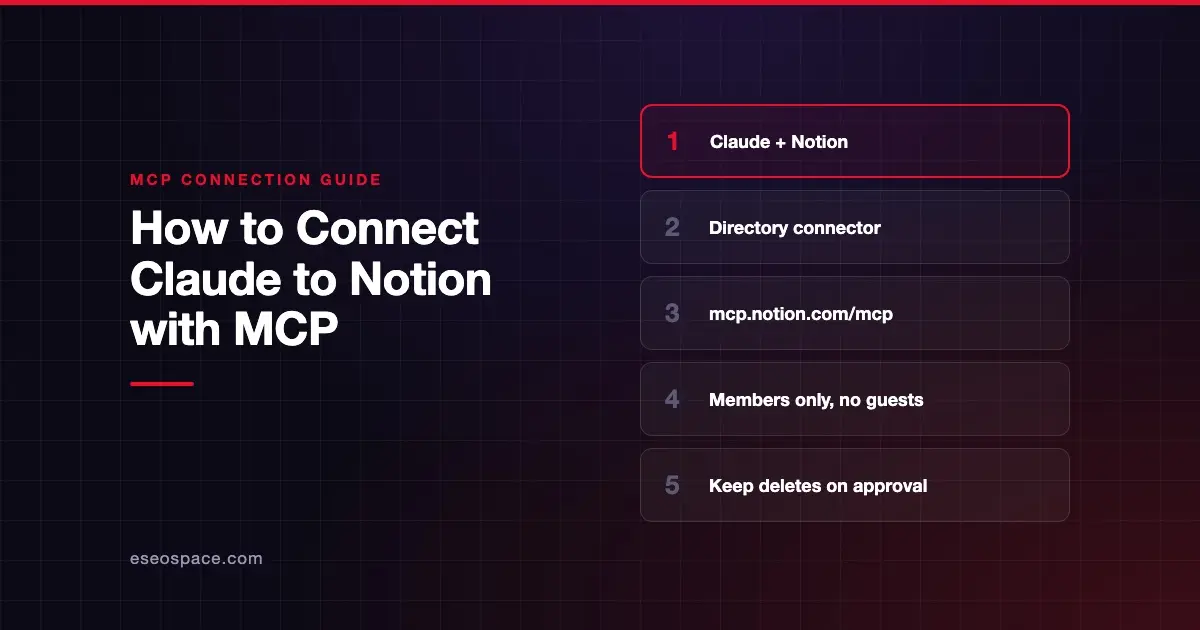
Connecting Claude to Notion lets you search your workspace, pull a page into the chat, and create or update pages and databases without leaving Claude. The connection runs through Notion MCP, a remote server that Notion hosts, and you sign in with your own Notion account.
Checked against: Notion's MCP connection guide and Claude's guide to connectors on 28 October 2026. eSEOspace did not run these steps; menus can change, so follow the vendor's page if it differs.
Key Takeaways
- Notion is listed in Claude's Connectors Directory, made by Notion and marked "Anthropic verified," so you add it from the directory.
- The connector points at
https://mcp.notion.com/mcp, the same URL Notion gives for any MCP client. - After you sign in, Claude can read and update anything your Notion account can reach in that workspace.
- Notion MCP works on every Notion plan, but some features, such as connected-source search, need Business or Enterprise with Notion AI.
- On Notion Enterprise, admins can limit members to an approved list of AI apps, which may need to include Claude.
Before you start
You need three things, per Notion's and Claude's docs:
- A Claude account on claude.ai or the Claude desktop app. Claude's connector guide says that on Team and Enterprise plans, an Owner adds a directory connector for the organization first, and members then connect their own accounts.
- Membership in the Notion workspace. Notion's connection guide says only workspace members can connect. Guests are refused at sign-in.
- Your admin's approval on Notion Enterprise, if it is turned on. Notion's help article says Enterprise workspace owners can set "Restrict AI apps members can connect" to "Only from approved list." If Claude is not on that list, ask your workspace owner.
Notion does not list a separate price for MCP. Its FAQ says Notion MCP works on every plan.
Steps
Notion's developer guide gives commands for Claude Code, Cursor and other tools, but not a separate claude.ai walkthrough. Its help article names Claude.ai and Claude Desktop as supported apps, and Claude's directory lists the Notion connector. These steps follow Claude's own connector guide.
- Open the Connectors page. In Claude, go to Customize > Connectors. In the desktop app, select Customize in the sidebar, then Connectors.
- Find Notion. Select Discover, type Notion in Search connectors, and open the listing. Claude's Notion listing shows it as made by Notion, with sign-in required and this connector URL:
https://mcp.notion.com/mcp- Start the connection. Select Connect to Claude. On Team or Enterprise, an Owner sees Connect for your team, which adds it for everyone. Members who see Request need an Owner to add it first.
- Sign in to Notion. Claude opens Notion's sign-in page. Pick the workspace, review the access Claude asks for, and approve it.
- Confirm. Back on the Connectors page, Notion appears under Your connectors with the status Connected.
- Turn it on in a chat. In the message box, select +, then Connectors, and make sure the Notion toggle is on.
If you can't find Notion in the directory, Claude also lets you add a server by URL as a custom connector. Notion's guide lists https://mcp.notion.com/mcp as the address for clients it doesn't cover.
Check that it works
Ask Claude something only your workspace can answer. Claude may ask you to approve the tool call; choose Allow once while you test.
Example prompts:
- "Search Notion for our onboarding checklist and summarize the steps."
- "Fetch the Q4 planning page and list the open questions on it."
- "Create a page called Meeting notes 28 October under my Team Home page with these bullets."
These map to tools that Claude's listing shows, including search, fetch, create-pages and update-page. Notion's own tool reference prefixes the same tools with notion-.
Permissions and safety
Notion's help article warns that MCP tools act with your full Notion permissions. Whatever you can see or edit, Claude can too.
- Write and delete tools. Notion's tool reference includes tools that update pages and move pages and databases to Trash. Notion marks the Trash tools as destructive and says they run only when the call confirms the user agreed. In Claude, open the connector under Customize > Connectors and use Tool permissions to set write tools to Needs approval or Blocked.
- Org-wide limits. Claude's connector help article says Team and Enterprise Owners can restrict a connector's actions for everyone, for example allowing reads but blocking writes.
- Notion admin controls. Workspace owners manage clients in Settings → Notion MCP → Manage workspace clients, per Notion's MCP overview. Limiting which clients members can connect needs Enterprise. Organization owners can also list and revoke connections through the Admin API.
- Shared pages can carry instructions. A page someone else wrote can contain text aimed at the AI. Read MCP prompt injection before you let Claude act on pages from many editors.
For a fuller checklist, see the MCP Security Center.
If it doesn't work
Notion's troubleshooting section lists these fixes:
- Authentication fails. Complete the OAuth flow when prompted. Disconnect and reconnect the client, then check your permissions in the Notion workspace.
- You are a guest. Guests can't connect. Ask for member access.
- Your workspace restricts AI apps. On Enterprise, Claude must be on the approved list. Notion also says calls from apps not on the list are blocked even if they were connected earlier.
- A feature is missing. Run
notion-get-tool-access, which Notion says reports plan status and restricted parameters. Some search filters and SQL queries depend on Business or Enterprise.
In Claude, a connector that has lost access shows Reconnect on the Connectors page. Select it and sign in again.
Next step
Start with search and fetch for a week, then allow page edits once the results look right. Our Notion MCP server profile covers the full tool list and plan limits. For other apps, browse the connection guides hub. If you plan to roll this out to a team, an MCP readiness audit can help you decide which tools should stay on approval.
Frequently asked questions
Is the Notion connector for Claude free?
Notion does not list a separate MCP price and says Notion MCP works on every Notion plan. Some features need Business or Enterprise with Notion AI. Your Claude plan and any Team or Enterprise Owner setup still apply.
Can Claude delete my Notion pages?
Notion's tool reference includes delete tools that move pages and databases to Trash, plus a restore tool. You can set those tools to Needs approval or Blocked in Claude's Tool permissions for the connector.
Can a workspace guest connect Notion to Claude?
No. Notion says only workspace members can connect Notion MCP. A guest who tries sees a message that guests can't connect, and Notion refuses the authorization.
How do I disconnect Notion from Claude?
Go to Customize > Connectors, select Notion under Your connectors, and select Disconnect. To take it off your account entirely, open the three-dot menu and select Remove. On Notion Enterprise, admins can also use Disconnect All Users.