This guide is part of our MCP connection guides, within The MCP Guide. Steps are copied from the vendor's own documentation. Need a custom connection? See MCP development.
Connecting Claude to Linear lets you search, create and update Linear issues, projects and comments from a Claude conversation. Linear hosts the MCP server centrally, and you sign in with your Linear account through OAuth.
Checked against: Linear's MCP docs and Claude's guide to connectors on 28 October 2026. eSEOspace did not run these steps; menus can change, so follow the vendor's page if it differs.
Key Takeaways
- Linear documents Claude directly: connect Linear from Claude's connectors page.
- Claude's directory lists Linear's connector at
https://mcp.linear.app/mcp, which is read-write by default. - Linear also offers
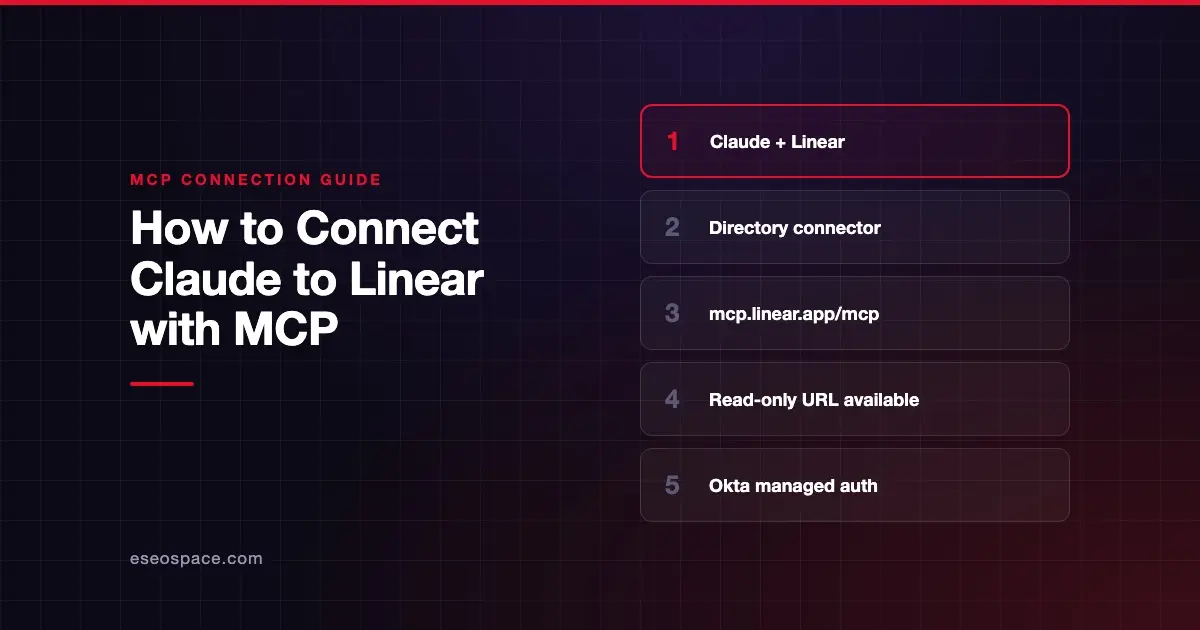
https://mcp.linear.app/mcp/readonly, which only exposes read tools, if you add it yourself as a custom connector. - Companies on Okta can turn on enterprise-managed authorization so Claude signs users in automatically.
- Linear says remote MCP connections can fail or need more than one attempt, and suggests restarting or re-enabling.
Before you start
- A Linear account in the workspace you want Claude to reach. Linear says each workspace needs its own sign-in.
- A Claude account. Linear's MCP docs describe two Claude paths: Team and Enterprise on claude.ai, and Free and Pro in Claude desktop.
- An Owner on Claude Team or Enterprise. Claude's connector guide says an Owner adds a directory connector for the organization, and members then connect their own accounts.
- Okta setup, if you want managed sign-in. Linear says to configure SAML for Linear using Okta's OIN first.
Linear does not list a separate MCP price.
Steps
Linear's docs give one line per Claude plan:
- Team, Enterprise (Claude.ai): "Navigate to the connectors page and connect Linear."
- Free, Pro (Claude desktop): "From Claude settings > Connectors you can add the Linear connector."
Linear's link points to claude.ai/customize/connectors, which Claude's docs call Customize > Connectors. Claude's guide fills in the clicks:
- Open the Connectors page. Go to Customize > Connectors. In the desktop app, select Customize in the sidebar, then Connectors.
- Find Linear. Select Discover and search for Linear. Claude's Linear listing shows it as made by Linear (Linear Orbit, Inc.), with sign-in required and this connector URL:
https://mcp.linear.app/mcp- Start the connection. Select Connect to Claude. On Team or Enterprise, an Owner sees Connect for your team.
- Sign in to Linear. Approve the access Claude asks for. Linear says the interactive flow uses OAuth 2.1 with dynamic client registration.
- Turn it on in a chat. Linear appears under Your connectors as Connected. In a chat, select +, then Connectors, and check its toggle.
Want read-only? Linear says you can connect to this URL instead, which only ever exposes read tools:
https://mcp.linear.app/mcp/readonlyClaude's custom connector guide covers adding a server by URL. On Free, Pro or Max, go to Customize > Connectors, click Add custom connector, enter the URL and click Add. Free plans allow one custom connector. On Team and Enterprise, an Owner adds it under Organization settings > Connectors.
Okta-managed sign-in. Linear says to enable MCP enterprise managed authentication at the bottom of your Okta identity provider settings in Linear. Then paste the Issuer URI from Okta's authorization server into Linear's settings.
Check that it works
Ask Claude for something that only your Linear workspace holds. Approve the tool call when Claude asks.
Example prompts:
- "List my open Linear issues and group them by project."
- "Show the issues in the current cycle for the Web team that are still in progress."
- "Create an issue in the Web team titled Fix broken signup link, and add a comment with these steps to reproduce."
These use tools Claude's listing shows, such as list_my_issues, list_cycles, create_issue and create_comment. Linear's docs also publish longer prompts for roadmap planning and standup notes.
Permissions and safety
Linear's default endpoint can create and update issues and projects. Decide early how much of that Claude should do on its own.
- Read-only options. Use the
/mcp/readonlyendpoint, or request only thereadOAuth scope, which Linear says yields a token that can't reach write APIs. - Approvals in Claude. Open Linear under Customize > Connectors and use Tool permissions to set write tools to Needs approval or Blocked.
- Org-wide limits. Claude's connector help article uses Linear as its example: Owners can let Claude view issues but block creating them or changing status.
- Issue text is input. Bug reports from outside your team can hide instructions for the AI. Read MCP prompt injection and approval fatigue.
See the MCP Security Center for more.
If it doesn't work
Linear's docs mention these issues:
- Connection fails or needs several tries. Linear's Claude integration page says remote MCP connections are still early. Restart your client, or disable and re-enable the Linear server.
- Connection dropped or not responding. Disconnect and reconnect the server from your client's MCP settings. Linear says this does not affect your Linear data.
- Wrong workspace. Reconnecting does not switch workspaces within an existing sign-in. Each workspace needs its own authentication.
- Old setup guides. The SSE endpoint
https://mcp.linear.app/sseis a deprecated fallback. New setups should use/mcp.
In Claude, a connector that has lost access shows Reconnect on the Connectors page.
Next step
Connect with the default URL and approval on, or start read-only if your team is cautious. Our Linear MCP server profile covers sign-in options and endpoints. For other apps, see the connection guides hub.
Frequently asked questions
Can I connect Claude to Linear in read-only mode?
Yes. Linear offers https://mcp.linear.app/mcp/readonly, which only exposes read tools. Add it in Claude as a custom connector. You can also block write tools in Claude's Tool permissions for the directory connector.
Does Linear work on Claude's Free plan?
Linear's docs say Free and Pro users can add the Linear connector from the Connectors page in Claude desktop. Claude's docs say directory connectors work on web, desktop and mobile once connected.
Can Claude use more than one Linear workspace?
Linear says each workspace needs its own authentication, because reconnecting does not switch the workspace inside an existing session. Check your client's options for separate connections.
Can I use a Linear API key instead of OAuth?
Linear's server accepts an API key or OAuth token in an Authorization: Bearer header. In Claude, fixed credentials go under Request headers in the custom connector dialog. Claude says that option is in beta for a limited set of organizations.