This guide is part of our MCP connection guides, within The MCP Guide. Steps are copied from the vendor's own documentation. Need a custom connection? See MCP development.
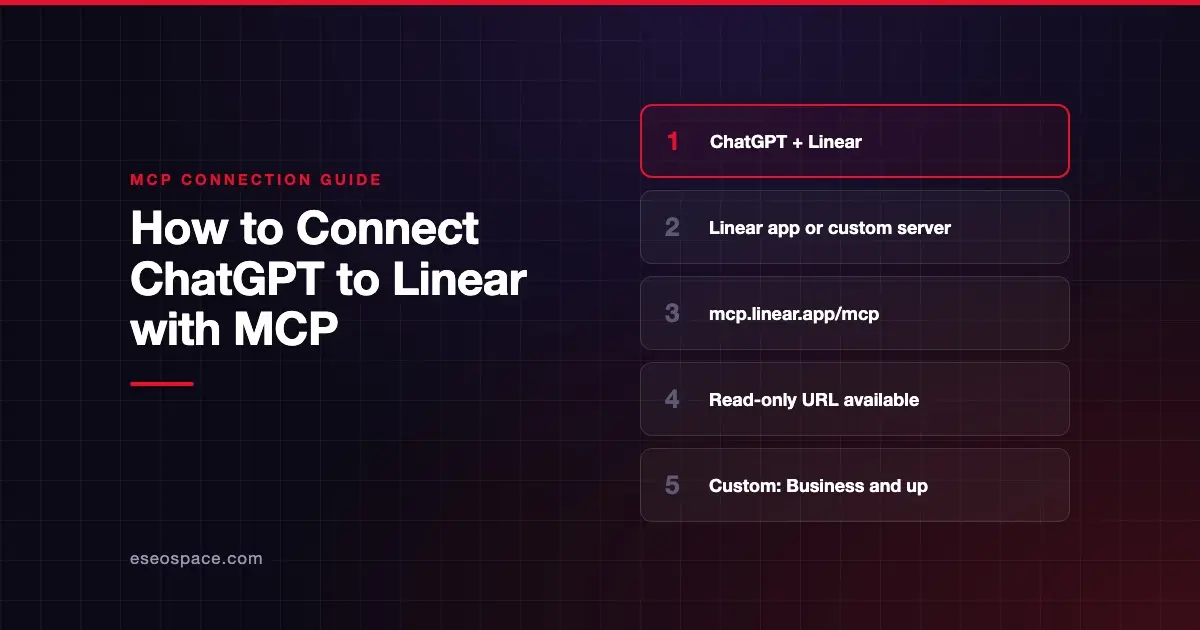
Connecting ChatGPT to Linear lets you ask about issues, projects and cycles in plain English. With a write-enabled connection, ChatGPT can also create and update issues and comments. You can use the Linear app in ChatGPT, or add Linear's hosted MCP server yourself.
Checked against: Linear's MCP docs and OpenAI's custom MCP server guide on 28 October 2026. eSEOspace did not run these steps; menus can change, so follow the vendor's page if it differs.
Key Takeaways
- Linear hosts its MCP server at
https://mcp.linear.app/mcp, which is read-write by default. - A second endpoint,
https://mcp.linear.app/mcp/readonly, only ever exposes read tools. - Linear's ChatGPT page describes a Linear connector in ChatGPT, so most people can start there.
- OpenAI says custom MCP servers are for ChatGPT Business and Enterprise/Edu on the web. Pro users can connect them with read and fetch permissions only.
- Linear says the server can find, create and update issues, projects and comments.
Before you start
You need a Linear account and access to the workspace you want ChatGPT to see. The server signs you in with OAuth 2.1, per Linear's MCP docs, so it sees what your Linear account can see.
On the ChatGPT side, it depends on the route:
- Linear app in ChatGPT. Linear's ChatGPT integration page says the connector is available in deep research for Plus and Pro users (excluding the EEA, Switzerland and the UK) and for Team, Enterprise and Edu users. OpenAI's connected apps page adds that availability "depends on the app, your ChatGPT plan, region, workspace, role, model, and the ChatGPT interface you use."
- Custom MCP server. OpenAI's custom MCP server guide says these connections are "available for ChatGPT Business and Enterprise/Edu customers on ChatGPT web." On Business, only admins and owners can create them. On Enterprise/Edu, admins can grant members permission through role-based access control. The workspace permission is called Create plugins with MCPs.
Steps
Option 1: Connect the Linear app
Linear's page still says to connect from ChatGPT's connector settings. OpenAI's current connected apps page uses Plugins instead:
- In ChatGPT, open Settings > Plugins and select Linear.
- Select Install plugin if shown.
- If prompted, select Connect.
- Sign in to the Linear account that has access to your work.
- Review the requested permissions and complete Linear's authorization.
Linear's page describes using the connector as a source in deep research. OpenAI says deep research can use apps for read and fetch actions only, not writes.
Option 2: Add Linear's MCP server as a custom server
Use this route when you want the full read-write server, or the read-only endpoint. These steps come from OpenAI's guide. OpenAI says you don't need to turn on Developer Mode first in the current Plugins experience.
- Go to Plugins in ChatGPT.
- Select the plus button, then Add custom MCP server.
- Enter a name, such as Linear, and an optional description.
- Under Connection, enter Linear's server URL:
https://mcp.linear.app/mcpFor read-only access, enter this URL instead:
https://mcp.linear.app/mcp/readonly- Configure authentication. Linear's interactive setup uses OAuth 2.1 with dynamic client registration.
- Review the risk warning and select the I understand and want to continue checkbox.
- Select Create as a plugin, then review the discovered tools.
- Sign in to Linear when prompted.
The result is private to you. On Business and Enterprise/Edu, only admins and owners can publish it for the rest of the workspace.
Check that it works
Start a new conversation, type @ and select Linear. Ask a read question first.
Example prompts:
- "Using Linear, summarize what my team finished in the current cycle and what is still open."
- "Find open Linear issues that mention the checkout bug and list their owners."
- "Add a comment to issue LIN-123 saying the fix is in review." ChatGPT should ask you to confirm before it writes.
These match the use cases in Linear's docs, which include summarizing a cycle, writing standup updates and turning a plan into issues.
Permissions and safety
- Pick read-only when you can. Linear offers the
/mcp/readonlyendpoint. It also says clients that request only thereadOAuth scope get read-only access, and the token can't reach write APIs. - Restricted API keys. Linear's FAQ says the server accepts a token or API key in an
Authorization: Bearerheader. You can create a Linear API key with only theReadpermission. - ChatGPT approval settings. OpenAI's app permissions page lists Always ask, Allow read actions, Allow low-risk actions and Allow all actions. OpenAI says the last option "carries elevated risk."
- Admin action control. On Enterprise/Edu, admins can turn individual actions on or off before and after publishing a custom server.
- Okta. Linear documents enterprise-managed authentication through Okta for supported clients.
Issue descriptions and comments can carry instructions aimed at the AI. Read about MCP prompt injection and visit the MCP Security Center before you allow writes.
If it doesn't work
- You can't add a custom server. Check your plan and role. OpenAI says custom servers need Business or Enterprise/Edu on ChatGPT web, and Pro is limited to read and fetch.
- It fails on your phone. OpenAI says custom MCP servers are web only.
- The connection drops. Linear says remote connections can occasionally need a reconnect. Disconnect and reconnect the server in your client's settings.
- Wrong workspace. Linear says each workspace needs its own authentication, because reconnecting doesn't switch workspaces within an existing session.
- An old guide used
/sse. Linear calls the SSE endpoint a deprecated fallback. Usehttps://mcp.linear.app/mcpfor new setups. - "Disabled by admin." OpenAI's troubleshooting page says to ask your workspace admin to review the app.
Next step
Read the Linear MCP server profile for endpoints and auth details. Teams on Jira can compare it with connecting ChatGPT to Atlassian. Browse every setup in the connect guides, or ask about MCP development if you need a custom workflow.
Frequently asked questions
Can I connect ChatGPT to Linear on the Plus plan?
Linear's ChatGPT page says its connector is available in deep research for Plus users, outside the EEA, Switzerland and the UK. OpenAI does not list Plus for custom MCP servers. Those are for Business and Enterprise/Edu, with read and fetch only on Pro.
Can ChatGPT create Linear issues?
Through the custom server on the default /mcp endpoint, yes. Linear says the server can create and update issues, projects and comments. ChatGPT may ask you to confirm writes, depending on your app permissions.
How do I keep ChatGPT read-only in Linear?
Use https://mcp.linear.app/mcp/readonly, or request only the read OAuth scope. Linear says that token can't reach write APIs.
Does Linear publish a full tool list?
No. Linear's docs describe tools for finding, creating and updating issues, projects and comments. ChatGPT shows the discovered tools after you select Create as a plugin.