This guide is part of our MCP connection guides, within The MCP Guide. Steps are copied from the vendor's own documentation. Need a custom connection? See MCP development.
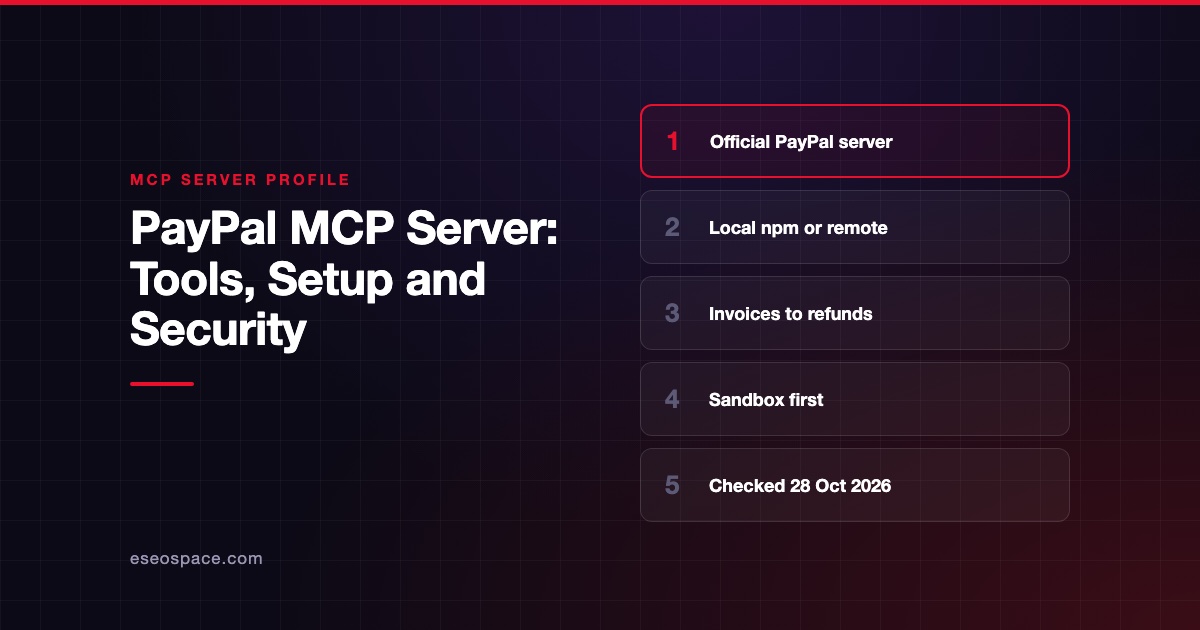
Connecting ChatGPT to PayPal's MCP server lets you ask about invoices, orders, disputes and transactions in plain English. It can also create and send invoices or issue refunds, so the setup deserves care.
Checked against: PayPal's MCP server quickstart and OpenAI's guide to connecting custom MCP servers in ChatGPT on 28 October 2026. eSEOspace did not run these steps; menus can change, so follow the vendor's page if it differs.
Key Takeaways
- PayPal's pages do not mention ChatGPT or a PayPal plugin in ChatGPT's directory, so the documented route is ChatGPT's custom MCP server option.
- OpenAI says custom MCP server connections are available on ChatGPT Business and Enterprise/Edu on the web. Pro users can connect them with read and fetch permissions only.
- PayPal publishes a sandbox endpoint and a production endpoint. ChatGPT needs a streamable HTTP URL, which PayPal serves at the
/httppath. - Several PayPal tools move money, including
create_refundandpay_order. Keep ChatGPT's approval prompts on. - Test in the sandbox before you point ChatGPT at your live PayPal account.
Before you start
You need three things, based on the two vendors' pages:
- A ChatGPT plan that allows custom MCP servers. OpenAI's help article says this is ChatGPT Business and Enterprise/Edu, on ChatGPT web only. Its FAQ adds that Pro users can connect custom servers with read and fetch permissions. It does not list Free, Go or Plus.
- The right workspace role. In a Business workspace, only admins and owners can create and publish plugins for custom MCP servers. In Enterprise/Edu, admins can grant the Create plugins with MCPs permission to other members through role-based access control.
- A PayPal business account. PayPal's remote server sends you to the PayPal login page to give consent. For testing, use a sandbox account from the PayPal Developer Dashboard.
PayPal's local server (@paypal/mcp on npm) is not an option here. OpenAI says ChatGPT connects to remote servers only, and a local server would need a Secure MCP Tunnel.
Steps
PayPal lists its remote endpoints in its MCP quickstart:
| Environment | Endpoint |
|---|---|
| Sandbox | https://mcp.sandbox.paypal.com |
| Production | https://mcp.paypal.com |
PayPal says the remote server supports two transports, server-sent events at /sse and streamable HTTP at /http. OpenAI's developer guide says ChatGPT expects streamable HTTP. So the sandbox URL to enter is:
https://mcp.sandbox.paypal.com/httpFor a live site, PayPal says to use:
https://mcp.paypal.com/httpThen follow OpenAI's steps for adding a custom MCP server:
- In ChatGPT on the web, go to Plugins.
- Select the plus button, then select Add custom MCP server.
- Enter a name, such as "PayPal Sandbox," and optionally a description.
- Under Connection, enter the PayPal URL from above.
- Configure authentication for the server.
- Review the risk warning and select the I understand and want to continue checkbox.
- Select Create as a plugin, then review the discovered tools and metadata.
- When PayPal's login page appears, log in and authorize the client, as PayPal's "Connect to MCP server" steps describe.
OpenAI says you do not need to turn on Developer Mode first in the current Plugins experience. Neither vendor names the exact authentication choice for this pairing. PayPal documents a login-and-consent flow, and it also supports a client ID and secret sent as a bearer token.
Check that it works
Install the new plugin, start a new conversation, type @ and select it. PayPal's agent tools catalog lists the tools behind these prompts.
Example prompts
- "List my PayPal invoices for the last month." (PayPal's own test prompt; uses
list_invoices.) - "Show my open disputes and summarize what each buyer is claiming." (uses
list_disputesandget_dispute.) - "Create an invoice for landscaping services for Green Lawns for $200 with a date of last Friday." (PayPal's remote-server example; uses
create_invoice.)
Run these against the sandbox first. A sandbox invoice will not reach a real customer.
Permissions and safety
PayPal's catalog includes tools that change money and customer records. create_refund refunds a captured payment, pay_order captures payment for an order, and accept_dispute_claim settles a dispute in the buyer's favor. In production, send_invoice sends an invoice to a real recipient.
The PayPal pages we checked do not describe a server-side approval step. That makes ChatGPT's own controls your main check:
- App permissions. OpenAI's app permissions article lists Always ask, Allow read actions, Allow low-risk actions and Allow all actions. For PayPal, keep Always ask or Allow read actions. OpenAI says Allow all actions carries elevated risk.
- Action control. Enterprise/Edu admins can choose which actions a published app may use, with Configure Actions before publishing and Action control after.
- Frozen tool list. OpenAI says ChatGPT uses a snapshot of a server's tools after an admin approves it. New PayPal tools stay off until an admin refreshes and publishes them.
Watch for approval fatigue, where people approve every prompt without reading. Dispute messages and invoice notes are also outside text, so read about prompt injection. The MCP Security Center has a full checklist.
If it doesn't work
PayPal's quickstart mentions a few issues, and OpenAI's pages add others:
- Plan or role. If you cannot see Add custom MCP server, check your plan and ask a workspace admin about the Create plugins with MCPs permission.
- Wrong transport. Use the
/httppath. OpenAI's guide says ChatGPT expects streamable HTTP. - Mobile. OpenAI says custom MCP servers are web only.
- Sign-in loops. PayPal's tip about clearing
~/.mcp-authapplies to desktop clients that usemcp-remote, not to ChatGPT. In ChatGPT, delete the plugin and add it again. - Errors after an update. If PayPal changes a tool, OpenAI says an admin may need to refresh the tool list from workspace settings.
PayPal also warns that MCP clients are new and may have early performance issues.
Next step
Start with read-only jobs such as invoice lookups, dispute summaries and transaction reports. Add invoice creation next, and leave refunds and payment capture until your approval rules are clear. Read the full PayPal MCP server profile, compare other payment setups in the connection guides, or get help planning controls through MCP development.
Frequently asked questions
Is there an official PayPal app in ChatGPT?
PayPal's MCP pages do not mention one. They document a local server and remote endpoints for any MCP client. In ChatGPT, you add PayPal's remote endpoint as a custom MCP server.
Can I connect PayPal on ChatGPT Plus?
OpenAI's help article lists custom MCP server connections for Business and Enterprise/Edu. It says Pro users can connect custom servers with read and fetch permissions only. It does not list Plus.
Can ChatGPT issue PayPal refunds?
PayPal's catalog includes create_refund, so a connected client can request one. OpenAI says ChatGPT may ask for confirmation on write actions, depending on app permissions. Keep approvals on and test in the sandbox first.
Should I use the sandbox or production URL?
Start with https://mcp.sandbox.paypal.com/http. PayPal says to use the sandbox for development and testing and production for a live site. Add a second plugin for production once your prompts behave as expected.