This profile is part of our MCP server directory, within The MCP Guide. Profiles are checked against each vendor's own documentation. Need a server built? See MCP development.
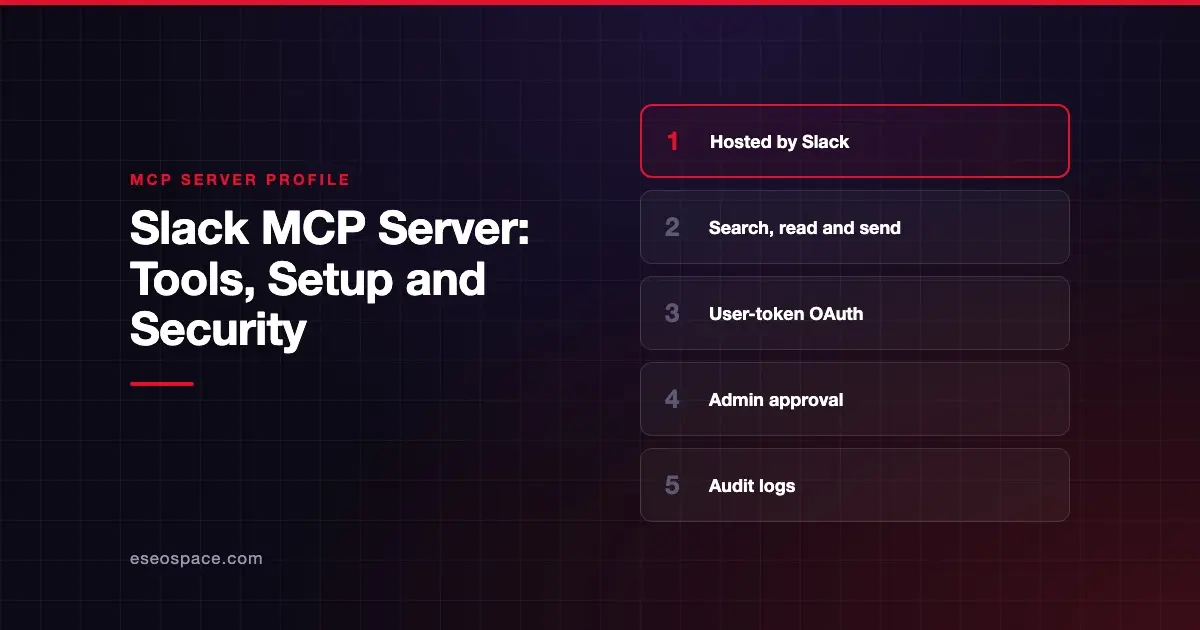
The Slack MCP server lets an AI app search your Slack workspace, read channels and threads, and send or schedule messages as you. It can also create canvases, upload files and manage Slack lists. Slack publishes and hosts it at a single remote URL.
Checked against: Slack MCP server developer docs on 28 October 2026. eSEOspace did not install or test this server.
Key Takeaways
- The server lives at
https://mcp.slack.com/mcpand uses Streamable HTTP. Slack says SSE and Dynamic Client Registration are not supported. - Every client must be backed by a registered Slack app. Only directory-published or internal apps may use MCP; unlisted apps are not allowed.
- The AI acts with a user token, so it can only see and do what the signed-in person can.
- Sending, scheduling, reacting, uploading and editing canvases or lists are all write actions. Slack's docs do not describe a built-in confirmation step.
- Workspace admins approve MCP clients through Slack's normal app approval process and can review activity in audit logs.
At a glance
| Item | Detail |
|---|---|
| Publisher | Slack |
| Official? | Yes |
| Hosting | Remote URL: https://mcp.slack.com/mcp |
| Transport | Streamable HTTP (JSON-RPC 2.0) |
| Sign-in | OAuth with a Slack app's client ID and secret (user token); PKCE for desktop clients |
| Read or write | Both |
| Price | No separate MCP price listed |
| Source code | Closed (hosted by Slack) |
| Status | Not stated |
What it can do
Slack groups its tools by function. Its developer page names only two tools directly, slack_get_file_upload_url and slack_complete_file_upload. The rest are described by what they do and which OAuth scope they need:
- Search: messages and files, users, channels, the user's own channel list and custom emoji. Search uses scopes such as
search:read.publicandsearch:read.private. - Messages: send a message, schedule a message, draft or preview a message, read channel history, read a thread, create a conversation, and add or read reactions.
- Canvases: create, update and read canvases. Reading exports the canvas as markdown.
- Users: fetch a user profile, including email with
users:read.email, and list channel members. - Files: get an upload URL, complete an upload and read files.
- Lists: create, read and update Slack lists and their records.
Sending or scheduling a message needs the chat:write scope. Slack notes that drafting does not send anything. That makes the draft tool the safer choice when you want a person to review text first.
Slack's help center article on MCP lists 14 partner apps that connect to Slack this way, as of October 2026. They include Claude, ChatGPT, Cursor, Devin, Notion and Perplexity.
How to connect it
Slack's developer docs list partner-built clients that need no coding: Claude.ai, Claude Code, Perplexity and Cursor. In those tools you add Slack from the client's own connector list and approve the OAuth consent screen. For Claude, Claude's Slack page says the Slack connector is available on Team and Enterprise plans and needs the Claude in Slack app installed first. That page notes it covers the earlier per-user Claude in Slack app, so check it for changes.
If you are building your own client, Slack's rules are stricter than most:
- Register a Slack app (or reuse an existing one). Your client hardcodes that app's fixed app ID.
- The app must be published in the Slack Marketplace or be an internal app. Unlisted apps are prohibited.
- Point the client at
https://mcp.slack.com/mcp. Discovery runs through Slack's.well-knownmetadata files. - Users sign in with OAuth at
https://slack.com/oauth/v2_user/authorize. Request only the user scopes for the tools you need. - If your Slack app has an IP allowlist, add the client's IP addresses. MCP requests are subject to the same allowlist.
Rate limits match the Slack Web API tiers. For example, Slack lists search users at Tier 2 (20+ per minute) and read thread at Tier 3 (50+ per minute).
Security notes
The biggest risk is that the AI can post as you. A message sent by the model looks like a message you wrote. Treat chat:write as a high-impact scope and leave it out if you only need search and summaries. Our guide to excessive MCP permissions explains why narrow scopes matter.
Other points from Slack's docs:
- Admin control: workspace admins approve and manage MCP client integrations through the standard app approval process.
- Auditing: admins can audit MCP activity through Slack audit logs.
- Mixed servers: Slack warns users to take care when connecting other MCP servers alongside Slack, because they may have different security and stability characteristics.
- Data exposure: MCP clients receive Slack data as context. Messages pulled into a chat can contain instructions written by someone else, which is the classic prompt injection through tool results problem.
Keep human approval on for send, schedule and upload tools in your client. The MCP tools specification says there should always be a human in the loop with the ability to deny tool invocations. Our MCP security center covers approval settings and logging in more depth.
Alternatives
- Microsoft Teams MCP server for chats and channels in Microsoft 365, though Microsoft marks it legacy.
- Zoom MCP server for Zoom Team Chat and meetings.
- Webex MCP server for Webex messaging spaces and meetings.
Next step
If you want Slack connected to an internal AI assistant, start with read-only scopes and a written list of who can approve sends. eSEOspace can review your setup as part of an MCP readiness audit. You can also browse more profiles in our MCP server directory.
Frequently asked questions
Is the Slack MCP server official?
Yes. Slack documents and hosts it at https://mcp.slack.com/mcp. It is not a community wrapper around the Web API.
Can the Slack MCP server send messages for me?
Yes. With the chat:write scope it can send and schedule messages as the signed-in user. Slack's docs do not describe a separate confirmation step, so rely on your client's tool approval prompt.
Can any Slack app use the MCP server?
No. Slack says only apps published in its directory or internal apps can use MCP, and unlisted apps are prohibited. Each client must be tied to a registered app ID.
Can admins see what AI tools did in Slack?
Slack says admins can audit MCP activity through audit logs. They also approve MCP client apps through the normal Slack app approval process.