

This guide is part of our MCP setup guides, within The MCP Guide. Paths are checked against each app's documentation on the date shown.
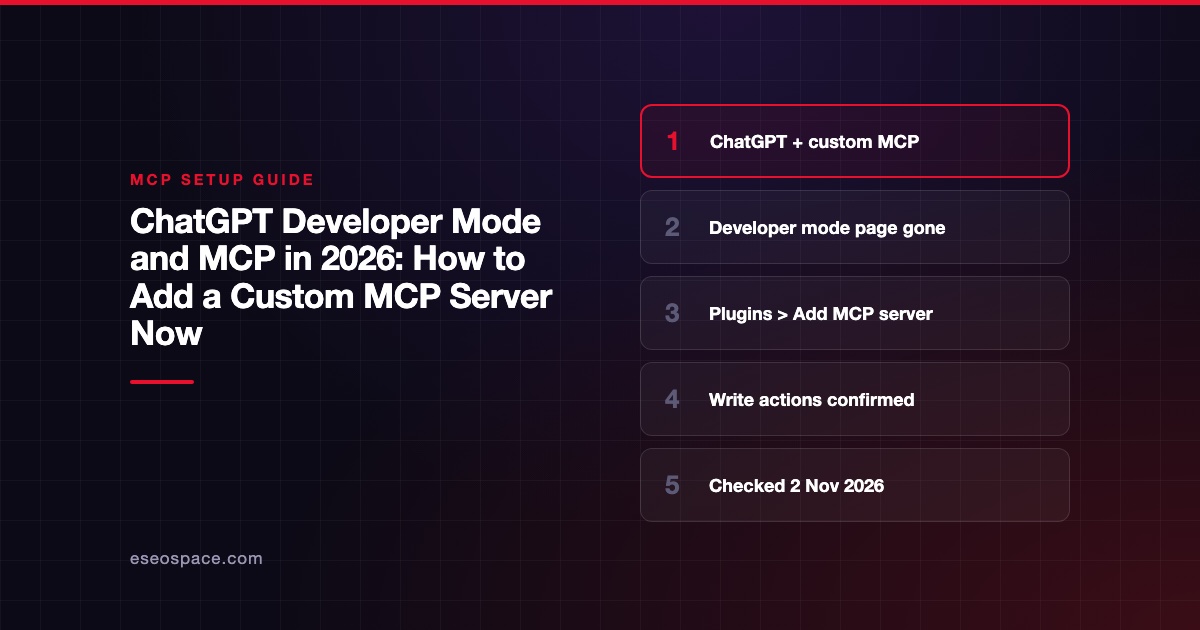
If you are looking for ChatGPT's "Developer mode" toggle to add an MCP server, the flow has moved. OpenAI's old Developer mode guide now returns a 404, and the page that replaced it is titled "Add custom MCP server." Today you go to ChatGPT Plugins, select the plus button, choose Add custom MCP server, enter your server URL and auth, and select Create as a plugin.
The replacement page still carries a leftover anchor named "what-is-chatgpt-developer-mode," but Developer mode no longer appears in its text. This guide covers the current steps, what you need first, and how ChatGPT handles tools that change data.
Checked against: OpenAI's Add custom MCP server guide, Connect and test your plugin guide and Codex MCP docs on 2 November 2026. The old URL developers.openai.com/api/docs/guides/developer-mode returned HTTP 404 the same day.
Key Takeaways
- Custom MCP servers are now added from ChatGPT Plugins > + > Add custom MCP server > Create as a plugin.
- ChatGPT supports SSE and streaming HTTP, with OAuth, no auth, or a mix of both.
- Your server must be reachable over public HTTPS, or through OpenAI's Secure MCP Tunnel.
- Write actions require confirmation by default; tools without
readOnlyHintare treated as writes. - Workspace permissions and security settings, including Lockdown, decide whether you can add servers at all.
What happened to Developer mode?
OpenAI's developer docs used to have a "ChatGPT Developer mode" guide for connecting remote MCP servers. On 2 November 2026 that URL returned 404. The current custom MCP server guide has a hidden anchor what-is-chatgpt-developer-mode, which suggests it is the same page rewritten. Its text describes connecting your server "to ChatGPT as a plugin" and says ChatGPT "supports both read and write tools from your server."
Separately, OpenAI's Plugins docs describe plugins as packages built "with skills, MCP servers, and optional UI." Our MCP vs ChatGPT Apps SDK comparison explains how plugins relate to plain MCP servers.
Who can add a custom MCP server?
OpenAI's guide says to "use ChatGPT on the web," and that "workspace permissions and security restrictions, including Lockdown, apply to adding and using custom MCP servers." Plan-by-plan rules live in OpenAI's help center, which blocked our automated fetch on 2 November 2026. When our team checked it in late October 2026, it listed Business and Enterprise/Edu on the web, with Pro limited to read and fetch, and Plus and Free not listed. Check the help center for your plan before you plan a rollout.
On Enterprise, OpenAI's Codex MCP page says admins control permissions such as Use plugins, Upload plugins and Create plugins with MCPs under Workspace settings > Permissions & roles. It says the two MCP publishing permissions are off by default.
Prepare your server
From OpenAI's connect and test guide:
- The server must be reachable "through a public HTTPS endpoint or Secure MCP Tunnel."
- A public endpoint should support streamable HTTP, "typically at
/mcp." - Tool names, descriptions, schemas and annotations should be present.
- Authentication discovery should work for tools that need an account.
OpenAI suggests testing first with the MCP Inspector:
npx @modelcontextprotocol/inspector@latestOur MCP Inspector lesson shows what to check.
Add the server to ChatGPT
- Go to ChatGPT Plugins.
- Select the plus button, then Add custom MCP server.
- Enter a name and, optionally, a description.
- Under Connection, enter your Server URL (including
/mcp), or select Tunnel for a Secure MCP Tunnel. - Configure authentication.
- Review the risk warning and select I understand and want to continue.
- Select Create as a plugin.
- Find the plugin in your personal plugins or workspace and install it before use.
Authentication options
OpenAI lists OAuth, No authentication, and OAuth or no authentication. For OAuth, ChatGPT uses static credentials if you provide them. Otherwise it can use Client ID Metadata Documents (CIMD) when the authorization server supports them, or Dynamic Client Registration (DCR). The mixed option lets initialize and tool listing run without auth, while each tool uses OAuth or not based on its metadata.
Supported protocols, per the guide: "SSE and streaming HTTP."
Use and manage the plugin
- Call it: type
@in the prompt box and pick your plugin. - Be explicit: OpenAI suggests naming the app and tool, such as
Use the "Acme CRM" app's "update_record" tool. - Manage tools: each app has a details page where you can turn tools on or off and refresh to pull new tools and descriptions.
- After server changes: reopen the connection in ChatGPT Plugins and select Refresh, then start a new conversation.
OpenAI also notes that custom MCP servers "do not require search/fetch tools," which older ChatGPT connectors needed.
How write actions are confirmed
OpenAI's guide says "write actions by default require confirmation." ChatGPT respects the readOnlyHint tool annotation, and "tools without this hint are treated as write actions." You can choose to remember an approve or deny choice for the rest of a conversation, but new conversations ask again.
OpenAI warns that "an untrusted server may access or steal information shared through app use." Read our prompt injection guide before connecting a server that can write to business systems.
Common mistakes
- Looking for a Developer mode toggle. Use Plugins > Add custom MCP server.
- A localhost URL. ChatGPT needs public HTTPS or a Secure MCP Tunnel.
- Missing
readOnlyHint. Every unannotated tool will ask for confirmation. - Not refreshing after changing tools. ChatGPT keeps the old metadata until you refresh.
More fixes are in our ChatGPT custom connector errors guide.
Next step
See which apps already work well in ChatGPT in best MCP servers for ChatGPT, and compare platforms in Claude vs ChatGPT for MCP. If you want a server built and listed for ChatGPT users, see our MCP development service.
More in the MCP Guide
Free tools: MCP Config Generator · Client Support Matrix
Latest research: State of MCP: October 2026
Frequently asked questions
Is ChatGPT Developer mode still needed for MCP?
OpenAI's current guide does not mention it. You add a server through ChatGPT Plugins > Add custom MCP server, and the old Developer mode guide URL now returns 404.
Can ChatGPT connect to a local MCP server?
Not directly. OpenAI requires a public HTTPS endpoint or a Secure MCP Tunnel, which can reach a private stdio or HTTP server without exposing it publicly.
Which ChatGPT plans can add custom MCP servers?
OpenAI's help center sets this. In late October 2026 it listed Business and Enterprise/Edu on the web, with Pro limited to read and fetch. Workspace permissions can also restrict it.
Does ChatGPT ask before a tool changes data?
Yes, by default. Write actions require confirmation, and any tool without the readOnlyHint annotation counts as a write.









