

This article is part of our AI Ads hub. Want help applying it? Talk to eSEOspace.
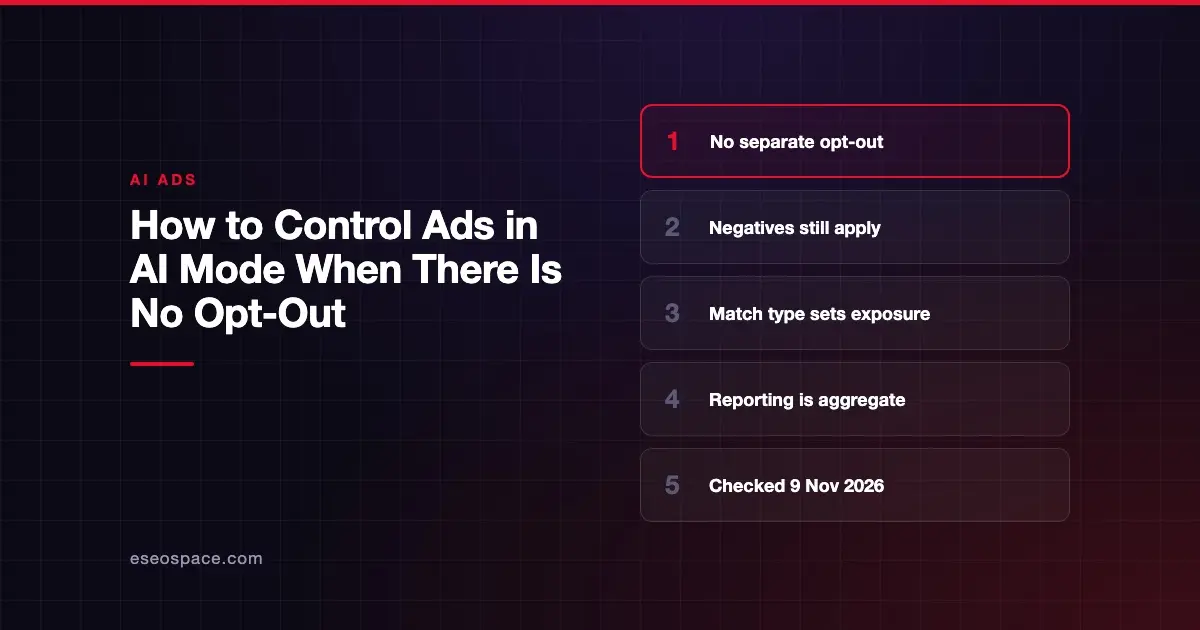
You cannot opt out of Google AI Mode ads on their own, but you can limit when your ads qualify. Google's Help page says you can't target AI Overviews or AI Mode exclusively, or opt out separately from Search.
The practical answer is to manage eligibility through the settings around the campaign. This guide is part of our AI ads hub, and every statement was checked against Google's documentation on 9 November 2026.
Key Takeaways
- Search, Shopping and Performance Max campaigns are automatically eligible for AI surfaces, and Google offers no separate switch to leave.
- Google names negative keywords, brand exclusions and asset pinning as controls that still apply to AI surfaces.
- Exact and phrase match are the strongest exposure control because they are not eligible for contextual matching.
- AI Max features can be turned off individually, but doing so has side effects worth checking first.
- Google reports AI Mode results in aggregate, so you cannot isolate what these controls did inside AI Mode.
What "no opt-out" means in practice
Google says existing Search, Shopping and Performance Max campaigns are automatically eligible to serve within AI Overviews and AI Mode. You do not need a new campaign or a separate budget. You also cannot remove that eligibility on its own.
That leaves two honest options. You can narrow what your campaigns qualify for, or you can stop running the campaign. Pausing is the only complete stop, because AI Mode eligibility follows Search eligibility.
The rule applies only where Google shows ads inside AI answers. Those placements currently run in English in a listed set of countries, including the US, Canada and Australia. Check that list before assuming your market is affected.
The controls that matter, from strongest to weakest
| Control | What it changes | Limit to know |
|---|---|---|
| Exact and phrase match only | Removes contextual matching on exploratory questions | Can still serve on direct commercial intent |
| Turning off AI Max search term matching | Removes AI Max keyword expansion for that ad group | Other broad match keywords still count as AI-powered targeting |
| Negative keywords | Blocks chosen search terms | No close variants or expansions |
| Brand exclusions | Blocks branded queries you choose | Coverage in AI Mode is not spelled out |
| Pausing the campaign | Stops all serving | Also stops regular Search ads |
Match types
Match type is the biggest lever you have. Google says exact and phrase match serve only when a query expresses direct commercial intent. They are not eligible for contextual matching on broader exploratory questions.
AI-powered targeting is different. AI Max, broad match, Shopping campaigns and Performance Max can all match contextually, using both the user's query and the AI response. If you want less exposure on open-ended questions, this is where to start.
The trade-off is reach. Moving away from broad match can reduce volume in regular Search too, so test it on one campaign first.
AI Max settings
AI Max features are separate switches. Google says you turn off search term matching at the ad group level. Text customization and final URL expansion are turned off at the campaign level.
Read two warnings before you change anything. Google says existing URL exclusions or inclusions are ignored if AI Max settings are turned off. It also says turning off text customization marks those assets "Removed" and they stop serving.
Negative keywords
Google still names negatives as a control for AI surfaces. They work on exact wording more than people assume. Google's page says negative keywords won't match close variants or other expansions, so add synonyms and plurals yourself.
Two details matter for conversational searches. A broad match negative only blocks a search containing all of its terms. The same page says ads can still show when a negative word appears after the 16th word of a long search.
That page does not mention AI Mode, so treat this as a caution rather than a documented AI Mode rule. Too many negatives can also shrink your reach, as Google warns.
Brand exclusions
Google says you can continue using brand exclusions alongside negative keywords to control when and how ads serve. A brand exclusion keeps a campaign from serving for branded queries you want to avoid.
The detail is less tidy for Performance Max. Google's page says exclusions there apply only to Search, Shopping and YouTube search inventory, and it does not mention AI Mode or AI Overviews. Do not assume how the two interact until Google documents it.
What you cannot control
Some parts of the AI Mode experience are outside your account settings. Knowing them saves time and prevents promises you cannot keep to a client or a boss.
- Your own placement. You cannot choose AI Mode over regular Search, or the reverse.
- AI explainers. Google says these short Gemini-written notes are ones advertisers can't write, edit, approve or opt out of.
- A dedicated report. Google says AI Mode performance is included in aggregate, in both campaign reports and the search terms report.
- The organic answer. Google says paid advertising does not influence organic AI responses. Buying ads will not change what the answer says about you.
One consequence is easy to miss. Because reporting is aggregate, you cannot measure exactly what a control did inside AI Mode. You can only watch the campaign and its search terms overall.
A review you can run this week
- List every campaign using AI Max, broad match, Shopping or Performance Max. Those are the ones that can match contextually.
- Open the search terms report and look for long, question-style searches you would not want to pay for.
- Add those words as negatives, including plurals and common synonyms.
- Decide which campaigns need direct-intent traffic only, and test exact and phrase match on one of them.
- Note your current URL exclusions before changing any AI Max setting.
- Review generated assets, since Google's page on generated images says advertisers should review them to ensure they are accurate and not misleading.
Our monthly Google Ads maintenance checklist is a useful place to add these checks, so they do not lapse.
Next step
If you would rather have someone review these settings with you, see our paid search management service. We can go through your match types, exclusions and AI Max settings and tell you what we would change. We cannot promise a specific result from those changes.
Frequently asked questions
Can I turn off ads in Google AI Mode?
Not separately. Google says you cannot opt out of showing ads in AI Mode separately from Search. You can narrow eligibility with match types, negatives and brand exclusions, or pause the campaign.
Do exact match keywords show in AI Mode?
They can, when a query expresses direct commercial intent. Google says exact and phrase match are not eligible for contextual matching on broader exploratory questions. That reduces exposure without removing it.
Do negative keywords work in AI Mode?
Google names negative keywords as a control for AI surfaces. Its negative keyword page notes they do not extend to close variants, so build your lists with plurals and synonyms included.
Do brand exclusions apply to AI Mode for Performance Max?
Google has not said. Its AI surfaces page names brand exclusions as a control, while the Performance Max page lists only Search, Shopping and YouTube search inventory. It does not mention AI Mode.
Can I see how much I spend on AI Mode?
No. Google says AI Mode and AI Overviews metrics are included in aggregate, so its Help page describes no separate figure. Anyone quoting an AI Mode share of spend is estimating.









