

This fix is part of MCP troubleshooting, within The MCP Guide. Still stuck? Request a free MCP readiness review.
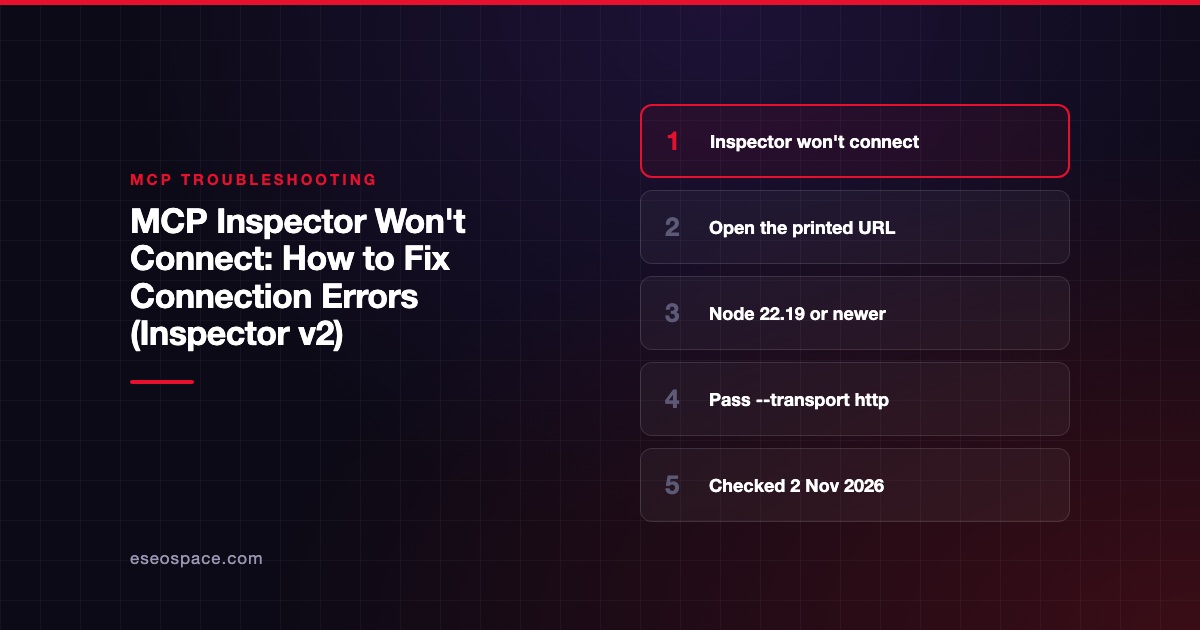
If MCP Inspector won't connect, first check whether you are on the new v2 line, because many older tutorials no longer match it. The fastest fix is to use Node 22.19.0 or newer, open the exact URL the launcher prints (it carries a per-launch token), and pass --transport http or --transport sse when your server URL doesn't end in /mcp or /sse.
Checked against: the official MCP Inspector docs, the web client page, the protocol eras page and the v1 to v2 migration guide on 2 November 2026. The latest @modelcontextprotocol/inspector on npm was 2.13.0 that day. eSEOspace did not run these commands on your setup.
Key Takeaways
- Inspector v2 needs Node 22.19.0 or newer. npm only warns about an older Node at install, and the guide says it then "fails later, obscurely."
- v2 runs one web server on port 6274. The old MCP proxy on 6277 and
MCP_PROXY_AUTH_TOKENare gone (the old variable still works as a fallback). - Open the printed URL with its token. The web client page says to open that URL rather than typing
localhost:6274from memory. - v2 infers the transport only from a URL ending in
/mcpor/sse. Anything else, including a trailing slash, needs--transport. - The default Protocol Era is
legacy. Setautoormodernonly when you want to test the 2026-07-28 handshake.
What this error means
The Inspector sits between your browser and the MCP server. A connection error can happen at three points:
- Browser to Inspector backend: token missing, host check failed, or the port isn't reachable.
- Inspector to server: wrong transport, wrong URL, server not running, or auth required.
- Protocol handshake: the server and Inspector disagree on the protocol era, or a stdio server writes junk to stdout.
The v1 to v2 migration guide explains the biggest change. v1 ran a React client on 6274 and an "MCP Proxy" on 6277. v2 runs one server on 6274 that serves the page and an /api/* backend. That backend is guarded by a token because, as the web client page says, "it can spawn processes on your machine."
Quick fix
- Run
node -v. Upgrade if it is below 22.19.0. - Start the Inspector and open the URL it prints, including
?MCP_INSPECTOR_API_TOKEN=...:
npx @modelcontextprotocol/inspector- For a remote server, give the transport explicitly:
npx @modelcontextprotocol/inspector --server-url https://api.example.com/mcp --transport http- For a local server, pass its command after the Inspector:
npx @modelcontextprotocol/inspector node path/to/server/index.js- In Server Settings, leave Protocol Era on
legacyunless your server supports 2026-07-28. - If you need the old behavior while you migrate, run
npx @modelcontextprotocol/inspector@v1-latest.
These commands were checked against the official Inspector docs and migration guide on 2 November 2026.
Fix by client / OS
Inspector web: "Transport type not specified"
The migration guide quotes this error: Transport type not specified and could not be determined from URL: <url>. v1 fell back to SSE for an unknown path. v2 only infers streamable-http for a path ending in /mcp and sse for one ending in /sse. The match is exact, so .../mcp/ with a trailing slash also fails. Pass --transport http or --transport sse. If you are not sure which your server uses, see SSE vs Streamable HTTP.
Inspector web: the page loads but nothing connects
The web client page says to open the printed URL and not type localhost:6274 from memory. The browser can also recover the token from the page itself or from session storage, so if requests still fail, restart the Inspector and use the fresh URL. To pin a known token for scripts, set MCP_INSPECTOR_API_TOKEN. The guide notes ?MCP_PROXY_AUTH_TOKEN= in old bookmarks has no fallback. DANGEROUSLY_OMIT_AUTH=true turns the check off, but only use it on a machine where nothing else can reach the port.
Inspector web: 403 responses
By default the Inspector binds 127.0.0.1 and checks the Host header on every request. Requests with another host get 403. HOST=0.0.0.0 is refused unless you set DANGEROUSLY_BIND_ALL_INTERFACES=true. To allow a specific hostname, add it to ALLOWED_ORIGINS or MCP_INSPECTOR_ALLOWED_HOSTS.
Inspector in Docker, dev containers and SSH
The migration guide gives this v2 Docker command:
docker run --rm -p 127.0.0.1:6274:6274 ghcr.io/modelcontextprotocol/inspector:latestIf you remap the port, for example -p 8080:6274, set ALLOWED_ORIGINS to the new origin or "connects will 403." The Apps tab also needs port 6275 forwarded. The guide adds that an older release could hang in a VS Code dev container because it bound IPv6 loopback only on Linux. Upgrade, or set HOST=127.0.0.1.
Inspector: modern era fails, legacy works
The protocol eras page describes three settings. legacy is the default and sends a plain initialize. auto probes server/discover and falls back. modern pins 2026-07-28 with "no fallback, so a non-modern server fails loudly." If only modern fails, your server doesn't support 2026-07-28 yet. See MCP protocol version mismatch.
Inspector: stdio server connects then drops
For a local server, anything it prints to stdout that isn't JSON-RPC breaks the stream. Our stdout logging fix shows how to send logs to stderr instead.
Where to find the logs
- The Protocol tab and the monitoring sidebar show the JSON-RPC exchange and the negotiated era.
- The Console tab shows a stdio server's
stderr, "where most stdio servers put their own diagnostics." The Network tab shows HTTP status codes and headers for remote servers. - The terminal running the Inspector prints the startup banner and backend errors.
- The CLI (
--cli) writes one JSON error line to stderr on failure. The guide lists exit codes:3means the server requires authentication,4means it is unreachable, and5is a tool error.
If it still fails
Use the CLI to separate UI problems from server problems:
npx @modelcontextprotocol/inspector --cli https://api.example.com/mcp --transport http --method tools/listIf the CLI works, the issue is in the browser path: token, host check or ports. If it fails with exit code 4, check DNS, firewalls and that the server is running. Look up any JSON-RPC code in the response with our MCP error code lookup, and see our MCP Inspector lesson for a full walkthrough.
Next step
Once the Inspector connects, make it part of your release checks. eSEOspace's MCP development team builds servers with Inspector-based smoke tests in CI.
More in the MCP Guide
Free tools: MCP Error Code Lookup · MCP Config Generator
Latest research: State of MCP: October 2026
Frequently asked questions
Which port does MCP Inspector use?
v2 serves the UI and API on 6274. The MCP Apps sandbox uses 6275 by default. The v1 proxy port 6277 no longer exists.
What Node version does MCP Inspector need?
The docs and README say Node 22.19.0 or newer. v1 required 22.7.5 or newer.
Why did my old Inspector command stop working?
v2 changed CLI flags, the auth token variable and transport detection. The v1 to v2 migration guide maps the old flags. You can run v1 with @v1-latest while you update scripts.
Is it safe to expose MCP Inspector on a network?
Be careful. The backend can spawn processes and the page embeds the API token. The migration guide recommends keeping the 127.0.0.1: prefix on published Docker ports and opting into wider exposure deliberately.









