

This profile is part of our MCP server directory, within The MCP Guide. Profiles are checked against each vendor's own documentation. Need a server built? See MCP development.
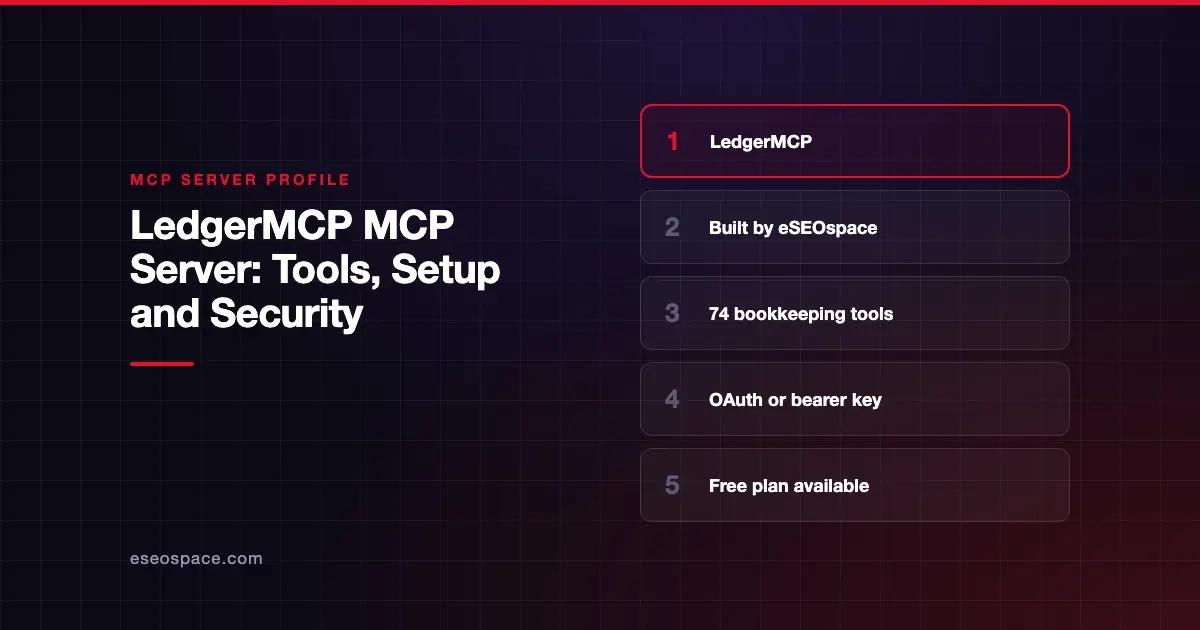
The LedgerMCP MCP server lets an AI app keep a small business's books: import bank transactions, categorize them, reconcile accounts and run reports. LedgerMCP (built by eSEOspace) is double-entry bookkeeping software with the MCP server built in, published by LedgerMCP, LLC. Its docs describe it as a server where "your AI agent is the bookkeeper."
Checked against: LedgerMCP's MCP server reference on 28 October 2026. eSEOspace built LedgerMCP.
Because we built it, this page sticks to what LedgerMCP's own site and docs say. For the project story, see our LedgerMCP client spotlight.
Key Takeaways
- LedgerMCP is hosted at
https://ledgermcp.com/mcp, and you connect with OAuth sign-in or an API key sent as a bearer token. - LedgerMCP's docs list 74 tools: 26 read-only and 48 that write.
- Read-only keys "can run every list and report but never write," per the docs.
- The Free plan is $0; paid plans from $9 a month add live bank feeds through Plaid.
- Postings can't be edited, only reversed, and every write is logged and reversible by the account owner.
At a glance
| Item | Detail |
|---|---|
| Publisher | LedgerMCP, LLC (built by eSEOspace) |
| Official? | Yes |
| Hosting | Remote URL (https://ledgermcp.com/mcp) |
| Transport | HTTP (config uses "type": "http") |
| Sign-in | OAuth, or an API key as a bearer token; read-only keys available |
| Read or write | Both |
| Price | Free $0; Starter $9/mo; Growth $39/mo; Scale $249/mo |
| Source code | Closed |
| Status | Not stated |
What it can do
LedgerMCP's docs group the 74 tools by job:
- Books and accounts:
list_businesses,create_business,list_accounts,create_account,create_bank_accountand related update and archive tools. - Ingestion:
import_transactions,undo_import,add_transaction,sync_connections,list_transactions,find_matchesandresolve_duplicate. - The write path:
categorize_transaction,bulk_categorize,split_transaction,record_transfer,confirm_transfer,post_entry,reverse_entryandset_lock_date. - Bills and invoices:
record_bill,create_invoice,send_invoice,list_documentsandvoid_document. - Reports and verification:
run_pnl,run_balance_sheet,run_cash_flow,run_trial_balance,run_schedule_c,run_1099_report,verify_books,reconcile_accountandexport_report. - Working metadata: tags, receipts, review marks and
list_audit_log. - Memory and open loops:
list_conventions,add_convention,ask_user,list_questionsandresolve_question, so notes and open questions live in the ledger, not in one chat. - Other groups: between-books allocation, budgets and recurring bills, fixed assets and depreciation, plus
derive_loan_rateandbulk_post_entry.
The home page says LedgerMCP covers bank reconciliation, live reports, Schedule C prep and a 1099 report.
How to connect it
The docs give this config for a generic MCP client that takes a key:
{
  "mcpServers": {
    "ledgermcp": {
      "type": "http",
      "url": "https://ledgermcp.com/mcp",
      "headers": { "Authorization": "Bearer lmcp_YOUR_KEY" }
    }
  }
}
You create the key in LedgerMCP under Settings, Your AI. Other routes, as of October 2026:
- Claude: add LedgerMCP as a custom connector. Open Claude's connector settings (Customize > Connectors), choose to add a custom connector, enter
https://ledgermcp.com/mcpand sign in. LedgerMCP's docs still call this menu Settings, Connectors. - ChatGPT: OpenAI's custom MCP server guide says you don't need Developer Mode. Go to Plugins, select +, then Add custom MCP server, enter the URL and select Create as a plugin. OpenAI lists this for Business and Enterprise/Edu on ChatGPT web, and Pro can only use read/fetch tools. LedgerMCP's own docs still describe a Developer mode flow and list Plus and Pro.
- Grok: at grok.com/connectors, choose New Connector, Custom, enter the URL and sign in.
- Claude Code, Claude Desktop and other clients: paste a key.
Security notes
LedgerMCP's docs and site describe these controls:
- Key scope. A standard key "covers your whole account." A read-only key can run every list and report but cannot write. Use read-only keys for reporting-only assistants.
- Immutable postings. "Postings are immutable: corrections are reversals, never edits."
- Audit and undo. "Every write is audit-logged and one-click reversible by the account owner."
- Previews. Many write tools accept
dry_run, which previews the result without writing. - Lock dates.
set_lock_datecloses a period. The docs say moving or clearing a lock is "THE OWNER'S DECISION, NOT YOURS," meaning the AI should not do it. - Balanced entries. The site says, "Debits must equal credits or the database rejects it."
- Bank data. Feeds run through Plaid. The site says, "We never store your bank login," and that API keys are SHA-256 hashed and revocable.
- Data location. LedgerMCP says it is US-based and keeps books on US servers.
An AI with write access can still post a valid but wrong entry. Keep a person reviewing the books, and see the MCP security center for wider risks.
Pricing
LedgerMCP's pricing page lists four monthly plans. Free is $0 with unlimited books, all reports, CSV imports and MCP access, plus a 14-day bank-feed trial for up to 5 accounts. Starter is $9 a month for live feeds on up to 10 accounts. Growth is $39 a month for 20 accounts, adding AI Bookkeeping and Autopilot. Scale is $249 a month for up to 100 accounts. Billing is monthly only.
Alternatives
- BalanceMCP, another MCP-native double-entry ledger (eSEOspace marketing client).
- QuickBooks Online and Xero, if your books already live in one of those platforms.
See every finance profile in the MCP server directory, or compare options in Best MCP Accounting and Bookkeeping Tools.
Next step
Want your own product to work this way? eSEOspace builds MCP servers for software companies. Start with our MCP development page.
Frequently asked questions
Is LedgerMCP free?
Yes, there is a Free plan at $0 with unlimited books and MCP access, per LedgerMCP's pricing page. Paid plans from $9 a month add live bank feeds.
Which AI apps work with LedgerMCP?
The docs give setup steps for Claude, ChatGPT and Grok, and say Claude Code, Claude Desktop and other MCP clients can connect with a key. The home page also lists Cursor.
Can I stop the AI from changing my books?
Yes. LedgerMCP offers read-only keys that can run lists and reports but never write. You can also lock closed periods with a lock date.
Who built LedgerMCP?
eSEOspace built LedgerMCP. The product is published by LedgerMCP, LLC, which says it is based in the United States.









