This profile is part of our MCP server directory, within The MCP Guide. Profiles are checked against each vendor's own documentation. Need a server built? See MCP development.
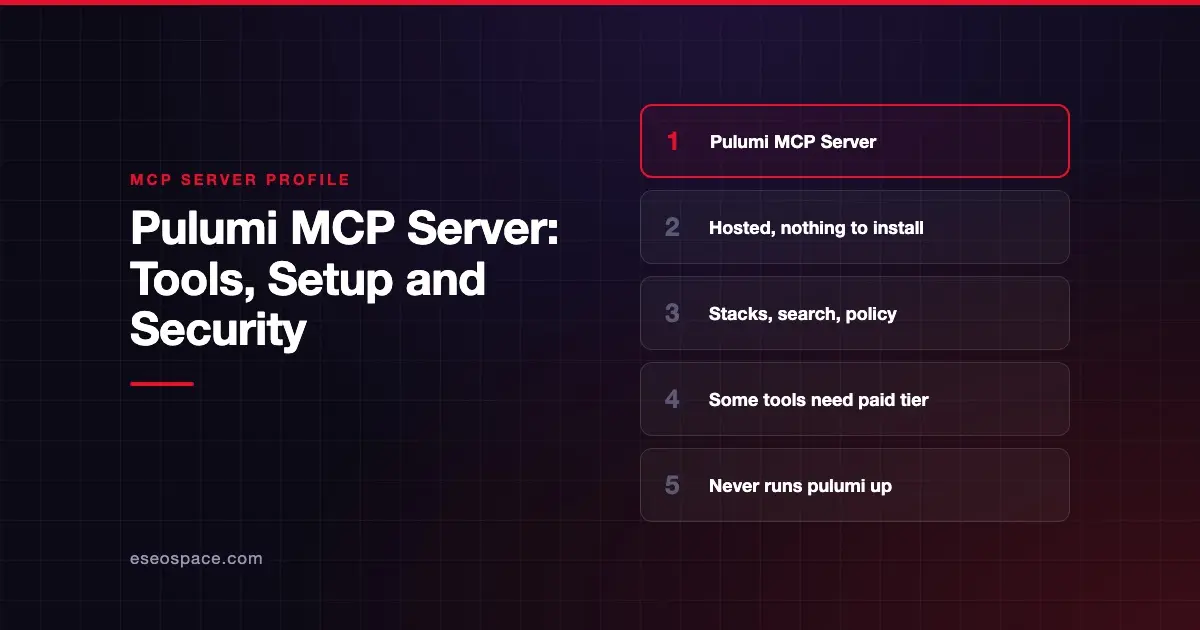
The Pulumi MCP server gives your AI agent access to Pulumi: listing stacks, searching resources, checking policy violations, looking up Registry schemas and handing tasks to Pulumi Neo. Pulumi publishes and hosts it at https://mcp.ai.pulumi.com/mcp.
Checked against: Pulumi MCP server guide on 28 October 2026. eSEOspace did not install or test this server.
Key Takeaways
- Pulumi hosts the server, so there is nothing to install or run locally.
- You authenticate with a Pulumi access token. Sessions last 30 days, and Pulumi stores the token encrypted.
- Registry tools,
deploy-to-awsand all prompts are free for any Pulumi account.resource-searchneeds a paid tier. - Pulumi says the server never runs
pulumi up, but approving a Neo task can let Neo change infrastructure. - Organization tokens limit an agent better than personal tokens, which act as you in every org you belong to.
At a glance
| Item | Detail |
|---|---|
| Publisher | Pulumi |
| Official? | Yes |
| Hosting | Remote: https://mcp.ai.pulumi.com/mcp |
| Transport | Streamable HTTP |
| Sign-in | OAuth-capable clients; you paste a Pulumi access token in the browser flow, or send a bearer token plus X-Pulumi-Org for CI |
| Read or write | Mostly read; Neo tasks can make changes |
| Price | Several tools free; resource-search in Essentials, Pro or Enterprise; Neo usage billed |
| Source code | Not linked from the guide |
| Status | Not labeled preview or GA |
What it can do
Pulumi's guide names these tools:
| Tool | What Pulumi requires | Cost per Pulumi |
|---|---|---|
get-stacks | Any Pulumi Cloud organization | None |
get-users | Any Pulumi Cloud organization | None |
get-policy-violations | Any Pulumi Cloud organization | None |
resource-search | Resource search, in Essentials, Pro or Enterprise | Included in your edition |
neo-bridge | Pulumi Neo, in Essentials, Pro or Enterprise | Neo usage billed to your organization |
deploy-to-aws | Any Pulumi account | None |
The guide describes the overall jobs as listing stacks, searching resources, checking policy violations, looking up Registry schemas and handing tasks to Neo. It does not give a separate description per tool. Pulumi says neo-bridge "is the tool that can cost money." It says Registry tools, deploy-to-aws and prompts "return schemas and instructions that your agent's own model works with."
The guide also mentions Registry lookup tools, code generation tools and reusable prompts. It links to a separate "MCP server tools and prompts" page for the full list, so this profile does not name the rest.
The most useful split for buyers is cost. Registry and stack listing are free. Resource search and Neo hand-offs need a paid tier, and Neo usage is billed to your organization. Pulumi's pricing page lists Essentials at $40 a month and Pro at $400 a month, and Neo at $3 per million tokens, as of October 2026.
How to connect it
For Claude Code, Pulumi documents:
claude mcp add --transport http pulumi https://mcp.ai.pulumi.com/mcpThen run /mcp, select pulumi and authenticate. On first connect, a browser flow asks you to paste a Pulumi access token and choose a default organization.
For Cursor, add the server url to .cursor/mcp.json or use Pulumi's install link, then connect from Cursor's Customize settings (older docs: Cursor Settings > Tools & MCP).
For CI or headless use, send the token as a bearer Authorization header together with an X-Pulumi-Org header naming the organization.
Security notes
- Token identity is everything. Every call runs as the token's identity and is limited by your organization's RBAC settings.
- Prefer organization tokens. Pulumi says organization tokens let you restrict what an agent can do. Personal tokens act as you in every organization you belong to.
- Neo is the write path. The MCP server never runs
pulumi up. But approving a Neo request can let Neo change infrastructure or open pull requests. - Block Neo if you need to. Pulumi says a restricted role alone does not stop Neo tasks. Deny the
neo-bridgetool in your agent's permissions instead. - Watch the org header. If
X-Pulumi-Orgis missing or names an org the token cannot access, the server silently uses the first accessible organization. Set it explicitly in CI.
That silent fallback is a good example of why excessive permissions matter. Use a token that can only see one organization. More controls are in the MCP security hub.
Alternatives
- Terraform MCP Server for Terraform and HCP Terraform users.
- AWS MCP Server for direct AWS API access.
- Kubernetes MCP Server (Community) for cluster-level operations.
Next step
Connect with an organization token and start with free tools such as get-stacks and get-policy-violations. Decide your Neo policy before anyone approves a hand-off. Our MCP readiness audit helps teams set that rule. See the server directory for more.
Frequently asked questions
Is the Pulumi MCP server free?
Partly. Registry tools, deploy-to-aws and all prompts are free for any Pulumi account. get-stacks, get-users and get-policy-violations are free for any Pulumi Cloud organization. resource-search and neo-bridge need Essentials, Pro or Enterprise.
Can the Pulumi MCP server change my infrastructure?
Not directly. Pulumi says it never runs pulumi up. Changes can happen if someone approves a task handed to Pulumi Neo.
How long does a Pulumi MCP session last?
Pulumi says sessions last 30 days. The server stores your access token encrypted.
How do I stop an agent from starting Neo tasks?
Deny the neo-bridge tool in your agent's permissions. Pulumi notes a restricted role alone does not prevent Neo tasks.