PHP2Shell, October 2026: two critical flaws in PHP itself (CVE-2026-109618 and CVE-2026-109619) were fixed on 21 October 2026 in PHP 8.5.12, 8.4.27, 8.3.36 and 8.2.35. Any site running on PHP needs the server updated. See our PHP2Shell Resource Center.
Backups do not prevent anything. They decide the difference between an incident and a catastrophe, and they are the only control that still helps after everything else has failed.
They are also the control most often assumed rather than verified. Almost every organization believes it has backups. A much smaller number can say when a restore was last performed successfully, and that second number is the only one that means anything.
The four ways backups fail
They are stored where the attacker is. A backup on the same server, in the same account, or on a mounted drive the web server can write to will be encrypted or deleted along with everything else. Ransomware operators look for backups first, because that is what determines whether you pay.
They back up the wrong thing. Files without the database, or the database without the uploads directory. Either alone will not reconstitute a working site.
They are too recent to be useful. If your only backups cover the last seven days and the compromise happened five weeks ago, every backup you have contains the compromise. Retention needs to be long enough to reach back past a slow-burning incident, which argues for keeping some monthly points, not only daily ones.
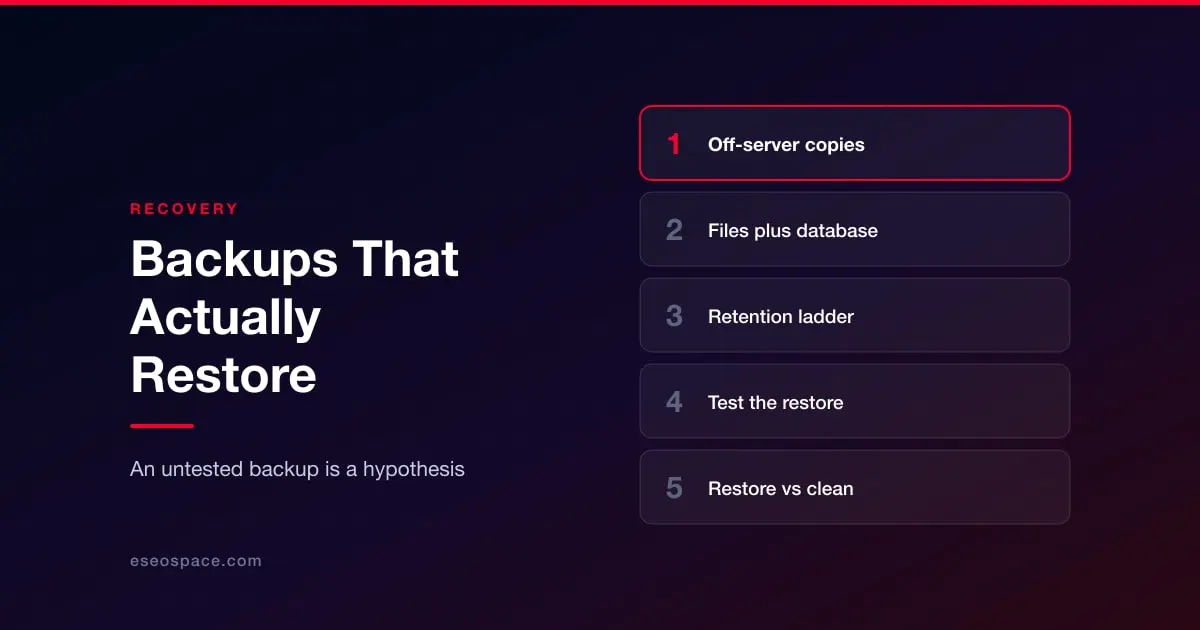
They have never been restored. The most common failure of all. An untested backup is a hypothesis, and the moment you discover the archive is corrupt or incomplete should not be the moment you need it.
What platforms actually keep for you
This is widely misunderstood and worth checking rather than assuming, because the answer differs sharply.
Many hosting providers and SaaS platforms take backups for their own disaster recovery, meaning to restore their service, not to restore your accidentally deleted page. Some offer customer-initiated restores, sometimes only on higher plans, sometimes only as a whole-site rollback rather than a selective one. Site version history on builder platforms is a useful convenience but is held in the same account that an attacker would control.
The test is simple: can you, today, without contacting support, produce a copy of your site and its data from a point three months ago, held somewhere separate from the platform? If not, you do not have backups in the sense that matters, whatever the vendor's marketing page says.
Platform specifics are covered in the individual guides, including WordPress, Shopify, Webflow and Squarespace.
What good looks like
Keep more than one copy, and keep at least one of them somewhere the production environment has no credentials for. Include the database, the uploads, and any configuration that would be tedious to rebuild. Keep a retention ladder rather than a flat window, so you have daily points for recent mistakes and monthly points for slow discoveries. Encrypt what you store, since a backup is a complete copy of your data including whatever personal information it holds.
Then restore one. Not in theory: actually stand up a copy on a staging environment, log into it, click through it, and confirm the data is there. Do this on a schedule, at least annually, and after any significant change to the stack. Write down how long it took, because that number is your real recovery time and it is usually longer than anyone estimated.
Restoring after a compromise is different
One judgement call is worth deciding in advance. After a compromise, cleaning a site means finding every artefact an attacker left; restoring means going back to a point before they arrived and reapplying legitimate changes since.
Cleaning is tempting because it preserves recent work. It is also a bet that you found everything, made against someone who had write access for an unknown period and whose goal was persistence. Where a backup from before the intrusion exists, restoring is usually faster and always more certain. That is a reason to keep the retention ladder long enough to have one.
See the incident response plan for the sequence, and how to remove malware for the cleaning path when restoring is not available. What your platform backs up for you, and what it quietly does not, differs sharply by platform: see website security by platform.