

This article is part of our AI Agents for Business hub. Want help applying it? Talk to eSEOspace.
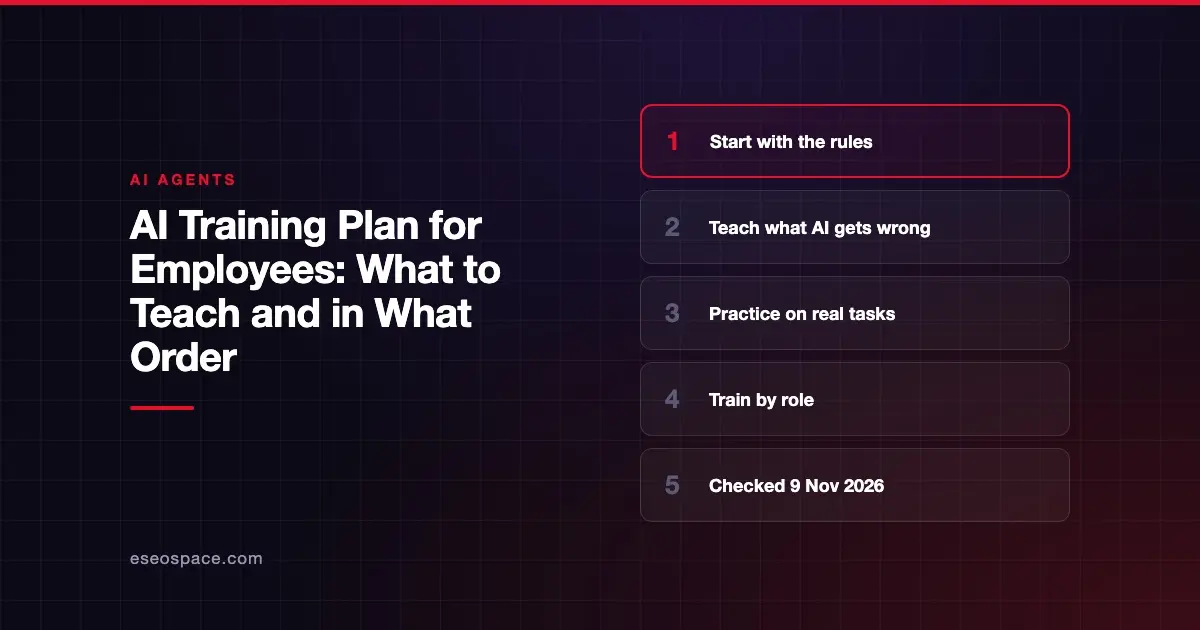
A good AI training plan teaches staff your rules first, then what AI gets wrong, then how to use it on their real work. Train in that order, because a fast user who doesn't know the rules is your biggest risk.
Your employees may already be using AI. This guide is part of our AI agents for business hub. It gives you a plan you can adapt, and its sources were checked on 9 November 2026.
This is general information, not legal advice.
Key Takeaways
- About 56% of US workers told the Census Bureau they have used AI on the job for at least one of 11 tasks.
- Train in five stages: rules, how AI fails, practice on real tasks, role-specific skills, then ongoing updates.
- Verification is a skill to practice, because AI tools can state wrong things with confidence.
- Staff who work with agents also need to know about prompt injection and approvals.
- The EU AI Act has an AI literacy duty, so check with an attorney if you operate in the EU.
Why train now
Your staff may not be waiting for a plan. The Census Bureau's August 2026 story says: "About 56% of U.S. workers said they have used Artificial Intelligence (AI) on the job for at least one of 11 tasks asked about on the U.S. Census Bureau's March 2026 Household Trends and Outlook Pulse Survey (HTOPS)."
Workplace rollout is moving as well. Gallup's Q2 2026 survey says: "Forty-seven percent of U.S. employees now say their organization has integrated AI tools to improve productivity, efficiency or quality, up from 41% in the last quarter."
Gallup's figure covers AI tools generally and does not mention agents. Even so, it suggests that people are using these tools whether or not anyone has taught them how. Our guide to shadow AI covers what happens when use outpaces the rules.
The five-stage plan
The stages and timings below are our own suggestion. We don't have a verified benchmark for training length, so adjust to your team.
| Stage | What people learn | Suggested format |
|---|---|---|
| 1. Rules | What is allowed, and what data never goes in | One short session, then written policy |
| 2. How AI fails | Wrong answers, made-up sources, manipulation | One session with live examples |
| 3. Practice | Using AI on their real work | Two or three working sessions |
| 4. By role | Skills for their department | One session per team |
| 5. Keep current | Tool changes and lessons learned | A short check-in each quarter |
Stage 1: Rules
Start here, even if it is less fun. Cover the following.
- Which tools are approved, and how to request a new one.
- What may never go into an AI tool, such as customer data or passwords.
- When people must tell someone that AI was used.
- Who to contact if something goes wrong.
Have the written policy ready first. Our AI acceptable use policy article gives you a starting point, and an attorney should review your final version.
Stage 2: How AI fails
Hold this session before any tips on writing prompts. Show real failures using your own work as examples.
- Made-up facts. Ask a tool about your own company and check the answer.
- Confident errors. Show that tone tells you nothing about accuracy.
- Missing context. The tool only knows what it was given.
- Manipulation. Hidden instructions in a document can change what AI does.
Our guide to prompt injection has plain examples you can reuse. The rule to teach is simple: you are responsible for what you send, even if AI drafted it.
Stage 3: Practice on real tasks
The Census story lists the top uses of AI at work: searching for information, writing, generating ideas, summarizing and administrative tasks. Pick from those for your practice sessions.
Have each person bring a real task. Run the task with AI, check the output together and note what needed fixing. Compare the result with how long it takes without AI.
Be honest about the results. Census found that 4% of last-week AI users said AI required additional time, and 10% said it saved none. Self-reported figures like these are a reminder that AI doesn't help with every task.
Stage 4: Train by role
Different jobs carry different risks. These are examples to adapt.
| Role | Focus on |
|---|---|
| Marketing | Checking claims and facts before publishing |
| Sales | Not entering private customer data, checking account details |
| Support | Verifying policies before answering a customer |
| Finance | Reviewing figures by hand, never trusting totals blindly |
| HR | Avoid using AI for hiring decisions without legal review |
| Managers | Reviewing AI-assisted work, spotting misuse |
Rules on AI in hiring and employment are changing. Check with an employment attorney before you use AI in those decisions.
If your team works with agents
Agents can take actions, so people need a few more skills. Teach them:
- What the agent can reach and change.
- How to read its log of actions.
- When to approve, reject or stop a run.
- How to report odd behavior.
OWASP's AI Agent Security Cheat Sheet says: "Require explicit approval for high-impact or irreversible actions." Approval only helps if the person approving knows what to look for. See human-in-the-loop agents for more.
If your team uses MCP to connect AI to business tools, our MCP staff training playbook and MCP learning path go further.
Use what your vendor already provides
Before you build everything yourself, check what comes with your tools. Microsoft's Copilot overview links to training resources, a prompt gallery and usage reports, which can help you see adoption.
Vendor training teaches you the product. It will not teach your rules or your industry risks, so you still need stages 1 and 2.
A note on legal duties
If you operate in the European Union, the EU AI Act includes an AI literacy duty. The European Commission's page says AI literacy obligations entered into application from 2 February 2025.
The AI Act Explorer shows Article 4 as amended. It says: "Providers and deployers of AI systems shall take measures to support the development of AI literacy of their staff and other persons dealing with the operation and use of AI systems on their behalf, taking into account their technical knowledge, experience, education and training and the context the AI systems are to be used in, and considering the persons or groups of persons on whom the AI systems are to be used."
The same page adds: "This obligation does not require providers or deployers to guarantee any specific level of AI literacy of any individual." Ask a qualified attorney whether this applies to you and what would satisfy it.
What to measure
Avoid counting only logins. These measures tell you more.
- How many staff have finished stages 1 and 2.
- How many policy questions or incidents get reported.
- Whether reviewers are catching errors before they go out.
- Which real tasks got faster, in your team's own numbers.
Gallup says organizational integration and manager support are closely tied to stronger employee adoption, so include managers from the start.
Next step
Write your one-page AI rules this week, and hold stage 1 before you buy more licenses. If you have questions about AI projects for your business, contact us.
Frequently asked questions
What should AI training for employees include?
Your rules, how AI fails, hands-on practice with real tasks, role-specific guidance and regular updates. Start with rules and failure modes, since those reduce risk first.
How long should employee AI training take?
We don't have a verified benchmark, so set this by role and risk. A few short sessions and regular check-ins are a reasonable place to start, and you can expand from there.
Do employees legally have to be trained on AI?
It depends on where you operate and what you use AI for. The EU AI Act includes an AI literacy duty for providers and deployers. Ask a qualified attorney what applies to your business.
Should we train everyone or only heavy users?
Teach the rules and failure modes to everyone who could use an AI tool, since that protects the whole company. Save deeper skills for the people who use AI in their role.
How do I get reluctant staff to use AI?
Start with a task they dislike and let them see the result. Do not force use where it doesn't help, since Census reports that some workers say AI saved no time or added time.
How often should AI training be updated?
Tools and risks both change quickly, so review it on a regular schedule. We suggest a short check-in each quarter, and an update whenever you add a new tool or an agent.









