

This tutorial is part of Build an MCP Server, within The MCP Guide. Want it built for you? See MCP development.
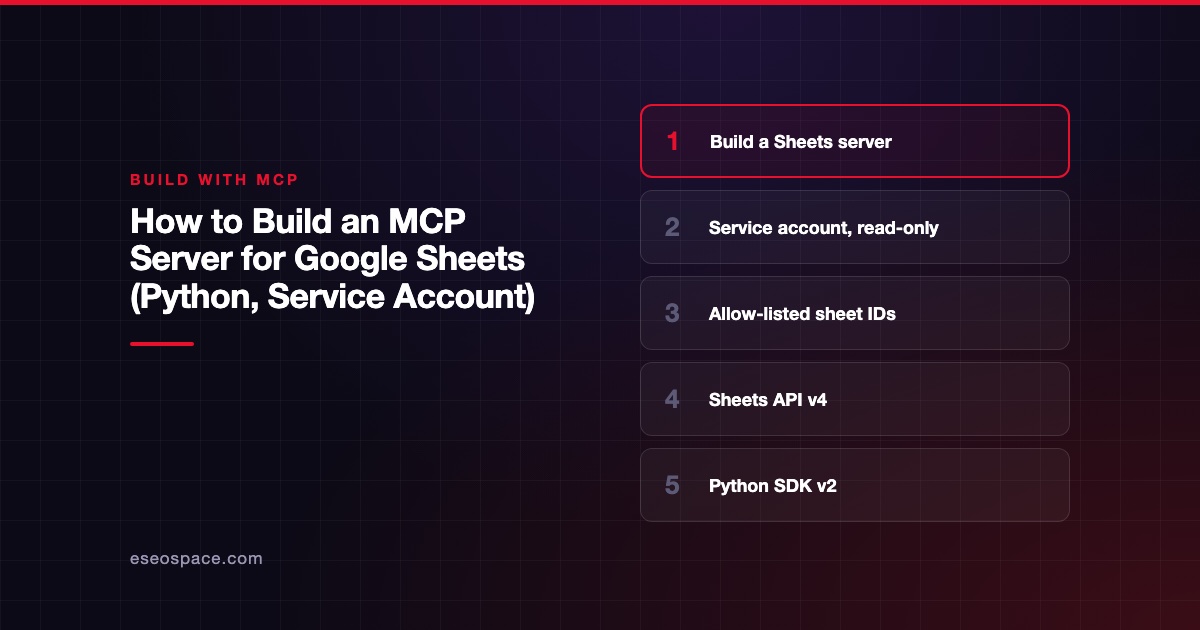
To build an MCP server for Google Sheets, you wrap two Sheets API calls in MCP tools: one that lists a spreadsheet's tabs, and one that reads a range of cells. The server signs in as a Google Cloud service account with a read-only scope. You share only the spreadsheets you want the AI to see with that account.
Before you build, check whether Google's own server fits. Google lists a hosted Sheets MCP server at https://sheetsmcp.googleapis.com/mcp/v1 in its Workspace MCP setup guide. As of November 2026 the guide says these servers are part of the Google Workspace Developer Preview Program. Build your own when you need a fixed allow list, custom tools or a stable release today.
Checked against: the Python SDK docs, Google's Sheets API Python quickstart and scopes page on 2 November 2026, with mcp 2.3.0, google-api-python-client 2.201.0 and google-auth 2.62.0. The server below started and ran locally on 2 November 2026; tool calls were checked up to Google's sign-in step with a test key. It was not run against a real spreadsheet.
Key Takeaways
- A service account is a robot Google account. Share individual spreadsheets with its email address, and it can read only those.
- Request the
spreadsheets.readonlyscope. Google classes both Sheets scopes as sensitive, so ask for the smallest one. - Add an allow list of spreadsheet IDs in your server, so the model cannot wander to other files the account can see.
- The Python Google client is synchronous and its HTTP objects are not thread-safe. Run calls in a worker thread with a fresh HTTP object each time.
- The Sheets API allows 60 read requests per minute per user per project, so design tools that read whole ranges, not single cells.
Prerequisites
- Python 3.11 or newer.
- A Google Cloud project with the Google Sheets API enabled.
- A service account and its JSON key file. Google's credentials guide warns: "This file is the only copy of this key. After you download the key file, you cannot download it again."
- The spreadsheets you want to expose, shared with the service account's email. Google's guide says you can "directly share individual files with the service account's email address using the standard UI," without admin rights or domain-wide delegation.
- Node.js 22.19+ for the Inspector CLI.
If this is your first MCP server, start with lesson 14 of our course.
Install
uv init sheets-mcp --python 3.12
cd sheets-mcp
uv add "mcp[cli]" google-api-python-client google-auth google-auth-httplib2
Google's quickstart installs the same client libraries. It uses a desktop OAuth flow with credentials.json and token.json. A service account suits a server better, because no one has to click through a browser sign-in each time the host starts.
Minimal working server
Create server.py:
import os
from collections.abc import AsyncIterator
from contextlib import asynccontextmanager
from dataclasses import dataclass
from typing import Any

import anyio
import httplib2
from google.auth.exceptions import GoogleAuthError
from google.oauth2 import service_account
from google_auth_httplib2 import AuthorizedHttp
from googleapiclient.discovery import build
from googleapiclient.errors import HttpError

from mcp.server import MCPServer
from mcp.server.mcpserver import Context
from mcp.server.mcpserver.exceptions import ToolError
from mcp.types import ToolAnnotations

SCOPES = ["https://www.googleapis.com/auth/spreadsheets.readonly"]
KEY_FILE = os.environ["GOOGLE_APPLICATION_CREDENTIALS"]
ALLOWED_IDS = set(filter(None, os.environ.get("ALLOWED_SPREADSHEET_IDS", "").split(",")))
READ_ONLY = ToolAnnotations(read_only_hint=True)


@dataclass
class AppContext:
    creds: service_account.Credentials
    sheets: Any


@asynccontextmanager
async def lifespan(server: MCPServer) -> AsyncIterator[AppContext]:
    creds = service_account.Credentials.from_service_account_file(KEY_FILE, scopes=SCOPES)
    service = build("sheets", "v4", credentials=creds, cache_discovery=False)
    yield AppContext(creds=creds, sheets=service.spreadsheets())


mcp = MCPServer("google-sheets", lifespan=lifespan)


async def run(ctx: Context[AppContext], request: Any) -> dict[str, Any]:
    """Execute a Sheets API request in a worker thread with its own HTTP object."""
    http = AuthorizedHttp(ctx.request_context.lifespan_context.creds, http=httplib2.Http())
    try:
        return await anyio.to_thread.run_sync(lambda: request.execute(http=http))
    except HttpError as exc:
        raise ToolError(f"Google Sheets API error {exc.status_code}: {exc.reason}") from exc
    except GoogleAuthError as exc:
        raise ToolError(f"Google sign-in failed: {exc}") from exc


def check_id(spreadsheet_id: str) -> None:
    if spreadsheet_id not in ALLOWED_IDS:
        raise ToolError("That spreadsheet is not on this server's allow list.")


@mcp.tool(annotations=READ_ONLY)
async def list_tabs(spreadsheet_id: str, ctx: Context[AppContext]) -> list[str]:
    """List the tab (sheet) names in a spreadsheet."""
    check_id(spreadsheet_id)
    sheets = ctx.request_context.lifespan_context.sheets
    meta = await run(ctx, sheets.get(spreadsheetId=spreadsheet_id, fields="sheets.properties.title"))
    return [s["properties"]["title"] for s in meta.get("sheets", [])]


if __name__ == "__main__":
    mcp.run()
How the pieces fit:
- The lifespan loads the key and builds the Sheets client once, when the server starts. The SDK's lifespan guide says whatever it yields is shared by every tool call.
from_service_account_file(..., scopes=SCOPES)signs in as the service account with the read-only scope. The scopes page describesspreadsheets.readonlyas "View all of the user's Google Sheets spreadsheets." For a service account, that means the sheets shared with it.run()moves the blocking API call to a worker thread withanyio.to_thread.run_sync, so the server stays responsive. It also passes a freshhttplib2.Http()on each call. The client library's thread safety page says "The httplib2.Http() objects are not thread-safe," and suggests passing a new instance through thehttpargument.- Errors become tool errors. API failures and sign-in failures come back as readable messages instead of crashing the call.
check_idis your own allow list. Even if someone shares more files with the service account later, the server reads only the IDs you configured.
Add a tool that reads a range
Add this below list_tabs:
from typing import Annotated

from pydantic import Field


@mcp.tool(annotations=READ_ONLY)
async def read_range(
    spreadsheet_id: str,
    range_a1: Annotated[str, Field(description="A1 notation, e.g. 'Budget!A1:D20'.")],
    ctx: Context[AppContext],
) -> list[list[Any]]:
    """Read cell values from a range, as formatted in the sheet."""
    check_id(spreadsheet_id)
    sheets = ctx.request_context.lifespan_context.sheets
    result = await run(ctx, sheets.values().get(spreadsheetId=spreadsheet_id, range=range_a1))
    return result.get("values", [])
This is the same values().get(spreadsheetId=..., range=...) call the Google quickstart uses. The Field description gives the model an A1 example, which cuts down on malformed ranges.
Read whole ranges, not single cells. Google's usage limits page lists 300 read requests per minute per project and 60 per minute per user per project. Past that, the API returns 429: Too many requests, and Google recommends exponential backoff.
Test it
Test in memory first. With a key file that Google does not recognize, the run on 2 November 2026 produced:
list_tabs ['spreadsheet_id']
read_range ['spreadsheet_id', 'range_a1']
True Error executing tool read_range: That spreadsheet is not on this server's allow list.
True Error executing tool read_range: Google sign-in failed: ('invalid_grant: Invalid grant: account not found', ...)
That confirms the allow list works and that sign-in errors come back as readable tool errors. With a real key and a shared spreadsheet, the same call returns rows of cell values.
Then use the MCP Inspector CLI:
npx @modelcontextprotocol/inspector --cli \
  -e GOOGLE_APPLICATION_CREDENTIALS=/ABSOLUTE/PATH/key.json \
  -e ALLOWED_SPREADSHEET_IDS=YOUR_SHEET_ID \
  uv --directory /ABSOLUTE/PATH/sheets-mcp run server.py \
  --method tools/call --tool-name list_tabs \
  --tool-args-json '{"spreadsheet_id":"YOUR_SHEET_ID"}' --format json
The spreadsheet ID is the long string in the sheet's URL between /d/ and /edit. The Inspector README warns that it stores stdio env values in the OS keychain, or in a plain file on machines without one. Our Inspector lesson covers the rest.
Connect it to a host
In Claude Desktop's config file:
{
  "mcpServers": {
    "google-sheets": {
      "command": "/ABSOLUTE/PATH/TO/uv",
      "args": ["run", "--directory", "/ABSOLUTE/PATH/sheets-mcp", "server.py"],
      "env": {
        "GOOGLE_APPLICATION_CREDENTIALS": "/ABSOLUTE/PATH/key.json",
        "ALLOWED_SPREADSHEET_IDS": "SHEET_ID_1,SHEET_ID_2"
      }
    }
  }
}
The SDK's real-host guide has the Claude Code, Cursor and VS Code versions. Our MCP config generator writes them for you. Restart the host completely after editing.
Deploy notes
- Keep the key out of the repo. Store it outside the project folder, and rotate it if it leaks. The google-auth user guide says "Private keys must be kept secret."
- One service account per server. Do not reuse an account that has access to other files.
- For a team server, run over Streamable HTTP behind sign-in, and load the key from a secret manager. See adding OAuth to a remote MCP server.
- For per-user access, where each person sees their own sheets, you need user OAuth instead of a service account. That is more work, and Google's hosted server already does it.
Pitfalls
- Permission errors on a sheet you can open. You can see it, but the service account cannot. Share the sheet with the service account's email (the
client_emailin the key file). - Using the full
spreadsheetsscope for a read-only server. It grants editing and deleting. Usespreadsheets.readonly. - Domain-wide delegation by default. Google's credentials guide says it needs a Super Admin and is for acting across users. A read-only reporting server rarely needs it.
- v1 MCP imports.
mcp.server.fastmcpis gone in SDK v2. Usefrom mcp.server import MCPServer. - Blocking calls in async tools. Calling
.execute()directly in anasync deftool blocks the server. Use a thread, as shown.
Next step
Keep building with the free Learn MCP course. If you want a Sheets server tied to your reporting process, with the right scopes and approvals, eSEOspace MCP development can help. To compare with Google's hosted option, read our Google Workspace MCP server profile.
More in the MCP Guide
Free tools: server.json Validator · MCP Error Code Lookup
Latest research: State of MCP: October 2026
Frequently asked questions
Do I need Google Workspace, or does a free Gmail account work?
This server only needs a Google Cloud project, the Sheets API and a sheet shared with the service account's email. Google's hosted Workspace MCP servers are a separate program, in Developer Preview as of November 2026.
Can the model write to the sheet?
Not with this server. To add writes, request the spreadsheets scope, share the sheet as an editor, and add a narrow tool such as "append a row to the Leads tab." Keep the allow list.
Why does a range come back shorter than I asked for?
Empty cells at the end of a range may not appear in the returned rows. Write your code and tool description so a missing value is treated as an empty cell.
Can I use the quickstart's OAuth flow instead?
Yes, for a personal local server. It opens a browser on first run and saves token.json. A service account avoids that prompt and limits access to shared files.
What is the drive.file scope for?
Google's scopes page calls drive.file a recommended non-sensitive scope that gives access only to files used with the app. It suits apps where users pick files, not a server reading fixed spreadsheets.









