

This profile is part of our MCP server directory, within The MCP Guide. Profiles are checked against each vendor's own documentation. Need a server built? See MCP development.
The Canva MCP server lets an AI app create designs from a text description, edit them with plain instructions, use brand templates, and export or resize the results. Canva hosts two remote endpoints, and its help center says the end-user AI Connector is not the same as the Developer MCP Server. Claude's directory connector uses https://mcp.canva.com/mcp, while Canva's developer quickstart uses https://api.canva.com/connect/v1/mcp. Each person signs in to their own Canva account.
Checked against: Canva's MCP developer docs and Claude's Canva connector listing on 28 October 2026. eSEOspace did not install or test this server.
Key Takeaways
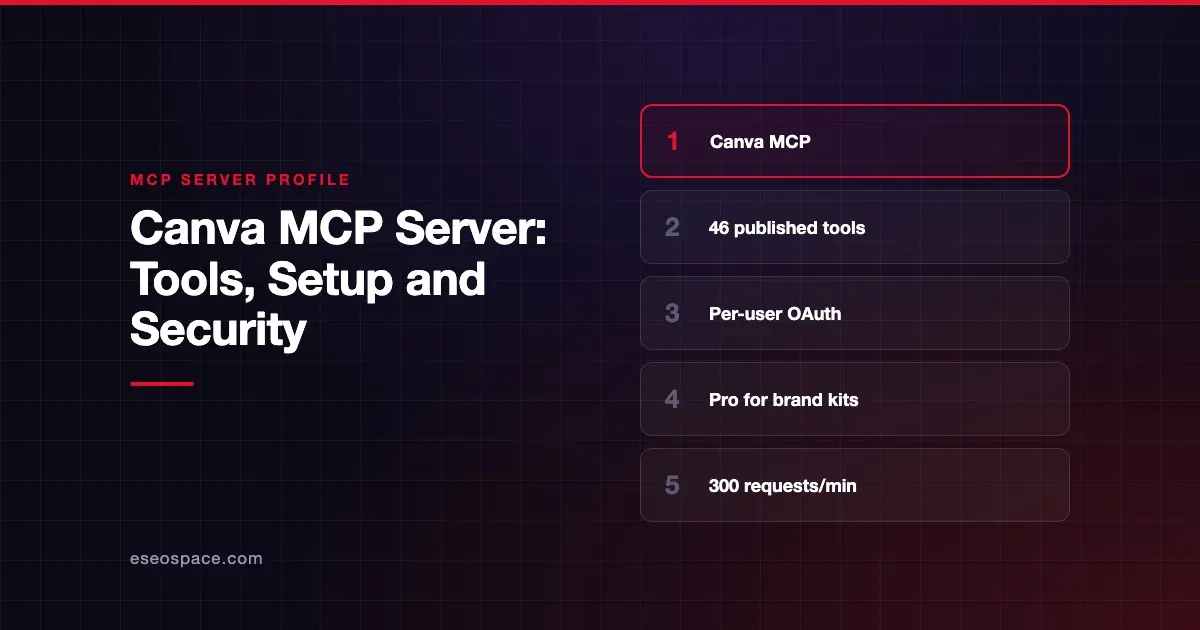
- Canva publishes 46 tools, from
generate-designandexport-designto background removal. - Most tools work on all Canva plans; brand templates, brand kits and
resize-designneed Pro or above. Canva's pages conflict on which plans include autofill. - Editing happens inside a transaction that you start, apply and then commit or cancel.
- Canva lists a shared limit of 300 requests per minute per user across all of that user's MCP clients.
- Every user authenticates individually, and tools only reach designs that user can access.
At a glance
| Item | Detail |
|---|---|
| Publisher | Canva |
| Official? | Yes |
| Hosting | Remote URLs: https://mcp.canva.com/mcp (Claude connector) and https://api.canva.com/connect/v1/mcp (developer quickstart) |
| Transport | Remote HTTP; mcp-remote over stdio for clients without remote support |
| Sign-in | OAuth, with a client ID and secret from Canva's Developer Portal |
| Read or write | Both |
| Price | No separate MCP price listed; some tools need Canva Pro or above |
| Source code | Closed (hosted) |
| Status | Not stated by Canva |
What it can do
Canva's MCP tools page lists 46 tools. By job:
- Create:
generate-design,create-design-from-candidate,create-design,copy-design,merge-designsandimport-design-from-url. - Edit:
start-editing-transaction,perform-editing-operations,commit-editing-transactionandcancel-editing-transaction. - Find and read:
search-designs,get-design,get-design-pages,get-design-contentandget-presenter-notes. - Brand (Pro and above):
list-brand-kits,search-brand-templates,create-design-from-brand-template,create-brand-template-draft,publish-brand-template,get-brand-template-dataset,get-design-datasetandautofill-design. Canva's pages conflict on autofill: its developer tools page says Pro and above, its AI Connector help page says every plan except Pro Lite and Free, and its ChatGPT help page says Canva Enterprise. - Export and resize:
get-export-formats,export-designandresize-design. Canva's overview lists PDF, PNG, JPG, PPTX and MP4 among the formats. - Images:
generate-image,remove-backgroundandseparate-image-layers. - Assets and folders:
upload-asset-from-url,get-assets,create-folder,list-folder-itemsandmove-item-to-folder. - Comments:
comment-on-design,reply-to-comment,list-commentsandlist-replies. - Helpers and job status:
create-upload-url,search-folders,get-design-thumbnail,resolve-shortlink,get-create-design-async-job,get-generate-image-job,get-separate-image-layers-jobandhelp.
The transaction model is worth knowing. Edits stay pending until commit-editing-transaction runs, and cancel-editing-transaction discards them. That gives a natural place for a person to review changes.
How to connect it
If you use Claude, you do not need the Developer Portal. Claude's Canva connector listing shows a Canva-built connector at https://mcp.canva.com/mcp, as of October 2026. Add it from Customize > Connectors in Claude and sign in to Canva.
Canva's quickstart for AI assistants is aimed at teams building or configuring an AI assistant. The steps are:
- Create an app in Canva's Developer Portal, as public or private. Canva notes you cannot change this later.
- Under Outside Canva, click Start integrating, then turn on the Canva MCP toggle under Integration methods.
- Under Credentials, note the Client ID and generate a secret. Canva says the secret is not shown again.
- Add the redirect URL your AI app uses under Redirect URLs.
- Point your AI assistant at
https://api.canva.com/connect/v1/mcp. If it does not support remote servers, use themcp-remotenpm package over stdio. - Each user signs in to Canva and allows access the first time a Canva tool runs.
Canva says you do not need to configure an authorization URL or token URL; the client ID and secret are enough. End users of ready-made assistants are pointed to Canva's Help Center instead.
Security notes
Canva's model is per-user, which keeps access simple to reason about.
- Per-user OAuth. Canva requires each user to authenticate on their own. Available operations match that user's own access level.
- Client secret. The Developer Portal secret is shown once. Store it in a secrets manager, not in a config file. See secret leakage.
- Changes to existing work.
merge-designs,move-item-to-folder,resize-designand the editing tools change existing content. Canva's tools page does not label any tool as a delete tool. - Usage policy. Canva says its Developer Terms of Use apply, and it publishes a usage policy and prohibited-use list for MCP.
- Rate limit. The 300 requests per minute cap is shared across a user's clients, so one runaway agent can block others. See resource exhaustion.
For a full checklist, visit the MCP security hub.
Alternatives
- Figma MCP server for product design and design-to-code work.
- Miro MCP server for diagrams and whiteboards.
- Box MCP server for storing and finding finished assets.
Next step
Canva MCP is useful for marketing teams that make many on-brand variations. Check that your team is on a plan that includes brand kits before you build workflows around them. eSEOspace helps marketing teams plan AI workflows; see our guide to MCP for marketing teams or browse the MCP server directory.
Frequently asked questions
Is the Canva MCP server free?
Canva does not list a separate MCP price. Most tools are available on all plans. Brand templates, brand kits and resize-design need Pro or above, with a limited resize-design trial on Free. Canva's pages give different plan rules for autofill, so check your plan in Canva.
What is the Canva MCP server URL?
Claude's directory connector uses https://mcp.canva.com/mcp. Canva's developer quickstart gives https://api.canva.com/connect/v1/mcp for teams configuring their own AI assistant. Clients that cannot reach remote servers can use the mcp-remote package over stdio.
Can the AI change my existing designs?
Yes, if you can edit them. Edits go through a transaction that must be committed. Canva says operations match each user's own access, so the AI cannot edit designs you cannot edit.
Does Canva limit how often the AI can call it?
Canva lists a shared limit of 300 requests per minute per user for tools marked Default. The limit counts across all of that user's MCP clients.









