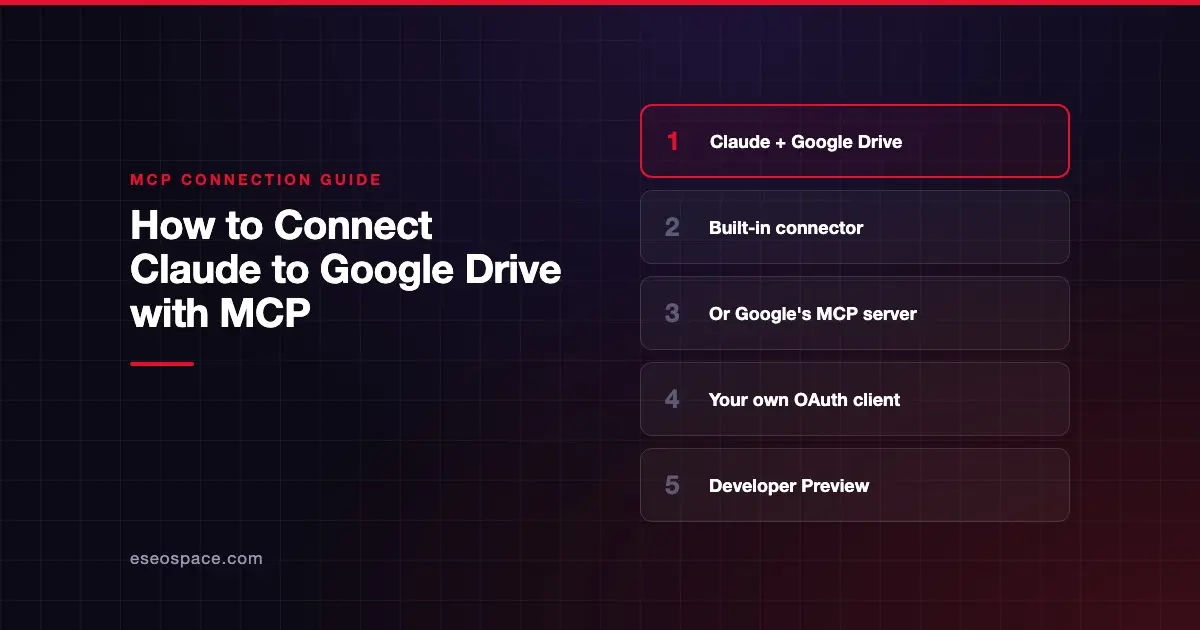
This guide is part of our MCP connection guides, within The MCP Guide. Steps are copied from the vendor's own documentation. Need a custom connection? See MCP development.
Connecting Claude to Google Drive lets Claude search your Drive, read Docs, Sheets, Slides and PDFs, and create files. There are two documented routes. Most people should use the Google Drive connector already in Claude, while admins and developers can add Google's own Drive MCP server as a custom connector.
Checked against: Google's guide to configuring the Drive MCP server and Claude's Google Drive connector docs on 28 October 2026. eSEOspace did not run these steps; menus can change, so follow the vendor's page if it differs.
Key Takeaways
- Claude's built-in Google Drive connector takes a few clicks: connect from Customize > Connectors and sign in to Google.
- Google's Drive MCP server lives at
https://drivemcp.googleapis.com/mcp/v1and is a Developer Preview feature. - The Google route needs a Google Cloud project, two enabled services, an OAuth consent screen and an OAuth client.
- Google says Claude Enterprise, Pro, Max or Team is required for its remote server.
- Either way, Claude can reach only files the signed-in Google account can open.
Before you start
Route A: Claude's Google Drive connector
Claude's docs say Google builds and runs this connector, and each person signs in with their own Google account. You need a Claude account and a Google account. On Team and Enterprise plans, Google Drive doesn't appear in your list until an Owner adds it for the organization.
Route B: Google's Drive MCP server
Google's guide lists these prerequisites:
- Membership in the Google Workspace Developer Preview Program.
- A Google Cloud project.
- The gcloud CLI installed and initialized, if you use the commands.
- A Claude Enterprise, Pro, Max or Team plan.
Steps
Route A: the built-in connector
- Go to Customize > Connectors in claude.ai.
- Find Google Drive in the list and select Connect.
- Sign in to your Google account and grant the requested permissions.
- When it works, the Connect button changes to Disconnect.
Route B: Google's Drive MCP server as a custom connector
- Enable the Google Drive API in your project:
gcloud services enable drive.googleapis.com --project=PROJECT_ID- Enable the Google Drive MCP API:
gcloud services enable drivemcp.googleapis.com --project=PROJECT_IDReplace PROJECT_ID with your Google Cloud project ID.
- Set up the OAuth consent screen. In the Google Cloud console, go to Google Auth Platform > Branding. Google's guide walks through app name, audience (Internal if you can, else External), contact email and the user data policy. For External, add test users under Audience.
- Add scopes. Click Data Access > Add or Remove Scopes. Under Manually add scopes, paste:
https://www.googleapis.com/auth/drive.readonly
https://www.googleapis.com/auth/drive.file
Click Add to Table, Update, then Save.
- Create the OAuth client. Go to Google Auth Platform > Clients > Create Client. Select Web application and enter a Name. Under Authorized redirect URIs, click + Add URI and add:
https://claude.ai/api/mcp/auth_callback- Select Use this client for an AI-powered agent. Click Create and copy your Client ID and Client Secret.
- In Claude, add a custom connector. Google's guide says to go to Settings (or Admin settings) > Connectors and click Add custom connector. Claude's current docs place this under Customize > Connectors, or Organization settings > Connectors for Team and Enterprise Owners.
- Enter Server name
Google Driveand this Remote MCP server URL:
https://drivemcp.googleapis.com/mcp/v1- In Advanced settings, enter your OAuth client ID and OAuth client secret. Click Add. Claude's docs note the dialog layout varies; a two-step version asks you to choose Use your own OAuth client.
Check that it works
Turn the connector on in a chat: select +, select Connectors, and switch on Google Drive.
Example prompts:
- "Summarize the file Marketing Plan." Google says this calls
search_files, thenread_file_content. - "What files have I worked on in the last week?" This one comes from Claude's Drive connector docs.
- "Read the Q3 budget spreadsheet and tell me which lines are over plan."
Google's Drive MCP reference lists eight tools: copy_file, create_file, download_file_content, get_file_metadata, get_file_permissions, list_recent_files, read_file_content and search_files.
Permissions and safety
Both routes inherit the signed-in user's Drive permissions. Google's Route B scopes are drive.readonly plus drive.file. Google says the server can create files as well as read them.
Google's file eligibility rules block some files from AI use:
- Files with IRM controls that prevent downloading, copying or printing.
- Files blocked by Context-Aware Access in the client's context.
- Client-side encrypted files.
- Items in trash or marked as spam or malware.
Ineligible files are filtered out of search results, so the agent may not see a file you can open in Drive.
In Claude, set Tool permissions to Needs approval or Blocked for create_file and copy_file if you want read-only behavior. Team and Enterprise Owners can block writes org-wide. Drive files can contain hidden instructions, so read MCP prompt injection and the MCP Security Center.
If it doesn't work
Google's guide lists these fixes:
- Requests rejected. Check that your OAuth client has Use this client for an AI-powered agent selected. If you can't change it on an existing client, create a new one with it selected.
- Connection errors. Ask your administrator to check OAuth log events in the security investigation tool.
- Signed out about every hour. Google says clients need a refresh token, which needs
access_type=offlinein the authorization request.
For Route A, Claude's docs say to select Reconnect if access is lost. If errors repeat, select Disconnect, then Connect, and sign in again.
Next step
Read the Google Workspace MCP server profile for Gmail, Calendar, Docs and Sheets servers. If OAuth setup is new to you, see MCP authentication and OAuth. More client setups are in the connection guides hub.
Frequently asked questions
Which route should I use?
Use Claude's built-in Google Drive connector unless you need your own OAuth client or are testing Google's Developer Preview servers. Route A needs no Google Cloud project. Route B needs Developer Preview membership and an OAuth client you manage.
Can Claude edit my existing Google Docs through Drive?
Neither doc lists an edit tool. Claude's docs say the connector can search, read and create files. Google's Drive server lists create, copy and download tools, but no tool to edit an existing file.
Why can't Claude find a file I can see in Drive?
Google's eligibility rules filter some files out, such as those with IRM controls, client-side encryption or blocking access policies. Claude's docs also note very large files may come through incomplete.
Does Google Drive work on Claude's free plan?
Google's guide says its remote MCP server needs a Claude Enterprise, Pro, Max or Team plan. Claude's Drive connector page does not list plan limits for the built-in connector.