This guide is part of Launch and list your MCP server, within The MCP Guide. Want help getting found? See MCP marketing.
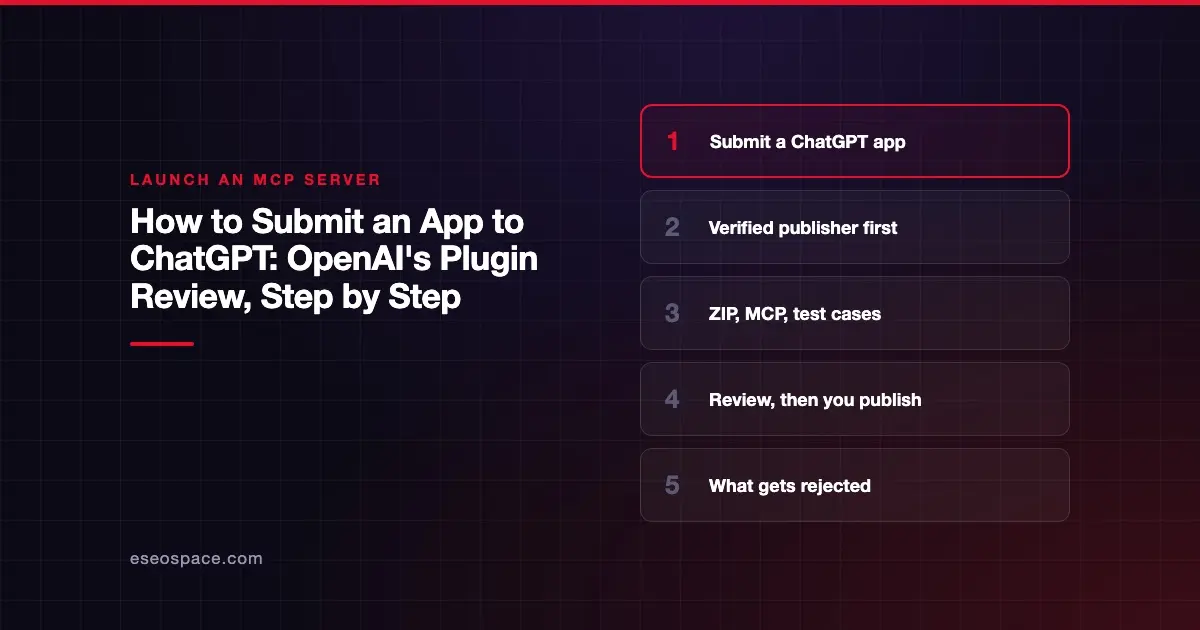
To submit an app to ChatGPT, you package it as a plugin, upload the ZIP at platform.openai.com/plugins, connect and verify your remote MCP server, add test cases and reviewer credentials, and select Submit for review. OpenAI requires a verified individual or business identity first. After approval, you choose when to publish.
OpenAI's developer docs now describe ChatGPT apps built with the Apps SDK as plugins. The old Apps SDK submission URLs redirect to the Plugins docs. This guide follows OpenAI's plugin submission page and plugin guidelines, both checked on 6 November 2026.
OpenAI's help center blocked our direct fetch with a 403 error that day. We read those help articles through a text reader instead, and say below where a detail comes only from them. For the user side of the directory, see the ChatGPT app directory explained.
Key Takeaways
- Submissions come only from verified individuals or organizations, set up in OpenAI Platform organization settings.
- Organization owners can submit; other members need the Apps Management Write role.
- You upload a plugin ZIP, connect one remote MCP server on a stable public HTTPS URL, and prove the domain with a
/.well-known/openai-apps-challengetoken. - MCP plugins need five positive test cases, three negative ones, a video walkthrough and a demo account that works without MFA.
- Common rejections include missing or wrong tool annotations, unofficial connectors to other companies' services, digital-goods sales, trial or demo apps, and names ending in "MCP."
- After publication, OpenAI scans your server daily; eligible tool updates go live after automated checks, but new tools wait for approval.
Before you start: access and identity
The submission page sets three prerequisites.
| Requirement | Detail (checked 6 November 2026) |
|---|---|
| Who submits | "Organization owners can submit; other members need Apps Management Write," which an owner grants through organization roles |
| Project | Select the organization and project that will own the plugin |
| Identity | Complete individual or business verification in organization settings. "The directory displays the name associated with this identity." |
The guidelines are firm on identity: "All plugin submissions must come from verified individuals or organizations." Misrepresentation, hidden behavior or gaming the system may lead to removal from the program. You must also keep customer support contact details current.
What you need to prepare
The plugin package
You submit a ZIP built with OpenAI's plugin package format. The submission page sets these rules:
- Include the package, skills, icons and MCP configuration. Keep private credentials and secrets out.
- If the plugin uses an MCP server, include it in the first ZIP. "Adding an MCP server to an existing skills-only plugin is not currently supported."
- Your package can declare several servers, but "only one MCP server can be connected per plugin."
- Remote servers need "a stable, public HTTPS endpoint." Local or desktop-only plugins follow a separate desktop-only process.
Authentication
The portal supports no authentication, OAuth, and mixed unauthenticated/OAuth access. For OAuth you can use a registered client, Dynamic Client Registration (DCR) or a Client ID Metadata Document (CIMD). The portal reads these settings from your package's mcp.json.
Two limits catch API-key products. "The portal doesn't provide an API-key connection flow or a bearer-token input." And "public submission rejects nonempty server headers," so don't hide a token there. Contact OpenAI if your product needs API-key auth. Our comparison of OAuth vs API keys for MCP explains the trade-off.
Never put the client secret in mcp.json. OpenAI says "the manifest rejects clientSecret." Enter it in the portal when asked.
Domain verification
You host a challenge token as plain text at:
https://<challenge-base-host>/.well-known/openai-apps-challenge
Return only the exact token, not JSON. The base must be an HTTPS origin on the MCP hostname or an eligible parent domain.
Listing text, links and icons
The page lists the package fields, summarized here:
| Field | Limit or rule |
|---|---|
displayName, shortDescription | Up to 30 characters each |
longDescription | Up to 4,000 characters |
| Also required | developerName, category, capabilities |
| URLs for MCP review | HTTPS websiteURL, supportURL, privacyPolicyURL, termsOfServiceURL |
| Starter prompts | Optional, up to three |
| Icons | Square, at least 48 x 48 px, PNG, JPEG, WebP or SVG, up to 5 MiB; a primary logo is required |
| Countries | Optional uppercase codes in publication.countries |
OpenAI also says "Public URLs must be accessible and identify the same publisher as the submission."
Review materials
For plugins with MCP connections, prepare:
- Reviewer credentials for a dedicated test account with sample data. It must work "without MFA approval, email or SMS codes, magic links, or private-network access." Enter these in Review details, not in the ZIP.
- Five positive test cases, each with the scenario, prompt, expected tools and expected result.
- Three negative test cases, where the plugin should not act, with the expected refusal or safe fallback.
- A video walkthrough URL showing the test cases.
- Release notes for the version.
You can include test cases, the video URL and release notes in plugin.json so they import with the ZIP.
The submission steps
From OpenAI's submission page:
- Create the draft. Open Plugins, select Upload new or existing plugin, choose your verified Developer identity and upload the ZIP. Fix any validation errors and upload again.
- Check metadata and skills. Wait for checks under Metadata & Skills. Fix issues in your package and upload a corrected ZIP. Required skill scans must succeed.
- Connect and scan the MCP server. Under MCPs, select Connect, complete domain verification and any sign-in, then wait for the tool scan. Fix findings and use Reconnect or Rescan.
- Complete review information. Check the imported test cases and video, enter reviewer credentials and select Save details.
- Submit. Choose Submit for review and accept the policy attestations. Track progress under Review status. Feedback arrives by email.
Only one review can be active per plugin. If you're rejected, the email gives the reason, and you appeal by replying to it. Once approved, open the approved version and select Publish plugin. OpenAI's pages give no review timeline.
Before you submit, test the plugin yourself as a custom MCP server in ChatGPT, following OpenAI's connect and test guide. OpenAI's custom MCP help article limits that to Business and Enterprise/Edu workspaces on the web, with Pro limited to read and fetch. Our ChatGPT custom MCP server guide covers that flow, and fixing ChatGPT custom MCP errors helps when it fails.
What gets rejected
The plugin guidelines list many rejection grounds. These are the ones most likely to affect an MCP or SaaS company.
Tool design and annotations
- Set
readOnlyHint,destructiveHintandopenWorldHint"to explicit booleans" on every tool. Reads arereadOnlyHint: true; deletes, overwrites, cancellations and irreversible sends aredestructiveHint: true. - OpenAI adds: "Being able to undo an action does not, by itself, justify setting destructiveHint to false."
- Each model-callable operation must be its own tool. Generic executors that hide operations are not allowed.
- Tool descriptions that don't match behavior may lead to rejection.
Our guide to MCP tool annotations shows how to set the hints.
Ownership and scope
- "We cannot approve plugins that primarily function as unofficial connectors to third-party services."
- No scraping, bypassing rate limits or access controls, or calling third-party APIs without authorization.
Commerce and pricing
- "Currently, plugins may conduct commerce only for physical goods." Digital products, subscriptions, tokens and credits are not allowed.
- Plugins must not show plans, start subscriptions or promote upgrades. They may say a feature needs another plan and link to an informational page, not a checkout.
- Checkout must use external checkout on your own domain. The guidelines also mention Instant Checkout as a beta for select partners, but OpenAI retired Instant Checkout in March 2026.
- No ads, and no ChatGPT-specific surcharges.
Privacy and data
- A published privacy policy covering data categories, purposes, recipients, retention and user controls, viewable before install.
- Collect only what the function needs. PCI data, protected health information, government IDs and access credentials may not be collected.
- Tools must not request full conversation history, chat transcripts or precise location.
Audience, names and testing
- Plugins must suit users aged 13 to 17. Mature (18+) experiences are not yet supported.
- "Do not append 'MCP,' 'MCP Server,' or 'Plugin' to a company or product name." Avoid generic single-word names and unverifiable claims.
- Trial or demo plugins are not accepted, and extra sign-up or 2FA steps for reviewers lead to rejection.
After you publish
Updates work differently for the package and the server, per the submission page:
- Package changes (metadata, assets, skills): upload a new ZIP, which gets its own checks and review.
- MCP tool changes: OpenAI scans your server daily, and you can request a Rescan. Eligible updates go live after automated checks pass. "New tools stay unavailable until approved." Flagged changes can be held.
- Server URL changes require contacting support.
Keep your server compatible with the approved tool schemas until updated metadata is live. OpenAI's guidelines also warn that previously approved plugins later found in violation may be removed.
Prep checklist
- Verified individual or business identity in OpenAI Platform
- Owner access, or the Apps Management Write role
- Remote MCP server on a stable public HTTPS URL, Streamable HTTP
- OAuth via registered client, DCR or CIMD, or no auth for public data
- Domain challenge token ready to host
- Every tool with explicit
readOnlyHint,destructiveHintandopenWorldHint - One tool per operation, accurate descriptions, no hidden executors
- Website, support, privacy policy and terms URLs that name the same publisher
- Square logo, listing text within limits, a name without "MCP"
- Five positive and three negative test cases, video walkthrough, release notes
- Reviewer account with sample data and no MFA
- Commerce declaration answered honestly
The wider MCP server launch checklist covers Claude, the MCP Registry and your website at the same time.
Next step
eSEOspace's ChatGPT app development team builds ChatGPT apps on MCP and the Apps SDK and prepares the submission package. Approval is OpenAI's decision, so we don't promise outcomes or timelines. Each project is quoted individually.
More in the MCP Guide
Latest research: State of MCP: October 2026
Frequently asked questions
Do I need a company to submit, or can an individual submit?
Either. OpenAI says submissions must come from "verified individuals or organizations." You complete individual or business verification in your OpenAI Platform organization settings, and the directory shows the verified name.
How long does OpenAI's review take?
OpenAI's submission page and guidelines give no timeline. Feedback arrives by email, and progress shows under Review status. The guidelines say iframe use "may lead to slower approval."
Can I sell subscriptions through my ChatGPT app?
No. The guidelines say plugins may conduct commerce only for physical goods, and digital products and subscriptions are not allowed. Users can still use features already included in their paid plan with you.
My server uses API keys. Can I still submit?
The portal has no API-key or bearer-token flow, and it rejects nonempty server headers. OpenAI says to contact it if your submission needs that method. OAuth or no auth works in the portal.
Do tool changes need a new review after I publish?
Not always. OpenAI scans your server daily, and eligible updates go live after automated checks. New tools stay unavailable until approved, and flagged changes can be held for review.
Does my plugin also appear in Codex?
OpenAI's guidelines describe a "universal directory shared by ChatGPT and Codex." Codex packages also need a composerIcon, per the submission page.