This profile is part of our MCP server directory, within The MCP Guide. Profiles are checked against each vendor's own documentation. Need a server built? See MCP development.
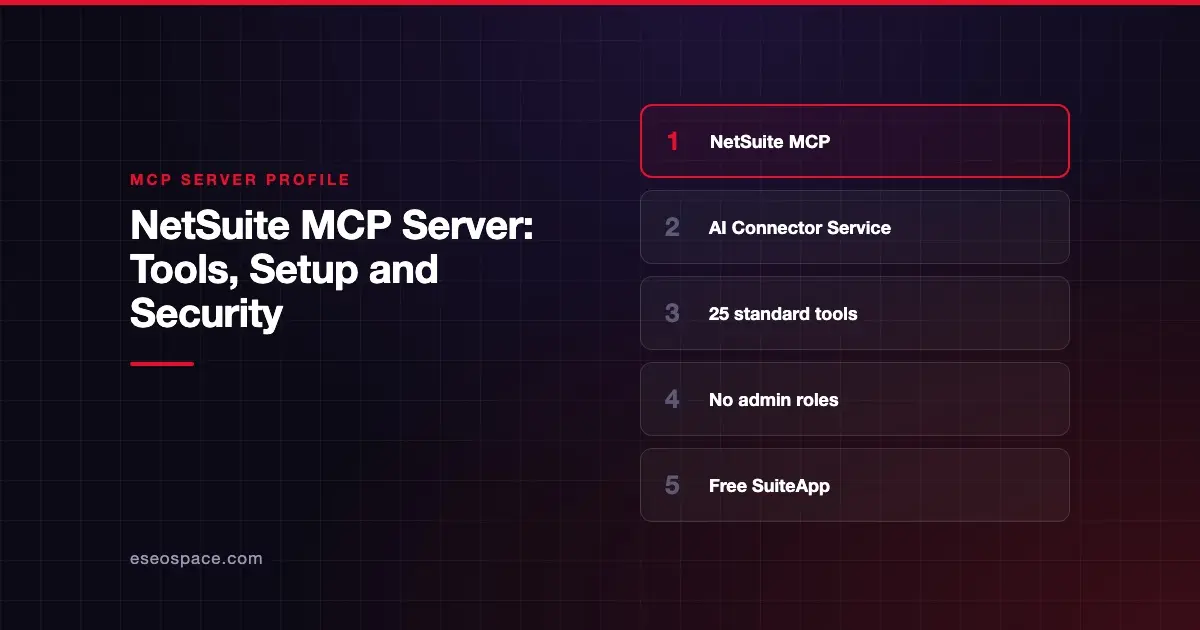
The NetSuite AI Connector Service lets an AI app work with your NetSuite ERP data: create and update records, run reports and saved searches, and query data with SuiteQL. Oracle NetSuite publishes it, along with the free MCP Standard Tools SuiteApp. Oracle says NetSuite "has adopted the Model Context Protocol (MCP)."
Checked against: Oracle's NetSuite AI Connector Service docs on 28 October 2026. eSEOspace did not install or test this server.
Key Takeaways
- Oracle says the AI Connector Service "is not a paid feature" and the MCP Standard Tools SuiteApp is free, though your AI client may need a paid plan.
- The SuiteApp has 25 tools, including
ns_createRecord,ns_updateRecord,ns_runReportandns_runCustomSuiteQL. - The service "does not support Administrator roles"; tools run only with the connecting user's role permissions.
- Your server URL is unique to your NetSuite account, under
suitetalk.api.netsuite.com. - Execution logs are kept 21 days in production and 7 days in sandbox.
At a glance
| Item | Detail |
|---|---|
| Publisher | Oracle NetSuite |
| Official? | Yes |
| Hosting | Remote, account-specific URL (https://<accountid>.suitetalk.api.netsuite.com/services/mcp/v1/...) |
| Transport | Streamable HTTP (client must support protocol version 2025-06-18) |
| Sign-in | OAuth 2.0 Authorization Code Grant with PKCE |
| Read or write | Both |
| Price | Free service and SuiteApp; a NetSuite subscription is needed |
| Source code | Closed (custom tools are built with SuiteScript) |
| Status | Not stated |
What it can do
Oracle's tool list for the MCP Standard Tools SuiteApp has 25 tools:
- Records:
ns_createRecord,ns_getRecord,ns_updateRecord,ns_transformRecordand metadata tools such asns_getRecordTypeMetadata. - Record actions:
ns_getRecordActionMetadataandns_executeRecordAction. - Reports:
ns_listAllReportsandns_runReport, plus helpers for accounting books, accounting contexts, nexuses and subsidiaries. - Saved searches:
ns_listSavedSearchesandns_runSavedSearch. - SuiteQL:
ns_runCustomSuiteQL(read-only queries only) andns_getSuiteQLMetadata. - Files:
ns_attachFile,ns_detachFile,ns_searchFilesand folder path tools. - Session:
ns_getSessionInforeturns your role, enabled features and permissions.
You can also build custom tools with SuiteScript 2.1. Oracle says custom tools can support MCP Apps for interactive interfaces in compatible clients.
How to connect it
The FAQ lists the setup:
- Confirm your AI client supports remote MCP, protocol version 2025-06-18, Streamable HTTP and OAuth 2.0 Authorization Code Grant with PKCE.
- In NetSuite, enable Server SuiteScript, OAuth 2.0 and REST Web Services.
- Give a non-Administrator role the MCP Server Connection, OAuth 2.0 Access Tokens and REST Web Services permissions.
- Install the MCP Standard Tools SuiteApp from the SuiteApp Marketplace.
The connection guide gives this URL for the standard tools:
https://<accountid>.suitetalk.api.netsuite.com/services/mcp/v1/suiteapp/com.netsuite.mcpstandardtoolsFor all custom tools, the URL ends in /services/mcp/v1/all. The FAQ warns that without /all, "the connection will appear disconnected."
Claude: in claude.ai, go to Search and tools > Add connectors, select the NetSuite connector, click Connect, paste your server URL and click Continue. Then connect it under Manage connectors and allow access.
ChatGPT: go to Apps, search for NetSuite, select Connect and Sign in to NetSuite. Oracle says to pick "the correct, non-administrator role."
Oracle points to SuiteAnswers guides for Codex, Claude Code, Copilot Studio and Postman.
Security notes
Oracle's risks and controls page is detailed:
- Off by default. "By default, no users have access."
- No admin execution. Tools never run with Administrator or full-permission roles, can't call external APIs and can't run elevated scripts.
- Write risk. Users with the MCP Server Connection permission can create and update any record available through REST that their role allows. Oracle suggests a dedicated role with narrow record permissions.
- Logging. "All usage of MCP tools is logged."
- Risks named. Prompt injection, hallucination, tool poisoning and "rug pull" tool changes, which could lead to unintended payments or approvals.
- Mitigations. Oracle advises approved-agent lists, read-only tools during evaluation, user confirmation for high-impact actions, and not combining NetSuite tools with broad file, browser or email access.
- HIPAA. The service "has not been assessed for compliance" with HIPAA.
See our guides to tool poisoning and rug pull attacks, and the MCP security center.
Alternatives
- QuickBooks Online, for smaller businesses.
- Xero or Zoho Books, for cloud accounting outside an ERP.
Browse the MCP server directory.
Next step
Connecting an ERP to AI is a governance decision. Read MCP for IT Leaders: Governance, Logging and Access Control before rollout.
Frequently asked questions
Does NetSuite have an official MCP server?
Yes. Oracle documents the NetSuite AI Connector Service and the MCP Standard Tools SuiteApp in NetSuite's help center.
How much does the NetSuite MCP connector cost?
Oracle says the AI Connector Service is not a paid feature and the MCP Standard Tools SuiteApp is free. You may need a paid plan for your AI client.
Can I connect NetSuite to Claude as an administrator?
No. Oracle says the service does not support Administrator roles. Use a custom or existing non-administrator role.
Can the NetSuite connector change data?
Yes. The standard tools can create and update records and run record actions, within the connecting role's permissions. SuiteQL queries are read-only.