



WordPress Accessibility in 2026: What Core Covers and What You Must Fix
WordPress Accessibility in 2026: What Core Covers and What You Must Fix
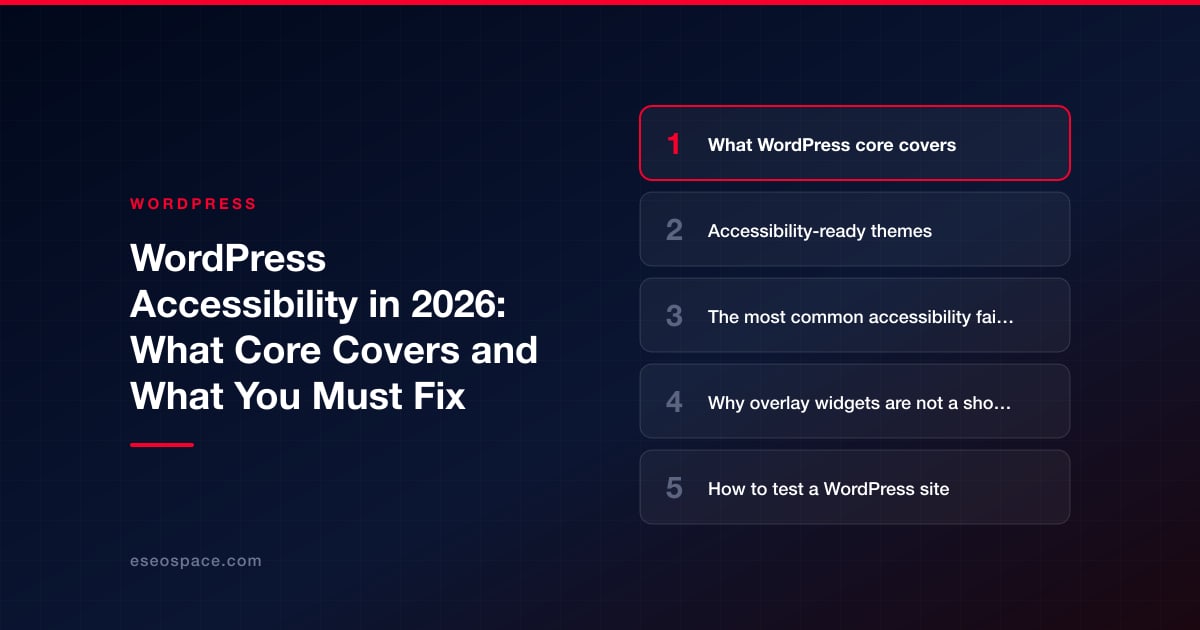
WordPress gives you a strong accessibility foundation, but it cannot make your website accessible on its own. Core code is expected to meet WCAG 2.2 at level AA, and themes with the "accessibility-ready" tag pass a set of baseline checks. Everything you add on top (your theme customizations, plugins, images, videos, PDFs, colors and content) decides whether real people with disabilities can use your site.
That split of responsibility is the most important thing to understand. Most accessibility problems on WordPress sites come from content and add-ons, not from WordPress itself, which means site owners and their developers can fix most of them.
This guide explains what core and accessibility-ready themes cover, the failures we see most often, why automated overlay widgets are not a shortcut, and the legal context as of October 2026 drawn from official sources. It is general information, not legal advice; talk to a qualified attorney about your specific obligations.
Key Takeaways
- WordPress's coding standards say code in core, WordPress.org sites and official plugins is expected to conform to WCAG 2.2 level AA.
- The "accessibility-ready" theme tag means a theme meets the theme team's minimum checks, not that it meets WCAG AA in full.
- Most failures come from content and add-ons: missing alt text, poor contrast, unlabeled form fields, inaccessible sliders and pop-ups.
- In April 2025 the FTC finalized an order requiring accessiBe to pay $1 million and barring unsupported claims that its automated tool can make any site WCAG-compliant.
- Combine automated checks with manual keyboard and screen reader testing; neither alone is enough.
What WordPress core covers
WordPress's accessibility coding standards state that code integrated into the WordPress ecosystem, including core, WordPress.org websites and official plugins, "is expected to conform to the Web Content Accessibility Guidelines (WCAG), version 2.2, at level AA." WordPress has a dedicated accessibility team, and releases regularly include accessibility fixes; WordPress 6.8, for example, listed more than 100.
In practice that means the admin screens, the block editor and core blocks are built with keyboard access, labels and semantic markup in mind. The editor also gives authors the tools to create accessible content, for example an alternative text field on the Image block and a choice of heading levels on the Heading block. Whether authors use those tools well is another matter.
Core does not control your theme's front-end design, your plugins' output or your content. Those are yours.
Accessibility-ready themes
The WordPress.org theme directory has an "accessibility-ready" tag. As of October 1, 2026, the theme API returns 104 themes with that tag. To use it, a theme must pass a manual accessibility review against requirements published by the WordPress accessibility team, including a skip link, keyboard navigation, labeled form fields, meaningful headings, sufficient color contrast and alternative text.
The theme review handbook is careful about what the tag means: "Accessibility Ready" does not mean that the theme meets the "WCAG guidelines AA-level". It means the theme "reaches the minimum standards that the theme review team has set." An accessibility-ready theme is a better starting point, but you still need to test the finished site. Custom colors, added plugins and new templates can undo the theme's work.
The most common accessibility failures on WordPress sites
These issues come up again and again in audits. Most are content or configuration problems you can fix without a rebuild.
Images and media
- Missing or meaningless alt text ("IMG_2041.jpg", "image").
- Text baked into images, such as promotional banners with no text alternative.
- Videos without captions, and audio without transcripts.
Color and text
- Low contrast between text and background, especially light gray text and text over photos.
- Links that are identified by color alone.
- Vague link text such as "click here" or "read more" repeated many times.
Structure
- Headings chosen for size rather than structure, or skipped levels.
- Layout tables and page-builder markup that confuse screen readers.
- No skip link, or a skip link that does not work.
Forms
- Fields with placeholder text but no label.
- Error messages that are shown only in red, or not announced to screen readers.
- CAPTCHAs that offer no accessible alternative.
Interactive components
- Sliders and carousels that auto-advance and cannot be paused.
- Pop-ups and cookie banners that trap keyboard focus or cannot be closed with a keyboard.
- Menus, accordions and tabs that only work with a mouse.
- Booking calendars and date pickers that are not keyboard operable.
Documents
- Untagged PDFs, scanned documents with no text layer, and forms published only as PDFs.
Our step-by-step article on making a WordPress site WCAG accessible covers fixes for each of these.
Why overlay widgets are not a shortcut
Accessibility overlays are scripts that add a toolbar or claim to repair a site automatically. They are marketed as a fast route to compliance. Regulators have pushed back on that claim.
On April 22, 2025, the U.S. Federal Trade Commission approved a final order requiring accessiBe to pay $1 million. The FTC said accessiBe had represented that its accessWidget "can make any website compliant with Web Content Accessibility Guidelines (WCAG)". The order bars the company from representing that its automated products can make any website WCAG-compliant, or ensure continued compliance over time, unless it has evidence to support such claims.
The underlying problem is technical. Many barriers (meaningful alt text, logical heading structure, accessible custom components, captions) require human judgment or changes to the source code. A script layered on top cannot reliably supply them, and some overlays interfere with the assistive technology people already use. Our article on accessibility overlays and widgets goes deeper.
How to test a WordPress site
Good testing combines tools and people.
- Automated scan: run a checker across key templates. In WordPress, plugins such as Equalize Digital Accessibility Checker (10,000+ active installs) scan content in the editor. Automated tools catch a portion of issues, such as missing alt attributes and contrast failures, not all of them.
- Keyboard test: put the mouse away. Tab through the home page, a content page, a form and checkout. Can you reach and operate everything, see where focus is and escape every pop-up?
- Screen reader test: try a screen reader such as NVDA, JAWS or VoiceOver on key pages and forms.
- Zoom and reflow: zoom to 200% and 400% and check that content reflows without horizontal scrolling or overlap.
- Content review: check alt text, headings, link text, captions and PDFs.
- Real users: where possible, include people with disabilities in testing.
Repeat after every theme change, plugin addition or redesign. Accessibility is a maintenance task, not a one-time project.
Helpful plugins and their limits
A few plugins help with specific jobs. WP Accessibility (60,000+ active installs, by Joe Dolson) addresses common theme issues, for example adding skip links and language attributes; its own description notes it "is not intended to make your site compatible with any accessibility guidelines". Accessibility checkers flag problems while you edit. Treat these as aids, not guarantees, and evaluate them like any other plugin using our plugin evaluation checklist. Avoid stacking several plugins that change the same markup.
Legal context (as of October 2026)
Laws vary by country and by type of organization. A few official reference points:
| Rule | Who it covers | Standard or status (official source) |
|---|---|---|
| ADA Title II web rule (U.S.) | State and local governments | WCAG 2.1 Level AA. An interim final rule on April 20, 2026 set compliance dates of April 26, 2027 (population 50,000+) and April 26, 2028 (smaller entities and special districts) |
| ADA Title III (U.S.) | Businesses open to the public | DOJ guidance (March 18, 2022) says the ADA applies to web content of public accommodations; DOJ "does not have a regulation setting out detailed standards" |
| European Accessibility Act (EU) | Certain products and services, including e-commerce, offered in the EU | Applies from June 28, 2025 |
Sources: the U.S. Department of Justice's ADA Title II web rule page and web accessibility guidance, and the European Commission. WCAG is the technical reference in all three contexts. If you serve government clients, our article on the ADA Title II rule has more detail, and US businesses selling into Europe should read our European Accessibility Act explainer. Your attorney is the right source for how any of this applies to you.
Conclusion
WordPress core and accessibility-ready themes give you a sound base, but accessibility is decided by your content, plugins and customizations. Fix the common failures, avoid relying on overlays, test with a keyboard and a screen reader, and repeat after every change. If you want an expert review, eSEOspace offers WCAG accessibility services for WordPress sites, and our WordPress hub has more guides.
Frequently asked questions
Is WordPress accessible out of the box?
Core is built to a high standard: WordPress's coding standards expect WCAG 2.2 AA conformance for core code. A finished site's accessibility depends on its theme, plugins and content, so it must be tested as a whole.
Does an accessibility-ready theme make my site compliant?
No. The theme handbook states the tag does not mean the theme meets WCAG AA; it means the theme meets the review team's minimum standards. Your customizations and content still need testing.
Can an accessibility overlay make my site compliant?
Be very cautious. In 2025 the FTC finalized an order barring accessiBe from claiming its automated products can make any website WCAG-compliant without supporting evidence. Most barriers require changes to content and code.
Which WCAG version should I target?
WordPress itself targets WCAG 2.2 AA. The ADA Title II rule for U.S. state and local governments references WCAG 2.1 AA. The W3C notes that the 2.0 and 2.1 success criteria are essentially the same in 2.2, except that 4.1.1 Parsing was removed, so working toward 2.2 AA generally addresses 2.1 AA as well. Confirm the required version with your attorney.
How often should I test accessibility?
Test before launch, after any theme or plugin change, after redesigns and on a regular schedule for new content. Many teams add a quick accessibility check to every content publishing workflow.
Put this into action with eSEOspace
We help businesses grow with website design that actually performs. Explore the services behind this guide:
Get a FREE Audit
We'll perform a comprehensive SEO, AEO, GEO & CRO audit of your website — completely free — and show you exactly how to outrank your competitors.
Don't have a site yet? Get in touch →
Get a FREE GEO/AEO/SEO Audit
We'll analyze your site's SEO, GEO, AEO & CRO — completely free — and show you exactly how to get found across Google and AI answers.
Don't have a site yet? Get in touch →
Great — your audit is on the way!
We'll send your free SEO/GEO/AEO/CRO audit within the next few hours. Where should we send it?
You're all set! ✓
Your free audit is being prepared — check your inbox in the next few hours. Talk soon!


On this page






