Migrating From Drupal to a Custom-Coded Website
Leave behind heavy maintenance, a shrinking developer pool, and an aging admin. We rebuild your site as hand-written code shaped around how your organization actually works.
We grow your business with
- CROturn traffic into leads
- SEOrank & get found
- GEOwin generative search
- AEOget cited by AI answers
- AIbuild a website that learns
Overview
Why Organizations Leave Drupal Behind
Drupal was built for a particular kind of problem: deeply structured content, granular permissions, and editorial workflows that span large teams. Organizations that genuinely need that still get value from it. The trouble is that a great many Drupal sites were never that complicated to begin with. They are brochure sites, program sites, and service sites carrying the weight of an enterprise content framework they use perhaps a tenth of.
The cost of that mismatch shows up in three places. Major-version upgrades are migrations in their own right rather than routine updates, so they get deferred until the version reaches end of life and the decision is forced. The pool of developers who know Drupal well has narrowed, which makes routine changes slower and more expensive to buy than they should be. And the admin experience, familiar as it is to whoever has been maintaining it, is rarely something new staff pick up quickly.
Moving to a custom-coded site inverts the trade. Instead of configuring a large framework to do a small job, the site is written to do exactly the job it has — and nothing else. There is no contrib module tree to keep patched, no upgrade cliff waiting a few years out, and no monthly fee attached to seats or features you are not using.
Explore
Related migration paths
Popular routes to a faster, modern stack.
Migrate to Custom Website
Everything about moving to a Custom-Coded Website.
View guide →WordPress → Custom Website
Migrate a WordPress site to Custom Website.
View guide →Shopify → Custom Website
Migrate a Shopify site to Custom Website.
View guide →Wix → Custom Website
Migrate a Wix site to Custom Website.
View guide →Squarespace → Custom Website
Migrate a Squarespace site to Custom Website.
View guide →Webflow → Custom Website
Migrate a Webflow site to Custom Website.
View guide →Joomla → Custom Website
Migrate a Joomla site to Custom Website.
View guide →a legacy / custom site → Custom Website
Migrate a a legacy / custom site site to Custom Website.
View guide →HubSpot CMS → Custom Website
Migrate a HubSpot CMS site to Custom Website.
View guide →







Get started
Get a migration proposal in 24 hours
Tell us where you're migrating from and to. We'll review your site and email a tailored migration plan and quote within the next 24 hours.
Thank you!
We've received your details. Expect a custom proposal in your inbox within the next 24 hours.
Have questions? Contact our team →
Why migrate
What You Gain With a Custom Build
The honest argument for a custom site is fit. Every platform makes assumptions, and you pay for the ones that do not match you — in workarounds, in modules bolted on to bend behavior, and in the ongoing cost of maintaining that scaffolding. A hand-built site has no assumptions to work around, because it was written after your requirements were known rather than before.
The practical gains follow from that. The codebase is small enough to read, so a developer who has never seen it can be productive quickly and you are not tied to a narrow specialism. Performance is a starting condition rather than something recovered through caching. And because you own the code outright, nothing about your roadmap depends on a vendor's release schedule or pricing decisions.
What changes
What Changes When You Migrate
Drupal's building blocks all have a counterpart in a custom build. Here is how each one translates.
Modules become code you own
Contrib and custom modules are replaced by application code written for your requirements. What lived in preprocess hooks and Twig templates becomes readable, testable code with no framework contract to satisfy.
Content types become a clean schema
Nodes, taxonomies, and entity references are mapped to a straightforward content model. Fields you stopped using during six years of iteration get dropped rather than migrated.
The admin is built for your editors
Instead of the full Drupal back end, editors get an interface covering the things they actually change. Less to learn, less to get wrong, and no permissions matrix to maintain.
Rendering gets dramatically simpler
No bootstrap, no render pipeline, no cache layers stacked to compensate. Pages are served as pre-built markup, which is why custom builds tend to move Core Web Vitals sharply in the right direction.
The security surface shrinks
Most Drupal security advisories concern contrib modules. Remove the module tree and the patching treadmill largely goes with it — what remains is your own code and a much smaller set of dependencies.
Running costs change shape
Hosting sized for PHP and a database gives way to static or edge hosting. There is no per-seat licensing and no annual budget line reserved for the next major-version upgrade.
The process
The Migration Process, Step by Step
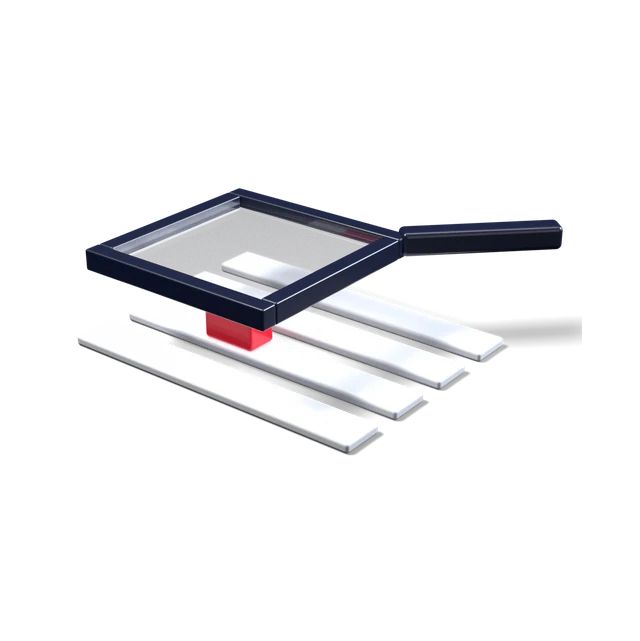
Audit and inventory
Catalog every content type, view, block, taxonomy, and custom module, then crawl the live site for the full URL list, existing redirects, and the pages that actually earn organic traffic. This is where sites usually discover how much of the install is dormant.
Design the content model
Map what survives into a clean schema. Fields abandoned mid-project get retired, near-duplicate content types get merged, and the model ends up reflecting the site as it is used rather than as it was planned.
Export the content
Content is extracted through Drupal's JSON:API or the Migrate framework and transformed into the new schema, with media and file references resolved so nothing depends on the old directory structure.
Build and review on staging
The site is built on staging where you can use it properly — editors trial the admin, stakeholders review templates on real content, and the redirect map is validated against the crawl rather than assumed.
Redirect mapping and QA
Every indexed URL is mapped to its destination, metadata and structured data are checked page by page, and forms, integrations, and search are tested against real submissions before anything is switched.
Launch and monitor
The DNS switch is the smallest step. Afterwards we watch crawl stats, index coverage, and rankings closely for several weeks, because that is the window where an unnoticed redirect gap does its damage.
Protect your rankings
Protecting Your SEO Through the Migration
Migrations lose traffic for reasons that are almost always preventable. The common one is redirects: URLs change and old ones are left to 404, so accumulated authority stops flowing. Drupal sites are especially prone to this because path aliases, taxonomy paths, and pagination often generate more indexed URLs than anyone expects. The fix is unglamorous — crawl the live site, export the alias table, and map every URL to a destination before launch rather than after.
The second cause is losing detail that was never written down. Meta titles and descriptions, canonical tags, hreflang, image alt text, and structured data all have to be carried across deliberately. On Drupal that data is spread across node fields, Metatag configuration, and sometimes view templates, so it needs extracting rather than eyeballing.
The third is treating launch as the finish line. We monitor Search Console coverage, crawl errors, and ranking positions through the weeks after the switch, because that is when the problems that slipped through show up — and when they are still cheap to fix.
What clients say
Businesses migrate & grow with eSEOspace
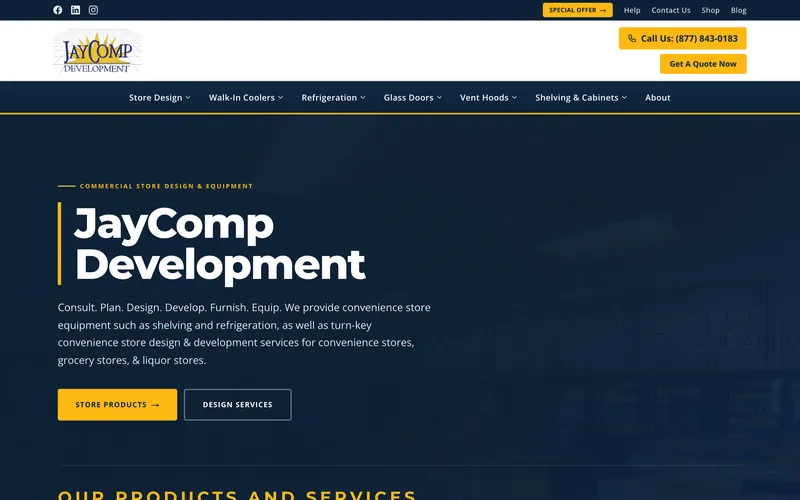
“Since beginning work with Irina and her staff at eSEOspace our internet activity has really begun to lift off. We had lots of issues with our site and the site was built several years ago. Irina found the problems, created a plan to fix them, and has since been implementing the plan to drive traffic to our site. Give them a call — they are a great company to work with!”
Brad SneedJayComp Development · Trustpilot
- ★★★★★
“After quickly exiting a previous marketing contract and needing to hit the ground running, the swift and capable onboarding with eSEOspace was exactly what we needed. Six months in, it's been a completely different experience. Irina and her team bring a level of attention to detail and consistency that you rarely find. As someone with over 15 years of marketing experience, I'm not easy to impress — what sets them apart is that they genuinely listen. It feels like a partnership, not a vendor relationship. eSEOspa…”
Ashley MurrayMarketing Leader · Trustpilot
- ★★★★★
“We have had an outstanding experience working with Ben Gunther, Project Manager at eSEOspace. From day one, the team has been incredibly patient, educational, and supportive. They created a gorgeous Shopify store for our company that is both professional and perfectly on trend. I genuinely do not have one negative thing to say. I would absolutely work with them again and highly recommend eSEOspace.”
SarahShopify store owner · Trustpilot
5.0 ★ average across 92 client reviews on Google, Trustpilot, Clutch & DesignRush. Read them all
Project Managers who will work with you on your project!
 Irina S.hello@eseospace.com
 Benjamin G.ben@eseospace.com
 David G.david@eseospace.com
Work with us
Talk to the team behind your project
Tell us what you need and we’ll match you with the right people.
Book a Discovery Call




FAQ
Frequently Asked Questions
Will migrating from Drupal to a custom site hurt my rankings?
Will my editors still be able to update the site?
What happens to our custom modules?
Is a custom site harder to maintain than Drupal?
How long does a Drupal migration take?
Wondering what this costs? Every service has published pricing — no discovery call required to see it.
View pricingReady to move from Drupal to Custom Website?
Book a free strategy call and we'll scope your migration, protect your SEO, and give you a clear plan and timeline.
Book a Strategy Call →