

This article is part of our AI Agents for Business hub. Want help applying it? Talk to eSEOspace.
Before an AI agent goes live, know what it can reach and which actions a person must approve. Also know how its keys are held and how to stop it. This checklist turns OWASP's guidance into questions for whoever builds it, and it reduces risk without removing it.
It is part of our AI agents for business hub and was checked against OWASP and NIST pages on 9 November 2026. Have a qualified security professional review any agent that can reach sensitive data or take real actions.
Key Takeaways
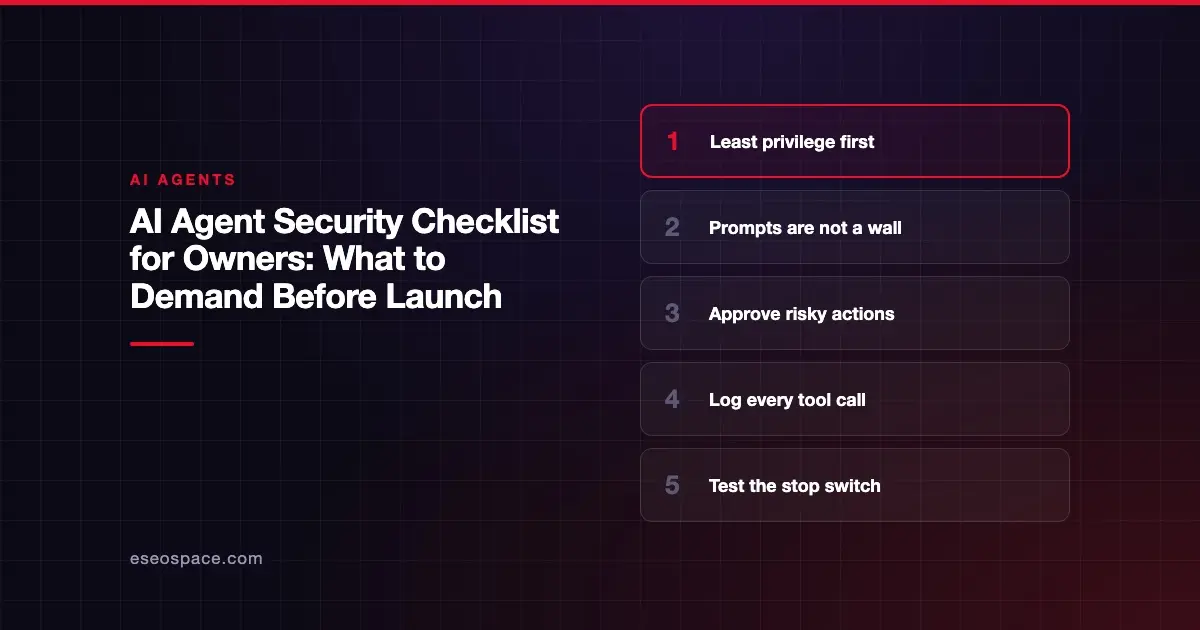
- Give the agent the fewest tools and the narrowest access its job allows.
- Instructions to the model are not a security boundary, so enforce limits in the systems it connects to.
- Require a person to approve high-impact or irreversible actions.
- Treat everything the agent reads from outside as untrusted, and log what it does.
- Test the stop mechanism, and make sure it revokes credentials and network access.
Start with the risks
OWASP's Top 10 for Agentic Applications was published in December 2025. OWASP's Q3 2026 exploit roundup uses these names for the ten risks. That roundup says: "It is not an exhaustive report or an official OWASP publication."
| ID | Risk |
|---|---|
| ASI01 | Agent Goal Hijack |
| ASI02 | Tool Misuse and Exploitation |
| ASI03 | Identity and Privilege Abuse |
| ASI04 | Agentic Supply Chain Vulnerabilities |
| ASI05 | Unexpected Code Execution |
| ASI06 | Memory and Context Poisoning |
| ASI07 | Insecure Inter-Agent Communication |
| ASI08 | Cascading Failures |
| ASI09 | Human-Agent Trust Exploitation |
| ASI10 | Rogue Agents |
For a broader tour of what can go wrong, see our guide to AI agent security risks. This page is the list of things to check.
The checklist
1. Scope and permissions
OWASP's AI Agent Security Cheat Sheet says: "Grant agents the minimum tools required for their specific task."
- [ ] Every tool the agent can use is listed, with a reason
- [ ] Unused tools are disabled, not merely unmentioned
- [ ] Each tool has the narrowest permissions that work
- [ ] General-purpose tools such as shell access are avoided unless essential
- [ ] Actions run under the identity of the user, where possible
OWASP's Excessive Agency entry names the root causes as excessive functionality, excessive permissions and excessive autonomy. Check each of the three by name.
2. Limits the agent cannot change
The roundup says: "Prompt-level instructions alone do not establish a secure boundary." It also says: "Enforce scope through controls the agent cannot rewrite."
- [ ] Access rules are enforced in the connected system, not only in the prompt
- [ ] The agent cannot edit its own permissions or configuration
- [ ] Network access is limited to the hosts it needs
3. Credentials
The roundup says: "Exposed credentials and excessive permissions expanded the damage from individual workloads into connected systems."
- [ ] Keys are stored in a vault or secrets manager, not in prompts or files
- [ ] Each agent has its own key, limited at the issuing service
- [ ] Keys can be revoked quickly by a named person
- [ ] Keys are rotated on a schedule, and after any suspected exposure
4. Untrusted input
The cheat sheet says: "Treat all external data as untrusted (user messages, retrieved documents, API responses, emails)."
- [ ] Emails, web pages, tickets and uploads are treated as untrusted
- [ ] Agents that read untrusted content have fewer powerful tools
- [ ] Sensitive data and outbound channels are kept apart where possible
We know of no control that fully stops prompt injection, so plan for limiting the damage. See prompt injection for business owners.
5. Human approval
The cheat sheet says: "Require explicit approval for high-impact or irreversible actions." It also says: "Implement action previews before execution."
- [ ] Payments, refunds, deletions and outbound messages have been reviewed for approval
- [ ] The approver sees what will actually happen
- [ ] Approvers have enough time and context to say no
- [ ] A person can interrupt and roll back a run
Guidance on which actions need sign-off is in human in the loop for AI agents.
6. Memory and data
The cheat sheet says: "Validate and sanitize data before storing in agent memory." It also says: "Minimize sensitive data in agent context."
- [ ] Stored memory is reviewable and can be cleared
- [ ] Data is classified, and handling rules exist
- [ ] Sensitive data is kept out of context unless required
- [ ] Retention periods are set for transcripts and logs
Our AI data readiness checklist covers this in more depth.
7. Third-party components
- [ ] Every model, tool, plugin and MCP server is on a list
- [ ] Each one has an owner and an update process
- [ ] Packages are pinned to known versions
- [ ] New tools are reviewed before they connect
See also our MCP security guide.
8. Multi-agent setups
The cheat sheet says: "Implement trust boundaries between agents."
- [ ] Agents do not inherit each other's permissions automatically
- [ ] One agent's output is not treated as an approved instruction
- [ ] A failure in one agent can be contained
9. Logging and monitoring
The cheat sheet says: "Log all agent decisions, tool calls, and outcomes." It also says: "Implement anomaly detection for unusual agent behavior."
- [ ] Logs show who, what, when and why for each action
- [ ] Logs are kept where the agent cannot alter them
- [ ] Alerts exist for unusual tools, destinations or volumes
- [ ] Someone is assigned to read those alerts
10. Cost limits
OWASP's Unbounded Consumption entry says: "Apply rate limiting and user quotas to restrict the number of requests a single source entity can make in a given time period."
- [ ] Rate limits and user quotas are set
- [ ] There is a maximum number of steps per run
- [ ] Spending alerts go to a real person
11. Stopping it
The roundup says: "Correlate package-service, identity, network and tool logs by run ID, and test a stop mechanism that revokes both credentials and network access." A stop button that leaves the keys live does not do the job.
- [ ] A named person can stop the agent at any hour
- [ ] Stopping it revokes credentials and network access
- [ ] The stop has been tested, not just documented
- [ ] An incident response plan exists
Questions for your builder
Do not accept "it's secure" as an answer. Ask these:
- Show me the list of tools and what each one can touch.
- Show me where the limits are enforced outside the prompt.
- Show me a log of a real run.
- Show me an action being paused for approval.
- Show me the stop procedure being tested.
If you are buying a product, send our vendor questionnaire instead.
Keep it current
This list reflects guidance as of 9 November 2026, and the field moves quickly. NIST launched an AI Agent Standards Initiative on 17 February 2026, so check for new guidance before each major change.
Next step
Work through the list with whoever is building the agent, and write down each open item with an owner. If you have an existing pilot, our AI agent development team can review its prompts, tools, permissions and costs.
Frequently asked questions
Does following this checklist make an agent secure?
No. It reduces risk, and it can't remove it. Have a qualified security professional review any agent that reaches sensitive data or takes real actions.
Can prompt injection be stopped completely?
We know of no control that fully stops it. OWASP's cheat sheet pairs input handling with narrow scope, approvals and monitoring, so plan for limiting what a successful attack can do.
Can't I just tell the agent not to do dangerous things?
No. OWASP's roundup says prompt-level instructions alone do not establish a secure boundary. Enforce limits in the systems the agent connects to.
Which item should I do first?
Permissions. List what the agent can reach and remove whatever the job doesn't need. That single step reduces what any failure can damage.
How often should we repeat this?
Repeat it at every change to tools, data, model or permissions. Also review the list on a set schedule, because vendors and guidance both change.









