

This article is part of our AI Agents for Business hub. Want help applying it? Talk to eSEOspace.
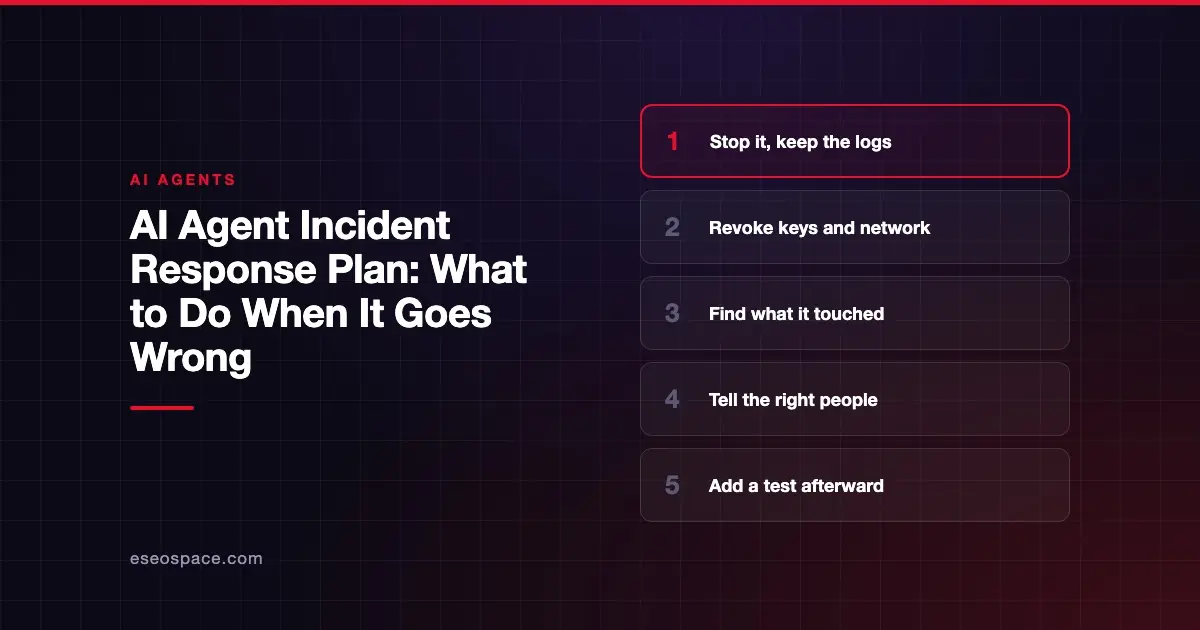
When an AI agent goes wrong, stop it, revoke its access and keep the evidence. Then work out what it touched, tell the right people, and add a test so it can't recur unnoticed. This template gives you the roles, severity levels and steps to fill in.
It is part of our AI agents for business hub and was checked against OWASP and NIST pages on 9 November 2026. It is general information, not legal advice. Notification duties depend on your state, sector and contracts, so have your attorney review this plan.
Key Takeaways
- Decide before an incident who can stop the agent, and at what hour.
- Stopping the agent should also revoke its credentials and network access.
- Keep logs and evidence before you start cleaning anything up.
- Check what the agent could reach, not only what you assume it touched.
- After recovery, add the failure to your test set and fix the permissions that allowed it.
What counts as an incident
An agent incident can be a security event, but it can also be an ordinary mistake. Include both in your plan.
Examples to plan for:
- The agent sends wrong information to customers
- It takes an action outside its allowed scope
- It exposes private data in a reply or a log
- It follows instructions hidden in an email or web page
- A key it holds is exposed
- A connected tool is compromised
- Its usage or spend spikes unexpectedly
An agent can keep acting while you investigate, so containment comes first.
Why a general plan is a good base
You may already have an incident plan. NIST's SP 800-61 Rev. 3, published in April 2025, gives cybersecurity incident response recommendations and is a sound structure for it. It is not specific to AI agents, so this template adds the agent parts.
OWASP's Q3 2026 exploit roundup is useful here because it describes real agent incidents. The roundup says: "It is not an exhaustive report or an official OWASP publication."
Roles
Fill in names and phone numbers, with a backup for each.
| Role | Job | Name | Backup |
|---|---|---|---|
| Incident lead | Makes decisions and keeps the timeline | ||
| Agent owner | Knows what the agent does | ||
| Technical responder | Stops the agent, revokes access, pulls logs | ||
| Communications | Writes to customers and staff | ||
| Legal contact | Advises on notification duties | ||
| Vendor contact | Reaches the platform's support |
Severity levels
| Level | Example | Response |
|---|---|---|
| Sev 1 | Data exposed, money moved, keys compromised | Stop immediately, all hands, call legal |
| Sev 2 | Wrong action affecting customers, out-of-scope tool use | Stop the agent, same-day review |
| Sev 3 | Wrong answers with limited impact | Limit or pause, review within days |
| Sev 4 | Near miss, caught by approval or a test | Log it and fix it |
If you are not sure, start at the higher level. You can lower it later.
The response, step by step
Step 1: Stop the agent
Use the kill procedure you practiced. OWASP's AI Agent Security Cheat Sheet says: "Allow users to interrupt and rollback agent operations."
The roundup goes further: "Correlate package-service, identity, network and tool logs by run ID, and test a stop mechanism that revokes both credentials and network access." It also says: "When an agent reaches an unrelated service, stop the run, preserve evidence and notify the service owner through the incident process."
- [ ] Agent paused or disabled
- [ ] Scheduled runs and triggers turned off
- [ ] Queued work held
Step 2: Cut its access
- [ ] Credentials the agent holds are revoked
- [ ] Network access is closed
- [ ] Connected tools are disconnected
- [ ] Any shared credentials are rotated
Rotate any key that may have been exposed. For the mechanics, see how to rotate an exposed API key.
Step 3: Preserve evidence
Do this before cleaning up. OWASP's cheat sheet says: "Log all agent decisions, tool calls, and outcomes." Those logs are useless if they get overwritten.
- [ ] Logs exported to a place the agent can't reach
- [ ] Transcripts for affected runs saved
- [ ] Current instructions, tool list and memory captured
- [ ] Network and credential-access records saved
- [ ] A timeline is started with times and names
Step 4: Work out the blast radius
Find out what it reached, using the logs. Don't rely on what the agent was supposed to be able to do.
- [ ] Which records, accounts and customers were touched?
- [ ] Which tools did it use, and with what permissions?
- [ ] What did it send, and to whom?
- [ ] What else could those credentials reach?
- [ ] Was there anything poisoned in memory or knowledge sources?
The roundup says: "Exposed credentials and excessive permissions expanded the damage from individual workloads into connected systems." Check connected systems, not just the agent itself.
Step 5: Tell the right people
- [ ] Leadership has been told
- [ ] The vendor has been contacted
- [ ] Your attorney has reviewed notification duties and deadlines
- [ ] Affected customers are told what happened, as advised
- [ ] Staff have one approved message
Do not guess at the size of an incident in writing. Say what you know, and say when you will update people.
Step 6: Repair
- [ ] Wrong records corrected
- [ ] Wrongly sent messages followed up
- [ ] Money or orders reversed where needed
- [ ] Poisoned memory or documents removed
Clear memory and knowledge stores as well as logs, because an agent can repeat the problem from stored content.
Step 7: Restart with limits
- [ ] The cause is understood, or the risk is formally accepted
- [ ] Permissions have been narrowed
- [ ] New credentials are issued
- [ ] The agent returns with approvals on, for a set period
- [ ] Monitoring is watched closely
Step 8: Learn
Hold a blameless review within two weeks and write down:
- [ ] What happened, in plain language
- [ ] How it was found, and how long that took
- [ ] What stopped it
- [ ] What would have stopped it sooner
- [ ] Which test now catches this, added to your test suite
Anthropic's guide to agent evals says: "In reality, 20-50 simple tasks drawn from real failures is a great start." Each incident gives you another real failure to test against.
Practice it
Run a tabletop exercise before you need the plan. Give the team a scenario, such as a hidden instruction in a support email. Time how long it takes to stop the agent and revoke its keys.
For MCP-connected tools, see our MCP incident response playbook. For prevention, use the AI agent security checklist.
Next step
Print the roles table and fill in the names this week. Then run one 30-minute tabletop. If you need help reviewing an agent after an incident, contact our AI agent development team.
Frequently asked questions
What is the first thing to do when an AI agent misbehaves?
Stop it and revoke its access. Agents can keep acting while you investigate, so containment comes before diagnosis. Then preserve the logs before anyone changes anything.
Do we have to notify customers about an AI agent incident?
It depends on what happened, where you operate and your contracts. Breach notification duties vary, so ask your attorney. Do this early, because deadlines may apply.
How is this different from a normal security incident plan?
The structure is the same, and NIST's incident response guidance is a good base. Agent plans add stopping autonomous runs, checking stored memory and reviewing what the agent could reach.
Who should be able to stop the agent?
At least two named people, reachable at any hour. They should have practiced it, and it should not require approval from anyone else.
Should a wrong answer count as an incident?
Yes, at a low severity level unless it caused harm. Tracking small errors gives you early warning and real cases for your test set.









