This profile is part of our MCP server directory, within The MCP Guide. Profiles are checked against each vendor's own documentation. Need a server built? See MCP development.
Attio MCP is Attio's hosted MCP server. It lets AI tools such as Claude, ChatGPT and Cursor search, read, create and update records, lists, notes, tasks, call recordings and emails in your Attio workspace.
Checked against: Attio MCP documentation on 28 October 2026. eSEOspace did not install or test this server.
Key Takeaways
- Attio hosts the server at
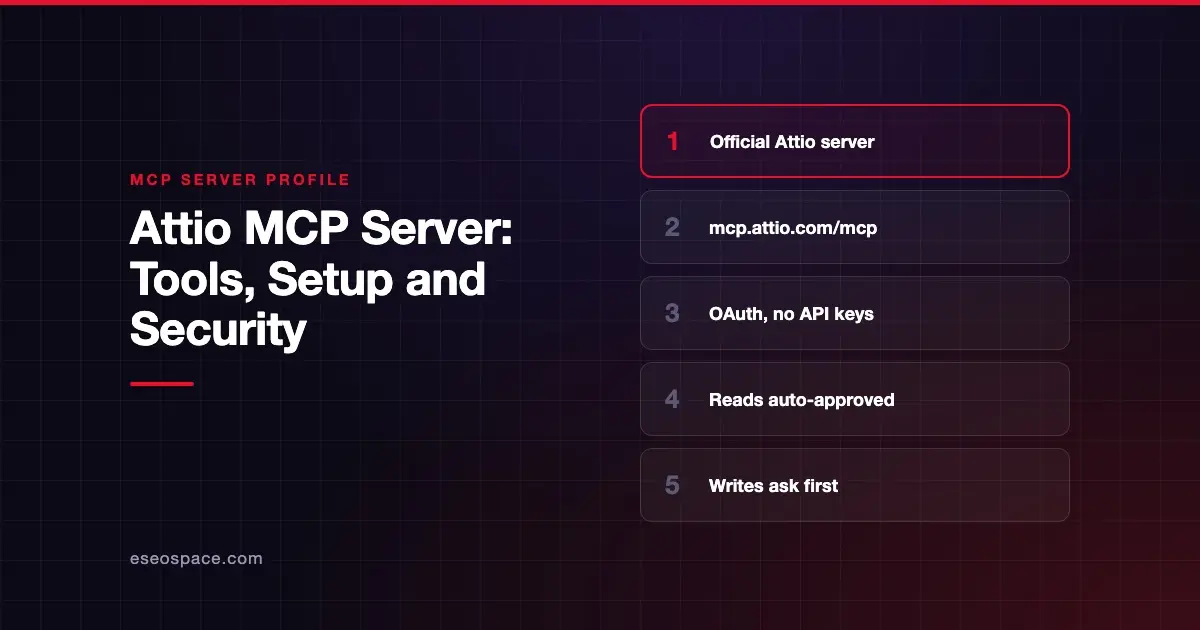
https://mcp.attio.com/mcpand uses OAuth, so you log in with your Attio account instead of using an API key. - Attio says read operations are auto-approved while write operations request confirmation.
- The tool list covers records, activities, lists, comments, notes, tasks, meetings, call recordings, emails, reporting and SQL.
- Some tools can delete or merge data, including
delete-task,delete-commentandmerge-records. - The
query-particle-sqltool is not available on every Attio billing plan.
At a glance
| Item | Detail |
|---|---|
| Publisher | Attio |
| Official? | Yes |
| Hosting | Remote URL (https://mcp.attio.com/mcp) |
| Transport | Remote HTTP (transport not named in the docs) |
| Sign-in | OAuth as your Attio user |
| Read or write | Read and write |
| Price | No separate MCP price listed; SQL tool depends on plan |
| Source code | Closed |
| Status | Not stated |
What it can do
Attio's MCP docs publish the full tool list with example prompts.
| Group | Tools |
|---|---|
| Records and objects | list-objects, search-records, list-records, get-records-by-ids, create-record, upsert-record, update-record, merge-records, list-attribute-definitions |
| Activities | list-activities, list-activity-attribute-definitions, list-activity-records, create-activity-record, update-activity-record, upsert-activity-record |
| Lists | list-lists, create-list, list-list-attribute-definitions, list-records-in-list, add-record-to-list, update-list, update-list-entry-by-id, update-list-entry-by-record-id |
| Comments | create-comment, list-comments, list-comment-replies, delete-comment |
| Notes | create-note, search-notes-by-metadata, semantic-search-notes, get-note-body, update-note |
| Tasks | list-tasks, create-task, update-task, delete-task |
| Meetings and calls | search-meetings, search-call-recordings-by-metadata, semantic-search-call-recordings, get-call-recording |
| Emails | search-emails-by-metadata, semantic-search-emails, get-email-content |
| Workspace | list-workspace-members, list-workspace-teams, whoami |
| Reporting and SQL | run-basic-report, query-particle-sql |
Attio says query-particle-sql runs read-only SQL against your workspace data. The semantic search tools find notes, calls and emails by topic, such as "calls where we discussed enterprise pricing."
Attio keeps adding tools. Its MCP changelog shows the activity tools arriving on 14 October 2026 and delete-task on 1 October 2026.
Two tools deserve care. merge-records combines two records into one, and update-list can change a list's permissions, including giving the whole workspace access.
How to connect it
Attio lists two prerequisites: an active Attio workspace and an MCP-compatible AI client.
Claude Desktop or Claude.ai, per Attio's docs:
- Open Settings -> Connectors -> Browse connectors.
- Search for Attio.
- Install Attio.
ChatGPT:
- Open Apps.
- Search for Attio.
- Connect Attio.
Other MCP clients: add this URL as a remote MCP server and complete the OAuth sign-in when prompted.
https://mcp.attio.com/mcpOnce connected, you are authenticated as your Attio user with access to your workspace data.
Security notes
- Acts as you. Attio says the server authenticates as your Attio user through OAuth. The AI sees what you can see.
- Write confirmations. Attio says reads are auto-approved and writes request confirmation. Read each confirmation, because bulk-style prompts can produce many writes.
- Deletes and merges.
delete-task,delete-commentandmerge-recordsremove or combine data. Attio notes that deleting a parent comment also deletes its replies. - Sensitive content. Call transcripts and email bodies are available through
get-call-recordingandget-email-content. Think about who connects and which AI app stores the chat history. - Community servers. Several community "Attio MCP" projects use API keys and run locally. They are not Attio's server.
Approving many prompts in a row leads to rubber-stamping. Read MCP approval fatigue and MCP data exfiltration, and see the MCP Security Center.
Alternatives
- HubSpot MCP server: CRM plus content and marketing email tools.
- Close MCP server: scope-based access with a strict read-only option.
- Gong MCP server: read-only AI insights from sales calls and emails.
Next step
Connect Attio for lookups and note-taking first, then allow list and record updates once your team trusts the confirmations. For other servers in this category, see the MCP server directory. If you want help designing an AI workflow on your CRM, see Claude Code consulting.
Frequently asked questions
Does Attio MCP need an API key?
No. Attio says the server uses OAuth, so you log in with your Attio account. No API keys are required.
Which AI apps work with Attio MCP?
Attio's docs name Claude Desktop, Claude.ai, ChatGPT and Cursor. Any client that accepts a remote MCP server URL and OAuth can add https://mcp.attio.com/mcp.
Will the AI change records without asking?
Attio says read operations are auto-approved and write operations request confirmation. How that prompt appears depends on your AI client.
Can Attio MCP run SQL on my CRM?
Yes, on some plans. Attio documents query-particle-sql for read-only SQL queries and notes it is not available on every billing plan.