This guide is part of our MCP connection guides, within The MCP Guide. Steps are copied from the vendor's own documentation. Need a custom connection? See MCP development.
Connecting ChatGPT to monday.com lets you query boards, create items, post updates and build dashboards from a chat. monday.com hosts the MCP server, and every action runs as you, with your existing monday.com permissions.
Checked against: monday.com's guide to connecting monday MCP with ChatGPT and OpenAI's connected apps article on 28 October 2026. eSEOspace did not run these steps; menus can change, so follow the vendor's page if it differs.
Key Takeaways
- monday.com lists ChatGPT as a compatible client and documents a monday.com app you connect from ChatGPT's settings.
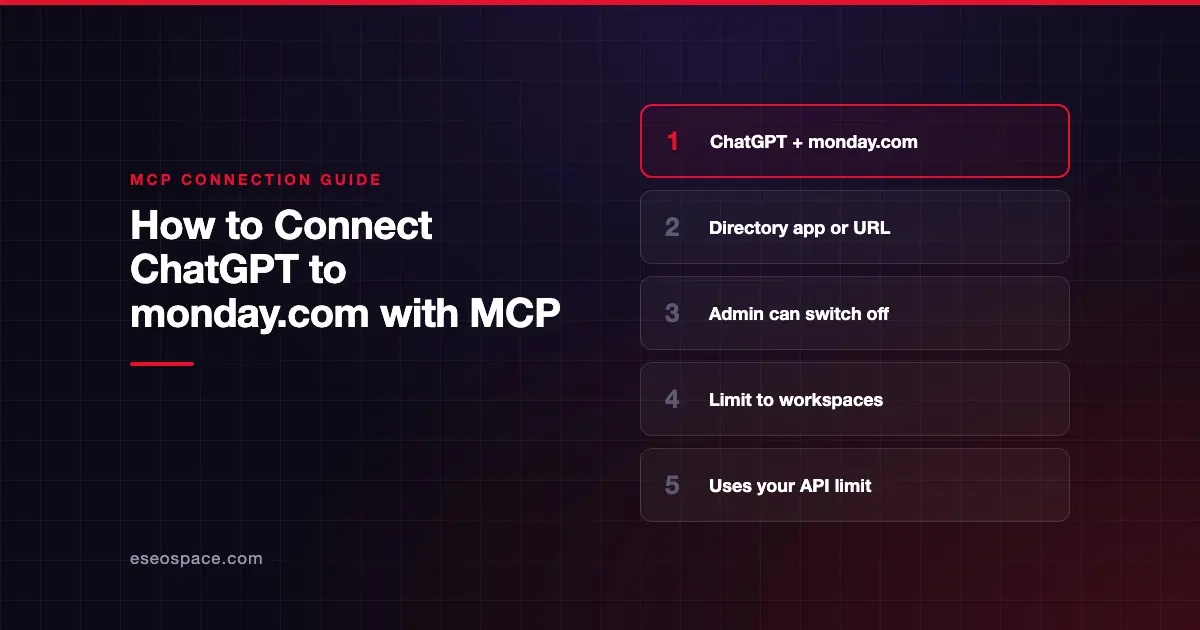
- MCP is preinstalled on every monday.com account, but an account admin can turn AI Connectors off or limit MCP to specific workspaces.
- You can also add
https://mcp.monday.com/mcpas a custom MCP server, which OpenAI limits to Business and Enterprise/Edu (Pro: read and fetch only). - Each tool call runs as a monday.com API request and counts toward your account's daily API call limit.
- The server has more than 60 tools that read and write data, so set ChatGPT's app permissions before you start.
Before you start
monday.com's AI Connectors admin article says MCP is available on all plans, for admins and members on all tiers. On Enterprise, admins can also let guests use MCP, which is off by default. Viewers don't have MCP access.
You will also need:
- A ChatGPT account where the monday.com app is available. OpenAI says app availability depends on the app, your plan, region, workspace, role, model and the ChatGPT interface you use.
- AI Connectors turned on in monday.com. If they are off, the connection fails. Only account admins can change this.
- Workspace approval in ChatGPT, if you are in one. OpenAI says ChatGPT Business enables many apps by default, while new Enterprise and Edu workspaces start with a selected set.
Steps
Option 1: Connect the monday.com app (recommended)
monday.com's ChatGPT guide gives two steps: open ChatGPT settings, choose Apps & Connectors, browse to the monday.com option, then click Connect. ChatGPT's current menus use Plugins instead of Apps for this, so OpenAI's connected apps article describes the same flow this way:
- Open Settings > Plugins, and select the monday.com app or the plugin that includes it.
- Select Install plugin if shown.
- If prompted, select Connect.
- Sign in to your monday.com account.
- Review the requested permissions and complete the monday.com authorization.
monday.com says every connection goes through an explicit authorization flow. Access is tied to your personal monday.com permissions, with no shared or service account.
Option 2: Add it as a custom MCP server
Use this if your workspace needs a private, admin-vetted connection. monday.com's integration guide gives the hosted server details: streamable HTTP, OAuth 2.0 or a bearer personal API token.
https://mcp.monday.com/mcpOpenAI's custom MCP server article lists these steps:
- Go to Plugins.
- Select the plus button, then select Add custom MCP server.
- Enter a name and, optionally, a description.
- Under Connection, enter the URL above.
- Configure authentication for your server.
- Review the risk warning and select the I understand and want to continue checkbox.
- Select Create as a plugin, then review the discovered tools and metadata.
monday.com notes that a client which is not pre-approved may need admin approval through its dynamic connectors feature. Do not use the old https://mcp.monday.com/sse address; monday.com says SSE is deprecated and unsupported.
Check that it works
monday.com's verification step is to start a new conversation and confirm monday.com appears in your connected apps and is enabled. Then run a monday action, such as listing your boards. The prompts below rely on tools from monday.com's Platform MCP tools page.
Example prompts
- "List my monday.com boards." (monday.com's own test prompt.)
- "Summarize the activity on the Website Launch board this week and list items with no owner." (uses
get_board_activityandget_board_items_page.) - "Create an item called 'Draft Q4 newsletter' on the Marketing board and post an update tagging the owner." (uses
create_itemandcreate_update.)
monday.com also documents interactive monday UI components inside ChatGPT, which it covers in a separate help article.
Permissions and safety
monday.com's security overview and admin article describe these controls:
- Your permissions only. Board permissions, item permissions and private boards still apply. monday.com says an agent can never see more than that person can see.
- Account switch. Admins open the Admin panel, then AI governance and AI permissions, and find the AI Connectors section. Unchecking Allow external AI agents to access your monday.com account data blocks all AI connectors and hosted MCP.
- Workspace scope. Under Apps, admins open monday MCP, then Permissions, and choose All Workspaces or Specific Workspaces.
- Token handling. monday.com says the server does not store or log customer OAuth tokens.
On the ChatGPT side, OpenAI's app permissions article lets you choose Always ask, Allow read actions, Allow low-risk actions or Allow all actions. Board items and updates can hold text written by others, so read about prompt injection and excessive permissions. The MCP Security Center covers the rest.
If it doesn't work
monday.com and OpenAI document these fixes:
- Authorization failed. monday.com says to ask your admin to check Admin → Permissions → AI Connectors, and the workspace scope under Admin → Apps → monday MCP.
- Permissions error. Check that your monday.com account can open the boards you asked about.
- Disabled by admin in ChatGPT. OpenAI says to ask a workspace administrator to review the app or its plugin in the Admin Console.
- Custom server will not connect. Check the URL ends in
/mcp, not/sse, and that your token has not expired. - Hitting limits. monday.com says MCP calls use your account's daily API call limit, like direct API requests.
Next step
Start with summaries and status reports, then let ChatGPT create items once you trust its answers. Read the monday.com MCP server profile for the full tool list, browse more connection guides, or book an MCP readiness audit to plan which boards an agent should touch.
Frequently asked questions
Do I need to install anything in monday.com?
No. monday.com says MCP comes preinstalled on every account. Its marketplace listing exists for discoverability, and no installation step is required.
Which monday.com plans include MCP?
monday.com's admin article says it is available on all plans, for admins and members on all tiers. Viewers don't have MCP access, and guests need an Enterprise admin to enable them.
Can I keep ChatGPT out of certain workspaces?
Yes. An admin can open monday MCP in the Admin panel's Apps list and choose Specific Workspaces. MCP then works only in the workspaces selected.
Does using ChatGPT with monday.com cost API calls?
Yes. monday.com says MCP tool calls consume your account's daily API call limit, just like direct API requests. Plan for that if you use agents heavily.