

This article is part of The MCP Guide, our plain-English reference on the Model Context Protocol.
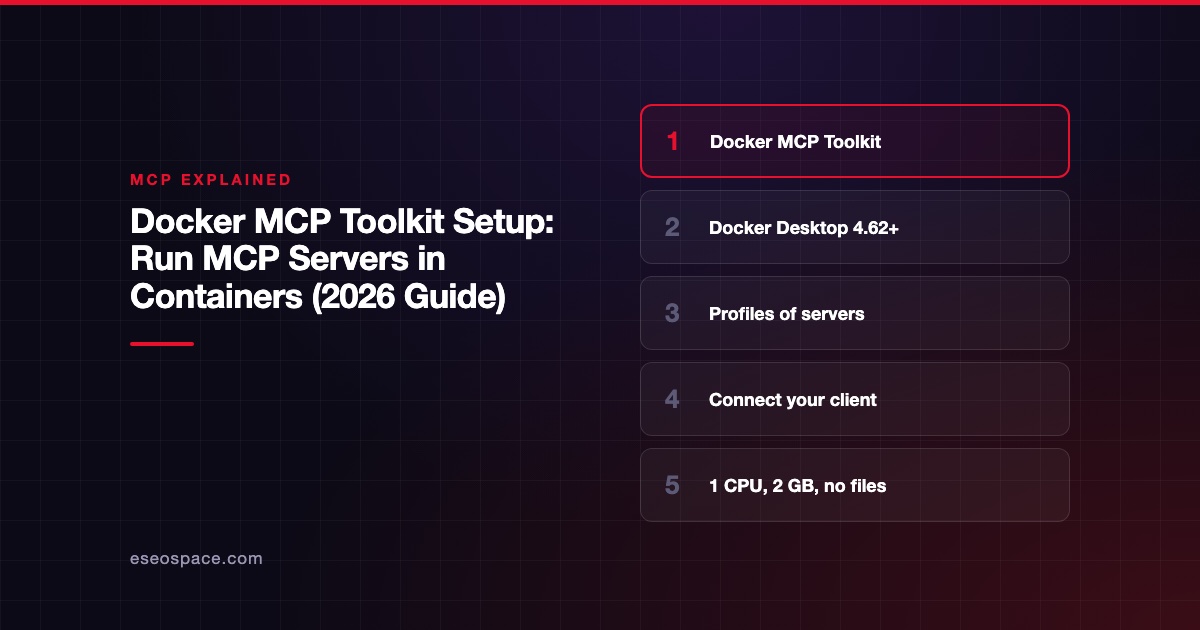
To set up the Docker MCP Toolkit, open Docker Desktop 4.62 or later, go to MCP Toolkit, add servers from the Catalog tab to a profile, and connect your AI client from the Clients tab or with docker mcp client connect. Each server then runs in its own container, with limited CPU, memory and no access to your files unless you grant it.
The appeal is isolation and convenience. You get one place to install, configure and sign in to MCP servers, and the servers cannot roam your laptop. This guide walks through setup, client connections, OAuth, the command line and common problems, checked against Docker's documentation on 2 November 2026. eSEOspace did not install the Toolkit for this article.
Key Takeaways
- The Toolkit is a management screen inside Docker Desktop; Docker's docs describe the 4.62+ interface.
- Servers are grouped into profiles, and each client connects to one profile.
- Docker limits each tool container to 1 CPU and 2 GB of memory, with no host file access by default.
- OAuth sign-in for remote servers happens in your browser, and you can revoke it in the OAuth tab.
- The same setup is scriptable with
docker mcp profile,docker mcp client connectanddocker mcp gateway run. - On Linux without Docker Desktop, you install the
docker-mcpCLI plugin from GitHub releases.
What the Toolkit is
Docker's MCP Toolkit docs call it "a management interface integrated into Docker Desktop." It sits on top of two other Docker pieces:
- The MCP Catalog, with "300+" servers per Docker's catalog docs. Docker says it "builds and signs all local servers in the catalog," with "full provenance and SBOM metadata."
- The MCP Gateway, "Docker's open source solution for orchestrating Model Context Protocol (MCP) servers," per the gateway docs. Your AI client talks to the gateway, and the gateway runs each server in a container.
For Docker's wider MCP offering and pricing, see our Docker MCP spotlight.
Before you start
- Docker Desktop 4.62 or later. Docker's docs say "This page describes the MCP Toolkit interface in Docker Desktop 4.62 and later," and earlier versions have a different interface.
- An MCP client such as Claude Desktop or VS Code.
- Accounts for any services you plan to connect, such as GitHub.
Step 1: Add servers to a profile
Docker's docs say "The MCP Toolkit organizes servers into profiles: named collections of servers with their configurations." Think of a profile as a toolbox for one kind of work.
- Open Docker Desktop and select MCP Toolkit.
- Open the Catalog tab and search for a server. Docker's example adds Puppeteer and GitHub Official.
- Add it to your profile.
- Open the server's Configuration tab and fill in any required settings or secrets.
Keep profiles small. A "research" profile and a "coding" profile load fewer tools into each conversation than one giant profile. Our explainer on MCP and the context window explains why that matters.
Step 2: Sign in with OAuth where needed
Many remote servers use OAuth. Docker says "The MCP Toolkit handles OAuth authentication automatically." In the server's Configuration tab, pick the OAuth method and approve access in your browser. You can see and revoke authorized services in the OAuth tab.
Step 3: Connect your AI client
Claude Desktop
Go to the Clients tab and select Connect next to Claude Desktop. Docker says to restart Claude Desktop if it is running.
VS Code
From your project folder, run:
docker mcp client connect vscode --profile my_profileDocker's docs say this creates .vscode/mcp.json in the current folder and that you should add it to .gitignore, because the file is specific to you. For a global setup, Docker's docs show an mcp.json entry that runs docker mcp gateway run --profile my_profile.
Other clients
Docker lists Cursor and other clients as compatible but does not give separate steps on the Toolkit page. Most stdio clients can launch the gateway as their MCP server command. Check our MCP config generator for the right file and format for your client.
Step 4: Check it works
Ask your AI client a question that needs one of the servers, for example "list my open GitHub pull requests." The client should show the tool call. If nothing happens, see the troubleshooting section below.
The command-line route
Everything above can be scripted. Docker's CLI how-to says the docker mcp commands are "available in Docker Desktop 4.62 and later."
# Create a profile
docker mcp profile create --name dev-tools

# Add a server from the Docker catalog
docker mcp profile server add dev-tools --server catalog://<catalog-ref>/<server-id>

# See your profiles and their servers
docker mcp profile list
docker mcp profile server ls --filter profile=dev-tools

# Connect a client, or run the gateway directly
docker mcp client connect vscode --profile dev-tools
docker mcp gateway run --profile dev-tools
Replace the placeholders with the catalog reference and server ID you want. The CLI docs also show docker mcp gateway run --catalog <oci-reference> and a --servers flag to enable specific servers without a profile. These commands were checked against Docker's CLI docs on 2 November 2026, not run.
Linux without Docker Desktop
The gateway docs say that on Docker Engine without Docker Desktop, you download the binary from the docker/mcp-gateway releases page, place it at ~/.docker/cli-plugins/docker-mcp, make it executable with chmod +x, and run docker mcp --help.
Security: what Docker limits
Docker's Toolkit docs list these defaults:
- CPU: tool containers are "restricted to 1 CPU."
- Memory: "Containers for MCP tools are limited to 2 GB."
- Files: "By default, MCP Servers have no access to the host filesystem." You choose which servers get folder mounts.
- Secrets: "Requests to and from tools that contain sensitive information such as secrets are blocked."
Containers reduce the damage a bad server can do, but they do not make a server trustworthy. A server with your GitHub token can still misuse GitHub. Read sandboxing local MCP servers and give each server the narrowest token you can.
Troubleshooting
- Client shows no tools. Restart the client after connecting. Confirm the client is pointed at the right profile.
- Server fails to start. Check required settings in the server's Configuration tab. Missing API keys are the usual cause.
- OAuth loops. Revoke the service in the OAuth tab and sign in again.
- Old instructions do not match your screen. You may be on a Docker Desktop version before 4.62. Update first.
- Docker not running. The gateway needs the Docker engine. Our fix guide for a Docker MCP server not connecting covers more cases.
Docker's Dynamic MCP
The Toolkit docs also describe Dynamic MCP, which "enables AI agents to discover, add, and compose MCP servers on-demand during conversations." That is powerful but gives the agent more freedom. Companies that want a fixed list should use a custom Docker MCP catalog instead.
Next step
For teams, the next move is limiting which servers people can add. Read our guide to custom Docker MCP catalogs, and compare Docker with other options in Kong vs Docker MCP Gateway. Our MCP development team can package internal servers as Docker images for your catalog.
More in the MCP Guide
Latest research: State of MCP: October 2026
Frequently asked questions
Is the Docker MCP Toolkit free?
The Toolkit is part of Docker Desktop, and the MCP Gateway code is open source. Docker sells Desktop subscriptions on separate plans; our Docker MCP spotlight summarizes the pricing page, and Docker's own pricing page is the final word.
Do I need Docker Desktop?
For the Toolkit interface, yes. On Linux with Docker Engine only, you can install the docker-mcp CLI plugin and use the gateway from the command line.
Can the servers read my files?
Not by default. Docker says MCP servers have no host file access unless you choose to mount folders for a specific server.
Does it work with Claude Code?
Docker's Toolkit page does not give Claude Code steps. Claude Code can add a stdio server that runs docker mcp gateway run --profile <name>; see our guide to the claude mcp add command.









