This profile is part of our MCP server directory, within The MCP Guide. Profiles are checked against each vendor's own documentation. Need a server built? See MCP development.
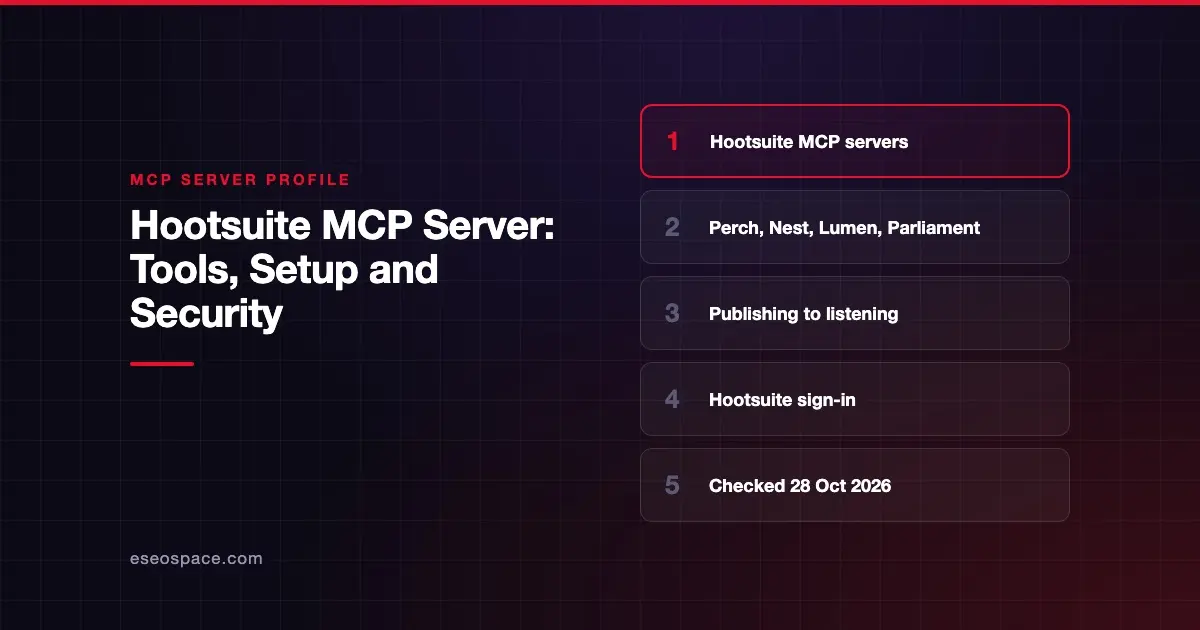
Hootsuite offers four MCP servers that let an AI app work with your Hootsuite data: Perch for content, Nest for the social inbox, Lumen for insights and listening, and Parliament for employee advocacy. Each is hosted by Hootsuite at its own URL. You sign in with your Hootsuite workspace, and the AI can only reach what your account can.
Checked against: Hootsuite MCP integration page on 28 October 2026. eSEOspace did not install or test this server.
New to MCP? Read what an MCP server is first.
Key Takeaways
- Hootsuite runs four servers under
https://mcp.hootsuite.com/:perch,nest,lumenandparliament. - Hootsuite names ChatGPT, Claude, Copilot and Gemini as supported AI tools.
- You need an active Hootsuite account and access to the product behind each server.
- Hootsuite says your AI assistant can only work with the products, workspaces, social accounts and permissions your account has.
- Hootsuite's public pages list capabilities but not individual tool names.
At a glance
| Item | Detail |
|---|---|
| Publisher | Hootsuite |
| Official? | Yes |
| Hosting | Remote URLs: https://mcp.hootsuite.com/perch, /nest, /lumen, /parliament |
| Transport | Remote URL (transport not named) |
| Sign-in | Hootsuite workspace sign-in; "Authorization is one-time" |
| Read or write | Read and write (drafting, scheduling, inbox actions) |
| Price | No MCP price listed; needs an active Hootsuite account |
| Source code | Closed |
| Status | Not stated |
What it can do
Hootsuite describes each server by capability:
| Server | Hootsuite's description | What the page says it covers |
|---|---|---|
| Perch | "Content creation, planning, and publishing" | Drafting, scheduling, content library and performance review |
| Nest | "Social inbox and customer care" | Inbox triage, conversation assignment, saved replies and resolving issues |
| Lumen | "Insights and listening" | Mentions and sentiment, influencer discovery and competitive summaries |
| Parliament | "Employee advocacy and amplification" | Creating advocacy content and finding and sharing approved posts |
Hootsuite's documentation hub gives the same purpose: the servers "let AI assistants securely access Hootsuite data and workflows on your behalf." Neither page lists individual tool names, so we have not named any.
How to connect it
Hootsuite's docs say to connect the social accounts you want to use in Hootsuite first. Then:
- Open your AI tool's connector settings.
- Choose "Remote URL" (or the equivalent) and paste the server URL, such as
https://mcp.hootsuite.com/perch. - Sign in to your Hootsuite workspace.
- Start a new chat and ask in plain English.
Hootsuite's MCP page names the menu path for each tool. For ChatGPT it is Settings, Apps, Connectors, then Add MCP server. For Claude it is Settings, Developer, Edit Config, then Add MCP server. For Copilot it is Settings, Connectors, then Add custom MCP server. For Gemini it is Settings, Extensions, then Add MCP server connection. Menu names in AI apps change often, so follow your app's current labels.
Hootsuite also says ChatGPT and Claude connect "through pre-built connectors, no technical setup required." For Gemini and Copilot, its FAQ says setup requires IT administrator access.
Security notes
- Permissions follow your account. Hootsuite says the AI only reaches the workspaces, social accounts and permissions your login has. Use a role that fits the task. See MCP excessive permissions.
- Connect only the server you need. Each product has its own URL. A reporting user may need Lumen only, not Perch.
- Publishing and replies are public. Perch can schedule posts and Nest handles customer conversations. Keep a human approval step before anything goes out.
- Inbox messages are untrusted. Nest and Lumen read text written by the public. Treat it as possible prompt injection.
- You can disconnect anytime. Hootsuite says users can connect and disconnect servers at any time.
The MCP security hub covers more.
Alternatives
- Buffer MCP server: one hosted server for posts, ideas and templates, with published tool names.
- Meta Ads MCP server: paid campaigns on Facebook and Instagram.
Next step
If your team uses Hootsuite for both publishing and customer care, decide which server each role needs before you connect anything. Our MCP for marketing teams guide helps, and MCP marketing explains how we support rollouts.
Frequently asked questions
What are Perch, Nest, Lumen and Parliament?
They are Hootsuite's four MCP servers. Perch covers content and publishing, Nest the social inbox, Lumen insights and listening, and Parliament employee advocacy.
Which AI tools work with Hootsuite MCP?
Hootsuite names ChatGPT, Claude, Copilot and Gemini. It says ChatGPT and Claude use pre-built connectors, while Gemini and Copilot need IT administrator access to set up.
Does Hootsuite charge extra for MCP?
Hootsuite's MCP page lists no price. It says you need an active Hootsuite account and access to the relevant product.
Can the AI post to my social accounts?
Perch covers drafting, scheduling and publishing, so yes, within your account's permissions. Keep approval prompts on and review posts before they go live.