
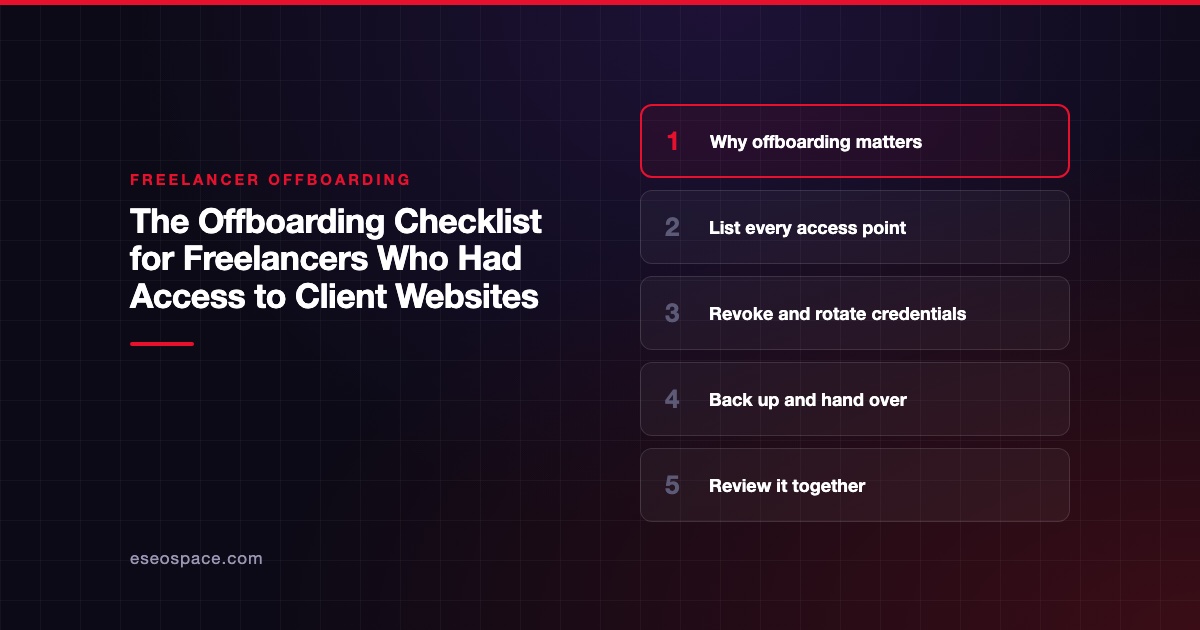
Freelancers play a big role in managing and developing client websites. From content updates to backend development, they often need access to sensitive areas such as admin panels, hosting accounts and databases. When a freelance engagement ends, offboarding matters as much as onboarding. Done properly, it protects client data, helps protect the website and makes for a smooth handover to the next provider.
Third-party access is a well-documented source of security incidents, and access that nobody removes after a contract ends is one of the easiest gaps to leave open. That is why businesses and freelancers alike should follow a complete offboarding checklist to prevent security holes and data loss.
Why Offboarding Matters
Freelancers get varying levels of access to client websites, often including login credentials, FTP accounts and CMS permissions. Once the work is done, failing to revoke those privileges can expose the client to breaches, unauthorized changes or data leaks. Beyond security, a structured offboarding process keeps continuity by documenting key information and handing over the right files and credentials.
Security providers such as Daystar's cybersecurity services in Boston stress good security practice during transitions like these. A systematic offboarding routine reduces risk and supports your obligations under data protection rules.
The risk also reaches beyond the immediate engagement. Breaches that start with a vendor or another third party tend to be among the costliest to investigate and contain, because more systems and more parties are involved. That makes offboarding a real security measure, not just a procedural step.
The Offboarding Checklist
To protect client websites and keep professional standards, freelancers and clients should work through a thorough checklist. It makes sure no critical step is missed and that both parties end the engagement on good terms.
1. Document All Access Points
Start by listing every login, account and tool the freelancer used during the project. This may include:
- Website CMS (e.g., WordPress, Shopify)
- Hosting provider dashboards
- FTP/SFTP credentials
- Domain registrars
- Analytics platforms (e.g., Google Analytics)
- Third-party integrations (e.g., payment gateways)
A complete inventory keeps any access from being kept by mistake. Forgotten and unmanaged credentials are a common thread in security incidents, so this list is the foundation of everything that follows.
2. Transfer Ownership of Assets
Make sure every digital asset the freelancer created or managed is formally transferred to the client or the new provider. This covers:
- Source code repositories
- Design files and graphics
- Content drafts and final versions
- Credentials for third-party services
An organized handover avoids confusion and leaves the client in full control. Without it, clients risk losing access to important resources or intellectual property, which can disrupt ongoing website management.
3. Revoke or Change Credentials
Revoke or change every credential shared with the freelancer as soon as the engagement ends. This is the critical step for preventing access after the contract is over, and weak access management with third parties is a frequent cause of incidents.
Work through each account systematically, including:
- CMS admin accounts
- FTP users
- Hosting control panels
- Email accounts associated with the website
Deleting a user account is not always enough on its own. Password changes and multi-factor authentication updates should be part of the process too, especially for shared logins. This layered approach greatly reduces the risk of lingering access. Our guide to website admin access control and 2FA covers how to set up individual accounts so the next offboarding is simpler.
4. Confirm Data Backup and Security
Make sure the client has current backups of the website and its data. The freelancer should confirm that all work is complete and that no leftover code or files remain that could create security risks.
Managed IT providers such as enkompas, a managed IT services company in Pittsburgh, help businesses build offboarding processes that limit downtime and data loss. Keeping regular backups, and checking that they actually restore, is what lets you recover quickly from problems after a freelancer leaves.
Storing backups securely, ideally offsite or in the cloud with encryption, adds another layer of protection against data loss or ransomware. This matters most for e-commerce sites and platforms that handle sensitive customer information. If no one owns this after the freelancer goes, a website maintenance service can take over backups and updates.
5. Provide Documentation and Training
Where it applies, the freelancer should deliver clear documentation on how the site is managed, which credentials exist, and any custom features or plugins. This helps the client or their next vendor keep things running without disruption.
A short training session or walkthrough is also worthwhile, especially for non-technical clients. It gives the client's team confidence to manage the site or to brief future freelancers and agencies.
Clear documentation should include:
- Step-by-step guides for common tasks
- An explanation of any custom code or integrations
- Contact information for third-party services used
This knowledge transfer reduces the chance of errors or downtime after the freelancer leaves.
6. Conduct a Final Review Together
A joint review meeting between the freelancer and the client makes sure every checklist item is done and open questions are answered. It builds trust and sets the stage for future work or referrals.
During the session, both parties can confirm that:
- All credentials have been revoked or transferred
- Documentation is complete and understood
- The client has backup copies of all assets
- Any outstanding issues are documented for follow-up
The meeting is also a chance to share feedback and lessons learned for future projects.
Best Practices for Freelancers and Clients
Freelancers and clients both benefit from agreeing on an offboarding protocol before the work begins. Clarity up front avoids misunderstandings and improves security.
- Freelancers should put offboarding terms in their contracts, including timelines for revoking access and who is responsible for what.
- Clients should keep an access log and work with trusted IT professionals to oversee transitions.
- Regular security audits can catch gaps in access control or unauthorized changes.
Many businesses have been paying closer attention to vendor access after a string of high-profile supply-chain attacks, and a vendor security review is a natural companion to offboarding.
Tools such as privileged access management (PAM) software can also automate parts of offboarding, reducing human error and improving audit trails. They let clients see and control who can reach critical systems through privileged accounts and revoke permissions quickly when needed.
Conclusion
Offboarding is a critical moment that deserves as much attention as onboarding or the project itself. Freelancers with access to client websites are responsible for closing out their engagement securely and transparently. By documenting access, transferring assets, revoking credentials, confirming backups and providing documentation, freelancers and clients can protect their digital assets and keep a good working relationship.
With third-party risk well documented, a structured offboarding process is a practice every business should adopt. Working with reliable technology partners, including managed IT providers who can look after systems day to day, makes transitions safer and smoother.
A well-run offboarding checklist reduces risk and builds trust, helping keep client websites protected and working long after the freelancer's role ends. Taking these steps seriously is an investment in the long-term health and reputation of both client and freelancer.