This article is part of our Trust Signals & E-E-A-T Guide: the bylines, reviewers, license numbers and schema that help Google, AI assistants and customers trust a business website. Want to know where your site stands? Get a free 20–30 page website audit within 24 hours.
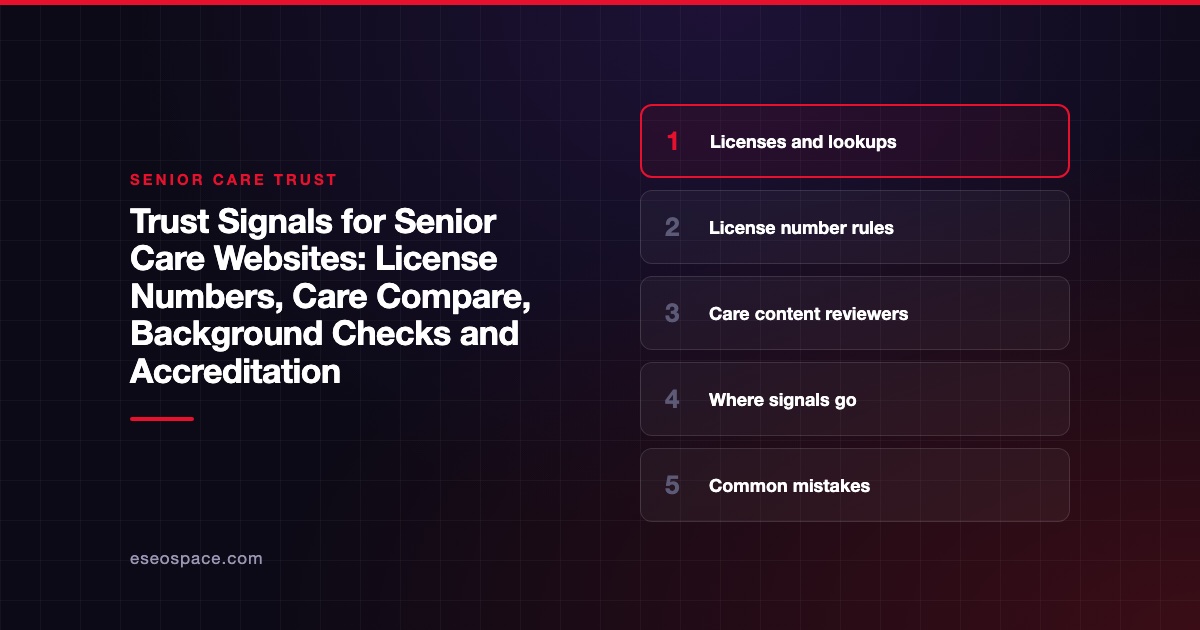
The trust signals that matter most on a senior care website are your state license number and a link to the public lookup. Accurate ratings, specific background check wording and real accreditation come next. Families make these decisions under stress, and they want proof. This guide is part of our Trust Signals and E-E-A-T Guide.
Senior care content is YMYL (Your Money or Your Life), because it affects health, safety and money. Google says E-E-A-T (experience, expertise, authoritativeness and trust) isn't a specific ranking factor, but it gives more weight to strong E-E-A-T on topics affecting health or safety.
License rules here are unusually concrete. Some states require the license number in advertising. In our 149-site audit, 65 of 96 licensed businesses showed no license number, and 38 of those said "licensed" without one.
Key Takeaways
- California and Florida statutes both require certain licensed residential facilities to show a license number in advertising.
- Link to the state lookup, so families can see the record themselves.
- CMS rates nursing homes on Care Compare from 1 to 5 stars, so quote a rating only if your provider type has one.
- "Background checked" means little alone, so say what the check covers.
- Show accreditation only for the program and location that actually hold it.
- Never add a "Reviewed by" line unless the named person actually reviewed that page.
The credentials that matter in senior care
The right credential depends on the service. Assisted living, home care, home health, hospice and nursing homes are often licensed differently.
| Service | Credential or record | Where to verify it (examples) |
|---|---|---|
| Residential care or assisted living (California) | Community care facility license | California CDSS care facility search |
| Home care organization (California) | Home care organization license | CDSS Home Care Services |
| Home care aide (California) | Registered, background-checked aide | CDSS Home Care Aide Registry |
| Nursing home | CMS star rating | CMS Five-Star Quality Rating System, which points to Care Compare |
| Home health agency | Patient survey star ratings | CMS home health survey star ratings |
| Assisted living or home care | Voluntary accreditation | ACHC assisted living, ACHC home care, CHAP home care |
Outside California, find your own state agency's search. Each state decides which agency licenses which service.
Medicare Care Compare
CMS says its Five-Star system helps families compare nursing homes, with each one rated between 1 and 5 stars. CMS also suggests using it to identify areas to ask about. That framing is a good model for your own page.
Do not imply a Medicare rating you do not have. If you run assisted living or private-pay home care, check Care Compare first. If your provider type is not rated there, say nothing about Medicare stars.
If you quote a rating, include the date you checked it and link to your listing. Ratings can change, so review that line on a schedule. A stale "5 stars" badge can mislead families.
Accreditation
ACHC and CHAP publish accreditation programs for these settings. Accreditation applies to a specific organization and program, so a parent company's seal may not cover every location or service. Ask your accreditor how you may use its name and logo.
What the rules say about showing them
Some of the clearest rules in this industry require a license number in advertising.
California residential care for the elderly. Health and Safety Code section 1569.681 covers each licensed facility. It must reveal its license number in all advertisements, publications or announcements made to attract clients or residents. The listed examples are "not limited to" print and broadcast. Websites are not named, so treat your site as covered and confirm with counsel.
California community care facilities. Section 1514 has similar wording for residential care facilities licensed under that chapter.
Florida assisted living. Florida Statutes section 429.47 says a licensed facility, other than one under chapter 651, must include its license number in all advertising. The words "assisted living facility" must come before the number. An owner of several facilities must show at least one number per ad.
California home care. The Home Care Services Consumer Protection Act, in force since January 2016, requires home care organizations to be licensed. It also created a public online registry of background-checked aides. We did not confirm a separate advertising rule for home care organizations, so ask counsel. Showing the number anyway helps families.
Rules vary by state; confirm with your licensing agency or counsel.
Reviews
Family testimonials are common here. The FTC rule on consumer reviews and testimonials covers fake reviews, buying reviews, insider reviews and review suppression. Get permission before you quote a family, and protect residents' private details. Our reviews and testimonials guide has the details.
Describing caregiver background checks
"All caregivers are background checked" is a weak claim, since readers cannot tell what it means. Be specific about what you actually do:
- Which check you run, such as a state registry or fingerprint check.
- When you run it: before hire, and whether you repeat it.
- Who it covers: caregivers only, or all staff who enter a home.
- What else you verify, such as references or license status.
In California, a family can look up a registered aide on the Home Care Aide Registry. Do not call every employee "registered" unless each one is. Avoid "guaranteed safe." No check can promise that.
For staff bios, get consent, and do not publish home addresses. Our team and provider pages guide covers these limits.
Bylines and reviewers for senior care content
Who should write. Your administrator, director of nursing or care manager, or a writer working from their input. "Admin" is not an author.
Who should review. Match the topic. A registered nurse or physician can review dementia and fall-prevention articles. An elder law attorney can review Medicaid and legal planning articles. A CPA or benefits expert can review payment topics.
What the line should say.
"Reviewed by [full name, RN], [title]. Last reviewed [date]."
Never add a "Reviewed by" line unless the named person actually reviewed that page. Keep a record of the date and version. See what "reviewed by" means.
How often. Recheck payment, Medicare and Medicaid content at least yearly, since those rules change. Recheck pricing and ratings more often.
Make the page easy to use, too. Readable type and simple navigation matter for older visitors and their families, as our post on designing for elderly patients explains.
Where each signal goes on your site
| Signal | Where on the page | Schema property |
|---|---|---|
| License number and type | Footer, location page, About page | hasCredential, identifier |
| Lookup link | Next to the license number | hasCredential |
| Physical address per location | Location page, footer | address |
| Care Compare rating, if applicable | Location page, with check date | None; visible text only |
| Accreditation | About page, covered location pages | hasCredential |
| Background check description | Careers, About and home care pages | None; visible text only |
| Administrator or owner | About and team pages | founder, employee |
| Reviewer and date | Under the article title | reviewedBy, lastReviewed |
Schema helps machines read what is already visible. It does not prove licensing or guarantee a rich result. Keep it matched to the visible text.
Common mistakes
- Saying "licensed and insured" with no number or lookup link.
- Showing one license number across several locations with separate licenses.
- Displaying an old star rating with no date.
- Implying Medicare approval or ratings for a service that is not rated.
- Using a parent company's accreditation seal on a location it does not cover.
- Using stock photos as if they were your residents or staff.
Next step
Find your license number rule, then add the number and lookup link to each location page. Tighten your background check wording, and use our audit checklist to catch the rest. See our senior care website services, or get a free 20–30 page website audit within 24 hours.
Frequently asked questions
Do we have to put our license number on our website?
Some states require it in advertising. California and Florida have statutes covering certain residential facilities, and they use broad language. Check your own state's rule, and show the number either way.
Can we use Medicare star ratings in our marketing?
Only if your facility has a rating. Say what it measures, include the date you checked, and link to the listing. Recheck it regularly so the page stays accurate.
Is accreditation required?
That depends on your provider type and state, so ask your licensing agency. Show it only if the location and program are covered. Follow the accreditor's rules on its name and logo.
How should we describe caregiver screening?
Name the check, when it is done and who it covers. Vague claims give families little to rely on. If an aide appears on a public registry, you can explain how to look them up.
Who should review our dementia care articles?
A nurse, physician or other qualified clinician with relevant experience is a sensible choice. Only name them if they really read and approved the article. Keep a dated record of that review.